
1. Rhagymadrodd
Thank you for choosing the Amzfast AMZG27C1 27-inch 200Hz Curved Gaming Monitor. This manual provides essential information for setting up, operating, and maintaining your new monitor. Please read it thoroughly before use to ensure optimal performance and longevity of your device.
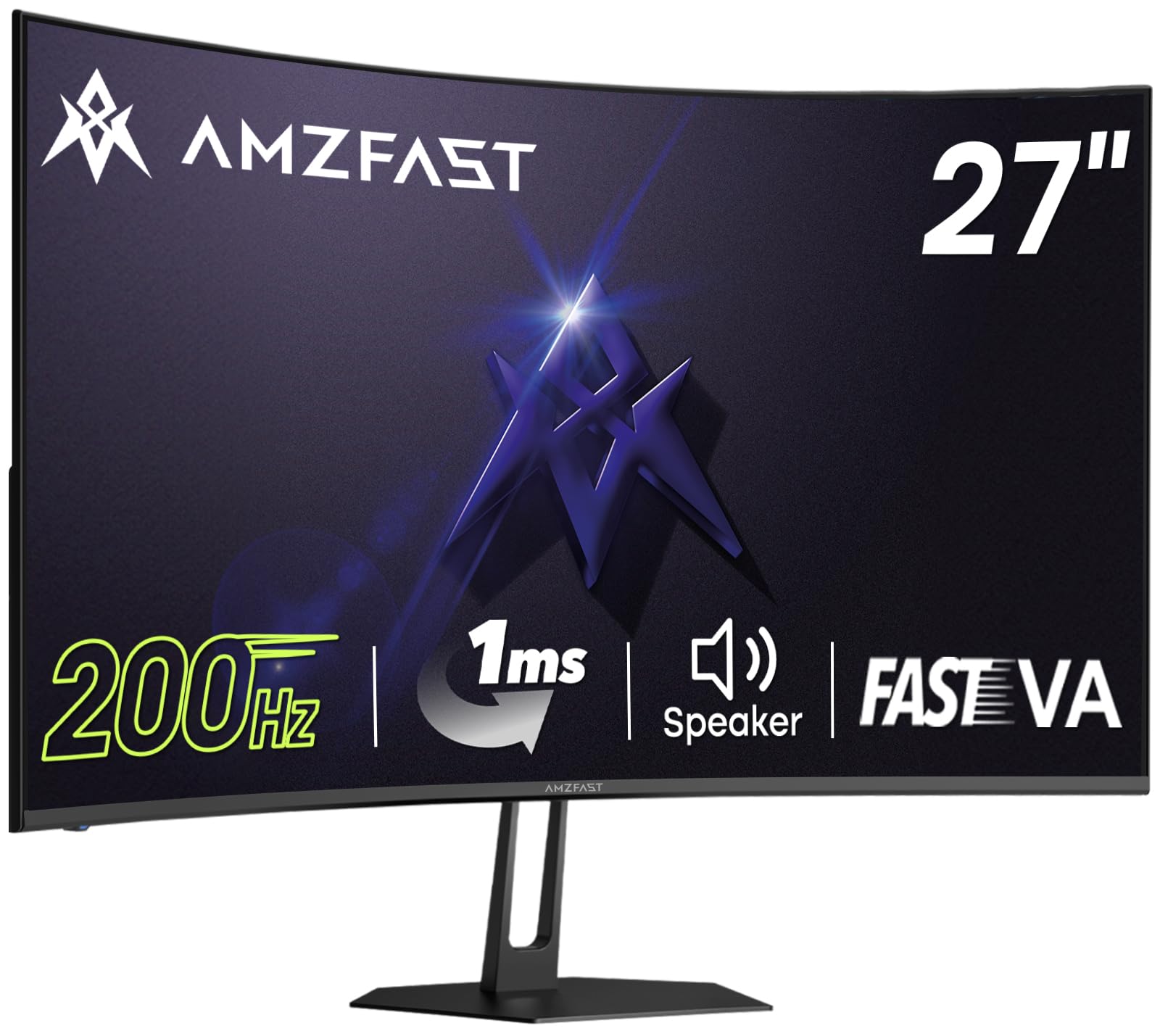
Image 1: Amzfast AMZG27C1 27-inch Curved Gaming Monitor with a gaming setup.
The Amzfast AMZG27C1 is designed to deliver an immersive gaming experience with its 1500R curvature, Full HD (1080P) resolution, and a rapid 200Hz refresh rate combined with a 1ms MPRT response time. Its Fast VA panel offers superior contrast and minimal light leakage compared to traditional IPS panels. Integrated 2W speakers provide convenient audio, while features like Adaptive-Sync, HDR10, and various gaming modes enhance visual quality and gameplay fluidity.
2. Cynnwys Pecyn
Gwiriwch y pecyn am yr eitemau canlynol:
- Amzfast AMZG27C1 27-inch Curved Gaming Monitor
- Stand Monitor (Sylfaen a Gwddf)
- Addasydd Pŵer
- Cebl HDMI (1.5m)
- Llawlyfr Defnyddiwr / Canllaw Cychwyn Cyflym
Video 1: Official Amzfast overview of the AMZG27C1 monitor and its features.
3. Cyfarwyddiadau Gosod
3.1 Cydosod y Stand
- Tynnwch gydrannau'r monitor a'r stondin o'r pecynnu yn ofalus.
- Attach the stand neck to the monitor panel by aligning the tabs and pushing until it clicks into place.
- Secure the stand base to the neck using the provided screw, tightening it by hand.

Image 2: Illustration of attaching the monitor stand to the display panel.
3.2 Cysylltu â Dyfais
- Connect the HDMI cable from your computer or gaming console to the HDMI 2.0 port on the monitor. Alternatively, use a DisplayPort 1.4 cable for compatible devices.
- Plug the power adapter into the DC IN port on the monitor, then connect the other end to a power outlet.
- Press the power button located on the back of the monitor to turn it on.
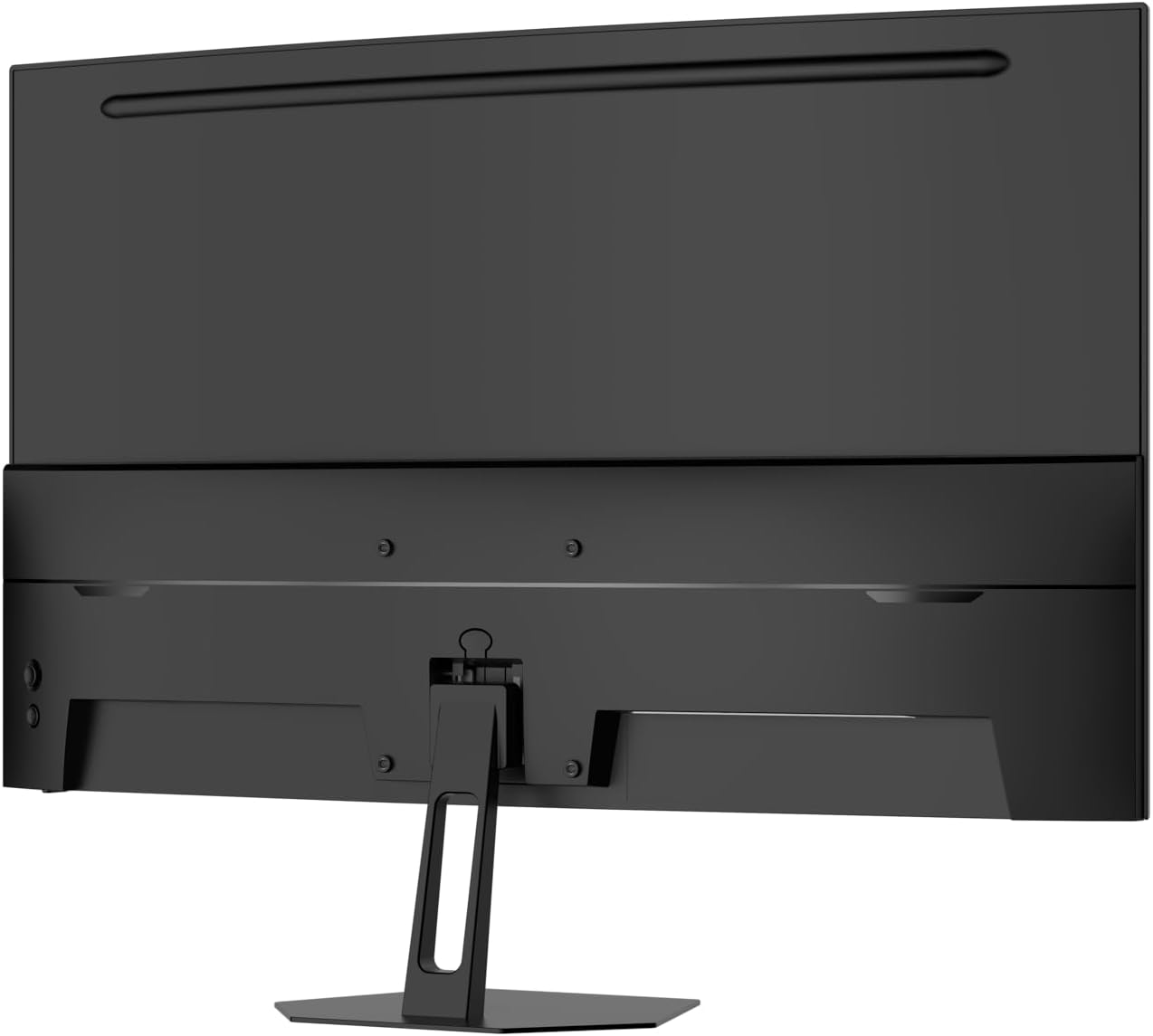
Delwedd 3: Cefn view of the monitor showing the HDMI, DisplayPort, and power input ports.
4. Cyfarwyddiadau Gweithredu
4.1 Llywio Dewislen OSD
The On-Screen Display (OSD) menu is controlled by a joystick button located on the back of the monitor. Use the joystick to navigate through the menu options and adjust settings.
- Pwyswch y Joystick: Mynediad i brif ddewislen yr OSD.
- Symud y Joystick i Fyny/I Lawr: Llywiwch drwy opsiynau dewislen.
- Symud y ffon reoli i'r chwith/i'r dde: Addaswch werthoedd y gosodiadau a ddewiswyd.
- Press Joystick (again): Confirm selection or exit sub-menu.
4.2 Nodweddion Hapchwarae
The monitor includes several features optimized for gaming:
- Dulliau Gêm: Select from preset modes like FPS, RTS, or RPG for optimized visual settings.
- Cymorth Croeslin: Enable an on-screen crosshair for improved aiming in games.
- Black Level Adjustment: Enhance visibility in dark areas of games.
- Adaptive-Sync (FreeSync Premium): Synchronizes the monitor's refresh rate with your GPU's frame rate to eliminate screen tearing and stuttering.

Image 4: Visual representation of Game Assistant features including Crosshair, Timer, and Black Level adjustment.
5. Nodweddion Arddangos
The AMZG27C1 monitor boasts advanced display technologies for a superior visual experience:
- Fast VA Panel: Offers a faster response speed than ordinary VA panels and minimizes light leakage compared to IPS panels, providing deep blacks and vibrant colors.
- Cromiad 1500R: Yn darparu trochi viewing experience, reducing eye strain during extended use.
- Datrysiad FHD 1080P: Delivers crisp and clear images at 1920x1080 pixels.
- 200Hz Refresh Rate & 1ms MPRT: Ensures ultra-smooth motion and minimal ghosting, crucial for fast-paced gaming.
- Cywirdeb Lliw Uchel: Supports 16.7 million colors (8-bit) with 130% sRGB coverage, offering rich and accurate color reproduction.
- Cefnogaeth HDR10: Enhances contrast and color for a more dynamic and lifelike image.
- Technolegau gofal llygaid: Features Anti-flicker, Anti-Glare, and Low Blue Light modes to reduce eye fatigue.
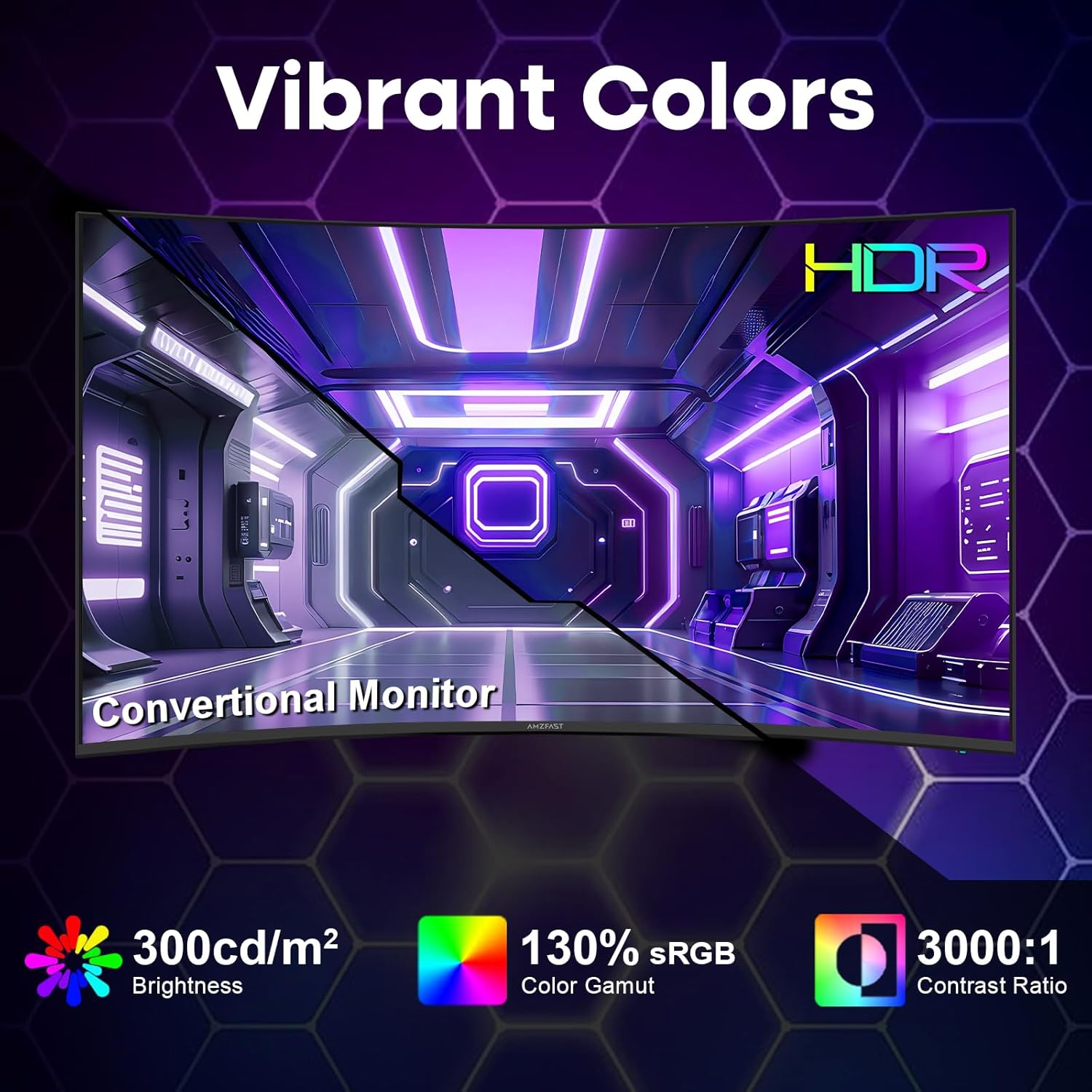
Image 5: Illustrates the vibrant colors, 300cd/m² brightness, 130% sRGB, and 3000:1 contrast ratio with HDR support.
6. Cysylltedd
Mae'r monitor yn cynnig opsiynau cysylltedd amlbwrpas:
- HDMI2.0: One port for high-definition video and audio input.
- Dangosydd Arddangos 1.4: One port for high-resolution and high-refresh-rate video input.
- Jack Ffôn Clust: Ar gyfer cysylltu clustffonau neu siaradwyr allanol.
- DC YN: Porthladd mewnbwn pŵer.
- VESA Mount (100mm x 100mm): Allows for alternative mounting solutions using compatible VESA arms or wall mounts.
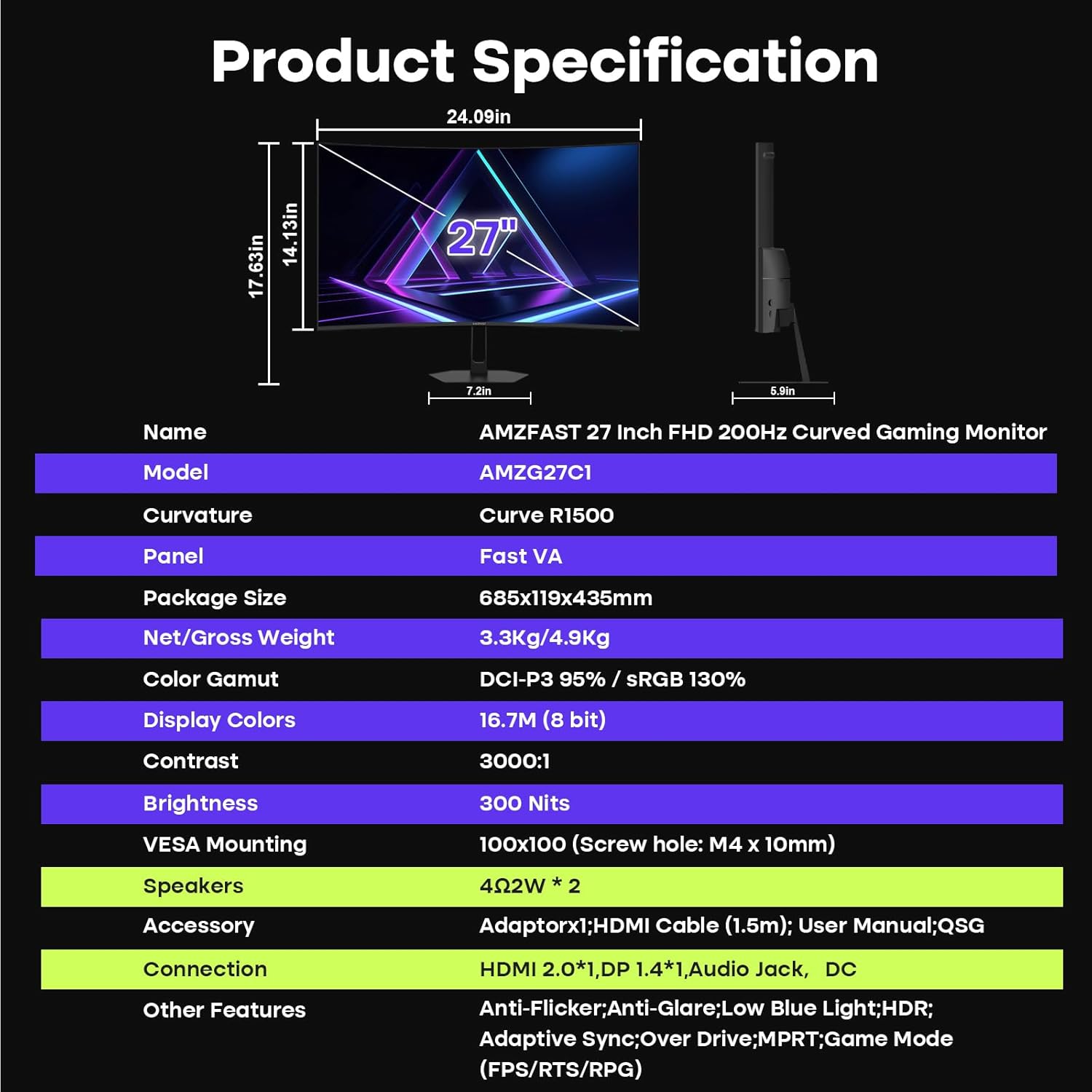
Image 6: Detailed product specification table including connectivity options.
7. cynnal
To ensure your monitor remains in optimal condition, follow these maintenance guidelines:
- Glanhau'r sgrin: Sychwch y sgrin yn ysgafn gyda lliain meddal, di-flwff. Ar gyfer marciau ystyfnig, sychwch yn ysgafnampgolchwch y lliain gyda dŵr neu doddiant glanhau sgrin. Osgowch gemegau llym neu ddeunyddiau sgraffiniol.
- Glanhau'r Casing: Defnyddiwch frethyn meddal, sych i lanhau c y monitorasing.
- Awyru: Gwnewch yn siŵr bod agoriadau awyru'r monitor yn glir ac yn ddi-rwystr i atal gorboethi.
- Pwer i ffwrdd: Diffoddwch y monitor bob amser a'i ddatgysylltu o'r soced pŵer cyn ei lanhau neu os na fydd yn cael ei ddefnyddio am gyfnod hir.
8. Datrys Problemau
If you encounter any issues with your monitor, please refer to the following common solutions:
- Dim pŵer: Ensure the power cable is securely connected to both the monitor and the power outlet. Check if the power outlet is functioning.
- Dim Arwydd: Verify that the video cable (HDMI or DisplayPort) is correctly connected to both the monitor and your device. Ensure the correct input source is selected in the OSD menu.
- Sgrin yn Fflachio: Check the video cable connection. Ensure your graphics card drivers are up to date. Try adjusting the refresh rate in your device's display settings.
- Ansawdd Delwedd Gwael: Adjust brightness, contrast, and color settings in the OSD menu. Ensure the display resolution is set to 1920x1080.
- No Sound from Built-in Speakers: Check the monitor's volume settings in the OSD menu and your device's audio output settings. Ensure the monitor is selected as the audio output device.
If the problem persists, please contact Amzfast customer support.
9. manylebau
| Nodwedd | Manylyn |
|---|---|
| Enw Model | AMZG27C1 |
| Maint Sgrin | 27 modfedd |
| Datrysiad | FHD 1080p (1920 x 1080) |
| Cyfradd Adnewyddu | 200 Hz |
| Amser Ymateb | 1 Millisecond (MPRT) |
| Math Arddangos | Fast VA Panel |
| crymedd | 1500R |
| Cymhareb Cyferbyniad | 3000:1 |
| Disgleirdeb | 300 Candela per Square Meter (Nits) |
| Lliw Gamut | 130% sRGB (16.7 million colors, 8-bit) |
| Cefnogaeth HDR | HDR 10 |
| Cysoni Addasol | Premiwm FreeSync |
| Siaradwyr Cynwysedig | 2 x 2W |
| Cysylltedd | 1x HDMI 2.0, 1x DisplayPort 1.4, 1x Jac Clustffonau |
| Mowntio VESA | 100mm x 100mm |
| Nodweddion Gofal Llygaid | Anti-flicker, Anti-Glare, Low Blue Light |
10. Gwarant a Chefnogaeth
Your Amzfast AMZG27C1 monitor comes with a 1-Year Zero-Bright-Dot warranty ac a 12-Month Warranty Exchange. This ensures free replacement or a new monitor for any major quality problems within two years.
For any after-sales issues, technical support, or warranty claims, please contact Amzfast Official customer service. Refer to the contact information provided in your Quick Start Guide or visit the official Amzfast websafle am gymorth.