
1. Rhagymadrodd
This manual provides detailed instructions for the KOOSMILE Mini PC N150 (Model N80). This device is a compact and portable computer featuring an 8-inch multi-touch display, designed for various applications from daily tasks to light entertainment. Please read this manual thoroughly before using the product to ensure proper operation and to maximize its lifespan.

Ffigur 1.1: The KOOSMILE Mini PC N150, showcasing its integrated 8-inch touchscreen and various connectivity ports.
Nodweddion Allweddol:
- Prosesydd: Twin Lake N150 CPU (4 cores, 4 threads, up to 3.6 GHz)
- Cof: 12GB DDR5 RAM
- Storio: 256GB M.2 SSD (expandable, other variants available)
- Arddangos: 8-inch HD multi-touch screen
- Cysylltedd: WiFi 6, Bluetooth 5.2, Dual RJ45 Ethernet
- Porthladdoedd: 2x USB 3.0, 2x USB 2.0, HDMI, DisplayPort, Full-function Type-C, 3.5mm Audio Jack, TF Card Slot
- System Weithredu: Windows 11 Pro
- Batri: Integrated 5000mAh battery for portable use
2. Cynnwys Pecyn
Gwiriwch fod yr holl eitemau yn bresennol yn y pecyn wrth ddadbocsio:
- KOOSMILE Mini PC N150 (Model N80)
- Addasydd Pŵer
- Cebl HDMI
- Cebl DP
- Llawlyfr Defnyddiwr (y ddogfen hon)
3. Cynnyrch Drosview (Ports and Features)
Familiarize yourself with the various ports and features of your Mini PC for optimal connectivity and usage.

Ffigur 3.1: Manwl view of the KOOSMILE Mini PC N150's 12-port design, highlighting each port's function.
Disgrifiadau Porthladd:
- Porthladdoedd USB 3.0 (x2): Ar gyfer trosglwyddo data cyflym gyda dyfeisiau cydnaws.
- Porthladdoedd USB 2.0 (x2): For connecting standard USB peripherals like keyboards and mice.
- Porthladd HDMI: Connects to external displays, TVs, or projectors for video and audio output.
- DisplayPort (DP): Connects to external displays for high-resolution video output.
- Full-function Type-C Port: Supports 4K@60Hz video output, data transfer, and power delivery.
- RJ45 Ethernet Ports (x2): Ar gyfer cysylltiadau rhwydwaith gwifrau.
- Jac Sain 3.5mm: Ar gyfer cysylltu clustffonau neu siaradwyr allanol.
- Slot Cerdyn TF: For expanding storage or transferring data from TF cards.
- Botwm Pŵer: I bweru ar / oddi ar y ddyfais.

Ffigur 3.2: The integrated adjustable metal bracket allows for flexible viewing onglau.
4. Canllaw Gosod
4.1 Pŵer Cysylltu
- Connect the provided power adapter to the power input port on the Mini PC.
- Plygiwch yr addasydd pŵer i mewn i allfa wal.
- The device is now ready for initial power on.
4.2 Cychwyn Cychwynnol a Gosod Windows
- Press the power button located on the side of the Mini PC.
- The device will boot up, and the 8-inch touchscreen will display the Windows 11 Pro setup wizard.
- Follow the on-screen instructions to complete the initial Windows setup, including language, region, network connection, and user account creation.
4.3 Cysylltu Perifferolion
You can connect external devices such as a keyboard, mouse, and external monitors.
- Bysellfwrdd a Llygoden: Connect USB keyboards and mice to the available USB 2.0 or USB 3.0 ports. Wireless peripherals can be connected via Bluetooth 5.2.
- External Monitors: Use the provided HDMI or DP cables to connect to external displays. The full-function Type-C port also supports video output.
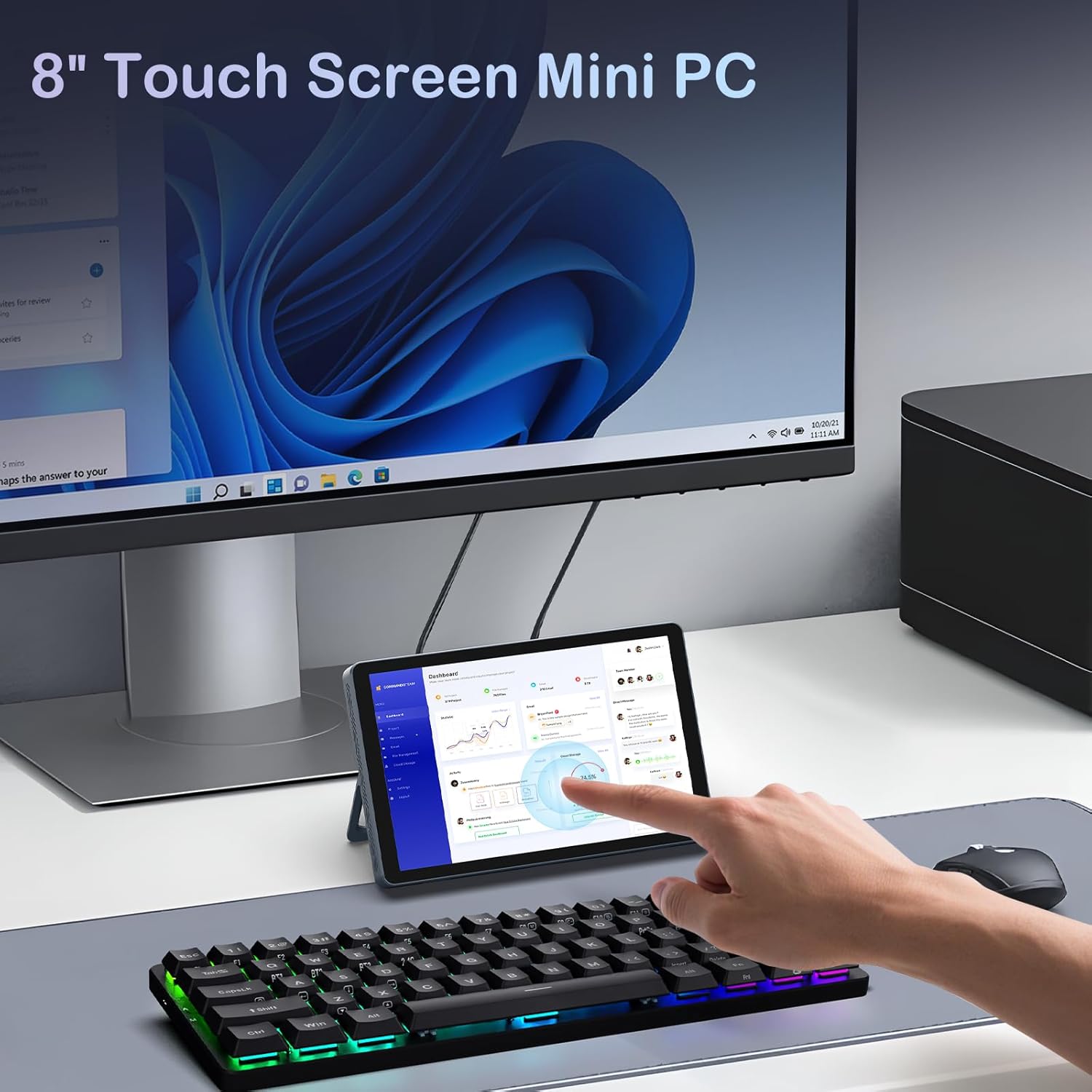
Ffigur 4.1: The Mini PC N150 in a desktop setup, utilizing an external monitor and peripherals.
4.4 Cysylltiad Rhwydwaith
- Wi-Fi: During Windows setup or via Windows settings, connect to your preferred Wi-Fi 6 network.
- Ethernet: Connect an Ethernet cable from your router or modem to one of the two RJ45 ports on the Mini PC for a wired network connection.
5. Cyfarwyddiadau Gweithredu
5.1 Defnyddio'r Sgrin Gyffwrdd
The 8-inch display supports multi-touch gestures, allowing for intuitive interaction with Windows 11 Pro. Use standard touch gestures for navigation, scrolling, zooming, and selecting items.
5.2 Connecting External Displays (Dual Display)
The Mini PC supports dual 4K displays simultaneously via HDMI, DisplayPort, and the full-function Type-C port. This allows for an extended desktop experience.
- Connect your external monitors using the appropriate cables (HDMI, DP, or Type-C).
- Once connected, Windows will automatically detect the displays. You can configure display settings (extend, duplicate, or second screen only) via the Display Settings in Windows.
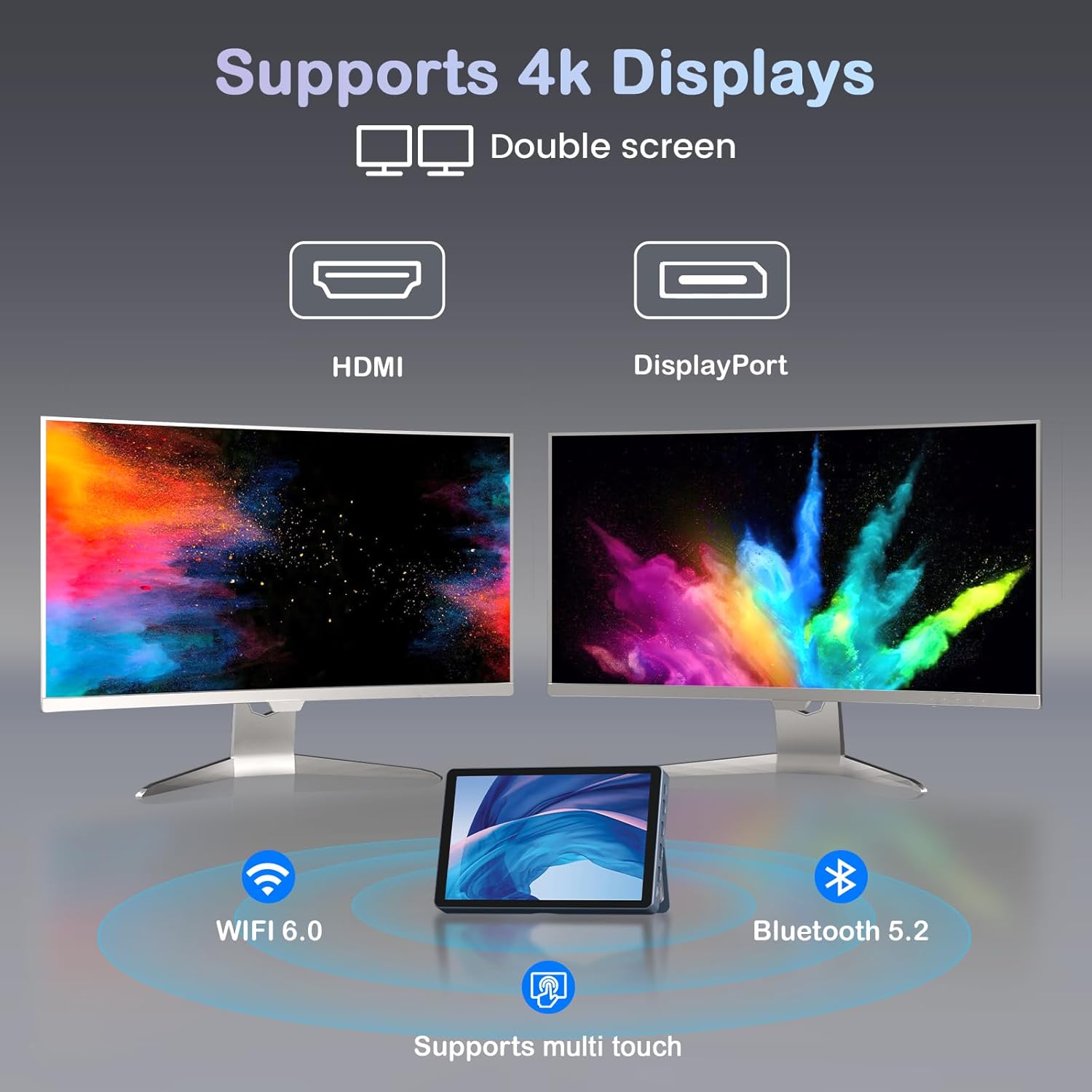
Ffigur 5.1: The Mini PC N150 supporting a dual 4K monitor setup, enhancing productivity.
5.3 Rheoli Batri
The integrated 5000mAh battery provides power for portable use. The battery also supports charging other devices via its Type-C port.
- Charging the Mini PC: Connect the power adapter to fully charge the internal battery.
- Codi Tâl ar Ddyfeisiadau Allanol: Use a compatible USB-C cable to connect your smartphone or other devices to the Mini PC's full-function Type-C port for charging. Ensure the Mini PC has sufficient battery charge.

Ffigur 5.2: The Mini PC N150 can provide power to charge other portable devices.
5.4 Adjusting the Integrated Stand
The Mini PC features an adjustable metal bracket on its rear, allowing you to set the device at various viewing onglau ar gyfer defnydd cyfforddus.
- Gently pull out the metal bracket from the back of the device.
- Adjust the bracket to your desired angle (e.g., 45 degrees or 165 degrees) to prop up the screen.
- Ensure the bracket is stable before releasing y ddyfais.
6. cynnal
6.1 Glanhau
- Defnyddiwch frethyn meddal, sych, heb lint i lanhau tu allan y ddyfais.
- For the touchscreen, use a screen-specific cleaning solution and a microfiber cloth. Avoid harsh chemicals.
- Sicrhewch fod y ddyfais wedi'i phweru i ffwrdd a'i dad-blygio cyn ei glanhau.
6.2 Ehangu Storio
The Mini PC comes with an M.2 SSD, which can be upgraded. Refer to the manufacturer's guidelines or a qualified technician for storage upgrades to avoid voiding the warranty or damaging the device.
- The device supports M.2 SSDs.
- Consult the technical support team for recommended compatible M.2 SSD types and installation procedures.
7. Datrys Problemau
If you encounter issues with your KOOSMILE Mini PC N150, refer to the following common troubleshooting steps:
- Dim pŵer:
- Gwnewch yn siŵr bod yr addasydd pŵer wedi'i gysylltu'n ddiogel â'r Mini PC ac allfa bŵer sy'n gweithio.
- Gwiriwch fod y soced pŵer yn gweithio drwy blygio dyfais arall i mewn.
- If using the battery, ensure it is charged.
- Dim Arddangosfa ar y Monitor Allanol:
- Check that the HDMI, DP, or Type-C cable is securely connected to both the Mini PC and the monitor.
- Ensure the external monitor is powered on and set to the correct input source.
- Rhowch gynnig ar gebl neu fonitor gwahanol os yw ar gael.
- Problemau Cysylltedd Wi-Fi/Bluetooth:
- Ensure Wi-Fi/Bluetooth is enabled in Windows settings.
- Restart the Mini PC and your router/modem.
- Check for updated network drivers in Device Manager.
- Sgrin Gyffwrdd Ddim yn Ymatebol:
- Restart the Mini PC.
- Gwnewch yn siŵr bod y sgrin yn lân ac yn rhydd o falurion.
- Check for updated touchscreen drivers.
If these steps do not resolve the issue, please contact KOOSMILE technical support for further assistance.
8. manylebau
The following table outlines the technical specifications for the KOOSMILE Mini PC N150 (Model N80):
| Nodwedd | Manyleb |
|---|---|
| Rhif Model | N80 |
| Prosesydd | Intel Celeron N150 (4 Cores, 4 Threads, up to 3.6 GHz) |
| HWRDD | 12GB DDR5 |
| Storio | 256GB M.2 SSD (supports NVMe) |
| Graffeg | Graffeg Integredig |
| System Weithredu | Windows 11 Pro |
| Arddangos | 8-inch HD Multi-touch Screen |
| Cydraniad Sgrin Max | 3840 x 2160 (4K) |
| Porthladdoedd USB | 2x USB 3.0, 2x USB 2.0 |
| Allbwn Fideo | HDMI, DisplayPort, Full-function Type-C (4K@60Hz Dual Display Support) |
| Rhwydwaith | WiFi 6 (802.11ax), Bluetooth 5.2, 2x RJ45 Ethernet |
| Sain | Jack Sain 3.5mm |
| Darllenydd Cerdyn | Slot Cerdyn TF |
| Batri | 5000mAh (Batri Ansafonol) |
| Dimensiynau | 7.62 × 4.88 × 0.91 inches (19.36 x 12.4 x 2.31 cm) |
| Pwysau | 2.42 pwys (1.1 kg) |
9. Gwarant a Chefnogaeth
KOOSMILE is committed to providing reliable products and customer satisfaction.
- Gwarant: Each KOOSMILE Mini PC N150 comes with a 1-year limited warranty from the date of purchase. This warranty covers manufacturing defects and hardware malfunctions under normal use.
- Cymorth Technegol: We offer lifetime technical support for your product. Our professional after-sales team is available 24 hours a day to assist you with any technical inquiries or issues.
- Gwasanaeth Cwsmer: For responsive customer service, please refer to the contact information provided on the KOOSMILE official websafle neu'ch platfform prynu.