
1. Rhagymadrodd
This manual provides essential information for the safe and efficient use of your Infinix Smart 10 smartphone. Please read this guide thoroughly before operating your device to ensure optimal performance and longevity. Keep this manual for future reference.
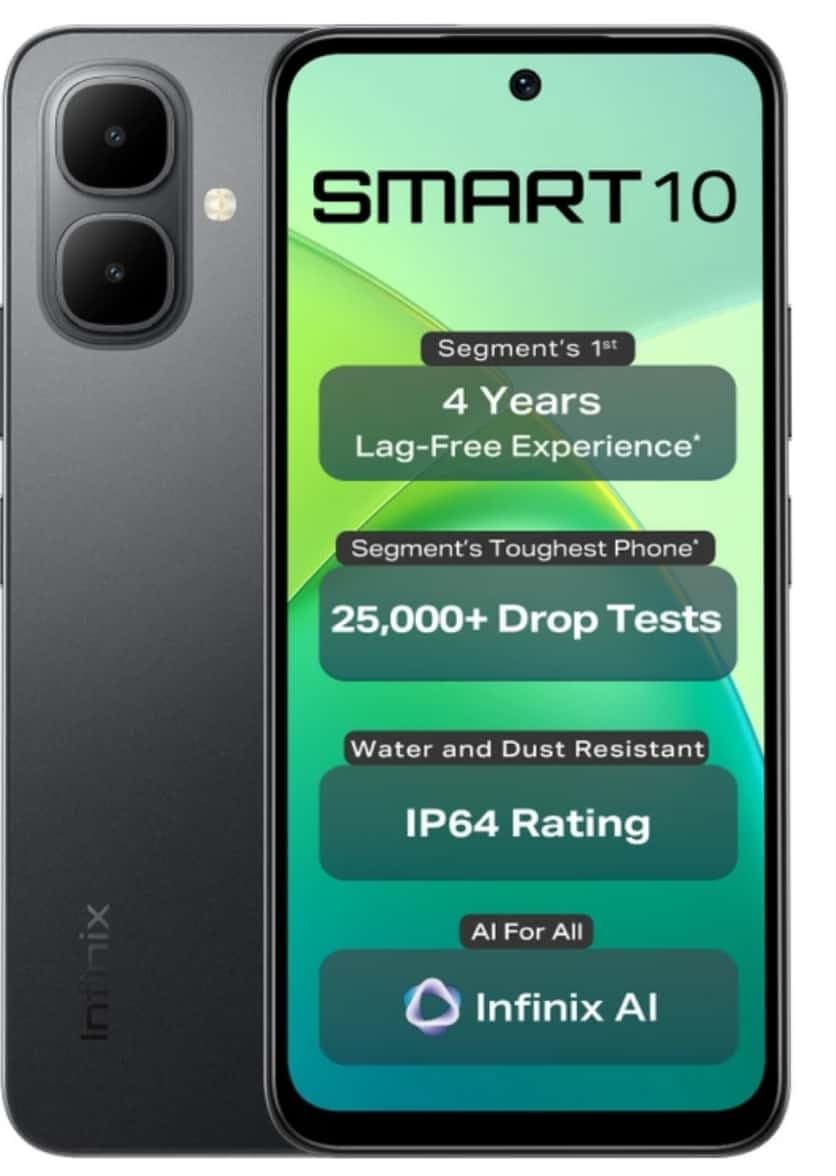
Image: Infinix Smart 10 smartphone, showcasing its design and highlighted features such as durability and performance.
2. Dyfais Drosoddview
Familiarize yourself with the physical components of your Infinix Smart 10.
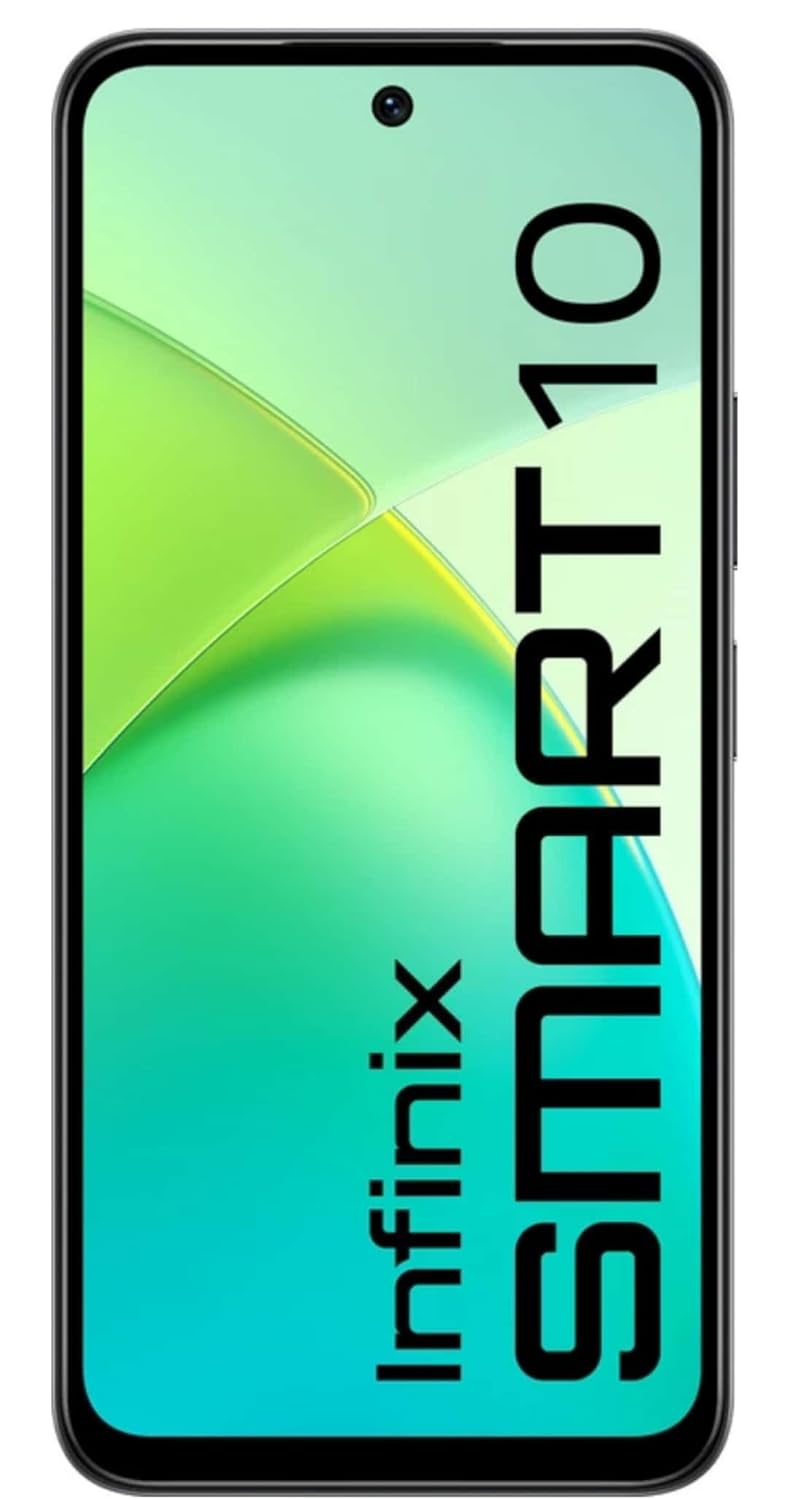
Delwedd: Blaen view of the Infinix Smart 10, displaying its screen.

Delwedd: Cefn view of the Infinix Smart 10, showing the camera setup and branding.
3. Gosod
3.1 Dadbocsio a Chynnwys y Pecyn
Wrth agor y pecyn, gwnewch yn siŵr bod yr holl eitemau yn bresennol:
- Ffôn Clyfar Infinix Smart 10
- Clustffon
- Cebl Gwefru (USB)
- Addasydd Pŵer
- Offeryn Ejector SIM
- Canllaw Cychwyn Cyflym
- Cerdyn Gwarant
3.2 Mewnosod Cardiau SIM a MicroSD
- Lleolwch y hambwrdd SIM ar ochr y ddyfais.
- Mewnosodwch yr offeryn alldaflu SIM i'r twll bach wrth ymyl yr hambwrdd a gwasgwch yn ysgafn nes bod yr hambwrdd yn popio allan.
- Rhowch eich cerdyn(iau) Nano-SIM a/neu gerdyn microSD yn y slotiau dynodedig ar y hambwrdd, gan sicrhau'r cyfeiriadedd cywir.
- Gwthiwch yr hambwrdd yn ôl i'r ddyfais yn ofalus nes ei fod yn wastad â'r ochr.
3.3 Pŵer Ymlaen a Gosod Cychwynnol
- Pwyswch a daliwch y botwm Pŵer nes bod logo Infinix yn ymddangos.
- Follow the on-screen instructions to select your language, connect to Wi-Fi, set up your Google account, and configure security settings.
3.4 Codi Tâl ar y Dyfais
Before first use, fully charge your Infinix Smart 10. Connect the USB cable to the charging port on your phone and the power adapter, then plug the adapter into a power outlet. The battery indicator will show charging status.

Image: The Infinix Smart 10 connected to a charger, illustrating its 5000mAh battery.
4. Gweithredu Eich Dyfais
4.1 Mordwyo Sylfaenol
Your Infinix Smart 10 uses a touchscreen interface. Common gestures include:
- Tap: Dewiswch eitem neu agorwch raglen.
- Swipe: Sgroliwch drwy sgriniau neu restrau.
- Pinsiad: Chwyddo i mewn neu allan ar ddelweddau a web tudalennau.
- Gwasg Hir: Mynediad i ddewislenni cyd-destunol neu symud eiconau.
4.2 Nodweddion Arddangos
The device features a 16.94 cm (6.67 inch) HD+ Display with a 120Hz refresh rate, designed for smooth visuals even in bright conditions.

Image: The Infinix Smart 10 display showcasing vibrant visuals and the 120Hz refresh rate.
4.3 Gweithrediad Camera
The Infinix Smart 10 is equipped with an 8MP front camera and an 8MP dual rear camera, capable of 2K video recording. It includes a Dual LED Flash, Dual Video Mode for simultaneous front and rear recording, and a Pro Mode for advanced photography.

Image: A user demonstrating the camera features of the Infinix Smart 10, highlighting its various modes and specifications.
4.4 Rheoli Batri
Your device is powered by a 5000 mAh battery, offering extended usage times. To optimize battery life:
- Addasu disgleirdeb sgrin.
- Cau cymwysiadau nas defnyddir.
- Analluogwch Wi-Fi, Bluetooth, a GPS pan nad ydynt yn cael eu defnyddio.
- Utilize power-saving modes.
4.5 Processor Performance
The Infinix Smart 10 is powered by the UniSoc T7250 Processor, designed for efficient performance and a smooth user experience, certified for 48-month TÜV Fluency.

Image: A visual representation of the UniSoc T7250 processor, highlighting its performance capabilities.
4.6 Cysylltedd
The device supports Wi-Fi for internet access and Bluetooth for connecting to wireless accessories. Access these settings via the Quick Settings panel or the main Settings menu.
5. cynnal
5.1 Gofal Cyffredinol
I gynnal a chadw eich dyfais:
- Clean the screen and body with a soft, lint-free cloth.
- Osgowch amlygu'r ffôn i dymheredd eithafol neu olau haul uniongyrchol am gyfnodau hir.
- Peidiwch â defnyddio cemegau llym neu ddeunyddiau sgraffiniol ar gyfer glanhau.
5.2 Nodweddion Gwydnwch
The Infinix Smart 10 is designed with durability in mind, featuring an IP64 rating for water and dust resistance, and has undergone over 25,000 drop tests, including 1.5-meter 6-sided drop tests.

Image: The Infinix Smart 10 demonstrating its robust build and resistance to drops.
5.3 Diweddariadau Meddalwedd
Chwiliwch am ddiweddariadau meddalwedd a'u gosod yn rheolaidd i sicrhau bod gan eich dyfais y nodweddion, y clytiau diogelwch a'r gwelliannau perfformiad diweddaraf. Llywiwch i Gosodiadau > System > Diweddariad system i wirio am ddiweddariadau.
6. Datrys Problemau
Os byddwch chi'n dod ar draws problemau gyda'ch dyfais, rhowch gynnig ar y camau canlynol:
- Dyfais ddim yn pweru ar: Gwnewch yn siŵr bod y batri wedi'i wefru. Cysylltwch â gwefrydd ac aros ychydig funudau cyn ceisio ei droi ymlaen eto.
- Apiau'n chwalu neu'n rhewi: Close and restart the app. If the issue persists, clear the app's cache (Settings > Apps > [App Name] > Storage > Clear cache).
- Cysylltedd rhwydwaith gwael: Check if Airplane Mode is off. Restart the device. Verify your SIM card is properly inserted.
- Device slow performance: Close background apps. Clear cache and temporary files. Consider a factory reset as a last resort (back up your data first).
6.1 Ailosod Ffatri
Bydd ailosodiad ffatri yn dileu'r holl ddata o'ch ffôn ac yn ei adfer i'w osodiadau ffatri gwreiddiol. Gwnewch gopi wrth gefn o'r holl ddata pwysig cyn bwrw ymlaen. I ailosod y ffatri, ewch i Gosodiadau > System > Ailosod opsiynau > Dileu'r holl ddata (ailosod ffatri).
7. manylebau
| Nodwedd | Manyleb |
|---|---|
| Rhif Model | X6725 |
| System Weithredu | Android 15 |
| HWRDD | 4 GB |
| Storio Mewnol | 64 GB ROM |
| Arddangos | 16.94 cm (6.67 inch) HD+ Display, 120Hz |
| Camera Cefn | 8MP Dual Camera, 2K Video Recording, Dual LED Flash |
| Camera blaen | 8MP, 2K Video Recording |
| Batri | 5000 mAh |
| Prosesydd | UniSoc T7250 |
| Cysylltedd | Wi-Fi |
| Dimensiynau (LxWxH) | 8 x 77 x 166 Milimetr |
| Pwysau Eitem | 187 g |
| Lliw | Pulse Green (Note: Color may vary by region/variant) |
| Nodweddion Arbennig | IP64 Water and Dust Resistant, 25,000+ Drop Tests |
8. Gwarant a Chefnogaeth
8.1 Gwybodaeth Gwarant
Your Infinix Smart 10 comes with a standard manufacturer's warranty. Please refer to the warranty card included in your package for specific terms, conditions, and duration. Keep your proof of purchase for warranty claims.
8.2 Cefnogaeth i Gwsmeriaid
For technical assistance, service, or further inquiries, please contact Infinix customer support through their official websafle neu'r wybodaeth gyswllt a ddarperir yn nogfennaeth eich gwarant.