
AZIJYV B3
AZIJYV B3 OBD2 Gauge Display User Manual
Model: B3
1. Rhagymadrodd
The AZIJYV B3 OBD2 Gauge Display is a sophisticated head-up display designed to provide essential vehicle data directly on its screen, enhancing driving safety and convenience. This device connects to your car's On-Board Diagnostics (OBD2) system to display real-time information such as speed, engine RPM, water temperature, voltage, and more. Its compact design and automatic light sensitivity ensure clear visibility in various driving conditions.
2. Gwybodaeth Diogelwch
Your safety is paramount. The B3 OBD2 Gauge Display includes several features designed to assist in safe driving:
- Larwm gorgyflymder: Alerts you when your vehicle exceeds a preset speed limit.
- Atgoffa Gyrru Blinder: Prompts you to take a break after extended driving periods (e.g., over 4 hours).
- Larwm Tymheredd Dŵr: Warns of high engine water temperature.
- Cyftage Larwm: Notifies you of abnormal vehicle voltage lefelau.
Nodyn Cydnawsedd Pwysig:
This product is primarily suitable for most vehicle models manufactured after 2009 that are equipped with an OBD2 system. However, it is ddim yn gydnaws with the OBD2 systems of certain brands, including: Suzuki, Chevrolet, Subaru, Renault, Peugeot, Citroen, Fiat, DS, Lamborghini, Jeep, SIMCA, Maserati, Dodge, Jazz, CRV, and Hummer. If you are unsure about your car's compatibility, please consult with the seller before purchase.
3. Cynnyrch Drosview
The B3 OBD2 Gauge Display features a 5.5-inch screen with a gradient color structure, providing clear and technical readouts. Its design incorporates a graceful curved exterior with exquisite polishing and a 30mm deep brim to prevent light leakage. A single dial button allows for easy operation.

Ffigur 3.1: Blaen view of the AZIJYV B3 OBD2 Gauge Display.

Figure 3.2: Diagram illustrating the B3's display functions, including RPM, water temperature, speed, and fuel consumption.
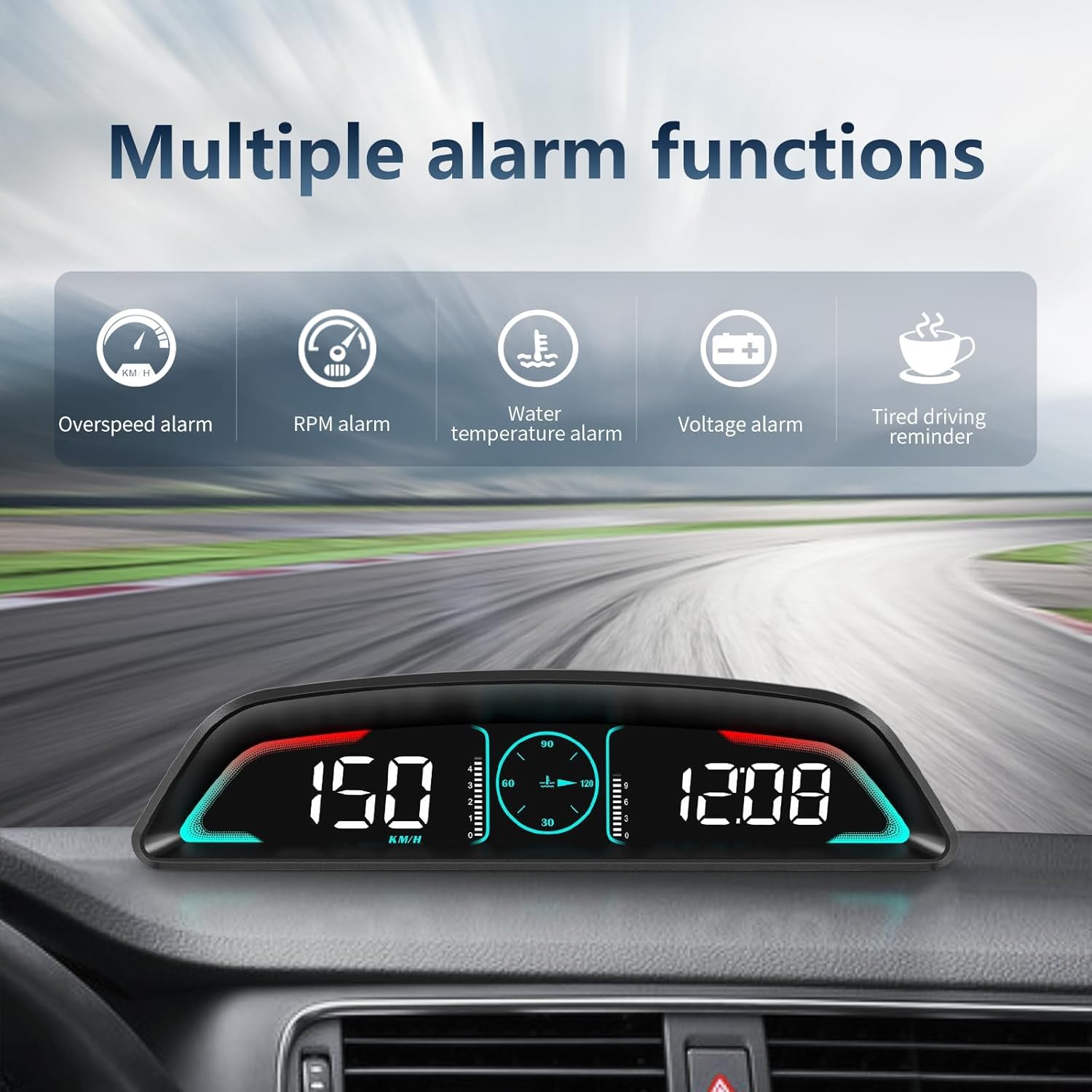
Ffigur 3.3: Drosoddview of the multiple alarm functions available on the B3 display.

Ffigur 3.4: Examples of various display interfaces and data combinations available on the B3.
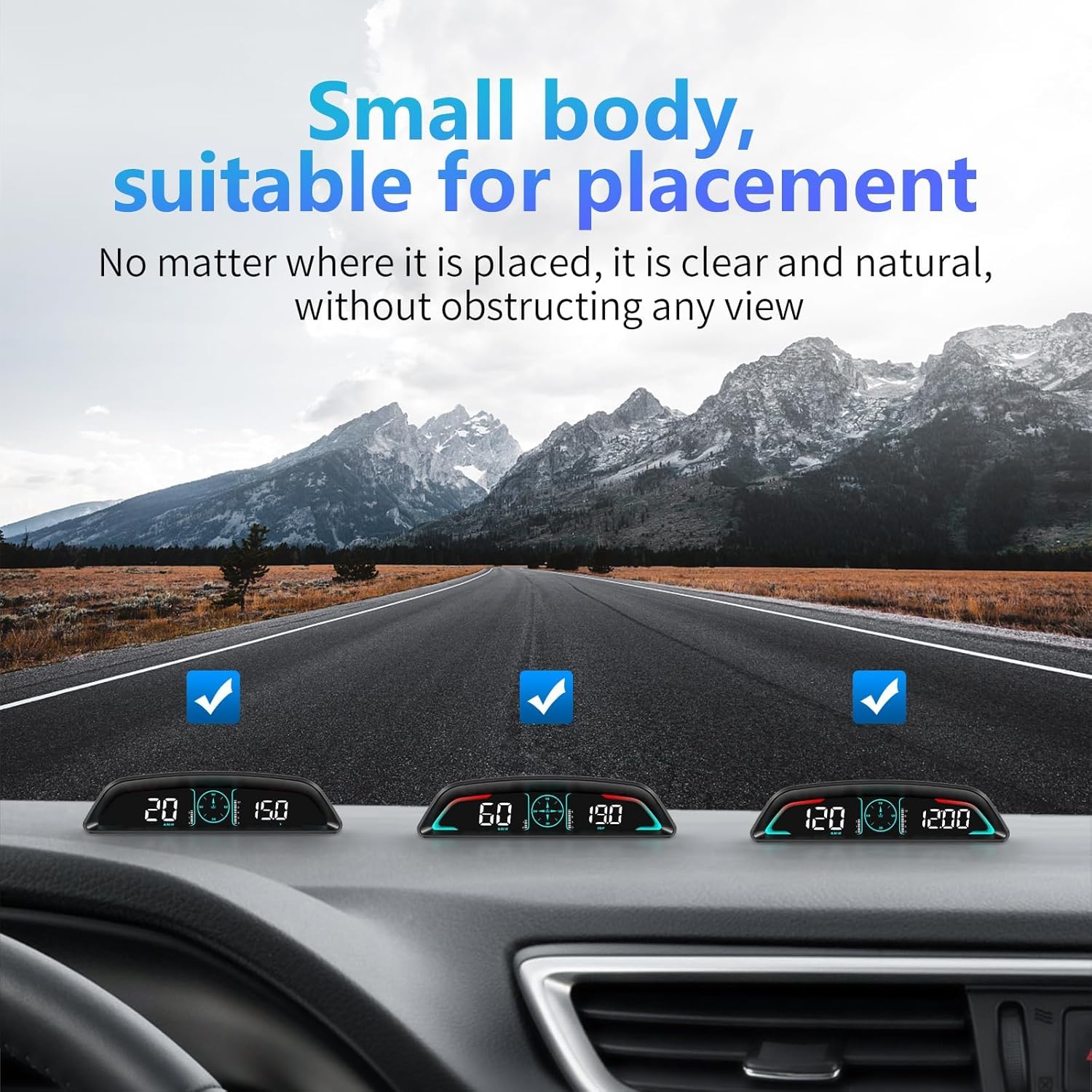
Figure 3.5: The compact size of the B3 allows for unobtrusive placement on the dashboard.

Figure 3.6: Detailed dimensions and design features of the B3 unit.
4. Gosod
The B3 OBD2 Gauge Display offers non-destructive, plug-and-play installation. It automatically turns on and off with your car's ignition.
4.1. Cynnwys Pecyn
Cyn gosod, gwnewch yn siŵr bod yr holl gydrannau yn bresennol:

Figure 4.1: Included accessories: B3-HUD unit, OBD cable, non-slip mat, and instructions.
- B3 OBD2 Gauge Display Unit
- Cebl OBD
- Mat gwrthlithro
- Llawlyfr Cyfarwyddiadau
4.2. Camau Gosod
- Locate OBD Socket: Identify your vehicle's OBD2 diagnostic port, typically located under the dashboard on the driver's side.
- Cysylltu Cebl OBD: Insert one end of the provided OBD cable into the vehicle's OBD socket.
- Cebl Llwybr: Carefully route the OBD cable along the A-pillar sealing strip or other discreet paths to the desired placement area for the HUD unit.
- Cysylltu â HUD: Connect the other end of the OBD cable to the HUD unit.
- Safle HUD: Place the HUD unit on your dashboard using the non-slip mat to secure it in a position that allows for convenient viewheb rwystro eich gyrru view.

Figure 4.2: The OBD cable connects the display to your vehicle's OBD2 port.
5. Cyfarwyddiadau Gweithredu
The B3 display is designed for ease of use with a single dial button for navigation and settings.
5.1. Swyddogaethau Sylfaenol
The display provides a wide range of real-time vehicle data:
- Vehicle Speed (MPH/KM/H)
- Engine RPM (Revolutions Per Minute)
- Tymheredd y Dŵr
- Defnydd Tanwydd
- Single Travel Time
- Single Travel Distance
- Cyftage
- Cloc
5.2. Gweithrediad Botwm
The dial button on the unit controls various functions:
- Long Press Vertically (2 seconds): Enters the settings menu.
- Short Press Vertically: Switches between different display modes.
- Cliciwch ar y chwith: Switches between speed and water temperature display.
- Cliciwch ar y dde: Cycles through time, speed, voltage, driving distance, and driving time displays.
- Turn Left (2 seconds, hear beep): Turns off the buzzer (alarm sound).
- Turn Left Again (2 seconds, hear beep): Turns on the buzzer.
5.3. Automatic Light Sensitivity
The B3 features a built-in photosensitive element that automatically adjusts screen brightness based on ambient light conditions. This ensures optimal visibility during both daytime and nighttime driving. If desired, you can manually adjust the brightness to your preference.

Figure 5.1: The display automatically adjusts brightness for clear visibility in both bright and dark environments.
6. cynnal
To ensure the longevity and optimal performance of your AZIJYV B3 OBD2 Gauge Display, follow these simple maintenance guidelines:
- Glanhau: Use a soft, dry cloth to wipe the display screen and exterior. Avoid abrasive cleaners or solvents that could damage the surface.
- Lleoliad: Ensure the unit is securely placed on the non-slip mat to prevent movement during driving, which could lead to damage.
- Gofal Cebl: Do not bend or crimp the OBD cable excessively. Store it neatly to prevent tangles or damage.
- Amodau Amgylcheddol: Avoid exposing the unit to extreme temperatures, direct sunlight for prolonged periods when parked, or excessive moisture.
7. Datrys Problemau
If you encounter issues with your B3 OBD2 Gauge Display, refer to the following common problems and solutions:
7.1. Arddangos Ddim yn Troi Ymlaen
- Gwirio Cysylltiad: Ensure the OBD cable is securely connected to both the vehicle's OBD2 port and the B3 unit.
- Cysondeb Cerbyd: Verify that your vehicle is compatible with the OBD2 system and not one of the listed incompatible brands (Suzuki, Chevrolet, Subaru, Renault, Peugeot, Citroen, Fiat, DS, Lamborghini, Jeep, SIMCA, Maserati, Dodge, Jazz, CRV, Hummer).
- Tanio Cerbyd: The unit turns on with the car's ignition. Ensure the car is running or in accessory mode.
7.2. Inaccurate Readings or No Data
- OBD2 Protocol: While designed for post-2009 models, some older OBD2 systems (e.g., pre-2008) or specific vehicle models might have communication issues.
- Reset Unit: Disconnect and reconnect the OBD cable to reset the unit.
- Llawlyfr Ymgynghori: Refer to the detailed instruction manual for specific calibration or setting adjustments if available.
7.3. Electrical Issues in Vehicle (e.g., flickering lights, cruise control issues)
Gweithredu ar unwaith:
- If you experience any unexpected electrical issues in your vehicle (e.g., signal lights acting funny, cruise control cutting off, dash lights flickering) immediately unplug the B3 OBD2 Gauge Display from the OBD port.
- If the vehicle returns to normal operation after unplugging the device, it indicates a potential incompatibility or issue with the device's interaction with your specific vehicle's electrical system. In such cases, discontinue use and contact customer support.
8. manylebau
| Nodwedd | Manylyn |
|---|---|
| Dimensiynau Cynnyrch | 6.62 x 1.63 x 1.7 modfedd |
| Rhif Model yr Eitem | B3 |
| Pwysau Eitem | 1.41 owns (40 gram) |
| Gwneuthurwr | AZIJYV |
| Deunydd | Styren Biwtadïen Acrylonitrile (ABS) |
| Maint Sgrin | 5.5 modfedd |
9. Beth sydd yn y Bocs
Mae'r pecyn cynnyrch yn cynnwys yr eitemau canlynol:
- B3-HUD Unit
- OBD Line
- Mat gwrthlithro
- Cyfarwyddiadau
10. Gwarant a Chefnogaeth
For any questions, technical assistance, or support regarding your AZIJYV B3 OBD2 Gauge Display, please utilize the 24-hour online service provided by the manufacturer. Refer to the contact information included in your product packaging or on the official AZIJYV website for details on how to reach support.
Ask a question about this manual
Ask about setup, troubleshooting, compatibility, parts, safety, or missing instructions. Manuals+ will review the question and use this page’s manual context to help answer it.