
1. Cynnyrch Drosview
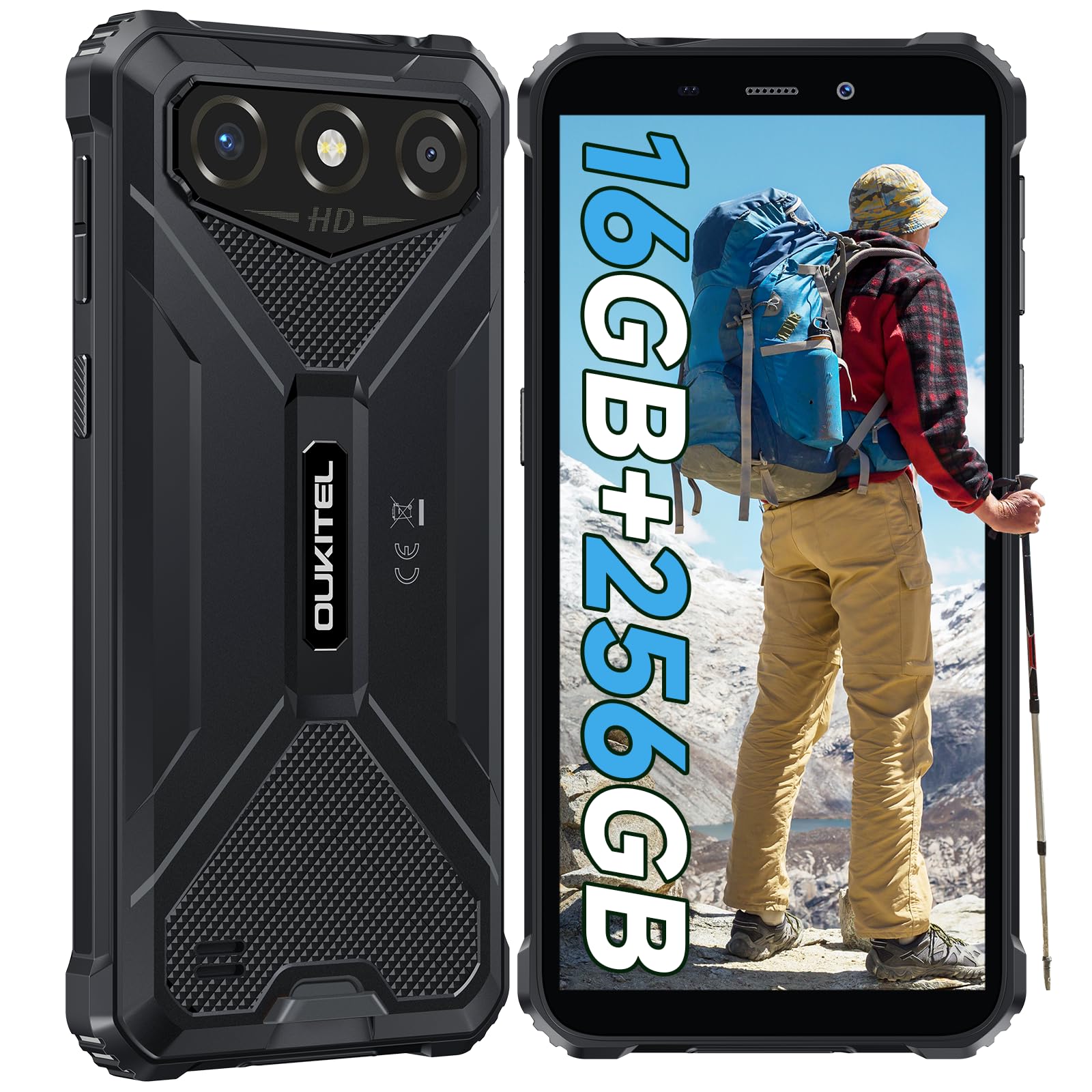
The OUKITEL G3 is a rugged smartphone designed for durability and performance in challenging environments. It features a 6.0-inch HD display, a 6300mAh battery, 16GB RAM (expandable), 256GB ROM (expandable to 1TB), and a 13MP main camera. The device is certified with IP68, IP69K, and MIL-STD-810H ratings, ensuring resistance to water, dust, and drops. It operates on Android 14 and supports 4G Dual SIM, GPS, Face ID, and OTG functionality.
2. Cynnwys Pecyn
Gwiriwch fod yr holl eitemau yn bresennol yn eich pecyn:
- 1x OUKITEL G3 Smartphone
- Gwefrydd 1x
- Cebl Math-C 1x
- 1x SIM Card Ejector Pin
- Llawlyfr Defnyddiwr 1x

3. Gosodiad Cychwynnol
3.1. Mewnosod Cardiau SIM a Cherdyn TF
- Lleolwch y hambwrdd cerdyn SIM ar ochr y ddyfais.
- Use the provided SIM ejector pin to open the tray.
- Carefully place your Nano SIM cards (up to two) and/or a TF card (for memory expansion up to 1TB) into the designated slots.
- Ensure the cards are correctly oriented as indicated on the tray.
- Gwthiwch yr hambwrdd yn ôl i'r ffôn yn ysgafn nes iddo clicio i'w le.

3.2. Codi Tâl y Batri
Before first use, fully charge the device. Connect the Type-C cable to the phone's charging port and the other end to the provided charger. Plug the charger into a power outlet. The battery indicator on the screen will show charging status. The OUKITEL G3 features a 6300mAh battery for extended use.
3.3. Pweru Ymlaen / I ffwrdd
- I droi ymlaen: Pwyswch a daliwch y botwm Pŵer nes bod logo OUKITEL yn ymddangos.
- I ddiffodd y pŵer: Pwyswch a daliwch y botwm Pŵer, yna dewiswch "Diffodd" o'r opsiynau ar y sgrin.
- I ailgychwyn: Pwyswch a daliwch y botwm Pŵer, yna dewiswch "Ailgychwyn" o'r opsiynau.
4. Cyfarwyddiadau Gweithredu
4.1. Arddangos a Llywio
The OUKITEL G3 features a 6.0-inch HD display with 450 nits brightness and Corning Glass 5 protection. Navigate the Android 14 interface using touch gestures: tap, swipe, pinch-to-zoom. Access quick settings by swiping down from the top of the screen.

4.2. Swyddogaethau'r Camera
The device is equipped with a 13MP rear camera and a 5MP front camera. Open the Camera app to capture photos and videos. Features include:
- Standard Photo Mode: Ar gyfer ffotograffiaeth bob dydd.
- AI Beauty Mode: Yn gwella nodweddion wyneb mewn portreadau.
- Underwater Camera Mode: Allows capturing photos and videos while submerged up to 1.5m for 30 minutes. Ensure all ports are securely sealed before underwater use.
- Modd Panorama: For wide-angle landscape shots.

4.3. Battery Management and OTG
The 6300mAh battery provides extended usage. To optimize battery life, manage screen brightness, close unused applications, and enable power-saving modes when needed. The device supports OTG (On-The-Go) reverse charging, allowing you to use your OUKITEL G3 to charge other compatible devices via a Type-C OTG cable (sold separately).

4.4. Custom Key and Security Features
- Allwedd Personol: A programmable button on the side of the device for quick access to specific applications or functions. Configure its actions (single click, double click, long press) in the phone settings.
- ID wyneb: Use facial recognition for secure unlocking of your device. Set up Face ID in the Security settings.
- Llywio GPS: The OUKITEL G3 supports GPS, GLONASS, Beidou, and Galileo navigation systems for accurate positioning.

5. Cynnal a Chadw a Gwydnwch
The OUKITEL G3 is built to withstand harsh conditions, certified with IP68, IP69K, and MIL-STD-810H standards.
- Gwrthiant Dŵr IP68: Protected against continuous immersion in water up to 1.5 meters for 30 minutes. Ensure all port covers are tightly sealed before exposure to water.
- IP69K Dust Resistance: Fully protected against dust ingress and high-pressure, high-temperature water jets.
- MIL-STD-810H Drop Resistance: Designed to withstand drops from up to 1.5 meters. The aluminum frame and rubberized corners provide enhanced shock absorption.
I lanhau'r ddyfais, defnyddiwch feddal, champ cloth. Avoid harsh chemicals or abrasive materials. Regularly check port covers for proper sealing to maintain water and dust resistance.

6. Datrys Problemau
If you encounter issues with your OUKITEL G3, refer to the following common solutions:
| Problem | Ateb Posibl |
|---|---|
| Nid yw'r ddyfais yn pweru ymlaen | Gwnewch yn siŵr bod y batri wedi'i wefru. Cysylltwch y gwefrydd ac aros ychydig funudau cyn ceisio ei droi ymlaen eto. |
| Signal rhwydwaith gwael | Check if SIM cards are correctly inserted. Move to an area with better network coverage. Contact your service provider if the issue persists. |
| Cymwysiadau'n chwalu neu'n rhewi | Close background applications. Clear the cache of the problematic app. Restart the device. Ensure sufficient storage space is available. |
| Mae'r batri yn draenio'n gyflym | Reduce screen brightness. Disable unused features like Wi-Fi, Bluetooth, GPS. Close power-intensive apps. Check battery usage in settings to identify culprits. |
| Sgrin gyffwrdd yn anymatebol | Restart the device. If the issue persists, perform a factory reset (backup data first). |
7. Manylebau Technegol
| Nodwedd | Manylyn |
|---|---|
| Brand | OUKITEL |
| Model | G3 |
| System Weithredu | Android 14 |
| HWRDD | 4GB (y gellir ei ehangu i 16GB o RAM rhithwir) |
| Storio Mewnol (ROM) | 256GB |
| Storfa Ehangadwy | Hyd at 1TB (cerdyn TF) |
| Maint Arddangos | 6.0 modfedd |
| Cydraniad Arddangos | HD (450 nits brightness, Corning Glass 5) |
| Cyfradd Adnewyddu | 60Hz |
| Camera Cefn | 13 Megapicsel |
| Camera blaen | 5 Megapicsel |
| Gallu Batri | 6300 mAh |
| Porthladd Codi Tâl | USB Math-C |
| Graddfeydd Gwydnwch | IP68, IP69K, MIL-STD-810H |
| Cefnogaeth Cerdyn SIM | Dual 4G Nano SIM |
| Mordwyo | GPS, GLONASS, Beidou, Galileo |
| Diogelwch Biometrig | ID wyneb |
| Sain Jack | 3.5mm |
Am wybodaeth fanwl am effeithlonrwydd ynni, cyfeiriwch at gronfa ddata EPREL yr UE: https://eprel.ec.europa.eu/qr/2400970

8. Gwarant a Chefnogaeth
OUKITEL provides the following support for the G3 smartphone:
- Polisi Dychwelyd: Dychweliad 30 diwrnod heb reswm.
- Gwarant: TWO-YEAR warranty.
- Cymorth Technegol: Long-term technical assistance.
- Gwasanaeth Cwsmer: Gwasanaeth cwsmeriaid ar-lein 24 awr.
For any inquiries or support, please contact OUKITEL official customer service.