
Rhagymadrodd
Thank you for choosing the Xmenha AIMB-G1 Smart Sunglasses. These smart glasses integrate a 1080P hidden camera, Bluetooth connectivity, and AI translation capabilities, offering a versatile tool for capturing moments, communication, and daily use. This manual provides detailed instructions for setup, operation, maintenance, and troubleshooting to ensure optimal performance and user experience.
Beth sy'n Gynwysedig
The Xmenha AIMB-G1 Smart Sunglasses package includes the following items:
- 1x Glasses Unit
- 3 Lenses (1x blue light blocking, 1x UV-protected black, 1x dual gradient)
- 1x Sound-Conducting Tube
- Cebl Codi Tâl 1x
- 1x Microfiber Cleaning Cloth
- Llawlyfr Defnyddiwr 1x
- Gift Box with Heaven-and-Earth Lid Packaging

Image: The packaging list displays the smart glasses, various interchangeable lenses, charging cable, cleaning cloth, sound tube, and user manual, all neatly arranged in their respective boxes.
Cynnyrch Drosview
The Xmenha AIMB-G1 Smart Sunglasses are designed for ease of use and functionality. Key components include:
- AI Photo Recognition: Integrated technology for smart image analysis.
- Touch + Physical Buttons: Rheolyddion greddfol ar gyfer amrywiol swyddogaethau.
- Flashlight: Small integrated light for convenience.
- Modiwl Camera: Discreetly placed for 1080P video recording and photo capture.

Image: A four-panel graphic illustrating key features: AI Photo Recognition, Touch + Physical Buttons, Flashlight, and the Camera Module, highlighting their locations on the glasses frame.
Gosod
Codi Tâl y Sbectol
Before first use, fully charge your Xmenha AIMB-G1 Smart Sunglasses. The glasses feature magnetic charging ports on both temples. Connect the provided charging cable to these ports and a USB power source. The indicator light will show charging status.
Lawrlwytho Ap a Chysylltiad
To unlock the full potential of your smart glasses, download the companion app. Scan the QR code below with your mobile phone to install the app. Once installed, open the app and follow the prompts to connect your glasses via Bluetooth.
Image: A section of the user manual showing a QR code for downloading the companion app, along with icons for mobile phone connection and charging.
Amnewid Lens
The glasses come with three types of interchangeable lenses: blue light blocking, UV-protected black (sunglass), and dual gradient lenses. To replace lenses, carefully detach the current lenses from the frame and snap the desired lenses into place. Ensure they are securely fitted.

Image: A visual guide demonstrating how to replace the lenses on the smart glasses, showing the frame with clear lenses and options for blue light blocking, sunglass, and dual gradient lenses.
Sound-Conducting Tube Attachment
For enhanced audio output, attach the sound-conducting tube. Align the tube with the speaker's audio output on the glasses' temple as indicated by the arrows in the diagram. The sound tube amplifies sound for clearer, louder playback.

Delwedd: Llun agos view of the smart glasses' temple, illustrating how to align and attach the sound-conducting tube to the speaker's audio output for improved sound.
Cyfarwyddiadau Gweithredu
Pŵer Ymlaen / Diffodd
To power on the glasses, toggle the power switch. When powering on, a prompt tone will be emitted from the two microphone ports. To power off, press and hold the power button for a few seconds until the glasses indicate they are turning off.
Recordio Fideo
The glasses capture 1080P video at 30 frames per second, automatically segmenting and saving to the internal Nand Flash storage. To start recording, double-click the designated button. To end recording, short-press the button once during video capture.

Delwedd: Manwl view of the camera lens and internal components of the smart glasses, emphasizing its capability for high-definition video recording at 1080P 30fps.
Watch a video demonstrating the video recording capabilities:
Video: A user demonstrates the video recording function of the smart glasses, showing how to activate recording and the quality of the captured footage.
Tynnu Lluniau
To take a photo, single-click the designated button on the glasses. The camera will capture an 800Wpixel image.
Galwad Llais
When connected to your mobile phone, single-click to answer a call. Long-press for 2 seconds to reject a call. During a call, short-press once to end the call.
Chwarae Cerdd
Play/Pause: Double-tap the touch area. Swipe forward/back: Triple-tap the touch area to skip tracks.
AI Voice Assistant / Smart Image Recognition
Activate the AI Voice Assistant by single-clicking the right button. Long-press the right button for 2 seconds to activate AI image recognition, which can describe objects in your view. Double-click the left button for quick image recognition.
Watch a video demonstrating the AI assistant features:
Fideo: Sioe fideo swyddogolasing the AI assistant features of the smart glasses, including voice commands and image recognition capabilities.
Cynnal a chadw
- Glanhau: Use the provided microfiber cloth to clean the lenses and frame. Avoid harsh chemicals that may damage the coatings.
- Storio: Storiwch y sbectol yn eu cas amddiffynnol pan nad ydynt yn cael eu defnyddio i atal crafiadau a difrod.
- Gwrthiant Dŵr: The glasses have an IPX5 water-resistant rating, meaning they can withstand splashes and light rain. Do not submerge them in water.
Datrys problemau
- Glasses not powering on: Ensure the glasses are fully charged. Press and hold the power button for the specified duration.
- Unable to connect to app: Ensure Bluetooth is enabled on your phone and the glasses are in pairing mode. Restart both devices if necessary.
- Ansawdd fideo/lluniau gwael: Ensure lenses are clean and free from smudges. Check lighting conditions.
- Problemau sain: Ensure the sound-conducting tube is correctly attached. Check volume settings on the glasses and your connected device.
- SD card not recognized: Ensure the SD card is properly inserted. If issues persist, try reformatting the card (this will erase all data).
Manylebau
| Nodwedd | Manylyn |
|---|---|
| Dimensiynau Cynnyrch | 0.39 x 0.39 x 0.39 modfedd |
| Pwysau Eitem | 3.2 owns |
| Rhif Model yr Eitem | AIMB-G1 |
| Batris | Angen 1 batris Ion Lithiwm (wedi'u cynnwys) |
| Recordio Fideo | 1080P HD |
| Storio Mewnol | 32GB |
| Cysylltedd | Bluetooth |
| Gwrthiant Dŵr | Wedi'i raddio gan IPX5 |
| Gwneuthurwr | Shenzhen Huaxinchen Technology Co., Ltd |
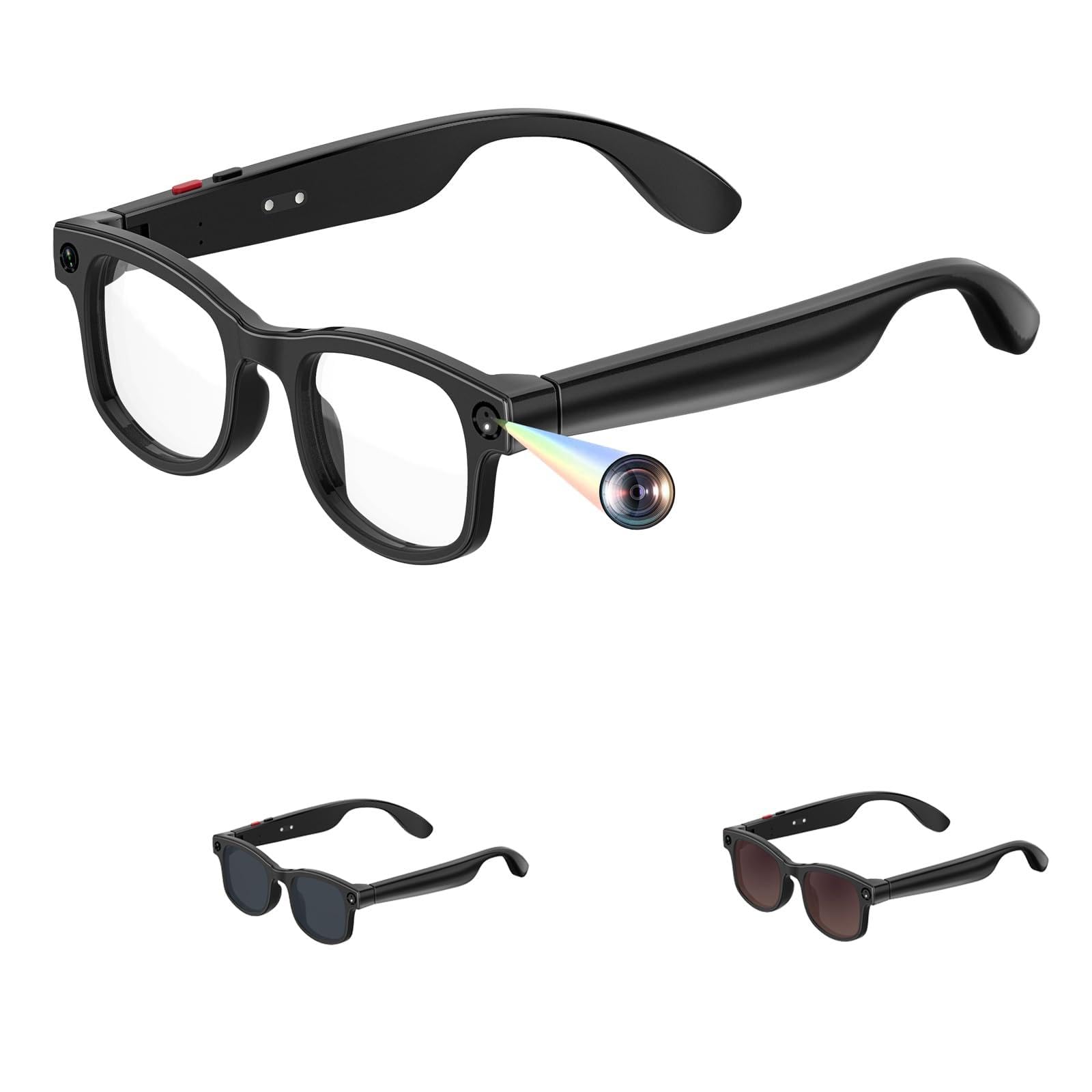
Image: A detailed table outlining the technical specifications of the smart glasses, including hardware components, anti-shake features, charging methods, indicator lights, battery life, and supported AI models.
Gwarant a Chefnogaeth
For warranty information and customer support, please refer to the contact details provided in the packaging or visit the official Xmenha websafle. Cadwch eich derbynneb prynu ar gyfer hawliadau gwarant.