
Rhagymadrodd
Thank you for choosing the SGIN S15 N5100 15.6-inch Laptop. This manual provides essential information for setting up, operating, maintaining, and troubleshooting your new device. Please read it carefully to ensure optimal performance and longevity of your laptop.
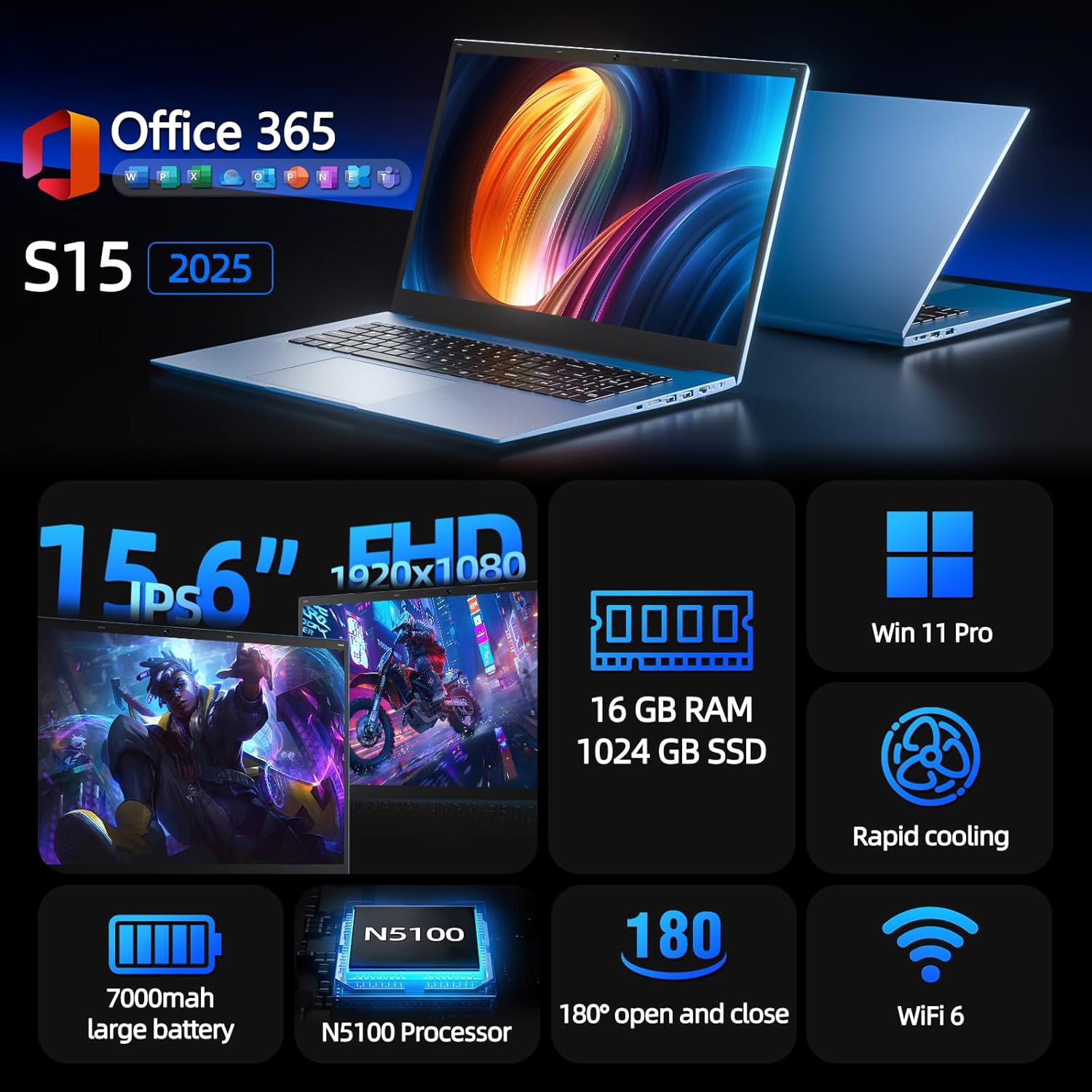
Figure 1: SGIN S15 N5100 Laptop Overview
1. Gosod
1.1 Dadbocsio ac Archwiliad Cychwynnol
Carefully remove all components from the packaging. Verify that all items listed in the "What's in the Box" section are present and undamaged. If any items are missing or damaged, contact customer support immediately.
- SGIN S15 N5100 Laptop
- Addasydd pŵer / gwefrydd
- Llawlyfr Defnyddiwr (y ddogfen hon)
Fideo 1: Dadbocsio a throsglwyddo cychwynnolview of the SGIN S15 Laptop.
1.2 Cysylltu'r Addasydd Pŵer
Connect the power adapter to the DC-in port on the side of the laptop. Plug the other end into a power outlet. The battery indicator light will illuminate, indicating that the laptop is charging.

Figure 2: Laptop ports, including the DC-in port for charging.
1.3 Troi Ymlaen Am y Tro Cyntaf a Gosod Windows
Press the power button to turn on the laptop. Follow the on-screen instructions to complete the Windows 11 Pro setup. This includes selecting your region, language, connecting to a Wi-Fi network, and creating a user account. The laptop comes pre-installed with a 1-year Office 365 subscription, which can be activated during or after the initial setup.
2. Cyfarwyddiadau Gweithredu
2.1 Nodweddion Arddangos
The SGIN S15 features a 15.6-inch Full HD IPS (1920x1080) Anti-Glare Display. The 180° viewing angle allows for flexible screen positioning, ideal for sharing content or adjusting to your preferred working posture.

Figure 3: High-resolution IPS display with 180° hinge.
2.2 Storio a Pherfformiad
Equipped with 16GB DDR4 RAM and a 1024GB SSD, the laptop offers fast boot-up times and smooth multitasking. The Intel Celeron N5100 processor (4 cores, 4 threads, up to 2.8GHz) provides efficient performance for daily tasks, business applications, and student work.

Figure 4: Internal storage and memory configuration.

Figure 5: Celeron N5100 processor details.
2.3 Cysylltedd
The laptop supports WiFi 6 for strong wireless signals and fast connections, and Bluetooth 5.2 for connecting peripherals. It includes various ports for external devices:
- Porthladd HDMI
- Porthladd Math-C
- 3.5mm TRRS audio jack
- Memory card slot (TF card up to 1TB)
- USB 3.2 ports (2 ports)

Figure 6: WiFi 6 connectivity for enhanced network performance.
3. cynnal
3.1 Gofal Batri
The laptop is equipped with a 7000mAh battery, providing up to 8 hours of continuous use. To prolong battery life:
- Osgowch ollwng y batri'n llwyr yn aml.
- Do not expose the laptop to extreme temperatures.
- Storiwch y gliniadur gyda gwefr rhannol (tua 50%) os na chaiff ei ddefnyddio am gyfnodau hir.

Figure 7: Laptop battery for extended use.
3.2 Glanhau'r Gliniadur
Defnyddiwch frethyn meddal, di-flwff i lanhau'r sgrin a'r tu allan. Ar gyfer staeniau ystyfnig, sychwch ychydigampen the cloth with water or a screen-safe cleaner. Avoid harsh chemicals or abrasive materials. Ensure the laptop is powered off and unplugged before cleaning.
3.3 System Oeri
The laptop features dual cooling fans for efficient heat dissipation. Ensure that the vents are not obstructed to maintain optimal airflow and prevent overheating. Avoid using the laptop on soft surfaces like beds or couches that can block the vents.
4. Datrys Problemau
4.1 Problemau Pŵer
- Nid yw'r gliniadur yn troi ymlaen: Gwnewch yn siŵr bod yr addasydd pŵer wedi'i gysylltu'n ddiogel a bod y soced yn gweithio'n iawn. Gwiriwch a oes digon o wefr ar y batri.
- Batri ddim yn codi tâl: Verify the power adapter is correctly plugged into both the laptop and the wall outlet. Try a different outlet if available.
4.2 Problemau Arddangos
- Mae'r sgrin yn wag: Connect an external monitor via HDMI to check if the issue is with the laptop's display or graphics output. Ensure the laptop is powered on and not in sleep mode.
- Sgrin yn fflachio: Update your display drivers. Adjust the screen refresh rate in Windows display settings.
4.3 Problemau Cysylltedd
- Wi-Fi ddim yn cysylltu: Gwnewch yn siŵr bod Wi-Fi wedi'i alluogi yng ngosodiadau Windows. Ailgychwynwch eich llwybrydd a'r gliniadur. Gwiriwch am yrwyr Wi-Fi wedi'u diweddaru.
- Dyfais Bluetooth heb ei pharu: Ensure Bluetooth is enabled on both the laptop and the device. Place devices close to each other during pairing.
4.4 Problemau Perfformiad
- Mae'r gliniadur yn araf: Close unnecessary applications. Check Task Manager for high CPU/RAM usage. Ensure sufficient free space on the SSD. Run a disk cleanup.
- Gorboethi: Ensure cooling vents are clear. Use the laptop on a hard, flat surface. Consider reducing heavy workload if persistent.
5. manylebau
| Nodwedd | Manylyn |
|---|---|
| Enw Model | S15 |
| Rhif Model yr Eitem | N5100 |
| Maint Arddangos | 15.6 modfedd |
| Cydraniad Sgrin | 1920 x 1080 pixels (FHD IPS Anti-Glare) |
| Prosesydd | Intel Celeron N5100 (4 Cores, 4 Threads, up to 2.8GHz) |
| HWRDD | 16 GB DDR4 |
| Storio | 1024 GB SSD (Expandable with TF card up to 1TB) |
| System Weithredu | Windows 11 Pro |
| Batri | 7000mAh (hyd at 8 awr) |
| Cysylltedd Di-wifr | WiFi 6, Bluetooth 5.2 |
| Porthladdoedd | HDMI, Type-C, 3.5mm TRRS Jack, Memory Card Slot, 2x USB 3.2 |
| Dimensiynau (LxWxH) | 14.56 x 9.4 x 0.86 modfedd |
| Pwysau Eitem | 4.4 pwys |
6. Gwarant a Chefnogaeth
6.1 Gwarant Cynnyrch
Your SGIN S15 N5100 laptop comes with a 1-year repair service warranty from the date of purchase. This warranty covers manufacturing defects and hardware malfunctions under normal use. Please retain your proof of purchase for warranty claims.
6.2 Polisi Dychwelyd
A Polisi dychwelyd 30 diwrnod is offered for this product. Please refer to your retailer's specific return guidelines for detailed information.
6.3 Cefnogaeth i Gwsmeriaid
For any technical assistance, troubleshooting, or warranty inquiries, please contact SGIN customer support. We offer 24/7 customer instant help to address your concerns promptly.
Gwybodaeth gyswllt (e.e., websafle, e-bost, rhif ffôn) fel arfer yn cael eu darparu yma gan y gwneuthurwr.