
1. Rhagymadrodd
This manual provides essential information for the safe and efficient operation of your FOXX C10 10.1-inch Android Tablet. Please read this guide thoroughly before using your device to ensure proper functionality and to understand its features. Keep this manual for future reference.
2. Beth sydd yn y Bocs
Gwiriwch fod yr holl eitemau yn bresennol yn y pecyn:
- FOXX C10 Tablet
- Cebl Math-C
- Gwefrydd (10W)
- Llawlyfr Defnyddiwr
- Protective Cover (pre-applied)
- Screen Protector Film (pre-applied)
3. Cynnyrch Drosview
The FOXX C10 tablet features a 10.1-inch HD display, dual 8MP cameras, and a robust 6000mAh battery, all powered by an Android 13 operating system.

Delwedd: Blaen a chefn view of the FOXX C10 tablet, showcasing its sleek design and dual camera module on the rear.

Image: An infographic highlighting key features including the 10.1-inch display, Android 13, 6000mAh battery, 8MP cameras, MediaTek quad-core chipset, 4GB RAM + 64GB storage, 4G LTE bands, Wi-Fi, Bluetooth 5.0, Nano SIM, Type-C, and 3.5mm AUX port.
3.1 Arddangos
The tablet is equipped with a 10.1-inch HD TFT V-notch display, offering a resolution of 800x1280 pixels for clear visuals.

Image: Close-up of the tablet's 10.1-inch HD TFT V-notch display, showing vibrant colors and detail.
3.2 Camerâu
The FOXX C10 features dual 8-megapixel cameras, both on the front and rear, enabling high-quality photos and video calls.
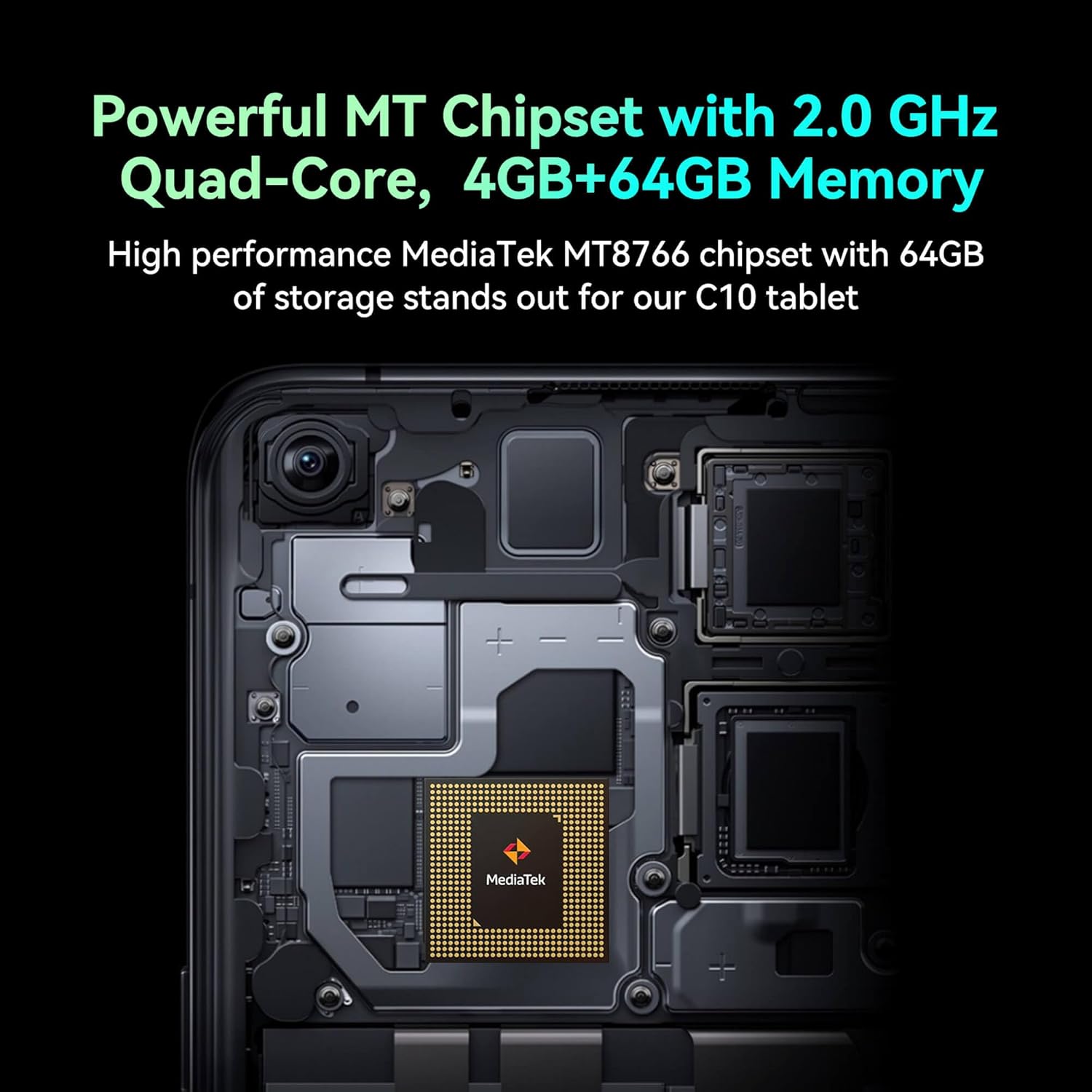
Image: Detail of the tablet's rear camera module, highlighting the 8-megapixel main camera with autofocus capabilities.
3.3 Processor and Memory
It runs on a 2.0 GHz quad-core MediaTek MT8766 chipset, paired with 4GB of RAM and 64GB of internal storage for smooth performance and ample lle.

Delwedd: Delwedd fewnol view of the tablet's motherboard, showcasing the MediaTek MT8766 quad-core chipset.
3.4 Batri
A 6000mAh battery provides extended usage time, ensuring the device stays powered throughout the day.
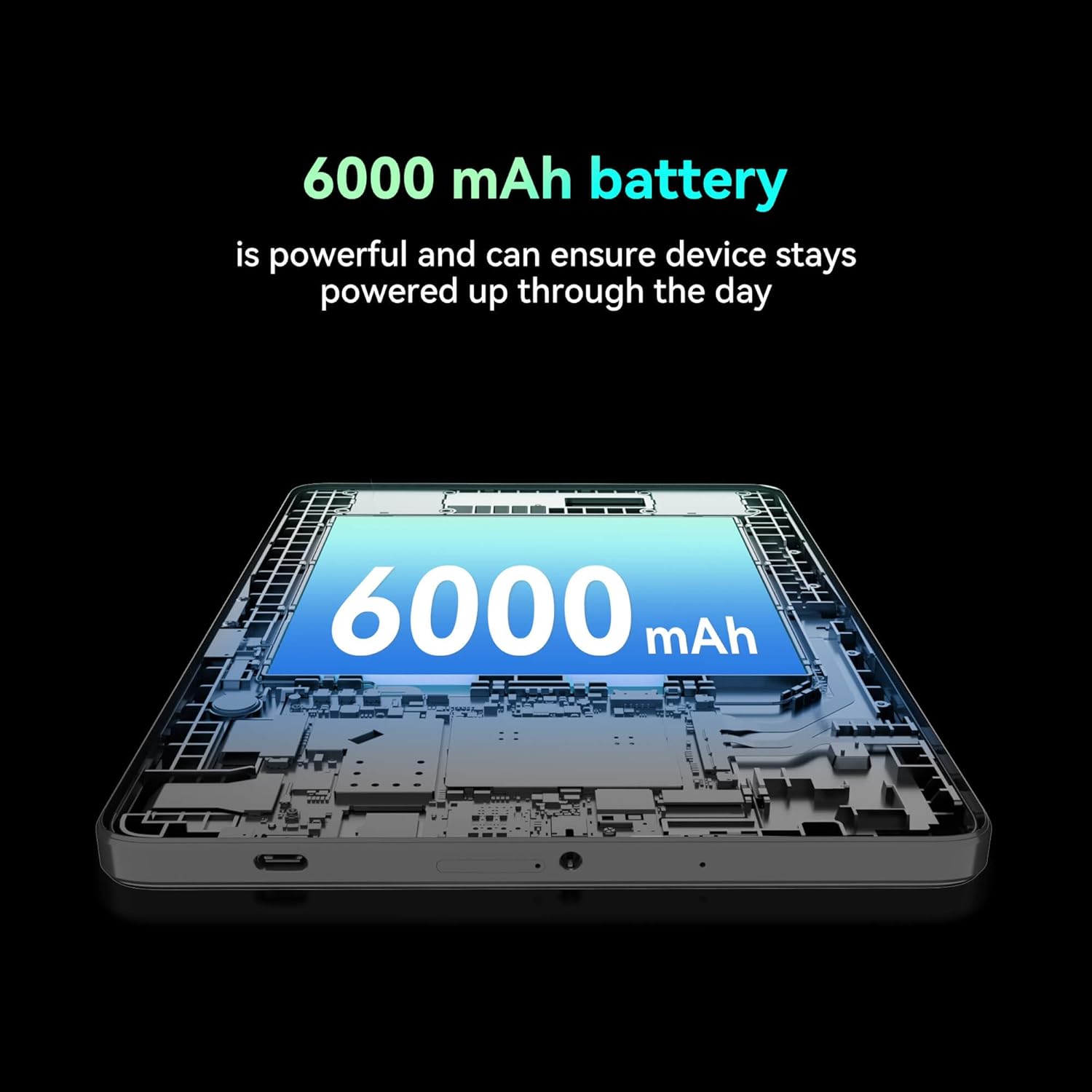
Delwedd: Toriad view of the tablet highlighting the large 6000 mAh battery component.
4. Gosod
4.1 Codi Tâl Cychwynnol
Before first use, fully charge your tablet using the provided Type-C cable and 10W charger. The battery indicator on the screen will show charging status.
4.2 Pweru Ymlaen/Diffodd
- I Bweru Ymlaen: Pwyswch a dal y botwm Power nes bod y sgrin yn goleuo.
- I Bweru i ffwrdd: Pwyswch a daliwch y botwm Pŵer, yna dewiswch 'Diffoddwch' o'r opsiynau ar y sgrin.
- I ailgychwyn: Pwyswch a daliwch y botwm Pŵer, yna dewiswch 'Ailgychwyn' o'r opsiynau ar y sgrin.
4.3 Gosod Cerdyn SIM
The FOXX C10 supports Nano SIM cards for cellular connectivity. Locate the SIM card tray on the side of the tablet. Use the provided SIM ejector tool to open the tray. Insert the Nano SIM card into the designated slot with the gold contacts facing down. Close the tray securely.
4.4 Gosod Cerdyn MicroSD (Dewisol)
If your tablet supports expandable storage, locate the MicroSD card slot, often combined with the SIM tray. Insert a MicroSD card (up to 128GB, sold separately) into the slot with the gold contacts facing down. Close the tray securely.
5. Cyfarwyddiadau Gweithredu
5.1 Mordwyo Sylfaenol
Your tablet runs on Android 13. Use touch gestures for navigation:
- Tap: Dewiswch eitem neu agorwch ap.
- Swipe: Sgroliwch drwy sgriniau neu restrau.
- Pinsiad: Chwyddo i mewn neu allan ar ddelweddau a web tudalennau.
- Gwasg Hir: Mynediad i ddewislenni cyd-destunol neu symud eiconau.
5.2 Cysylltu â Wi-Fi
- Ewch i Gosodiadau > Rhwydwaith a rhyngrwyd > Wi-Fi.
- Togglo Wi-Fi On.
- Dewiswch eich rhwydwaith Wi-Fi dymunol o'r rhestr.
- Rhowch y cyfrinair os gofynnir amdano, yna tapiwch Cyswllt.
5.3 Making Calls (4G LTE)
With a properly installed and activated Nano SIM card, your tablet can make and receive calls.
- Agorwch y Ffon ap.
- Dial the desired number or select a contact.
- Tap y Galwch botwm.
5.4 Defnyddio'r Camera
The tablet features dual 8MP cameras for photography and video recording.
- Agorwch y Camera ap.
- Tap y Caead botwm i dynnu llun.
- Tap y Fideo icon to switch to video recording mode.
- Use the camera switch icon to toggle between front and rear cameras.
5.5 Pâr Bluetooth
- Ewch i Gosodiadau > Dyfeisiau cysylltiedig > Bluetooth.
- Toglo Bluetooth On.
- Gwnewch yn siŵr bod y ddyfais rydych chi am baru â hi yn y modd paru.
- Select the device from the list and follow any on-screen prompts to complete pairing.
6. cynnal
6.1 Gofal Batri
- Osgowch dymheredd eithafol, a all ddirywio oes y batri.
- Do not leave the tablet charging for extended periods after it's fully charged.
- Defnyddiwch y gwefrydd a'r cebl a ddarperir yn unig.
6.2 Glanhau
Use a soft, lint-free cloth to clean the screen and body of the tablet. Avoid using harsh chemicals or abrasive materials. For stubborn smudges, slightly dampgolchwch y lliain gyda dŵr neu lanhawr sgrin a gynlluniwyd ar gyfer electroneg.
6.3 Diweddariadau Meddalwedd
Chwiliwch am ddiweddariadau meddalwedd a'u gosod yn rheolaidd i sicrhau bod gan eich tabled y nodweddion, y clytiau diogelwch a'r gwelliannau perfformiad diweddaraf. Ewch i Gosodiadau > System > Diweddariad system.
7. Datrys Problemau
| Problem | Ateb |
|---|---|
| Nid yw'r tabled yn troi ymlaen | Gwnewch yn siŵr bod y batri wedi'i wefru. Cysylltwch y gwefrydd ac aros ychydig funudau cyn ceisio ei droi ymlaen eto. |
| Methu cysylltu â Wi-Fi | Check if Wi-Fi is enabled in settings. Restart your router and the tablet. Verify the Wi-Fi password. |
| Mae apiau'n araf neu'n chwalu | Close unused apps. Clear app cache (Settings > Apps > [App Name] > Storage > Clear cache). Restart the tablet. Ensure sufficient storage space. |
| Dim gwasanaeth cellog | Ensure the Nano SIM card is correctly inserted and activated. Check your network settings and contact your service provider if necessary. |
| Nid yw'r sgrin yn ymateb | Restart the tablet. If the issue persists, perform a factory reset (data will be lost). |
8. manylebau
| Nodwedd | Manylyn |
|---|---|
| Enw Model | FOXX C10 |
| System Weithredu | Android 13 |
| Maint Sgrin | 10.1 modfedd |
| Cydraniad Sgrin Max | Picseli 800x1280 |
| Prosesydd | 2 GHz Quad-Core MediaTek |
| HWRDD | 4 GB |
| Storio Mewnol | 64 GB |
| Maint Cof Flash | 8 GB (likely referring to system partition or eMMC base) |
| Camerâu | Deuol 8MP (Blaen a Chefn) |
| Gallu Batri | 6000 mAh |
| Cysylltedd | 4G LTE, Wi-Fi (802.11 b/g/n/ac), Bluetooth 5.0, USB-C, 3.5mm AUX |
| Pwysau Eitem | 1.26 pwys |
| Dimensiynau Cynnyrch | 9.64 x 6.39 x 0.42 modfedd |
| Lliw | Du |
9. Gwarant a Chefnogaeth
Am wybodaeth am y warant a chymorth technegol, cyfeiriwch at y ddogfennaeth a ddarparwyd gyda'ch pryniant neu cysylltwch â'r manwerthwr. Cadwch eich prawf prynu ar gyfer hawliadau gwarant.