
FUNYET DuetBook N5095
FUNYET 14-inch Laptop N5095
Llawlyfr Defnyddiwr
Model: DuetBook N5095
Rhagymadrodd
This manual provides essential information for setting up, operating, maintaining, and troubleshooting your FUNYET 14-inch Laptop N5095. Please read this guide thoroughly to ensure optimal performance and longevity of your device.

Delwedd: Blaen view of the FUNYET 14-inch Laptop N5095, highlighting its key specifications on the screen.
1. Gosodiad Cychwynnol
1.1 Dadbocsio a'r Troi Ymlaen Am y Tro Cyntaf
- Carefully remove the laptop and all accessories from the packaging. The box should contain the laptop, AC adapter, warranty card, and this instruction manual.
- Connect the AC adapter to the laptop's DC-in port and then to a power outlet.
- Open the laptop lid. The laptop may power on automatically, or you may need to press the power button located on the keyboard.
1.2 Windows 11 Pro Configuration
Upon first boot, you will be guided through the Windows 11 Pro setup process. Follow the on-screen instructions to:
- Dewiswch eich rhanbarth a chynllun eich bysellfwrdd.
- Cysylltwch â rhwydwaith Wi-Fi.
- Sign in with your Microsoft account or create a new one.
- Set up a PIN for quick login.
- Addaswch osodiadau preifatrwydd.

Image: The Windows 11 Pro operating system interface shown on the laptop screen.
2. Gweithredu Eich Gliniadur
2.1 Bysellfwrdd a Phad Cyffwrdd
The laptop features a full-sized keyboard and a large, responsive touchpad for navigation. Refer to the image below for key layout.

Delwedd: Manwl view bysellfwrdd a pad cyffwrdd y gliniadur.
2.2 Cysylltu Perifferolion
Mae gan eich gliniadur wahanol borthladdoedd ar gyfer cysylltu dyfeisiau allanol:
- Porthladdoedd USB 3.0: Two ports for high-speed data transfer with USB devices.
- Porthladd HDMI: Cysylltu ag arddangosfeydd neu daflunyddion allanol.
- Jack Clustffon: Ar gyfer allbwn sain i glustffonau neu siaradwyr allanol.
- Slot Cerdyn TF: For expanding storage with a TF (MicroSD) card.
- Porthladd mewnbwn DC: Ar gyfer cysylltu'r addasydd pŵer AC.
Wireless connectivity includes Bluetooth and Wi-Fi (2.4G/5G) for connecting to networks and wireless accessories.
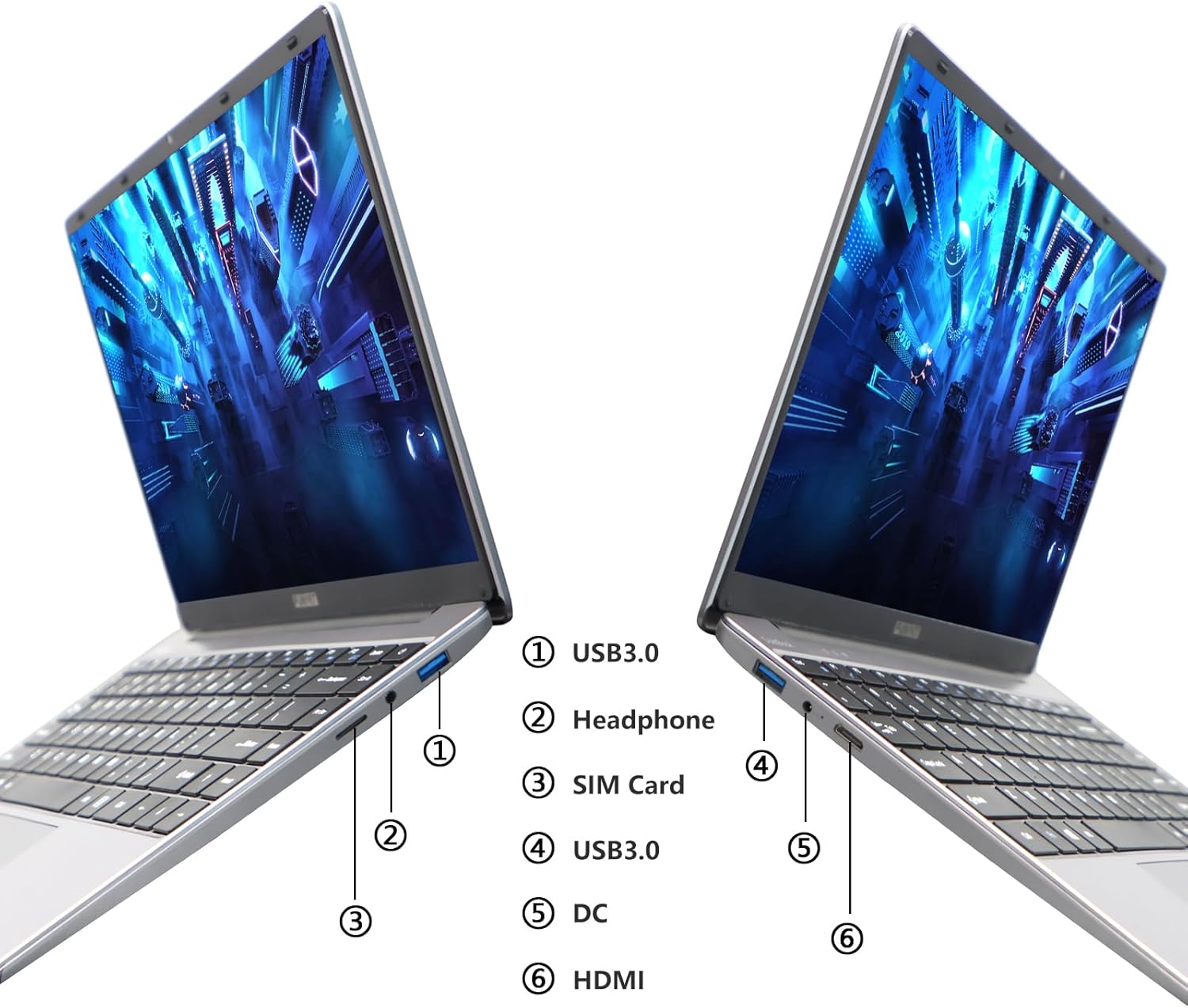
Image: Diagram illustrating the various ports on the sides of the laptop.
2.3 Nodweddion Arddangos
The 14.1-inch FHD IPS display offers a 1920x1080 resolution. The laptop supports a 180-degree opening angle, allowing for flexible viewing swyddi.

Image: The laptop's screen fully opened to a 180-degree flat position.
2.4 Rheoli Batri
The laptop is equipped with a 3800mAh (7.6V/5000mAh) battery. For optimal battery life, ensure the laptop is fully charged before first use. Unplug the AC adapter once the battery is fully charged to prevent overcharging. For extended storage, charge the battery to approximately 50% and store the device in a cool, dry place.

Image: Laptop screen showing a full battery charge indicator.
3. cynnal
3.1 Gofal Cyffredinol
- Keep the laptop clean by wiping surfaces with a soft, dry cloth. Avoid liquid cleaners directly on the screen or keyboard.
- Ensure proper ventilation. Do not block the air vents to prevent overheating.
- Osgowch amlygu'r gliniadur i dymheredd eithafol, golau haul uniongyrchol, neu leithder uchel.
- Handle the laptop with care to prevent physical damage.
3.2 Ehangu Storio
The laptop's storage can be expanded using a TF (MicroSD) card. Insert the TF card into the designated slot until it clicks into place. To remove, gently push the card in until it springs out.
4. Datrys Problemau
| Mater | Achos Posibl | Ateb |
|---|---|---|
| Nid yw'r gliniadur yn troi ymlaen. | Problem gyda batri neu addasydd pŵer isel. | Ensure the AC adapter is securely connected and the power outlet is functional. Charge the laptop for at least 30 minutes before attempting to power on again. |
| Problemau cysylltiad Wi-Fi. | Incorrect Wi-Fi password, router issues, or Wi-Fi adapter disabled. | Verify the Wi-Fi password. Restart your router. Check Windows settings to ensure Wi-Fi is enabled. |
| Perfformiad araf. | Too many applications running, low storage space, or outdated drivers. | Close unnecessary applications. Check available storage on the SSD. Update Windows and device drivers. |
| Mae'r sgrin yn wag neu'n fflachio. | Display driver issue, external display conflict, or hardware problem. | Restart the laptop. If connected to an external monitor, disconnect it. Update graphics drivers. |
If you encounter issues not listed here or if the suggested solutions do not resolve the problem, please contact FUNYET support.
5. Manylebau Technegol
| Nodwedd | Manylyn |
|---|---|
| Enw Model | DuetBook N5095 |
| Prosesydd | Intel 11th Gen Celeron N5095 (up to 2.9 GHz, 4 Cores, 4 Threads) |
| Graffeg | Graffeg Intel UHD (Integredig) |
| HWRDD | 16GB DDR4 |
| Storio | 512GB SSD (Expandable via TF card) |
| Arddangos | 14.1-inch FHD IPS (1920 x 1080 pixels) |
| System Weithredu | Windows 11 Pro |
| Cysylltedd Di-wifr | Wi-Fi (2.4G/5G), Bluetooth 4.2 |
| Porthladdoedd | 2x USB 3.0, 1x HDMI, 1x Headphone Jack, 1x DC-in, 1x TF Card Slot |
| Batri | 3800mAh (7.6V/5000mAh) Lithium Ion |
| Dimensiynau (LxWxH) | 12.7 x 8.3 x 0.8 modfedd |
| Pwysau | 3 pwys |

Image: Visual summary of key laptop features and specifications.
6. Gwarant a Chefnogaeth
FUNYET provides comprehensive support for your laptop:
- Gwarant: Gwarant 2 flynedd o'r dyddiad prynu.
- Returns/Exchanges: 6 months of free replacement or return service.
- Cymorth Ar-lein: 24/7 online support with instant responses.
- Cefnogaeth Ffôn: Available every business day from 4 PM to 10 PM Pacific Time.
For assistance, please contact FUNYET support:
- Ffôn: +1 800-986-9631
- E-bost: funyetstore@outlook.com
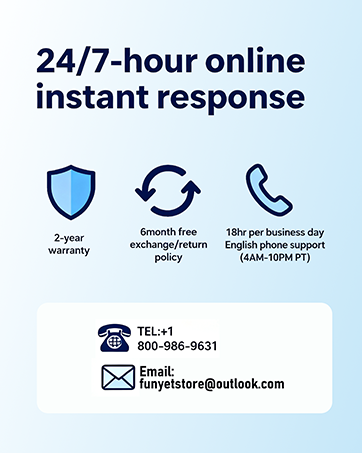
Image: FUNYET customer support and warranty details.
Ask a question about this manual
Ask about setup, troubleshooting, compatibility, parts, safety, or missing instructions. Manuals+ will review the question and use this page’s manual context to help answer it.