
1. Rhagymadrodd
This manual provides instructions for the safe and efficient use of your Baseus EnerFill Qi2 Certified MagSafe Power Bank, Model EnerFill FM12. Please read this manual thoroughly before use and retain it for future reference.
2. Nodweddion Cynnyrch
- Gwefru Di-wifr 15W Ardystiedig Qi2: Supports 15W wireless charging, offering faster power delivery compared to standard 7.5W Qi charging. Qi2 technology optimizes energy efficiency for stable charging.
- Capasiti Uchel 10000mAh: Provides a 10000mAh battery capacity, capable of fully charging an iPhone 16 up to two times.
- Ymlyniad Magnetig Cryf: Features powerful 13N magnets for secure attachment to compatible devices, maintaining connection during movement.
- 22.5W Wired Fast Charging: Offers 22.5W fast charging via the USB-C port for quick device recharging.
- Dyluniad Ultra-ysgafn: Weighs 202g, making it highly portable for on-the-go use.
- Silicone Padding: Designed with silicone padding for a comfortable grip.
3. Cynnwys Pecyn
- Baseus EnerFill Qi2 Certified MagSafe Power Bank (EnerFill FM12)
- Cebl gwefru USB-C (x1)
4. Cynnyrch Drosview
The following images illustrate key features and components of the Baseus EnerFill FM12 Power Bank.
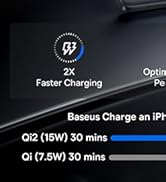
Image: Qi2 Certified 15W Wireless Charging. This image shows the power bank wirelessly charging a smartphone, highlighting the 15W output and MagSafe compatibility.

Image: Slim and Compact Design for Excellent Mobility. This image displays the power bank being held, emphasizing its compact size and portability.

Image: 10000mAh Capacity for All-Day Power. This image shows the power bank in use, demonstrating its capacity to charge devices multiple times.

Image: Snap & Charge Anywhere. This image highlights the magnetic attachment feature, showing the power bank securely connected to a smartphone.

Image: Two-Way Fast Charging. This image illustrates the power bank's capability for both wired (USB-C) and wireless charging.

Image: Low-Temperature Fast and Safe Charging. This image depicts the power bank's internal technology for managing temperature during charging.

Image: Silicone Padding for A Comfortable Grip. This image showcases the power bank's ergonomic design and the various color options available.
5. Gosod
5.1 Gwefru Cychwynnol y Banc Pŵer
Cyn ei ddefnyddio gyntaf, gwefrwch y banc pŵer yn llawn gan ddefnyddio'r cebl USB-C a ddarperir ac addasydd pŵer cydnaws (heb ei gynnwys). Bydd y dangosyddion LED yn dangos y statws gwefru.
5.2 Cysylltu Dyfeisiau
- Codi Tâl Di-wifr: Align the power bank with the back of your MagSafe-compatible device. The magnetic connection will secure it in place, and wireless charging will begin automatically.
- Codi Tâl Gwifrau: Connect your device to the power bank's USB-C port using the provided USB-C cable.
6. Cyfarwyddiadau Gweithredu
6.1 Codi Tâl Di-wifr
- Ensure your device is MagSafe compatible.
- Attach the power bank to the back of your device. The power bank will automatically detect the device and begin 15W wireless charging.
- Monitor your device's screen for charging confirmation.
6.2 Gwefru â Gwifrau
- Connect one end of the USB-C cable to the power bank's USB-C port and the other end to your device's charging port.
- The power bank supports 22.5W wired fast charging.
6.3 Ailwefru'r Banc Pŵer
- Connect the power bank to a power adapter using the USB-C cable.
- The LED indicators will show the current battery level and charging progress.
7. cynnal
- Glanhau: Use a soft, dry cloth to clean the power bank. Avoid using liquids or abrasive cleaners.
- Storio: Storiwch y banc pŵer mewn lle oer, sych i ffwrdd o olau haul uniongyrchol a thymheredd eithafol.
- Gofal Batri: To prolong battery life, avoid fully discharging the power bank frequently. Recharge it regularly, even if not in use for extended periods.
8. Datrys Problemau
8.1 Banc Pŵer Ddim yn Gwefru
- Gwnewch yn siŵr bod y cebl USB-C wedi'i gysylltu'n ddiogel â'r banc pŵer a'r addasydd pŵer.
- Gwiriwch fod yr addasydd pŵer yn gweithio'n gywir.
- Rhowch gynnig ar gebl USB-C gwahanol neu addasydd pŵer.
8.2 Dyfais Ddim yn Gwefru'n Ddi-wifr
- Confirm your device is MagSafe compatible and properly aligned with the power bank.
- Remove any thick cases that might interfere with the magnetic connection or wireless charging.
- Gwnewch yn siŵr bod digon o wefr ar y banc pŵer.
8.3 Gwefru Araf
- For optimal charging speed, use a compatible fast-charging adapter for the power bank itself.
- Ensure your device supports the charging speeds provided by the power bank (15W wireless, 22.5W wired).
- High temperatures can reduce charging efficiency; ensure the power bank is in a well-ventilated area.
9. manylebau
| Model | EnerFill FM12 |
| Brand | Baseus |
| Gallu Batri | 10000 mAh |
| Allbwn Di-wifr | 15W (Ardystiedig Qi2) |
| Allbwn Wired | 22.5W (USB-C PD) |
| Dimensiynau Cynnyrch (L x W x H) | 10.2 x 6.8 x 1.3 cm |
| Pwysau Eitem | 202 g |
| Math Batri | Lithiwm-ion |
| Ffynhonnell Pwer | Cable Electric (USB-C) |
| Yn gynwysedig | Cebl USB-C 1x |
10. Gwarant a Chefnogaeth
10.1 Gwybodaeth Gwarant
This Baseus EnerFill FM12 Power Bank is covered by a 24-month limited warranty from the date of purchase. This warranty covers manufacturing defects under normal use. Please retain your proof of purchase for warranty claims.
10.2 Cefnogaeth i Gwsmeriaid
For technical assistance, troubleshooting, or warranty claims, please contact Baseus customer support through their official website or the retailer where the product was purchased. Please have your product model number and proof of purchase ready when contacting support.