
TABWEE Tabwee T90
Llawlyfr Defnyddiwr Tabled TABWEE T90 Android 16
Model: Tabwee T90 | Brand: TABWEE
1. Rhagymadrodd a Throsoddview
Welcome to the user manual for your new TABWEE T90 Android 16 Tablet. This device combines cutting-edge technology with user-friendly design, featuring the world's first Android 16 operating system and integrated Gemini AI 2.0. With an 11-inch Full HD display, 24GB RAM, 128GB internal storage expandable up to 2TB, and an 8000mAh battery, the T90 is designed for both productivity and entertainment. This manual provides essential information for setup, operation, maintenance, and troubleshooting to ensure you get the most out of your tablet.
2. Beth sydd yn y Bocs
Upon unboxing your TABWEE T90 tablet, please verify that all the following components are included:
- TABWEE T90 Tablet
- Bysellfwrdd Bluetooth
- Llygoden Di-wifr
- Pen Stylus
- Achos Amddiffynnol
- Addasydd AC
- Cebl USB
- PIN Cerdyn SIM
- Llawlyfr Defnyddiwr
- Protective Film (pre-applied and one spare)

Image: All components included in the TABWEE T90 package.
3. Gosod
3.1 Codi Tâl Cychwynnol
Before first use, fully charge your TABWEE T90 tablet using the provided AC adapter and USB cable. The charging port is located on the side of the tablet. A full charge typically takes approximately 2-3 hours.
3.2 Pweru Ymlaen/Diffodd
- I Bweru Ymlaen: Press and hold the Power button (located on the top edge) for a few seconds until the TABWEE logo appears.
- I Bweru i ffwrdd: Pwyswch a daliwch y botwm Pŵer nes bod y ddewislen opsiynau pŵer yn ymddangos. Dewiswch "Diffodd" a chadarnhewch.
- I ailgychwyn: O'r ddewislen opsiynau pŵer, dewiswch "Ailgychwyn".
3.3 Gosodiad Cychwynnol Android
Upon first power-on, the tablet will guide you through the Android 16 setup process. Follow the on-screen prompts to:
- Dewiswch eich iaith a'ch rhanbarth.
- Cysylltwch â rhwydwaith Wi-Fi.
- Mewngofnodwch gyda'ch cyfrif Google neu crëwch un newydd.
- Gosodwch glo sgrin (PIN, patrwm, cyfrinair, neu adnabyddiaeth wyneb).
- Review a derbyn telerau ac amodau.
3.4 Cysylltu Ategolion
Your TABWEE T90 comes with a Bluetooth keyboard, mouse, and stylus for enhanced productivity.
- Bysellfwrdd/Llygoden Bluetooth: Turn on the keyboard/mouse and put it into pairing mode (refer to their individual manuals if needed). On your tablet, go to Gosodiadau > Dyfeisiau cysylltiedig > Pâr o ddyfais newydd and select the keyboard/mouse from the list.
- Stylus: The stylus is generally plug-and-play for basic touch input. For advanced features, ensure it is charged (if applicable) and compatible with the tablet's touch screen technology.
3.5 Expanding RAM
The tablet supports RAM expansion. To utilize the full 24GB (8GB physical + 16GB virtual boost), navigate to Gosodiadau and locate the option to expand RAM.
4. Cyfarwyddiadau Gweithredu
4.1 Android 16 and Gemini AI 2.0
The TABWEE T90 runs on the advanced Android 16 operating system, enhanced with Gemini AI 2.0 for a smarter and more intuitive user experience.
- Interactive System: Enjoy smoother interactions and real-time information display.
- Video Call Enhancements: Utilize one-tap features like background blur and portrait lighting for professional video calls.
- Gemini AI 2.0: This AI optimizes workflows, allowing for tasks such as transforming voice notes into formatted reports and enhancing low-light photos automatically.

Image: Key features of the Android 16 operating system.

Delwedd: Drosoddview of Gemini AI functionalities.
4.2 Nodweddion Arddangos
The 11-inch Full HD (1920x1200) display offers a vibrant visual experience. It features a 120Hz touch sampling rate for smooth navigation and gaming, along with anti-reflective and anti-fingerprint properties for comfortable outdoor use.
- Cymorth Widevine L1: Enjoy high-definition streaming from platforms like Netflix, Disney+, YouTube, HBO, and Prime Video.

Image: The 11-inch Full HD display in use.

Image: Widevine L1 support for high-definition content.
4.3 Perfformiad a Storio
The TABWEE T90 is powered by an Octa-core Unisoc T615 processor, ensuring smooth performance for multitasking, gaming, and media consumption. It features 24GB of RAM (8GB physical + 16GB virtual) and 128GB of internal storage, expandable up to 2TB via a microSD card.
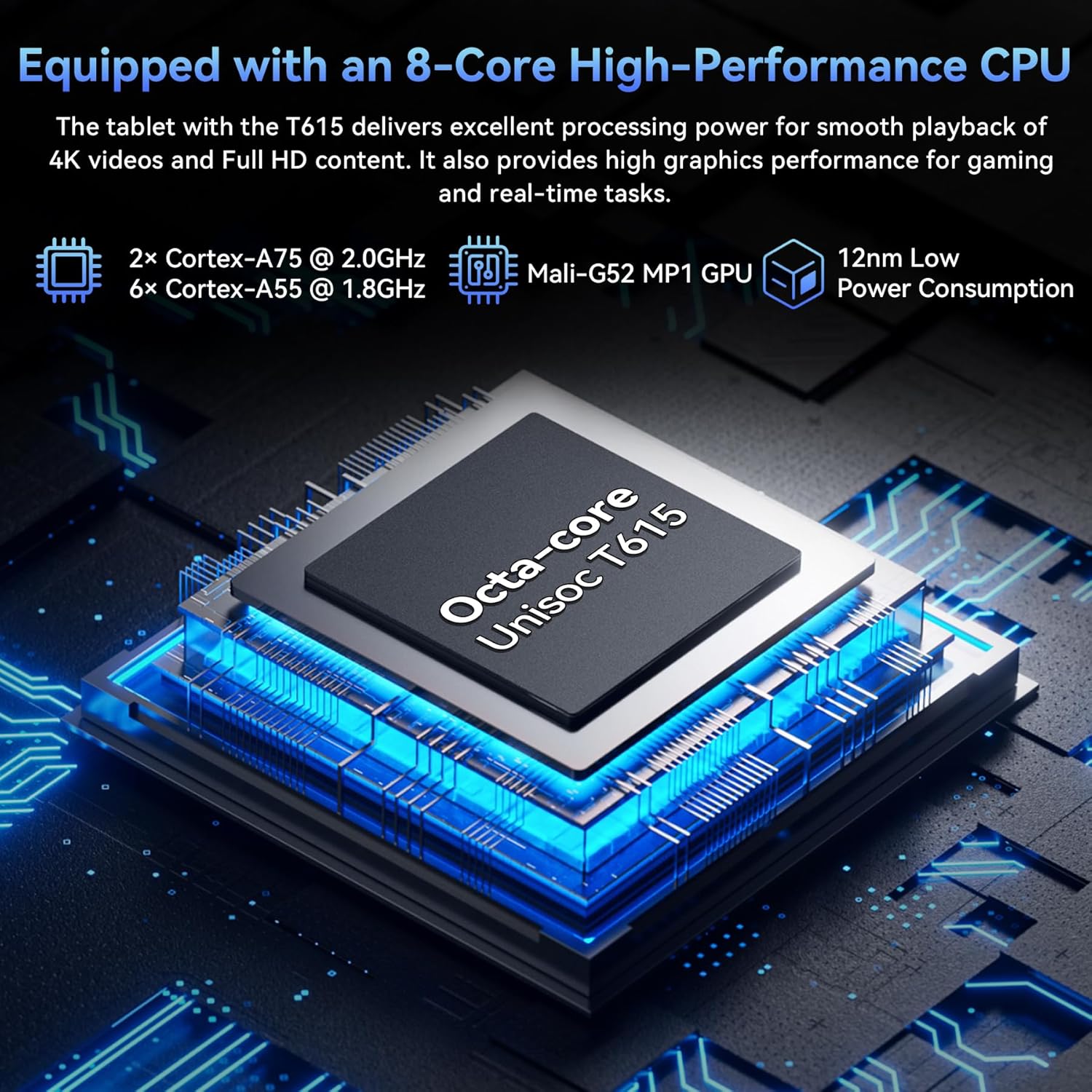
Image: The Octa-core Unisoc T615 processor.

Image: Large capacity storage and expansion capabilities.
4.4 System Camera
Capture stunning photos with the 13MP rear camera and 5MP front camera. The camera system is enhanced with AI album editing, APV codec support, and Google Lens integration.
- Google Lens: Identify objects, plants, and text in real-time, and optimize photos with scene recognition and night view.

Image: Dual high-resolution cameras.

Image: Google AI image editing capabilities.
4.5 Bywyd Batri
The tablet is equipped with an 8000mAh battery, providing extended usage times for various activities:
- Hyd at 10 awr o chwarae fideo.
- Up to 8 hours of gaming.
- Hyd at 40 awr o chwarae cerddoriaeth.
- Up to 840 hours of standby time.

Image: 8000mAh battery performance.
4.6 Cysylltedd
The TABWEE T90 supports fast and reliable wireless connections:
- WiFi 5G: Stream 4K videos and download content buffer-free with dual-band 5G WiFi (802.11a/b/g/n/ac).
- Bluetooth 5.0: Easily pair with wireless earbuds, speakers, and other Bluetooth-enabled devices for seamless audio and data transfer.

Image: High-speed 5G WiFi and Bluetooth 5.0 connectivity.
5. cynnal
Proper maintenance ensures the longevity and optimal performance of your TABWEE T90 tablet.
5.1 Gofal Cyffredinol
- Glanhau: Defnyddiwch frethyn meddal, di-flwff i lanhau'r sgrin a'r corff. Osgowch ddeunyddiau sgraffiniol neu gemegau llym.
- Tymheredd: Osgowch amlygu'r dabled i dymheredd eithafol (poeth neu oer) neu olau haul uniongyrchol am gyfnodau hir.
- Amlygiad Dŵr: The tablet is not waterproof. Keep it away from liquids.
- Amddiffyniad Corfforol: Defnyddiwch y cas amddiffynnol a ddarperir i amddiffyn rhag diferion a chrafiadau.
5.2 Diweddariadau Meddalwedd
Chwiliwch am ddiweddariadau system a'u gosod yn rheolaidd i sicrhau bod gan eich tabled y nodweddion, y clytiau diogelwch a'r gwelliannau perfformiad diweddaraf. Ewch i Gosodiadau > System > Diweddariad system i wirio am ddiweddariadau sydd ar gael.
5.3 Gofal Batri
- Osgowch ollwng y batri'n llwyr yn aml.
- Do not leave the tablet plugged in for extended periods after it's fully charged.
- Defnyddiwch y gwefrydd gwreiddiol neu wefrydd cydnaws ardystiedig yn unig.
6. Datrys Problemau
If you encounter issues with your TABWEE T90 tablet, try the following solutions before seeking professional support.
6.1 Materion ac Atebion Cyffredin
| Mater | Ateb Posibl |
|---|---|
| Nid yw'r tabled yn troi ymlaen | Gwnewch yn siŵr bod y batri wedi'i wefru. Cysylltwch y gwefrydd ac aros ychydig funudau cyn ceisio ei droi ymlaen eto. Os nad yw'n ymateb, pwyswch a daliwch y botwm pŵer am 10-15 eiliad i orfodi ailgychwyn. |
| Materion cysylltiad Wi-Fi | Restart your Wi-Fi router. On the tablet, turn Wi-Fi off and then on again. Forget the network and reconnect. Ensure you are within range of the Wi-Fi signal. |
| Perfformiad araf neu rewi | Close unused applications. Clear cache for problematic apps (Settings > Apps > [App Name] > Storage > Clear cache). Restart the tablet. Ensure sufficient storage space is available. |
| Apiau'n chwalu neu ddim yn ymateb | Force stop the app (Settings > Apps > [App Name] > Force stop). Clear the app's cache and data. Uninstall and reinstall the app. Check for app updates in the Google Play Store. |
| Mae'r batri yn draenio'n gyflym | Reduce screen brightness. Disable Wi-Fi/Bluetooth when not in use. Close background apps. Limit location services. Check battery usage in Settings to identify power-hungry apps. |
6.2 Ailosod Ffatri
Os yw problemau'n parhau, gall ailosodiad ffatri ddatrys llawer o broblemau sy'n gysylltiedig â meddalwedd. Rhybudd: Bydd ailosodiad ffatri yn dileu'r holl ddata ar eich tabled. Gwnewch gopi wrth gefn o ddata pwysig cyn bwrw ymlaen.
- Ewch i Gosodiadau > System > Ailosod opsiynau > Dileu'r holl ddata (ailosod ffatri).
- Cadarnhewch eich penderfyniad a dilynwch y cyfarwyddiadau ar y sgrin.
7. manylebau
| Nodwedd | Manylyn |
|---|---|
| Enw Model | T90-Android 16 |
| System Weithredu | Android 16 |
| Maint Arddangos | 11 modfedd |
| Cydraniad Sgrin | 1920 x 1200 picsel |
| Prosesydd | Octa-core Unisoc T615 (2 GHz) |
| HWRDD | 24GB (8GB ffisegol + 16GB rhithwir) |
| Storio Mewnol | 128 GB |
| Storfa Ehangadwy | Hyd at 2TB trwy gerdyn microSD |
| Camera Cefn | 13 AS |
| Camera blaen | 5 AS |
| Gallu Batri | 8000mAh |
| Cysylltedd Di-wifr | 802.11a/b/g/n/ac (5G WiFi) |
| Bluetooth | Bluetooth 5.0 |
| Pwysau Eitem | 11.2 owns |
| Dimensiynau Cynnyrch | 10.1 x 6.7 x 0.3 modfedd |
8. Gwarant a Chefnogaeth
Your TABWEE T90 tablet comes with a Gwarant 2 mlynedd, providing peace of mind for any potential issues. TABWEE also offers 24/7 US/CA support i'ch cynorthwyo gydag unrhyw gwestiynau neu bryderon.
For warranty claims, technical assistance, or general inquiries, please visit the official TABWEE website or contact their customer support directly through the channels provided on their websafle neu yn eich pecynnu cynnyrch.
Thank you for choosing TABWEE. We hope you enjoy your new tablet!
Ask a question about this manual
Ask about setup, troubleshooting, compatibility, parts, safety, or missing instructions. Manuals+ will review the question and use this page’s manual context to help answer it.