
1. Rhagymadrodd
Thank you for choosing the WiMiUS P62 Pro 4K Projector. This manual provides essential information for setting up, operating, and maintaining your projector to ensure optimal performance and longevity. Please read this manual thoroughly before use and retain it for future reference.
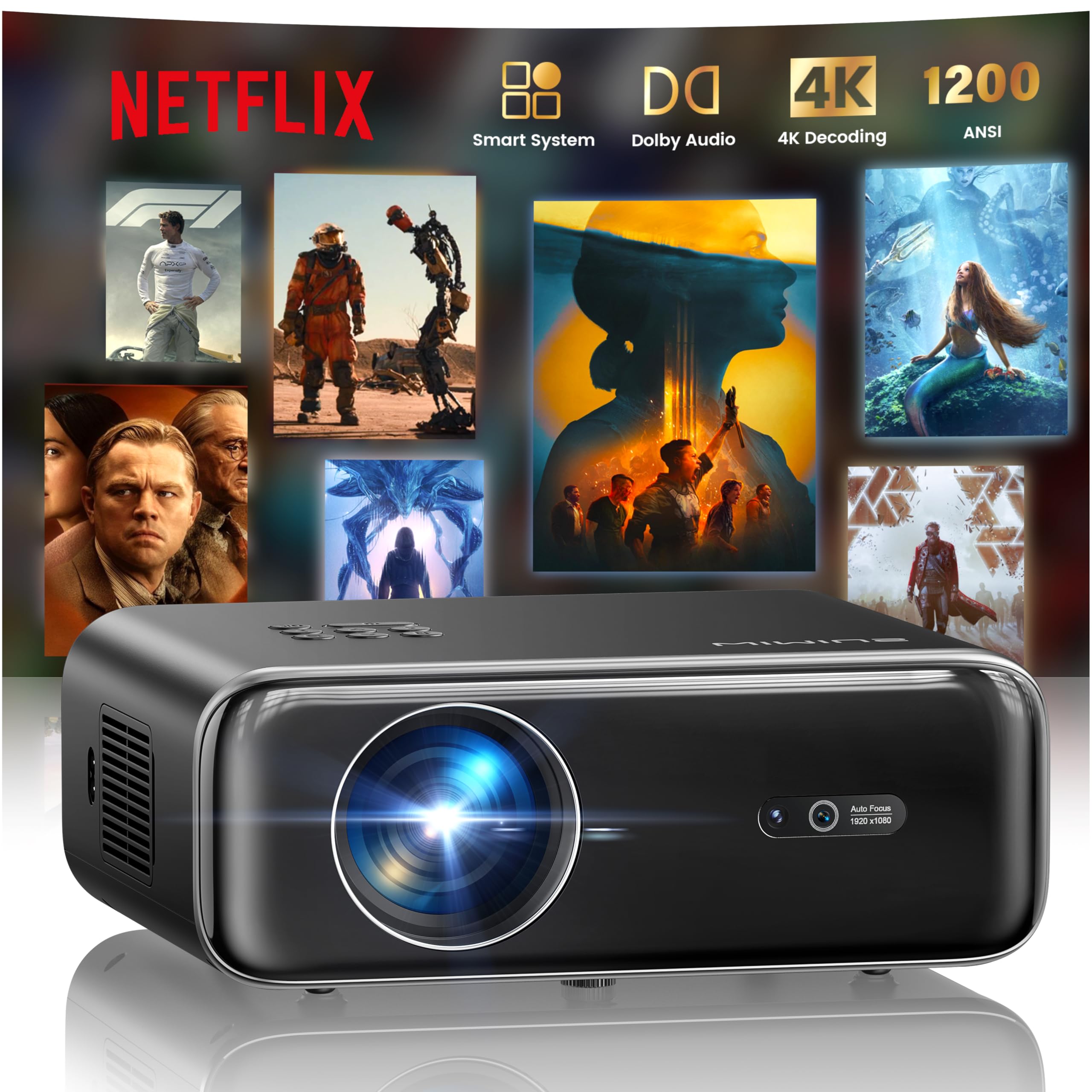
The WiMiUS P62 Pro 4K Projector, a compact and powerful device designed for home entertainment.
2. Beth sydd yn y Bocs
Carefully unpack your WiMiUS P62 Pro projector and ensure all items are present:
- WiMiUS P62 Pro Projector (Netflix included)
- Rheolaeth Anghysbell
- Cap Lens
- Cord Pŵer
- Cebl HDMI
- Pecyn Glanhau
- Canllaw Cychwyn Cyflym

Contents of the WiMiUS P62 Pro package, including the projector, remote, and essential cables.
3. Cynnyrch Drosview a Nodweddion Allweddol
The WiMiUS P62 Pro is a versatile 4K-supported projector designed for a superior home cinema experience. Its key features include:
- Disgleirdeb Uchel: 1400 ANSI lumens for clear images even in ambient light.
- Datrysiad Brodorol 1080P: Supports 4K Ultra HD input for crisp visuals.
- Smart OS with Official Apps: Pre-installed Netflix, YouTube, Prime Video, Plex, and access to over 20,000 apps.
- AI Intelligent Adjustment: Automatic focus, keystone correction, obstacle avoidance, and screen alignment.
- Sain Dolby: Integrated dual 36W speakers with Dolby Audio for immersive sound.
- Cysylltedd Amlbwrpas: WiFi 6, Bluetooth 5.4 (bidirectional), HDMI (ARC & CEC), USB.
- Dyluniad Symudol: Compact dimensions (25.7 x 20 x 10.3 cm) and lightweight (1.8 kg) for easy transport.
- Amddiffyn Llygaid: Utilizes diffuse reflection imaging technology to reduce eye strain.

The WiMiUS P62 Pro offers a revolutionary home cinema experience with integrated streaming apps like Netflix, YouTube, and Prime Video.

Experience exceptional audio quality with integrated Dolby Audio and powerful Hi-Fi speakers.
4. Gosod
Dilynwch y camau hyn ar gyfer gosod cychwynnol eich taflunydd:
- Lleoliad: Position the projector on a stable, flat surface or mount it (ceiling or tripod). Ensure adequate ventilation around the device. The projector can be placed between 1 to 6 meters from the projection surface.
- Cysylltiad Pwer: Cysylltwch y llinyn pŵer â'r taflunydd ac yna ag allfa bŵer.
- Pŵer Ymlaen: Pwyswch y botwm pŵer ar y taflunydd neu'r teclyn rheoli o bell i'w droi ymlaen.
- Addasiadau Awtomatig: The projector features AI-powered auto-focus and auto-keystone correction. It will automatically adjust the image for clarity and shape. It also includes intelligent obstacle avoidance and automatic screen alignment.
- Manual Adjustments (if needed): If further adjustments are required, use the remote control to access settings for focus, keystone, and zoom (50%-100%).

The projector features intelligent screen adaptation 3.0, including auto-focus, auto-keystone correction, and obstacle avoidance.
5. Cyfarwyddiadau Gweithredu
5.1 Pŵer Ymlaen/Diffodd
- I Bweru Ymlaen: Pwyswch y botwm pŵer ar y taflunydd neu'r teclyn rheoli o bell.
- I Bweru i ffwrdd: Pwyswch y botwm pŵer eto. Cadarnhewch y diffodd os gofynnir i chi wneud hynny.
5.2 Navigation and Source Selection
- Use the remote control's directional buttons and OK button to navigate the on-screen menu.
- Select your desired input source (HDMI 1, HDMI 2, USB, or Smart Apps) from the main menu.
5.3 Gosodiadau Llun a Sain
- Access the settings menu to adjust picture parameters such as brightness, contrast, color, and aspect ratio.
- Adjust sound volume and audio modes. The integrated Dolby Audio provides rich sound.

Enjoy an ultimate gaming experience with low latency and a 60Hz refresh rate.

Easily display your work or presentations on a larger screen.
6. Cysylltedd
The WiMiUS P62 Pro offers multiple connectivity options:
- Porthladdoedd HDMI (x2): Connect devices like laptops, gaming consoles, Blu-ray players. HDMI 2 supports ARC (Audio Return Channel) and CEC (Consumer Electronics Control) for simplified audio setup and control.
- Porthladdoedd USB (x2): Play media directly from USB drives or connect external devices.
- WiFi 6: Connect to your home network for internet access and streaming. Supports screen mirroring from iOS, Android, and Windows 10 devices for seamless content sharing.
- Bluetooth 5.4 (Bidirectional): Connect external Bluetooth speakers or headphones for enhanced audio. The projector can also act as an independent Bluetooth speaker when connected to a phone.

The rear panel of the projector features multiple connectivity ports including HDMI and USB.

Synchronize and enjoy with multiple connectivity options for seamless entertainment.
7. Nodweddion Smart
7.1 Integrated Streaming Applications
The projector comes with officially certified streaming applications pre-installed, providing direct access to a vast library of content:
- Netflix
- YouTube
- Fideo Prime
- Plecs
- And more via the integrated App Store.

Access official integrated apps like Netflix and Plex directly from your projector.

Explore more applications through the integrated App Store.
7.2 AI-Powered Image Adjustment
The projector utilizes advanced AI algorithms for automatic image optimization:
- Ffocws Auto: Automatically adjusts the image sharpness.
- Cywiriad Carreg Allwedd Auto: Corrects distorted images to a perfect rectangle.
- Osgoi Rhwystrau Deallus: Detects and adjusts the projection to avoid objects in the path.
- Aliniad Sgrin Awtomatig: Optimizes the image to fit the projection surface.

AI-optimized intelligent configuration ensures the best image quality wherever you are.
7.3 Web Pori
Navigate the internet directly on your projector using the integrated web browser. This allows you to access websites, news, and online content without needing an external computer.

Porwch y web directly on your projector with the integrated navigation feature.
8. cynnal
Mae cynnal a chadw priodol yn sicrhau hirhoedledd a pherfformiad eich taflunydd:
- Glanhau Lens: Use the provided cleaning kit or a soft, lint-free cloth to gently clean the projector lens. Avoid abrasive materials or harsh chemicals.
- Awyru: Gwnewch yn siŵr bod agoriadau awyru'r taflunydd yn glir ac yn ddi-rwystr i atal gorboethi. Peidiwch â gosod y taflunydd ar arwynebau meddal a allai rwystro llif aer.
- Tynnu Llwch: Periodically clean the exterior of the projector with a soft, dry cloth to remove dust.
- Storio: Pan nad yw'n cael ei ddefnyddio am gyfnodau hir, storiwch y taflunydd mewn lle oer, sych, yn ddelfrydol yn ei becynnu gwreiddiol neu mewn cas amddiffynnol.
9. Datrys Problemau
If you encounter issues with your WiMiUS P62 Pro projector, refer to the following common problems and solutions:
| Problem | Achos Posibl | Ateb |
|---|---|---|
| Dim delwedd yn cael ei harddangos | Power cable disconnected, incorrect input source, lens cap on. | Check power connection, select correct input source, remove lens cap. |
| Mae'r ddelwedd yn aneglur | Out of focus, projector moved. | Allow auto-focus to engage or manually adjust focus using the remote. |
| Mae'r ddelwedd wedi'i hystumio (siâp trapesoid) | Nid yw'r taflunydd yn berpendicwlar i'r sgrin. | Allow auto-keystone correction to engage or manually adjust keystone settings. |
| Dim sain | Volume too low, external audio device not connected, incorrect audio output. | Increase volume, check external audio connections, ensure correct audio output is selected. |
| Methu cysylltu â WiFi/Bluetooth | Incorrect password, device out of range, network issue. | Verify password, move devices closer, restart router/projector. |
Am gymorth pellach, cyfeiriwch at y wybodaeth gyswllt yn yr adran Gwarant a Chymorth.
10. manylebau
Detailed technical specifications for the WiMiUS P62 Pro Projector:
- Brand: WiMiUS
- Model: P62 Pro
- Disgleirdeb: 1400 Lumens ANSI (38000 Lumens)
- Datrysiad Brodorol: 1920 x 1080P
- Cydraniad Arddangos Uchaf: 3840 x 2160 (4K Ultra HD Support)
- Cymhareb cyferbyniad: 40000:1
- Math Arddangos: LCD neu LED
- Technoleg Cysylltedd: Bluetooth 5.4, HDMI, USB, Wi-Fi 6
- Defnyddiau a Argymhellir: Home Cinema, Gaming, Live TV & Sports, Outdoor, Camping
- Nodweddion arbennig: AI Auto Focus/Keystone, Obstacle Avoidance, Screen Alignment, Official Apps (Netflix, etc.), Dolby Audio, HDMI ARC/CEC
- Pellter Rhagamcaniad: 1 i 6 metr
- Maint y Delwedd: 40 i 300 modfedd
- Math o reolaeth: Rheolaeth Anghysbell
- Pwysau: 1.8 Cilogram
- Dimensiynau: 25.7 x 20 x 10.3 cm
- Amgodio Fideo: H.264, H.265

The projector boasts 1400 ANSI lumens and a 40000:1 contrast ratio for remarkable brilliance.

Mwynhewch viewing without harmful blue light, reducing eye fatigue.
11. Gwarant a Chefnogaeth
The WiMiUS P62 Pro Projector comes with a 2-year warranty. For any questions or support needs regarding your projector, please refer to the service information provided in the Quick Start Guide or contact WiMiUS customer support directly. You can often find support contact details on the manufacturer's official websafle neu drwy eich platfform prynu.