
1. Rhagymadrodd
Thank you for choosing the Riflewell 7.0 Cu Ft Large Fingerprint Safe Box. This manual provides essential information for the safe and efficient operation of your new security safe. Please read these instructions carefully before use and retain them for future reference.
This safe is designed to protect your valuables, including documents, cash, pistols, and jewelry, with advanced fingerprint and password locking mechanisms, dual alarm systems, and robust construction.
2. Beth sydd wedi'i gynnwys
Upon unpacking, please verify that all the following components are present:
- 1 x Riflewell 7.0 Cu Ft Safe Box
- 4 x Allweddi Argyfwng
- 1 x USB Type-C Cable (for external power)
- 4 x Anti-slip Foot Pads
- 6 x Sgriwiau Ehangu (ar gyfer mowntio)
- 1 x Llawlyfr Defnyddiwr (y ddogfen hon)

3. Nodweddion Cynnyrch
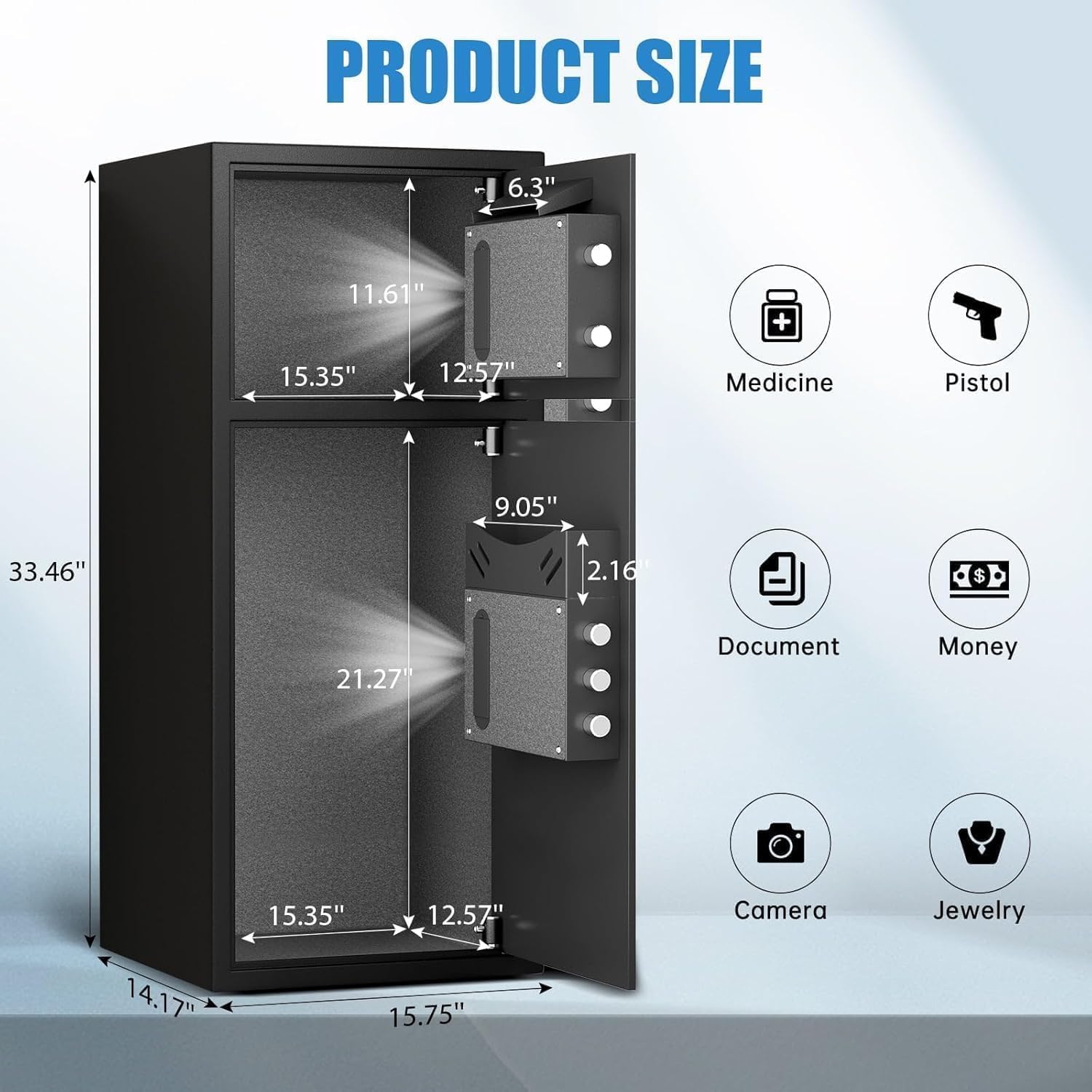
- Cynhwysedd Mawr Ychwanegol: External size 14.17"D x 15.75"W x 33.5"H, with a 7.0 cubic feet capacity. Features a double-door design for separate access.
- Diogelwch Gwell: Equipped with a fingerprint and password lock system. Features 3D glowing digital buttons and a unique embedded fingerprint design (US appearance patent).
- Deposit Slot: A convenient front slot allows for easy deposit of money or coins without opening the main door.
- Sefydliad Mewnol: Includes a metal storage box for smaller items and soft flannel lining to protect valuables from scratches. Internal LED lights illuminate the interior.
- Anti-Theft Construction: Made of reinforced low carbon alloy steel with micro-slit laser cutting precision. Features a pry-resistant thickened door and five solid live bolts.
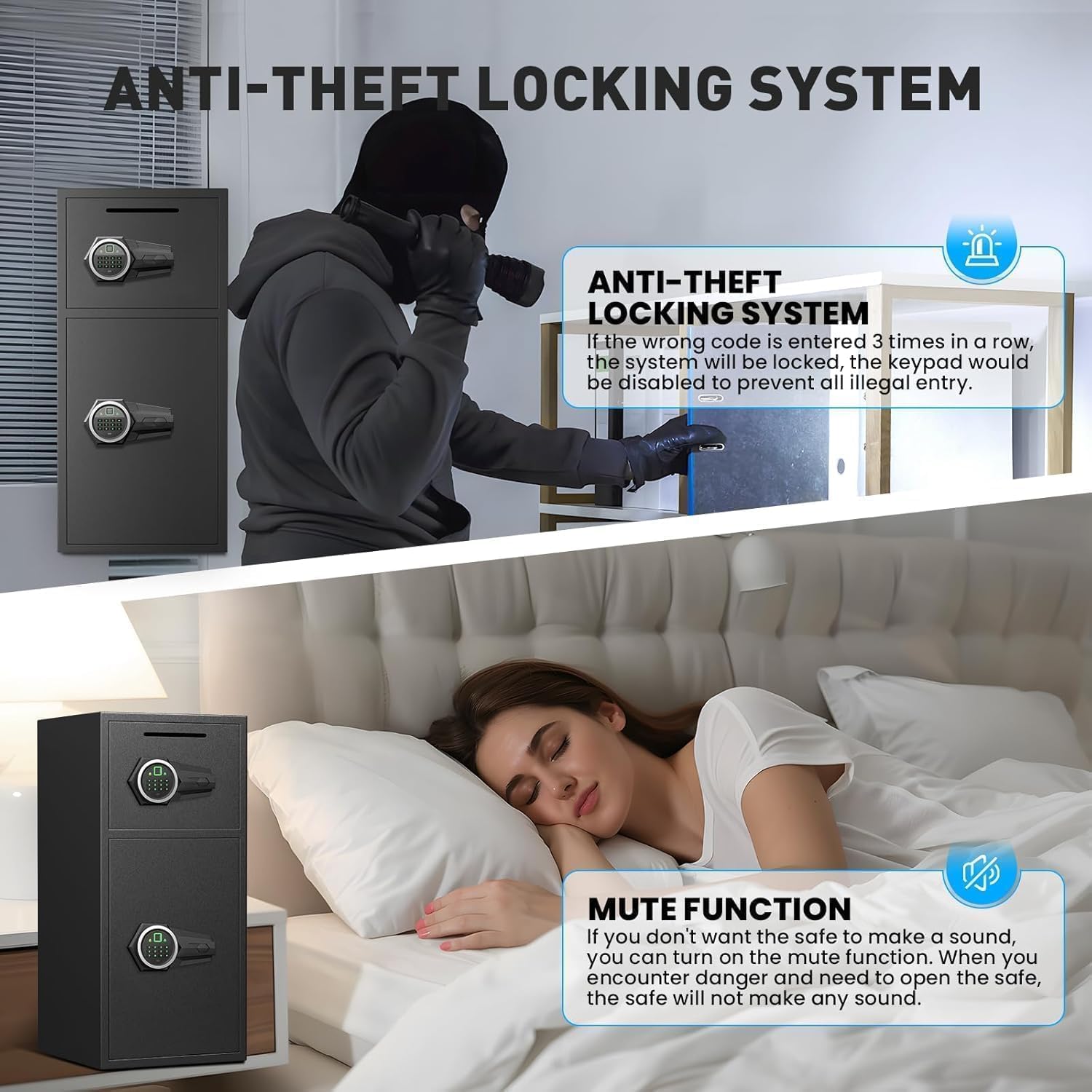
- System Larwm Deuol: Activates an alarm (up to 70 decibels) after three consecutive incorrect password attempts or violent vibrations. Includes a mute function for silent operation.
- Pwer Brys: Universal emergency power jack (USB Type-C) ensures access even if internal batteries are depleted.


4. Gosod
4.1 First Time Opening (Using Emergency Key)
Before initial use, you must open the safe using the emergency key to install batteries and set up your access methods.
- Lleolwch y twll clo brys, sydd fel arfer wedi'i guddio y tu ôl i orchudd ar banel y bysellbad.
- Insert an emergency key and turn it counter-clockwise to its limit.
- Cylchdroi'r bwlyn clocwedd i agor y drws.
4.2 Gosod Batri
The electronic lock requires 4 AA alkaline batteries (not included). Do not use lithium or rechargeable batteries.
- With the safe door open, locate the battery compartment on the inside of the door.
- Tynnwch y clawr batri.
- Insert 4 AA alkaline batteries, ensuring correct polarity.
- Amnewid y clawr batri.
4.3 Setting Up Fingerprint
You can program multiple fingerprints for convenient access.
- With the safe door open, short press the red 'SETTING BUTTON' located inside the door.
- Place your finger on the fingerprint collector. When you hear a short beep, remove your finger.
- Repeat placing and removing your finger four times until the safe confirms successful registration.
4.4 Setting Up Password
You can set a 3-8 digit user password.
- With the safe door open, short press the red 'SETTING BUTTON' located inside the door.
- Input your desired 3-8 digit user code on the keypad.
- Press '#' to confirm your password.
4.5 Gosod y Sêff
For added security, the safe can be mounted to a wall or floor using the provided expansion screws.
- Identify a suitable location for mounting. The safe has 4 pre-drilled holes on the back and 2 on the bottom.
- Mark the drilling points on the wall or floor through the pre-drilled holes.
- Drilio tyllau yn y safleoedd sydd wedi'u marcio.
- Align the safe with the drilled holes and secure it using the expansion screws.

5. Gweithredu'r Sêff
5.1 Opening with Fingerprint or Password
- To open with fingerprint: Place your registered finger on the fingerprint collector until the lock disengages.
- To open with password: Input your 3-8 digit user code and press '#'. The lock will disengage.
- Cylchdroi'r bwlyn clocwedd i agor y drws.
5.2 Opening with Emergency Key
The emergency key provides manual access in case of forgotten codes or battery failure.
- Locate the emergency keyhole.
- Insert an emergency key and turn it counter-clockwise to its limit.
- Cylchdroi'r bwlyn clocwedd i agor y drws.
5.3 Opening with USB Cable (External Power)
If the internal batteries are dead and you don't have the emergency key, you can use a USB Type-C cable for temporary external power.
- Connect the USB Type-C cable to the port on the keypad panel and to an external power source (e.g., power bank).
- Once powered, use your registered fingerprint or password to open the safe as usual.
- Cylchdroi'r bwlyn clocwedd i agor y drws.
6. Nodweddion Diogelwch
6.1 Dual Alarm Function
The safe is equipped with a dual alarm system to deter unauthorized access:
- Larwm Cyfrinair Anghywir: If three consecutive incorrect passwords are entered, the alarm will sound for 20 seconds.
- Larwm Dirgryniad: In standby mode, press and hold "4" until you hear two beeps to activate the vibration alarm. If the safe is shaken or hit violently, the alarm will sound for 20 seconds.
The alarm can only be deactivated by removing the batteries.
6.2 Tewi Swyddogaeth
The safe features an upgraded mute function, suitable for various scenarios where silent operation is preferred. Refer to the quick start guide for specific instructions on activating/deactivating the mute mode.
7. cynnal
- Amnewid Batri: Replace batteries promptly when the low battery indicator appears to ensure continuous functionality.
- Glanhau: Glanhewch du allan y sêff gyda lliain meddal, damp brethyn. Osgowch lanhawyr sgraffiniol neu doddyddion a allai niweidio'r gorffeniad.
- Storio Allweddi: Store emergency keys in a secure location away from the safe, but easily accessible to you.
8. Datrys Problemau
- Safe not opening: Ensure batteries are correctly installed and charged. Try using the emergency key or external USB power. Verify the correct password or fingerprint is being used.
- Larwm yn canu'n annisgwyl: Check if the vibration alarm is activated. Ensure no unauthorized attempts have been made to open the safe. Deactivate by removing batteries.
- Bysellfwrdd yn anymatebol: Replace batteries. If using external power, ensure the USB cable is securely connected and the power source is active.
9. manylebau
| Nodwedd | Manyleb |
|---|---|
| Brand | Riflewell |
| Dimensiynau Cynnyrch | 14.17"D x 15.75"W x 33.5"H |
| Math Clo | Electronic Combination Lock (Fingerprint & Password) |
| Gallu | 7 Traed Ciwbig |
| Deunydd | Reinforced Low Carbon Alloy Steel |
| Nodweddion Arbennig | Alarm System, LED Light, Deposit Slot, Double Door, Soft Lining |
| Math Mowntio | Floor Mount / Wall Mount |
| Pwysau Eitem | 49.5 Bunt |
| Rhif Model yr Eitem | KL-85W-shao |
10. Gwarant a Chefnogaeth
Riflewell is committed to customer satisfaction. If you encounter any problems with your safe, please contact us directly. We offer:
- Gwarant Oes
- 24-Hour Online Customer Service
- 90-Day Unconditional Returns
- Gwasanaeth Cyfateb Allwedd Gydol Oes
To find seller support on Amazon:
- Log in to your Amazon buyer's account.
- Dewch o hyd i'ch archeb.
- Click "Get help" to contact the seller for product support.
