
VEVOR ZWE-03
VEVOR L Shaped Electric Standing Desk
Model: ZWE-03
Rhagymadrodd
This manual provides detailed instructions for the assembly, operation, and maintenance of your VEVOR L Shaped Electric Standing Desk, Model ZWE-03. Please read this manual thoroughly before installation and use to ensure proper function and safety. Keep this manual for future reference.

Image: The VEVOR L Shaped Electric Standing Desk, Model ZWE-03, showcasing its spacious design and integrated features like the monitor stand and power strip.
Cyfarwyddiadau Diogelwch
- Gwnewch yn siŵr bod yr holl gydrannau'n bresennol ac yn ddi-ddifrod cyn eu cydosod. Peidiwch â defnyddio os oes unrhyw rannau ar goll neu'n ddiffygiol.
- Keep children and pets away from the desk during operation, especially during height adjustments.
- Peidiwch â gorlwytho'r ddesg. Cyfeiriwch at y manylebau am y capasiti pwysau uchaf.
- Ensure the power cord is properly connected and routed to prevent tripping hazards.
- Osgowch roi hylifau'n uniongyrchol ar wyneb y ddesg, yn enwedig ger cydrannau trydanol.
- Do not attempt to disassemble or repair the motor or control system yourself. Contact qualified service personnel.
- Gweithredwch y ddesg ar arwyneb gwastad i sicrhau sefydlogrwydd.
Cynnwys Pecyn
Gwiriwch fod yr holl eitemau a restrir isod wedi'u cynnwys yn eich pecyn:
- 1 x Cable Collection Hole
- 1 x Llawlyfr Cyfarwyddiadau
- Sgriwiau 2 x ST416
- 4 x Sgriwiau M440
- 80 x Sgriwiau M612
- Desk components (desktop panels, legs, frame, drawers, control panel, power strip, LED strip)
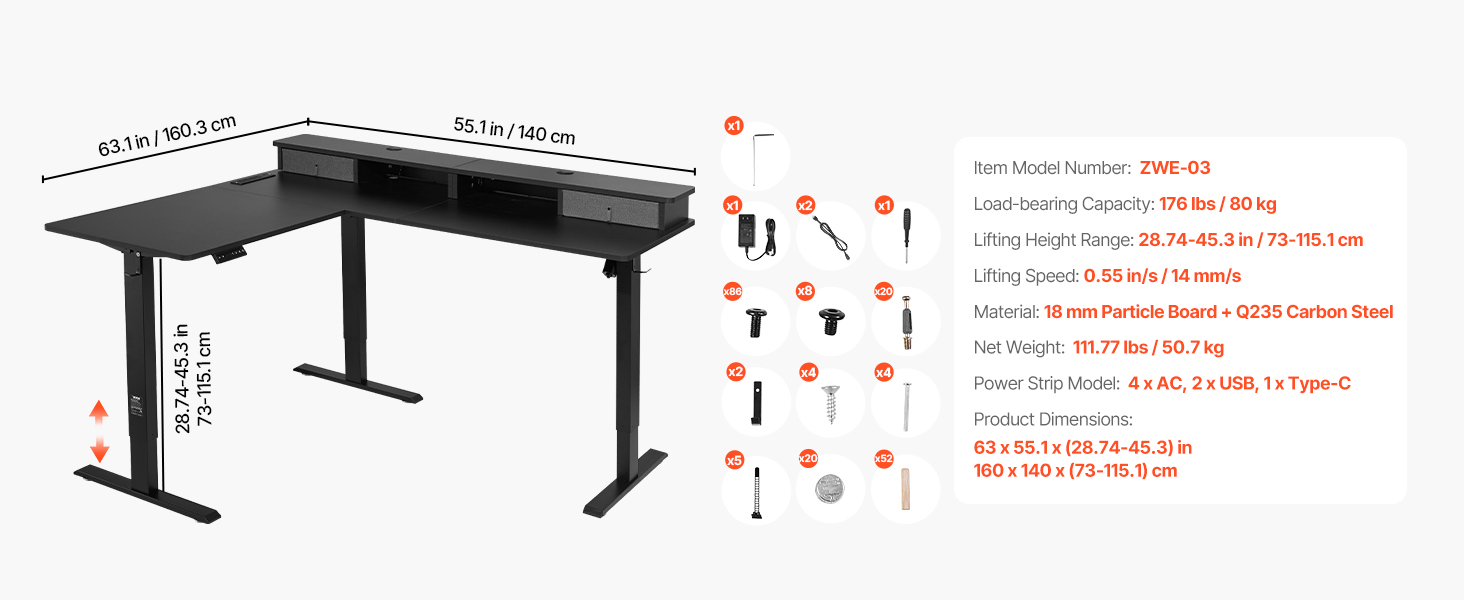
Delwedd: Drosoddiadview of the desk's dimensions and a visual representation of the various components and hardware included in the package.
Cyfarwyddiadau Cymanfa
Follow these general steps for assembling your L Shaped Electric Standing Desk. Refer to the included instruction manual for detailed diagrams and specific hardware usage for each step.
- Dadbacio a Threfnu: Carefully unpack all components and lay them out on a clean, soft surface to prevent scratches. Group similar parts and hardware.
- Assemble Desk Legs and Frame: Attach the lifting columns to the foot supports. Connect the crossbars and side frames to form the main desk structure.
- Atodwch Baneli Penbwrdd: Secure the L-shaped desktop panels to the assembled frame using the provided screws. Ensure proper alignment.
- Install Drawers and Monitor Stand: Mount the two fabric drawers into their designated slots and attach the elevated monitor stand to the desktop.
- Connect Electrical Components: Install the control panel, power strip, and LED light strip. Connect all necessary cables to the control box and power supply.
- Rheoli Ceblau: Use the cable collection hole and any provided cable ties to organize and secure all wires, ensuring they do not interfere with desk movement.
- Gwiriad Terfynol: Double-check all screws and connections to ensure they are tight and secure before plugging in the desk.

Image: A visual breakdown of the desk's integrated features, including the two drawers, cable collection hole, accessory hooks, and the built-in power strip with AC, USB, and Type-C ports.
Cyfarwyddiadau Gweithredu
Your VEVOR Electric Standing Desk features an intuitive control panel for easy height adjustment and memory functions.
Panel Rheoli Drosview
Delwedd: Manwl view of the intelligent control panel, highlighting the Up/Down keys, digital display, memory keys (1, 2, 3), and the Set key (S).
- Up/Down Keys (▲ / ▼): Press and hold to adjust the desk height upwards or downwards. Release the button to stop at the desired height.
- Sgrin Arddangos: Shows the current desk height in inches or centimeters.
- Memory Keys (1, 2, 3): Fe'i defnyddir i gadw ac adalw gosodiadau uchder dewisol.
- Set Key (S): Used to program memory presets.
Addasiad Uchder
To adjust the desk height, simply press and hold the Up (▲) or Down (▼) button until the desk reaches your desired sitting or standing position. The desk will move smoothly between 28.54 inches (72.5 cm) and 45.28 inches (115 cm).

Image: A user demonstrating the smooth transition between sitting and standing heights, illustrating the desk's adjustable range.
Gosod Rhagosodiadau Cof
You can save up to three preferred height settings for quick adjustments:
- Adjust the desk to your desired height using the Up/Down keys.
- Press the 'S' (Set) button. The display will show 'S-'.
- Within 3 seconds, press one of the memory keys (1, 2, or 3). The display will show 'S-1', 'S-2', or 'S-3' to confirm the setting is saved.
- To recall a saved height, simply press the corresponding memory key (1, 2, or 3). The desk will automatically move to the programmed height.
LED Light Strip Operation
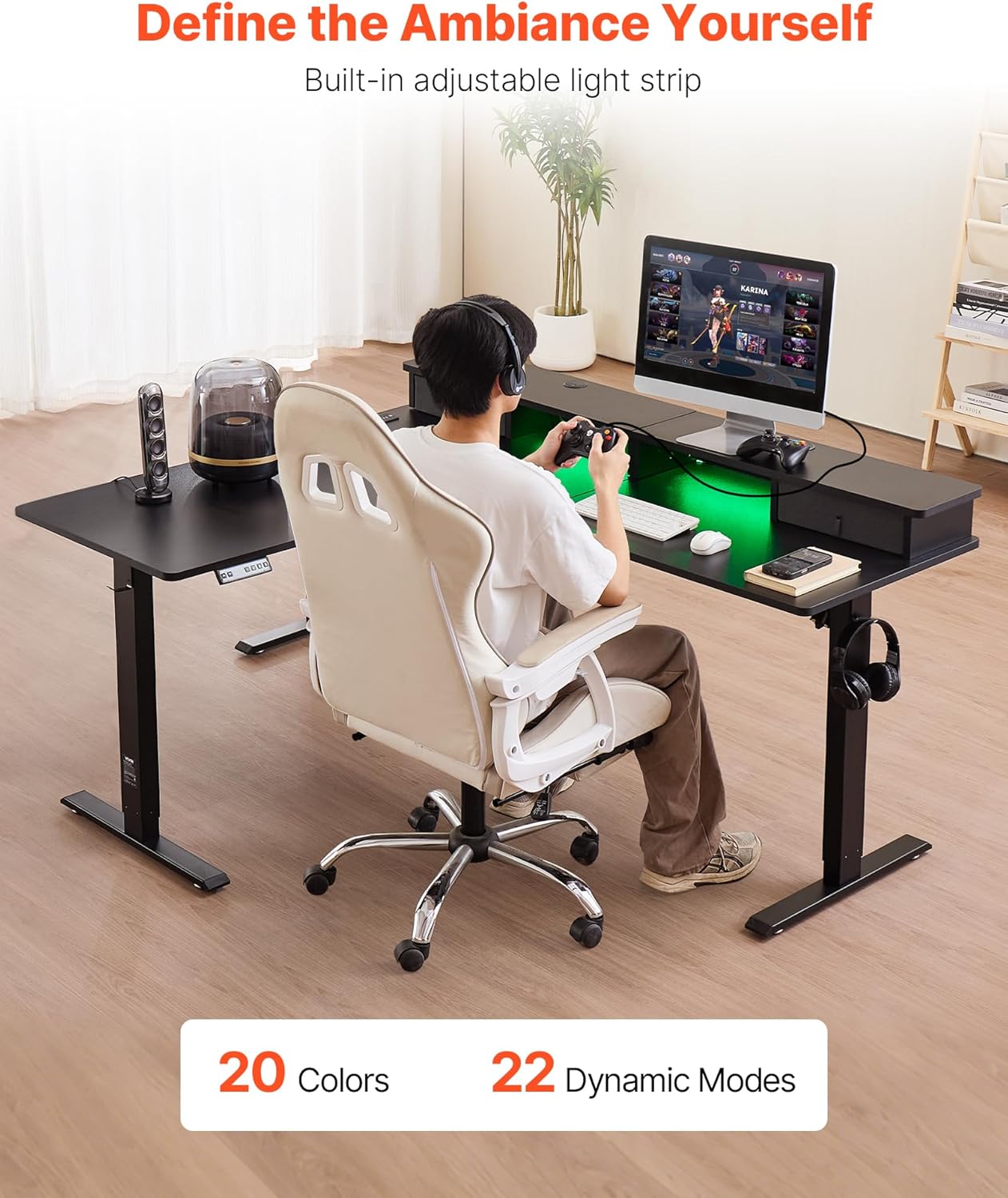
The integrated LED light strip can be controlled via a dedicated button or remote (if included). Refer to the specific instructions for the LED strip controller for details on changing colors and dynamic modes.
Power Strip Usage
The built-in power strip provides 4 AC outlets, 2 USB ports, and 1 Type-C port for convenient charging of multiple devices. Ensure devices are compatible with the power strip's output specifications.
Cynnal a chadw
- Glanhau: Sychwch wyneb y ddesg gyda meddal, damp brethyn. Osgoi glanhawyr sgraffiniol neu gemegau llym a allai niweidio'r gorffeniad.
- Arolygiad: Gwiriwch yr holl sgriwiau a chysylltiadau o bryd i'w gilydd i sicrhau eu bod yn dal yn dynn. Ail-dynhau os oes angen.
- Rheoli Ceblau: Ensure cables are not pinched or tangled, especially during height adjustments.
- Gofal Modur: The electric motors are designed for maintenance-free operation. Do not lubricate or attempt to open the motor housing.
Datrys problemau
Os byddwch chi'n dod ar draws problemau gyda'ch desg, cyfeiriwch at y problemau a'r atebion cyffredin canlynol:
- Desg Ddim yn Symud:
- Gwiriwch a yw'r llinyn pŵer wedi'i blygio'n ddiogel i'r ddesg a'r soced wal.
- Ensure all cables connected to the control box are properly seated.
- If an error code appears on the display, consult the full instruction manual for specific code meanings.
- Symudiad Anwastad:
- Sicrhewch fod y ddesg wedi'i gosod ar arwyneb gwastad.
- Check that the weight on the desk is evenly distributed and not exceeding the maximum capacity.
- Rhagosodiadau Cof Ddim yn Gweithio:
- Re-program the memory presets following the instructions in the 'Operating Instructions' section.
- Sŵn yn ystod y llawdriniaeth:
- A slight motor sound is normal. Excessive or unusual noise may indicate loose connections or an obstruction. Check for any objects interfering with the lifting mechanism.
If problems persist after attempting these solutions, please contact VEVOR customer support for assistance.
Manylebau

Image: A detailed diagram illustrating the overall dimensions of the VEVOR L Shaped Electric Standing Desk, including its length, width, and the adjustable height range.
| Nodwedd | Manyleb |
|---|---|
| Brand | VEVOR |
| Rhif Model | ZWE-03 |
| Dimensiynau Cynnyrch (D x W x H) | 63.1"D x 55.1"L x 28.74"U (160.3 x 140 x 73 cm) |
| Ystod Uchder Addasadwy | 28.54 - 45.28 in (72.5 - 115 cm) |
| Cynhwysedd Cludo Llwyth | 176 pwys (80 kg) |
| Cyflymder Codi | 0.49 mewn/s (12.4 mm/s) |
| Deunydd Penbwrdd | 18 mm Particle Board |
| Deunydd Sylfaenol | Dur Carbon Q235 |
| Lliw | Du |
| Llain Pwer | 4 x AC Outlets, 2 x USB Ports, 1 x Type-C Port |
| Pwysau Eitem | 111.8 pwys (50.7 kg) |
Gwarant a Chefnogaeth
Am wybodaeth am warant neu gymorth technegol, cyfeiriwch at y cerdyn gwarant sydd wedi'i gynnwys gyda'ch cynnyrch neu ewch i wefan swyddogol VEVOR. website. You may also contact VEVOR customer service directly for assistance with product inquiries, troubleshooting, or replacement parts.
Ask a question about this manual
Ask about setup, troubleshooting, compatibility, parts, safety, or missing instructions. Manuals+ will review the question and use this page’s manual context to help answer it.