
1. Rhagymadrodd
This manual provides detailed instructions for the proper use and maintenance of your OnePlus Buds 4 Wireless Earbuds. Please read this manual thoroughly before using the product to ensure optimal performance and longevity.
Cynnwys Pecyn
Gwiriwch fod yr holl eitemau yn bresennol yn y pecyn:
- OnePlus Buds 4 Earbuds (Left and Right)
- Achos Codi Tâl
- Cebl Codi Tâl USB-C
- Multiple Ear Tip Sizes (S, M, L)
- Llawlyfr Defnyddiwr (y ddogfen hon)

Image: Contents of the OnePlus Buds 4 retail package, showing the earbuds, charging case, USB-C cable, and various ear tip sizes.
2. Gosod
2.1 Codi Tâl Cychwynnol
Before first use, fully charge the OnePlus Buds 4 and their charging case. Connect the provided USB-C charging cable to the charging port on the case and a power source. The indicator light on the case will show charging status.
- A full charge provides extended playback time.
- The charging case has a 530mAh battery capacity.

Image: OnePlus Buds 4 earbuds in their open charging case, highlighting the extended battery life capability.
2.2 Paru gyda Dyfais
- Gwnewch yn siŵr bod y clustffonau yn y cas gwefru a bod y caead ar agor.
- Pwyswch a daliwch y botwm swyddogaeth ar y cas gwefru nes bod y golau dangosydd yn fflachio'n wyn, gan nodi modd paru.
- On your device (smartphone, tablet, etc.), go to Bluetooth settings and select "OnePlus Buds 4" from the list of available devices.
- Once connected, the indicator light will turn solid white or off.
The OnePlus Buds 4 utilize Bluetooth 5.4 for stable connectivity and support Fast Pair for quick setup with compatible Android devices.

Image: OnePlus Buds 4 earbuds and charging case with a Bluetooth signal icon, illustrating stable connectivity via Bluetooth 5.4.
2.3 Gwisgo'r Clustffonau
Choose the ear tips that provide the best seal and comfort for your ears. A proper fit is crucial for optimal sound quality and effective Active Noise Cancellation.
- Gently insert the earbuds into your ear canal.
- Rotate them slightly until they feel secure and comfortable.
3. Cyfarwyddiadau Gweithredu
3.1 Rheolaethau Cyffwrdd
The OnePlus Buds 4 feature intuitive touch controls on the stem of each earbud.
| Gweithred | Swyddogaeth |
|---|---|
| Tap Sengl | Chwarae / Saib cerddoriaeth, Ateb / Diwedd galwad |
| Tap dwbl | Next track, Reject call |
| Tap Triphlyg | Trac blaenorol |
| Pwyswch a Daliwch (Chwith/Dde) | Switch Noise Control Mode (ANC/Transparency) |
| Swipe Up/Down (Stem) | Addasu Cyfrol |

Image: Close-up of OnePlus Buds 4 earbuds showing the area for volume swipe control on the stem.
3.2 Canslo Sŵn Gweithredol (ANC) a Modd Tryloywder
The earbuds feature advanced Active Noise Cancellation to reduce ambient noise and a Transparency Mode to allow you to hear your surroundings.
- Canslo Sŵn Gweithredol: Reduces external sounds for an immersive listening experience.
- Modd Tryloywder: Amplifies ambient sounds, allowing you to stay aware of your environment without removing the earbuds.
- Modd Addasol: Intelligently switches between ANC and Transparency modes based on your environment.
Switch between these modes by pressing and holding the touch area on either earbud.

Image: A person wearing OnePlus Buds 4 earbuds outdoors, illustrating the effect of Active Noise Cancellation.
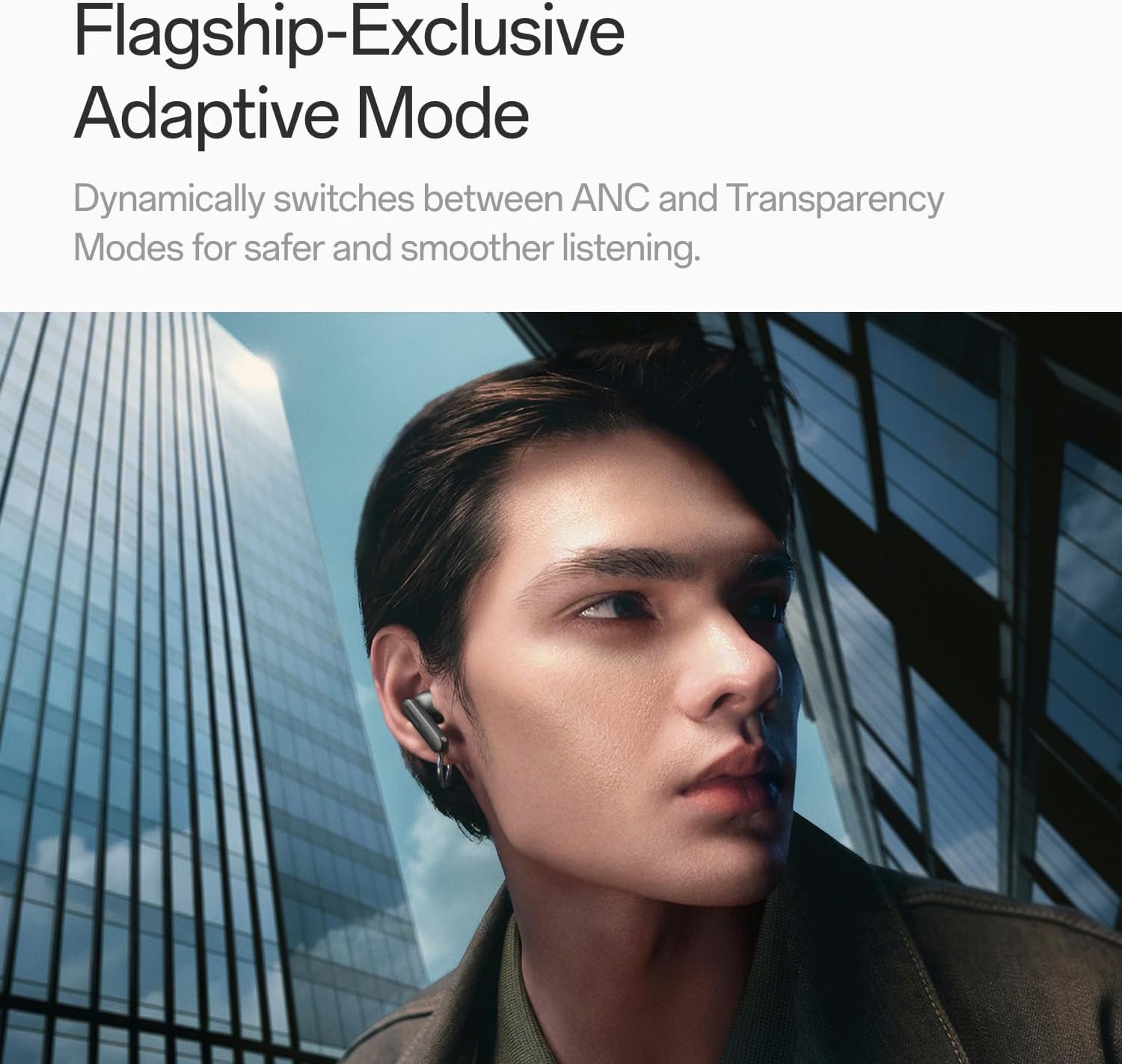
Image: A person wearing OnePlus Buds 4 earbuds in a city setting, highlighting the Adaptive Mode feature.
3.3 Nodweddion Sain
The OnePlus Buds 4 deliver high-quality audio with advanced technologies.
- Gyrwyr Sain 11mm: Provide balanced, true-to-life acoustics.
- Hi-Res Audio & LHDC 5.0: For detailed, studio-grade sound reproduction.
- Immersive 3D Spatial Audio: Creates a richer, surrounding sound experience.

Image: OnePlus Buds 4 earbuds with Hi-Res Audio and LHDC 5.0 branding, emphasizing advanced audio capabilities.

Image: OnePlus Buds 4 earbuds depicted with a visual effect suggesting immersive 3D Spatial Audio.

Delwedd: Ffrwydrad view diagram of a OnePlus Buds 4 earbud, highlighting its internal sound components and drivers.
3.4 Nodweddion Galwadau
The earbuds are equipped with features to enhance call clarity.
- 3-mic AI Call Noise Cancellation: Filters out noise and wind for clear calls in various environments.
- 3x Voice Cancellation: Reduces vocal distractions in noisy settings like cafes or trains.

Image: A person lying down with OnePlus Buds 4 earbuds, representing the effect of voice cancellation for undisturbed listening.
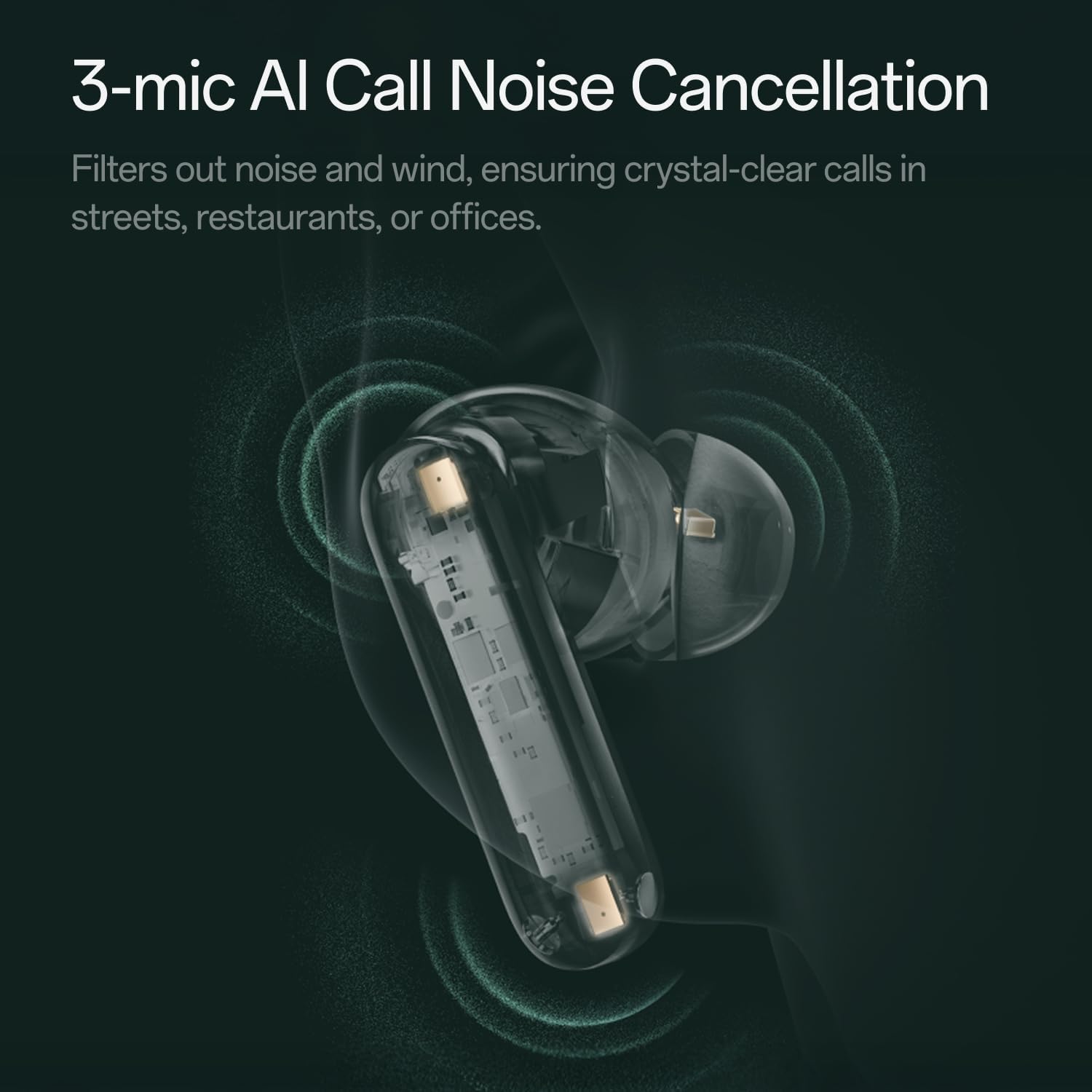
Delwedd: Tryloyw view of a OnePlus Buds 4 earbud, highlighting the 3-mic system for AI Call Noise Cancellation.
3.5 Cyfieithu Deallusrwydd Artiffisial
With a compatible OnePlus phone, the earbuds can facilitate real-time conversations in multiple languages.

Image: OnePlus Buds 4 earbuds alongside a smartphone screen demonstrating AI translation functionality.
4. cynnal
4.1 Glanhau
- Glanhewch y clustffonau a'r cas gwefru yn rheolaidd gyda lliain meddal, sych, heb lint.
- Tynnwch flaenau’r clustiau a’u glanhau â dŵr a sebon ysgafn os oes angen, gan sicrhau eu bod yn hollol sych cyn eu hailgysylltu.
- Peidiwch â defnyddio deunyddiau sgraffiniol na chemegau llym.
4.2 Gwrthsefyll Dŵr
The OnePlus Buds 4 are water resistant. This means they can withstand splashes and sweat, making them suitable for workouts. However, they are not waterproof and should not be submerged in water.
4.3 Storio
Pan nad ydynt yn cael eu defnyddio, storiwch y clustffonau yn eu cas gwefru i'w hamddiffyn a sicrhau eu bod yn parhau i fod wedi'u gwefru.
5. Datrys Problemau
If you encounter issues with your OnePlus Buds 4, refer to the following common solutions:
5.1 Problemau Paru
- Ensure the earbuds are charged and in pairing mode (flashing white light).
- Diffoddwch ac ymlaen Bluetooth ar eich dyfais.
- Forget the device in your Bluetooth settings and attempt to pair again.
- Try resetting the earbuds (refer to the full user manual for specific reset instructions).
5.2 Problemau Sain
- Check the earbud fit and try different ear tip sizes.
- Clean the ear tips and speaker meshes to remove any debris.
- Ensure the volume on both your device and earbuds is adjusted correctly.
5.3 Materion Codi Tâl
- Verify the charging cable is securely connected to both the case and power source.
- Gwnewch yn siŵr bod y cysylltiadau gwefru ar y clustffonau a thu mewn i'r cas yn lân ac yn rhydd o rwystrau.
- Rhowch gynnig ar gebl USB-C gwahanol neu addasydd pŵer.
6. manylebau
| Nodwedd | Manylyn |
|---|---|
| Enw Model | OnePlus Buds 4 |
| Rhif Model | E513A |
| Brand | OnePlus |
| Lliw | Zen Green |
| Lleoliad Clust | Mewn Clust |
| Ffactor Ffurf | Mewn Clust |
| Rheoli Sŵn | Canslo Sŵn Gweithredol |
| Maint Gyrrwr Sain | 11 Milimetrau |
| Math Gyrrwr Sain | Gyrrwr Dynamig |
| Ymateb Amlder | 40 Hz |
| Sensitifrwydd | 100 dB |
| rhwystriant | 18 Ohm |
| Technoleg Cysylltedd | Bluetooth |
| Technoleg Cyfathrebu Di-wifr | Bluetooth |
| Fersiwn Bluetooth | 5.4 |
| Amrediad Bluetooth | 33 Traed |
| Dull Rheoli | Cyffwrdd |
| Math o Reolwr | Rheolaethau Cyffwrdd |
| Gallu Achos Codi Tâl | 530mAh |
| Lefel Gwrthsefyll Dŵr | Gwrth-ddŵr |
| Pwysau Eitem | 0.15 cilogram (5.3 owns) |
| Cydrannau wedi'u Cynnwys | Cable, Charging Case, Eartip, User Manual |
7. Gwarant a Chefnogaeth
7.1 Gwarant y Gwneuthurwr
The OnePlus Buds 4 are backed by a one-year manufacturer warranty. This warranty covers defects in materials and workmanship under normal use. For specific terms and conditions, please refer to the warranty card included in your product packaging or visit the official OnePlus support websafle.
7.2 Cefnogaeth i Gwsmeriaid
For further assistance, technical support, or warranty claims, please contact OnePlus customer service through their official websafle neu'r wybodaeth gyswllt a ddarperir yn nogfennaeth eich cynnyrch.
Official OnePlus Store: OnePlus Store on Amazon