
NIMO Nimo N155
NIMO 15.6-inch FHD Laptop Nimo N155 User Manual
Model: Nimo N155
1. Rhagymadrodd
This manual provides essential information for setting up, operating, and maintaining your NIMO 15.6-inch FHD Laptop Nimo N155. Please read this manual thoroughly before using your device to ensure proper function and longevity.

Figure 1: NIMO 15.6-inch FHD Laptop Nimo N155 Overview
The NIMO N155 laptop is equipped with an AMD Ryzen 7 6800H processor, 32GB DDR5 RAM, and a 1TB PCIe 4.0 SSD, designed for efficient performance in various computing tasks. It features a 15.6-inch Full HD IPS anti-glare display, a backlit keyboard, and an integrated fingerprint sensor for enhanced security and user experience.
2. Beth sydd yn y Bocs
Gwiriwch fod yr holl eitemau yn bresennol yn y pecyn:
- 1 x Nimo N155 Laptop
- 1 x Type-C 100W PD Fast Charger
- 1 x Llawlyfr Defnyddiwr (y ddogfen hon)
- Windows 11 Home Operating System (pre-installed)
3. Gosodiad Cychwynnol
3.1. Charging the Laptop
Before first use, connect the laptop to the power adapter and charge it fully. The Type-C 100W PD Fast Charger provides rapid charging capabilities.
- Connect the Type-C charger to a power outlet.
- Plug the Type-C connector into one of the Type-C ports on your laptop.
- The charge LED indicator will illuminate, indicating that the laptop is charging.

Figure 2: Connecting the Type-C 100W PD Fast Charger
3.2. Pweru Ymlaen
Press the power button located on the keyboard to turn on the laptop. Follow the on-screen instructions to complete the initial Windows 11 setup, including language selection, network connection, and user account creation.
4. Cydrannau a Phorthladdoedd Gliniadur
Familiarize yourself with the various components and ports of your NIMO N155 laptop.

Figure 3: Laptop Ports and Connectors
4.1. Left Side Ports
- Porth USB 2.0: For connecting older USB devices.
- Porth USB 3.0: For connecting high-speed USB devices.
- Slot Cerdyn Micro SD: For reading and writing to Micro SD cards.
- Jack Clustffon: Ar gyfer cysylltu clustffonau neu siaradwyr allanol.
- Slot Clo Kensington: For securing your laptop with a compatible lock.
4.2. Right Side Ports
- Tâl LED: Yn dynodi statws codi tâl.
- Type-C (PD/Charging) Port: Primarily for power delivery and charging.
- Type-C (Multifunction) Port: Supports data transfer and display output.
- Porthladdoedd USB 3.0 (x2): For connecting high-speed USB devices.
- Porthladd HDMI: Ar gyfer cysylltu ag arddangosfeydd neu daflunyddion allanol.
4.3. Cydrannau Mewnol
- Prosesydd: AMD Ryzen 7 6800H (8 Cores, 16 Threads, up to 4.7 GHz).
- Graffeg: Integrated AMD Radeon 680M GPU.
- RAM: 32GB DDR5 (upgradeable).
- Storio: 1TB PCIe 4.0 SSD (upgradeable).
- Arddangos: 15.6-inch FHD (1920x1080) IPS Anti-Glare Display.
- Webcam: 2.0 MP with privacy shield.
- Di-wifr: 802.11a/b/g/n/ac (Wi-Fi 5) and Bluetooth 5.2.

Figure 4: AMD Ryzen 7 6800H Processor Details

Figure 5: High-Speed RAM and PCIe SSD
5. Gweithredu Eich Gliniadur
5.1. Arddangos
The 15.6-inch Full HD IPS display offers a resolution of 1920x1080 pixels. Adjust brightness and display settings through Windows settings (Right-click on desktop > Display settings).
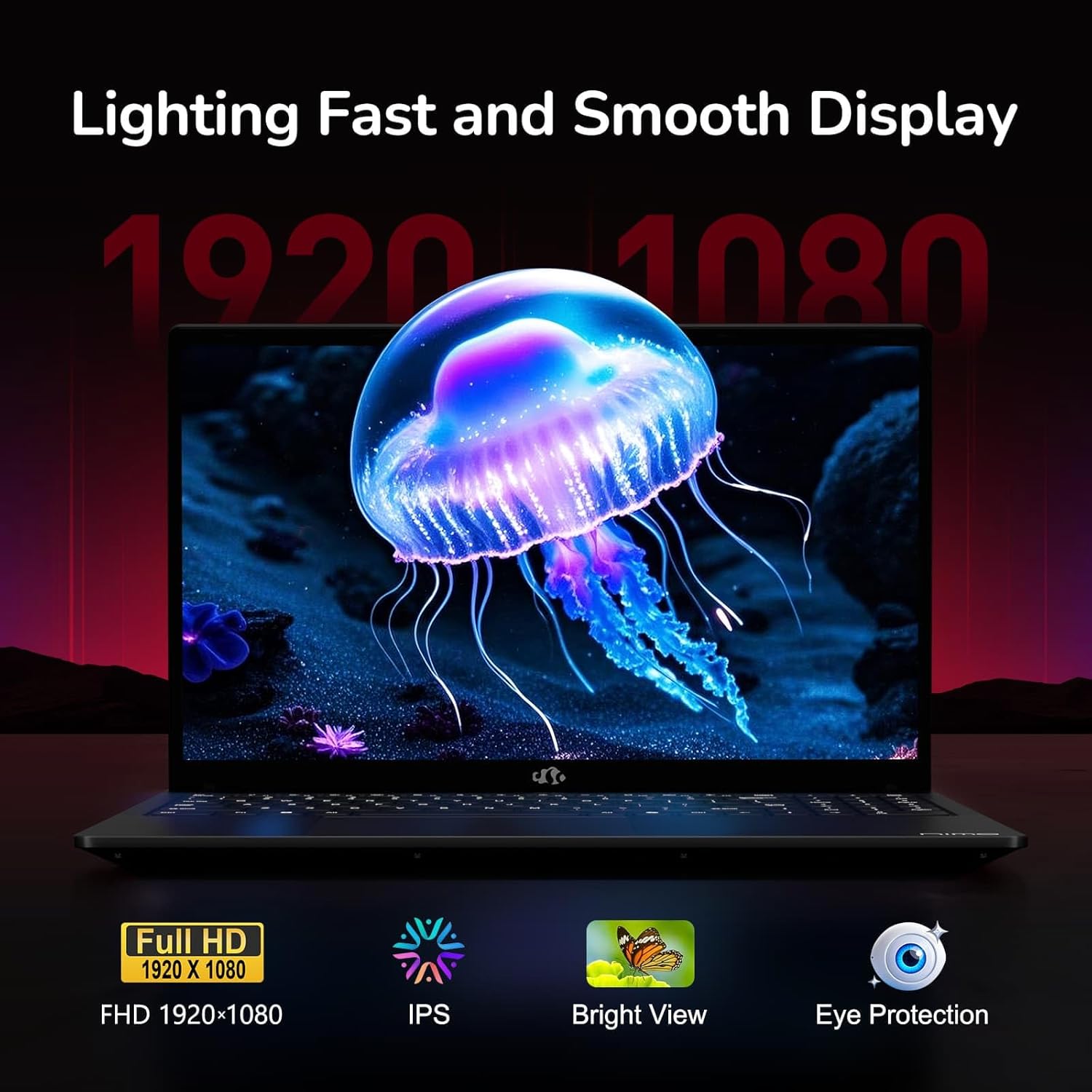
Figure 6: Laptop Display Features
5.2. Bysellfwrdd a Phad Cyffwrdd
The laptop features a backlit keyboard and a responsive touchpad with multi-touch gesture support. The integrated fingerprint sensor is located on the touchpad for secure login.
- Bysellfwrdd ôl-oleuo: Gwasgwch Fn + Fx (where Fx is the backlight key, typically F3 or F4) to adjust keyboard backlight brightness.
- Synhwyrydd Olion Bysedd: Enroll your fingerprints via Windows Settings > Accounts > Sign-in options for quick and secure access.
- Webcam Privacy Shield: Slide the physical cover over the webcam for privacy when not in use.

Figure 7: Keyboard and Input Features

Figure 8: Seamless Security Integration (Fingerprint and Webcam Shield)
5.3. Rheoli Pŵer
The laptop is equipped with a 4700mAh (53.58Wh) Lithium Polymer battery. Battery life can vary based on usage. To optimize battery life, adjust power settings in Windows and close unnecessary applications.

Figure 9: Battery Specifications
6. Cynnal a Chadw a Gofal
6.1. Glanhau
- Defnyddiwch frethyn meddal, di-lint i lanhau'r sgrin a'r tu allan.
- Ar gyfer marciau ystyfnig, dampgolchwch y lliain gyda dŵr neu lanhawr sgrin. Osgowch gemegau llym.
- Gwnewch yn siŵr bod y gliniadur wedi'i ddiffodd a'i ddatgysylltu cyn ei lanhau.
6.2. Storio a Thrin
- Storiwch y gliniadur mewn lle oer, sych i ffwrdd o olau haul uniongyrchol a thymheredd eithafol.
- Osgowch osod gwrthrychau trwm ar y gliniadur.
- Do not expose the laptop to liquids.
6.3. Upgrades
The NIMO N155 laptop supports detachable RAM and SSD, allowing for user upgrades. Refer to the official NIMO support website or contact customer service for detailed upgrade instructions to avoid voiding your warranty.
7. Datrys Problemau
This section addresses common issues you might encounter with your NIMO N155 laptop.
| Problem | Ateb Posibl |
|---|---|
| Nid yw'r gliniadur yn troi ymlaen. | Ensure the charger is properly connected and the battery has sufficient charge. Try a different power outlet. |
| Mae'r sgrin yn wag. | Check if the laptop is powered on. Adjust screen brightness. Connect to an external monitor to check if the issue is with the laptop's display. |
| Problemau cysylltiad Wi-Fi. | Ensure Wi-Fi is enabled in Windows settings. Restart your router and the laptop. Update Wi-Fi drivers. |
| Nid yw cefn golau'r bysellfwrdd yn gweithio | Press the Fn key combined with the appropriate function key (e.g., F3 or F4) to toggle or adjust the backlight. |
| Fingerprint sensor not responding. | Ensure your finger is clean and dry. Re-enroll your fingerprints in Windows settings. Update fingerprint sensor drivers. |
If you encounter issues not listed here or require further assistance, please contact NIMO customer support.
8. Manylebau Technegol
| Nodwedd | Manyleb |
|---|---|
| Enw Model | Nimo N155 |
| Arddangos | 15.6-inch FHD (1920x1080) IPS Anti-Glare |
| Prosesydd | AMD Ryzen 7 6800H (8 Cores, 16 Threads, up to 4.7 GHz) |
| Graffeg | Integrated AMD Radeon 680M |
| HWRDD | 32GB DDR5 4800 MHz (Dual-channel, upgradeable) |
| Storio | 1TB PCIe 4.0 SSD (upgradeable) |
| System Weithredu | Windows 11 Cartref |
| Cysylltedd Di-wifr | Wi-Fi 5 (802.11a/b/g/n/ac), Bluetooth 5.2 |
| Porthladdoedd | 1x USB 2.0, 3x USB 3.0, 2x Type-C (1x PD, 1x Multifunction), 1x HDMI, 1x Micro SD, 1x Headphone Jack, 1x Kensington Lock |
| Webcam | 2.0 MP (with privacy shield) |
| Batri | 4700mAh / 53.58Wh Lithium Polymer |
| Addasydd Pŵer | Type-C 100W PD Fast Charger |
| Dimensiynau (LxWxH) | 14.07 x 8.98 x 0.76 modfedd (357.4 x 228 x 19.2 mm) |
| Pwysau | 3.8 pwys (1.7 kg) |
| Nodweddion Arbennig | Backlit Keyboard, Fingerprint Reader, HD Audio, Numeric Keypad |
9. Gwarant a Chefnogaeth
9.1. Gwarant y Gwneuthurwr
Your NIMO N155 laptop comes with a Gwarant gwneuthurwr 2 flyneddMae'r warant hon yn cwmpasu diffygion mewn deunyddiau a chrefftwaith o dan ddefnydd arferol. Cadwch eich prawf prynu ar gyfer hawliadau gwarant.
9.2. Polisi Dychwelyd
NIMO offers a 90-day hassle-free return policy from the date of purchase. For details on eligibility and the return process, please refer to your purchase documentation or contact customer support.
9.3. Cefnogaeth i Gwsmeriaid
For technical assistance, warranty claims, or any other inquiries, please visit the official NIMO support website or contact their customer service team. Contact information can typically be found on the NIMO brand store page or included documentation.
NIMO Brand Store: Visit NIMO Store on Amazon
Ask a question about this manual
Ask about setup, troubleshooting, compatibility, parts, safety, or missing instructions. Manuals+ will review the question and use this page’s manual context to help answer it.