
1. Rhagymadrodd
Welcome to the MAMNV BR152 Robot Vacuum and Mop Combo user manual. This device is designed to simplify your home cleaning routine by offering both vacuuming and mopping functionalities. With powerful suction, intelligent navigation, and smart control options, the BR152 is suitable for various floor types, including hard floors, low-pile carpets, and is effective in managing pet hair.

Image: The MAMNV BR152 Robot Vacuum and Mop Combo demonstrating its dual cleaning functions.
2. Beth sydd yn y Bocs
Upon unboxing your MAMNV BR152, please ensure all components are present:
- 1x BR152 Robotic Vacuum Cleaner
- 1x Remote Control (2 AAA batteries included)
- Doc Codi Tâl 1x
- Addasydd Pŵer 1x
- 1x 230mL Water Tank (with washable mopping cloth)
- 1x 220mL Dustbin (with high efficiency filter)
- 2x Brwsys Ochr
- Llawlyfr Defnyddiwr 1x
- 1x FQA (Frequently Asked Questions)
- 1x Networking Guide

Doc Codi Tâl

Rheolaeth Anghysbell

Tanc Dwr

Bin sbwriel

Side Brushes & Mop Pads
3. Gosod
3.1 Codi Tâl Cychwynnol
Before first use, place the robot vacuum on its charging dock and allow it to fully charge. The power indicator light will show charging status.
3.2 App Connection (Tuya Smart App)
To utilize smart features, download the Tuya Smart App. Ensure your phone is connected to a 2.4GHz WiFi network (5GHz networks are not supported). Follow the in-app instructions to add your device. If the robot vacuum cannot be controlled by the app when it is turned off, and the app shows it as offline, ensure the robot vacuum is powered on. If connection issues persist, try closing and reopening the app, or clearing the app's cache and logging in again. You may also need to restart your router and ensure network cables are properly connected.
3.3 Gosodiad Rheoli o Bell
Insert the included 2 AAA batteries into the remote control. The remote can be used to start/stop cleaning, change cleaning modes, and direct the robot manually.
3.4 Lleoliad y Doc Gwefru
Place the charging dock against a wall in an open area, ensuring there are no obstacles within 1 meter (3 feet) to the sides and 2 meters (6 feet) in front of the dock. This allows the robot to easily return for self-charging.
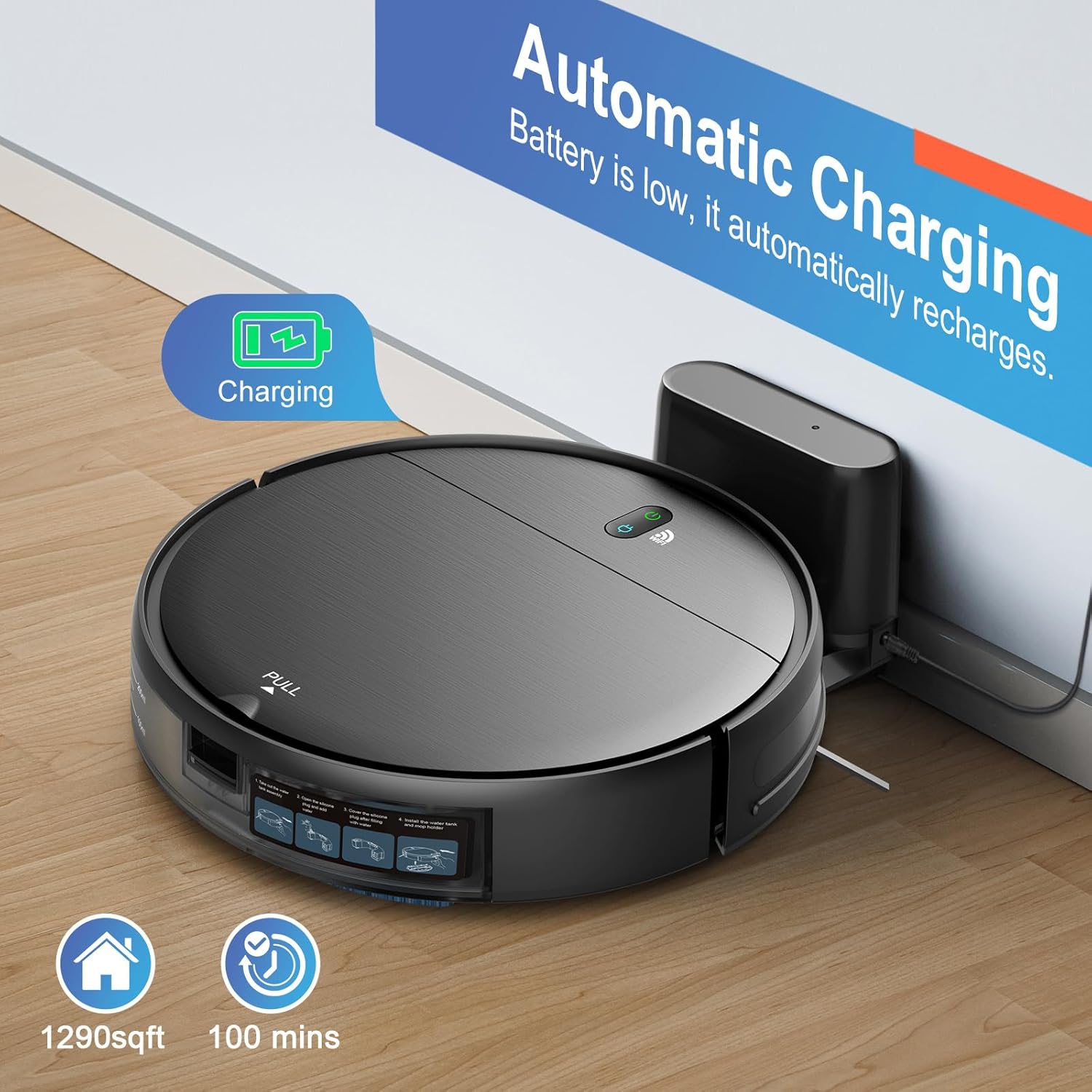
Image: The robot vacuum automatically returning to its charging dock.
4. Cyfarwyddiadau Gweithredu
4.1 Modd Glanhau
The BR152 offers four high-efficiency cleaning modes to suit different needs:
- Glanhau ceir: Mae'r robot yn llywio ac yn glanhau'r ardal gyfan yn ddeallus.
- Glanhau Spot; Yn canolbwyntio ar ardal fudr benodol, gan lanhau mewn patrwm troellog.
- Glanhau Ymylon: Yn glanhau ar hyd waliau ac ymylon dodrefn.
- Glanhau sigsag: Covers the largest area efficiently, reducing missed spots.

Image: Visual representation of Auto, Spot, Edge, and Zig-zag cleaning modes.
4.2 Smart App & Voice Control
Control your robot vacuum with ease using the Tuya Smart App. You can:
- Create and manage cleaning schedules.
- Change cleaning modes.
- Control the cleaning direction manually.
The robot is also compatible with Google Assistant and Amazon Alexa, allowing you to start and stop cleaning with voice commands.

Image: Tuya Smart App interface for scheduling and controlling the robot vacuum.
4.3 Hwfro a Mopio
The BR152 features a 2-in-1 design for simultaneous vacuuming and mopping. Its 2300Pa suction power effectively removes dust, debris, and pet hair from hard floors and low-pile carpets. The 230ml electric control water tank ensures even water penetration for wet mopping on hard floors.
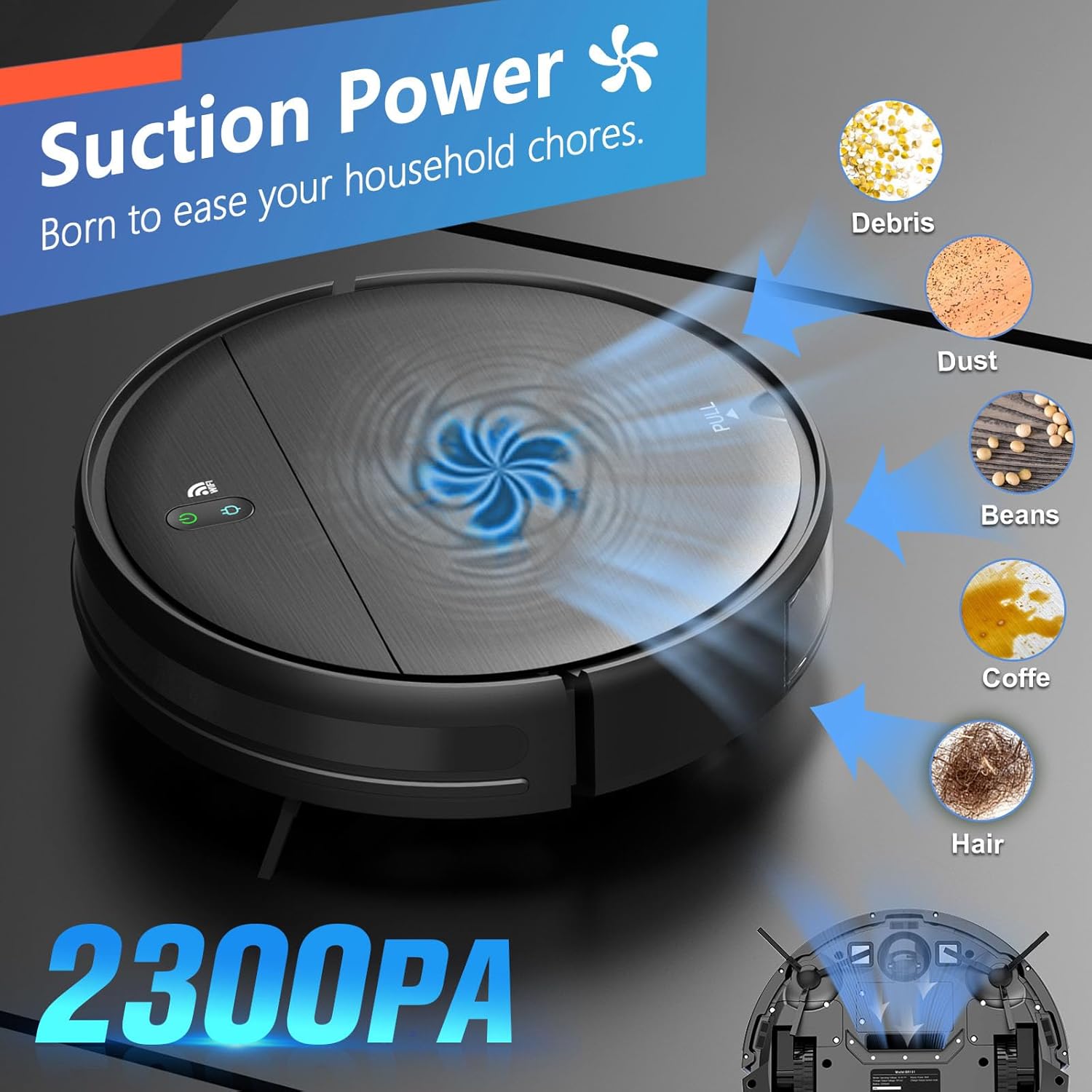
Image: The robot vacuum showcasing its 2300Pa suction power.
The brushless suction port design is particularly advantageous for pet owners, preventing hair entanglement common with roller brushes.
4.4 Intelligent Navigation and Obstacle Avoidance
Equipped with advanced 3D precise obstacle avoidance, the robot intelligently identifies and avoids obstacles, white walls, and stairs. Its slim 2.87-inch design allows it to clean under furniture and in narrow spaces.
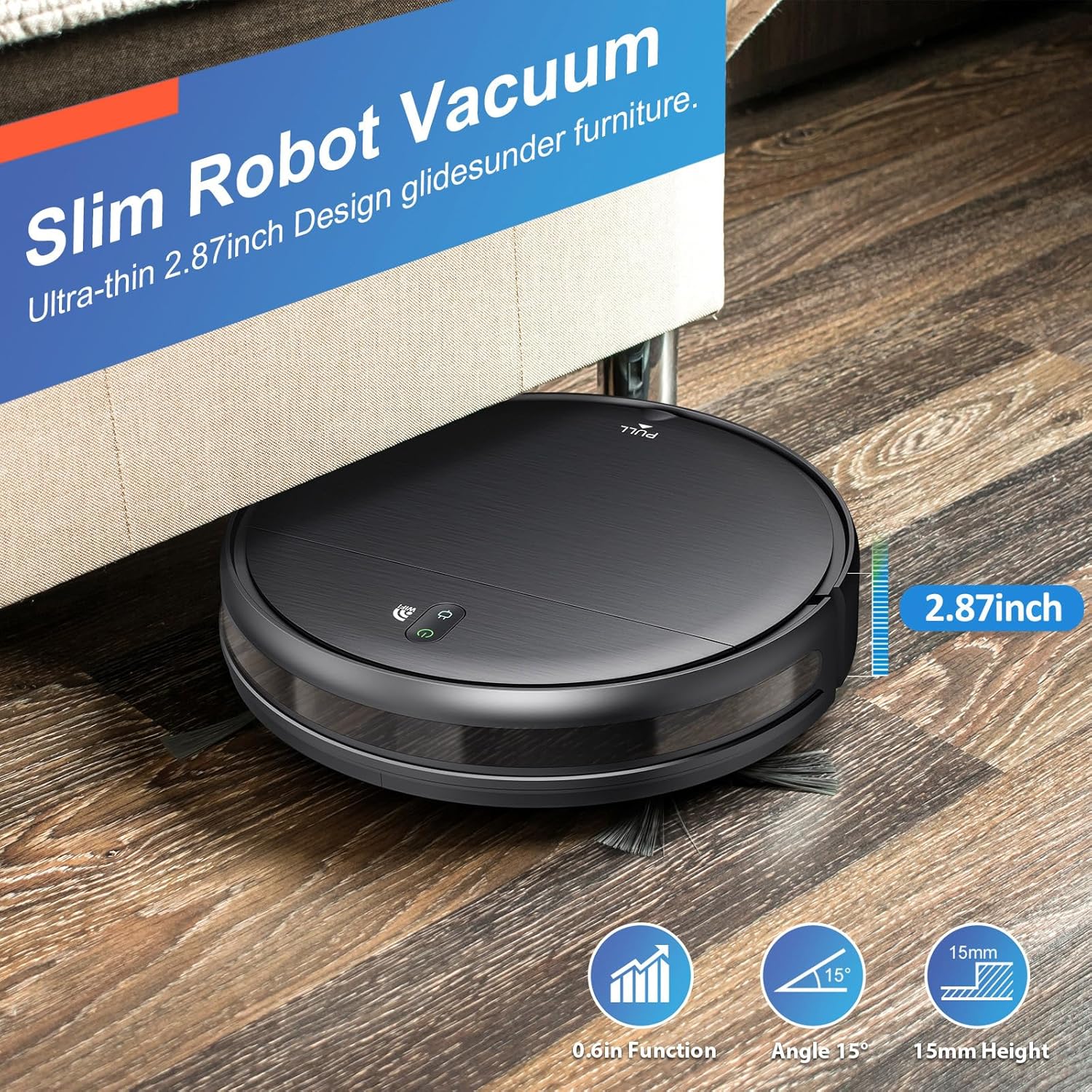
Image: The slim robot vacuum cleaning under furniture.
4.5 Runtime and Self-Charging
The 2500mAh battery provides up to 100 minutes of continuous cleaning, covering approximately 1290 sqft. When the battery is low or cleaning is complete, the robot automatically returns to its charging base to recharge.
Video: A demonstration of the MAMNV BR151 Robot Vacuum and Mop in action, showcasing its cleaning capabilities and movement.
5. cynnal
Mae cynnal a chadw rheolaidd yn sicrhau perfformiad gorau posibl ac yn ymestyn oes eich sugnwr llwch robot.
5.1 Glanhau'r Bin Sbwriel a'r Hidlydd
The 220mL dustbin and high-efficiency filter should be cleaned regularly. Open the top cover, remove the dustbin, empty its contents, and clean the filter. The filter can be washed with water; ensure it is completely dry before reinserting.

Image: Components of the 2-in-1 mopping system, including the dustbin and water tank.
5.2 Water Tank and Mopping Cloth
The 230mL water tank should be refilled with clean water as needed. The washable mopping cloth should be removed and cleaned after each mopping session. Awgrym: Do not add cleaning solvents to the water tank, as they may corrode the tank and shorten its service life.
Brwsys 5.3 Ochr
Periodically check the side brushes for tangled hair or debris. Remove and clean them to ensure effective sweeping.
6. Datrys Problemau
If you encounter issues with your MAMNV BR152, refer to the following common solutions:
- Robot not responding/offline in app: Ensure the robot is powered on. If the app shows it offline, try closing and reopening the app, or clearing the app's cache and logging out/logging in again. Verify your router's network connection and ensure your phone is on a 2.4GHz WiFi network.
- Network configuration failure: Ensure the robot vacuum is close to the router to avoid weak signals. Check network cables and router plug.
- Reduced suction: Check if the dustbin is full or if the filter is blocked. Clean the dustbin and filter as per maintenance instructions.
- Robot wedi'i sownd: The robot has intelligent obstacle avoidance. If it gets stuck, clear any foreign matter entangled in the side brush or wheels.
- Mopping streaks: Ensure the mopping cloth is clean and properly attached. Use only water in the water tank.
7. manylebau
| Nodwedd | Manylyn |
|---|---|
| Brand | MAMNV |
| Enw Model | BR152 Robot gwactod a Mop Combo |
| Nodweddion Arbennig | Pet Hair Pick Up, Scheduling, Simultaneous Vacuuming & Mopping, Variable Suction Control, Wet/Dry |
| Lliw | Gwyn |
| Dimensiynau Cynnyrch | 11.8"H x 11.8"L x 2.87"U |
| Math Hidlo | Hidlydd Effeithlonrwydd Uchel |
| Bywyd Batri | 100 minutes (2500mAh capacity) |
| Pŵer sugno | 2300 Pa |
| Cynhwysedd Tanc Dŵr | 230 Mililitr |
| Gallu bin sbwriel | 220 Mililitr |
| Dull Rheoli | Ap, Pell, Cyffwrdd, Llais |
| Dyfeisiau Cydnaws | Amazon Echo, Google Home, Ffonau Clyfar |
| Pwysau Eitem | 5.73 pwys |
| Argymhelliad Arwyneb | Hard Floor, Low Pile Carpet, Wood Floor, Tile Floor, Pet Hair |
8. Gwarant a Chefnogaeth
The MAMNV BR152 Robot Vacuum and Mop Combo comes with a 12-month service warranty. For professional customer service or any inquiries, please refer to the contact information provided in your product packaging or visit the official MAMNV websafle.