
AKASO AKASO 360
AKASO 360 Weatherproof 360° Action Camera User Manual
Model: AKASO 360
Rhagymadrodd
The AKASO 360 Action Camera is a versatile device designed to capture fully immersive 360° video and high-resolution photos. Featuring advanced stabilization, AI tracking, and a user-friendly touchscreen, it allows you to record and share your adventures with exceptional clarity and dynamic perspectives. This manual provides essential information for setting up, operating, maintaining, and troubleshooting your AKASO 360 camera.
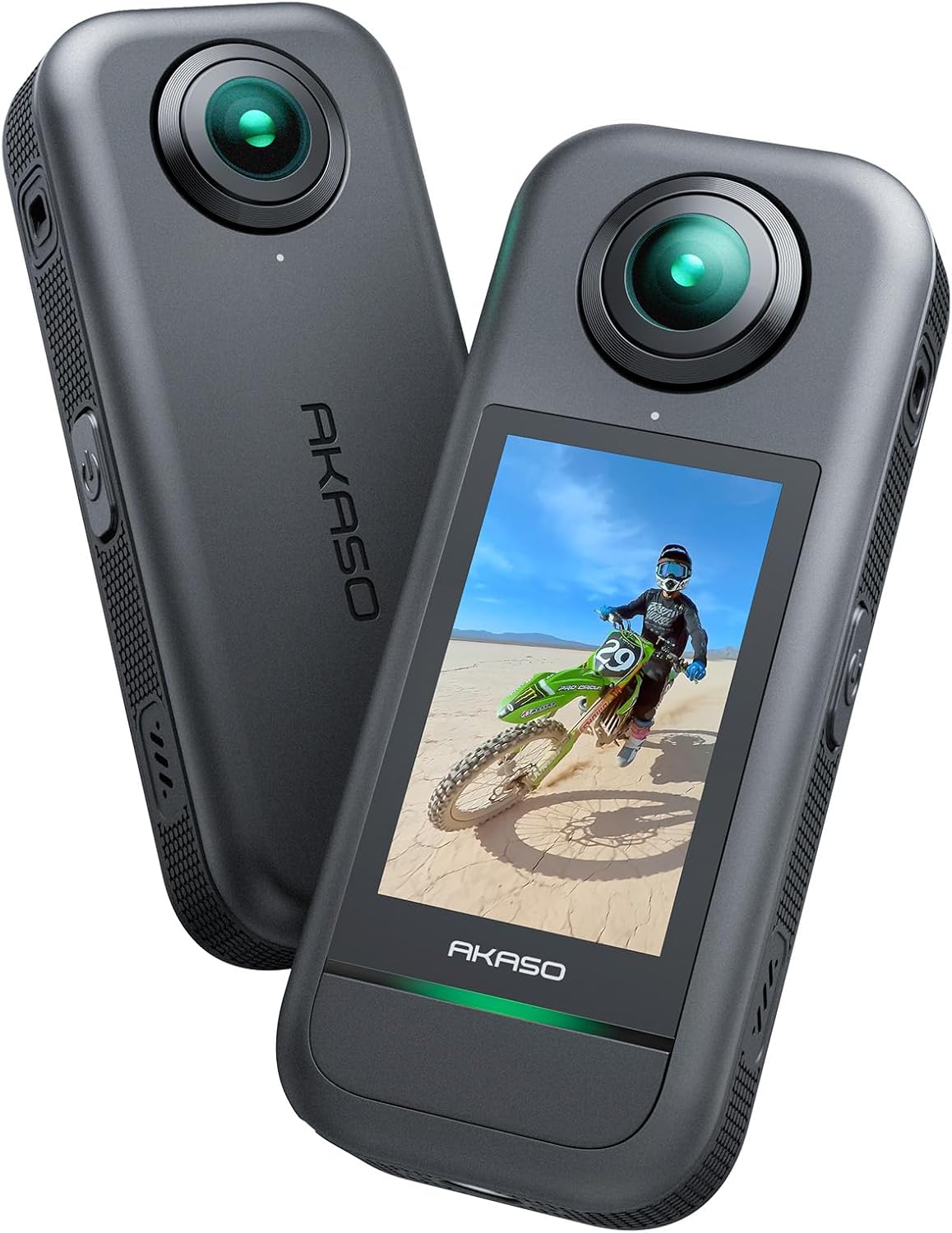
Figure 1: AKASO 360 Weatherproof 360° Action Camera.
Beth Sydd yn y Bocs
Upon unboxing your AKASO 360 Action Camera, please ensure all the following items are present:
- Camera Gweithredu AKASO 360
- Batri (x2)
- Cebl USB
- Cwdyn Amddiffynnol
- Canllaw Cychwyn Cyflym
- Brethyn Lens

Figure 2: Included accessories with the AKASO 360 Standard Combo.
Gosod
1. Battery and MicroSD Card Installation
The AKASO 360 camera requires a MicroSD card (not included) for storing footage and photos. It is recommended to use a high-speed MicroSD card (UHS-I, Class 3 (U3) or higher, up to 512GB) for optimal performance and to avoid data loss or sluggishness.
- Locate the battery and MicroSD card slot on the side of the camera.
- Insert the MicroSD card into its designated slot until it clicks into place.
- Rhowch y batri i mewn i'r adran batri.
- Close the compartment cover securely to ensure weatherproofing.
2. Pweru Ymlaen / I ffwrdd
To power on the camera, press and hold the power button located on the side. The touchscreen will illuminate, and the AKASO logo will appear. To power off, press and hold the power button again until the screen turns off.
3. Initial Setup and Touchscreen Navigation
The AKASO 360 features an ultra-responsive 2.29" touchscreen for effortless control and instant previews. Upon first use, you may need to set the language and other basic preferences. Navigate the menus by swiping and tapping on the screen. Swipe down to access quick toggles and settings. Swipe right to go to the media library, and swipe left for picture controls. Swipe up or press the resolution area to change resolution and frame rate settings.

Figure 3: The 2.29" touchscreen display for camera control and preview.
Gweithredu
1. Recordiad Fideo
The AKASO 360 captures fully immersive 360° video in stunning 5.7K clarity. This allows for flexible reframing after recording, ensuring you never miss the action.
- 5.7K 360° Video: Record high-resolution spherical video.
- 360° SuperSmooth: Advanced in-app stabilization algorithms smooth out shakes and jitters for silky smooth footage, even without a gimbal.
- 360° Horizon Lock: Yn cadw eich traedtage level at all times, regardless of camera orientation.
- AI Subject Tracking: Intelligently detects and keeps your subject centered in every frame for professional-looking tracking shots.
- Effaith Ffon Hunlun Anweledig: Create unbelievable third-person or drone-style shots where the selfie stick automatically disappears from your footage. (Selfie stick sold separately).
- Shoot First, Frame Later: Record without worrying about angles, then choose the best perspectives during editing.

Figure 4: Capturing immersive 5.7K 360° video.

Figure 5: Demonstrating the camera's ultra-smooth video stabilization.

Ffigur 6: Example of the invisible selfie stick effect in action.

Figure 7: AI tracking intelligently detecting and centering a subject.

Figure 8: The "Shoot First, Reframe Later" workflow for flexible editing.
2. Cipio Llun
Capture stunning 72MP 360° photos with rich detail and tones, even in low light conditions, thanks to the dual 1/2" 48MP sensors and DNG8 RAW Photo Mode.
- 72MP 360° Photos: Capture high-megapixel spherical images.
- Dual 1/2" 48MP Sensors: Capture more pixels for sharper, clearer images, especially in challenging lighting.
- DNG8 RAW Photos: Enhance image quality in dark environments, providing greater dynamic range and editing flexibility.

Figure 9: High-resolution 72MP 360° photo capture.

Figure 10: Comparison of standard photo vs. enhanced DNG8 RAW photo.
3. Nodweddion Sain
The AKASO 360 is equipped with features to ensure clear audio capture:
- Equipped With Windshield: Helps reduce wind noise for clearer audio.
- Equipped With Dual-Mic: Dual microphones cut noise, boost clarity, and capture rich stereo sound, ideal for outdoor environments.

Figure 11: Visual representation of the camera's windshield and dual-mic features for improved audio.
4. AKASO 360 Studio App
The AKASO 360 Studio app enhances your 360° video experience with editing tools and easy sharing. The app is registration-free, allowing you to start creating immediately.
- Creative Templates: Utilize various templates like Asteroid, Dolly Zoom, and Motion Delay to create captivating visuals.
- Social Media Friendly: Easily share your content on popular social media platforms directly from the app.
- Registration-Free: No sign-up required to use the app's features.

Ffigur 12: Examples of creative templates available in the AKASO 360 Studio app.

Figure 13: The AKASO 360 App's interface for sharing content to social media.

Figure 14: The app's feature allowing direct file downloading without registration.
Cynnal a chadw
1. Gwrthsefyll tywydd
The AKASO 360 is weatherproof, designed to withstand rain and snow. However, it is not intended for diving or swimming without an additional waterproof case. Always ensure all ports and covers are securely closed before exposing the camera to moisture.
2. Bywyd Batri a Gwefru
The camera comes with two 1350 mAh batteries, providing up to 2 hours of 5.7K filming. For extended outdoor shoots, the camera can be charged while recording via the USB-C port. Charging speed is around 5W, which is relatively slow, so plan your charging accordingly.

Figure 15: The camera's battery compartment and long battery life feature.
3. Glanhau
Use the provided lens cloth to gently clean the camera lenses. For the body, a soft, dry cloth is sufficient. Avoid using harsh chemicals or abrasive materials that could damage the camera's surface or lenses.
Datrys problemau
- Materion Cerdyn MicroSD: If you experience errors, format problems, data loss, or sluggish screen performance, ensure you are using a high-speed MicroSD card (UHS-I, Class 3 (U3) or higher). Formatting the card in the camera before first use is recommended.
- Gorboethi: Continuous use, especially in hot environments, may cause the camera to become warm. If the camera overheats, it may automatically shut down to prevent damage. Allow it to cool down before resuming use.
- Stitching Issues: Minor stitching lines may be visible in photos. While calibration can help, some limitations may exist due to the dual-lens design.
- Perfformiad Golau Isel: Video quality in low light conditions may appear grainy with a loss of detail. This camera is primarily designed for optimal performance in well-lit environments.
- Lens Flare: Direct sunlight or strong light sources may cause lens flare in your footage. Adjusting camera angle can help minimize this effect.
- Sgrin Gyffwrdd Anymatebol: If the touchscreen becomes unresponsive, try restarting the camera. Ensure the screen is clean and dry.
Manylebau
| Nodwedd | Manylyn |
|---|---|
| Brand | AKASO |
| Rhif Model | KASO 360 |
| Datrysiad Dal Fideo | 5.7K (360°) |
| Datrysiad Ffotograffau | 72MP (360°) |
| Synwyryddion | Dual 1/2" 48MP CMOS |
| Maint Sgrin | 2.29 Inches (Touchscreen) |
| Sefydlogi | 360° SuperSmooth, 360° Horizon Lock |
| Nodweddion Arbennig | AI Tracking, DNG8 RAW Photos, Invisible Selfie Stick Effect, Time Lapse |
| Technoleg Cysylltedd | Wi-Fi |
| Math Cof Fflach | Micro SDXC (Up to 512GB) |
| Batris | 2 x batris 9V (wedi'u cynnwys) |
| Pwysau Eitem | 6.3 owns |
| Lliw | Llwyd |
Fideos Cynnyrch Swyddogol
Watch the official product overview video from AKASO-Store to learn more about the AKASO 360 Action Camera's features and capabilities.
Video 1: AKASO 360 Action Camera Overview (Source: AKASO-Store). This video provides a concise overview of the camera's main features and highlights its performance in various scenarios.
Gwarant a Chefnogaeth
For detailed warranty information and further support, please refer to the official user manual. A digital version of the user manual is available for download:
Lawrlwythwch y Llawlyfr Defnyddiwr (PDF)
Gallwch hefyd ymweld â'r Siop AKASO ar Amazon am wybodaeth ychwanegol am gynhyrchion a gwasanaeth cwsmeriaid.
Ask a question about this manual
Ask about setup, troubleshooting, compatibility, parts, safety, or missing instructions. Manuals+ will review the question and use this page’s manual context to help answer it.