
1. Rhagymadrodd
This manual provides essential information for setting up, operating, and maintaining your OnePlus Nord 5 smartphone. Please read this guide thoroughly to ensure optimal performance and longevity of your device.

Ffigur 1: Blaen a chefn view of the OnePlus Nord 5 smartphone.
2. Cynnwys Blwch
Upon unboxing your OnePlus Nord 5, verify that all the following items are included:
- OnePlus Nord 5 Smartphone
- Addasydd Pŵer (80W)
- Cebl USB (Math-C)
- Ejector Hambwrdd SIM
- Amddiffynnydd Sgrin (wedi'i roi ymlaen llaw neu yn y blwch)
- Achos Ffôn
- Canllaw Cychwyn Cyflym
- Cerdyn Gwarant
Video 1: Unboxing the OnePlus Nord 5 and reviewing its contents.

Ffigur 2: Blaen view of the OnePlus Nord 5.

Ffigur 3: Yn ôl view of the OnePlus Nord 5.
3. Gosod
3.1 Gosod Cerdyn SIM
- Lleolwch y hambwrdd SIM ar ochr y ddyfais.
- Mewnosodwch yr offeryn alldaflu SIM i'r twll bach wrth ymyl yr hambwrdd a gwasgwch yn gadarn nes bod yr hambwrdd yn popio allan.
- Rhowch eich cerdyn(iau) Nano-SIM yn y slotiau dynodedig ar y hambwrdd. Gwnewch yn siŵr bod y cysylltiadau aur yn wynebu tuag i lawr.
- Ail-osodwch y hambwrdd SIM yn y ffôn yn ofalus nes ei fod yn clicio i'w le.
3.2 Pŵer Cychwynnol Ymlaen
Press and hold the Power button on the side of the device until the OnePlus logo appears. Follow the on-screen instructions to complete the initial setup, including language selection, Wi-Fi connection, and Google account setup.
4. Gweithredu Eich Dyfais
4.1 Perfformiad
The OnePlus Nord 5 is equipped with the Snapdragon 8s Gen 3 processor and LPDDR5X RAM, designed for demanding applications and gaming. The device features a 7300mm² VC cooling system to maintain optimal temperatures during extended use.
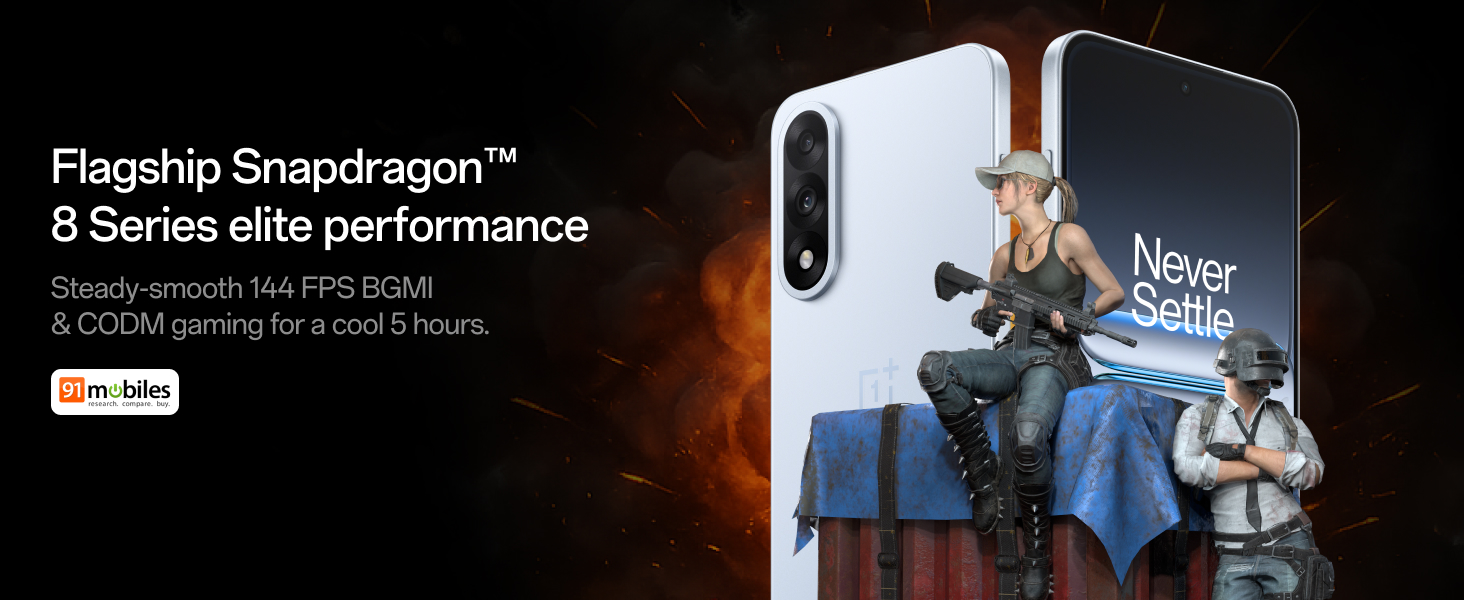
Figure 4: Snapdragon 8s Gen 3 processor for elite performance.
Video 2: Demonstration of gaming performance on the OnePlus Nord 5.
4.2 Nodweddion Camera
The device features a dual 50MP camera system, including a 50MP front camera (ISOCELL JN5 with hardware autofocus) and a 50MP Sony LYT-700 back camera with Optical Image Stabilization (OIS). It supports 4K 60 FPS video capture.
AI Camera Enhancements:
- AI Eraser: Removes unwanted objects or people from photos.
- AI Detail Boost: Enhances image clarity and detail.
- AI Unblur: Corrects blurry images.
- AI Reframe: Suggests improved compositions for photos.
- AI Perfect Shot: Adjusts facial expressions and corrects blinked eyes in group photos.

Figure 5: Dual 50MP camera system overview.

Figure 6: AI features for photo enhancement.
4.3 Batri a Chodi Tâl
The OnePlus Nord 5 features a 6800 mAh battery and supports 80W ultra-fast charging. It also includes an all-new Bypass Charging feature, which powers the phone directly from the charger during gaming to reduce heat and maintain performance.

Figure 7: Illustration of Bypass Charging technology.
4.4 Arddangos
Experience visuals on a 144Hz 1.5K AMOLED display with Aqua Touch 2.0 technology, offering a resolution of 2800 x 1272 pixels and up to 1400 nits brightness. Aqua Touch 2.0 improves touch responsiveness, even with wet or oily fingers.

Figure 8: Details of the 144Hz AMOLED display.
4.5 Nodweddion AI
The OnePlus Nord 5 integrates various AI functionalities to enhance user experience:
- AI Voice Scribe: Transcribe, translate, and summarize meetings or content.
- Cylchwch i Chwilio: Chwiliwch am wybodaeth yn gyflym trwy gylchu cynnwys ar eich sgrin.
- Gemini yn Fyw: An AI assistant for queries and information.
- Chwilio AI: Intuitively understands natural language prompts for searching device content.

Figure 9: AI VoiceScribe interface.
4.6 Multitasking with Open Canvas
The Open Canvas feature allows for enhanced split-screen multitasking, enabling flexible resizing of applications and drag-and-drop functionality between apps. This improves productivity by extending split-screen capabilities beyond physical display limits.
Video 3: Demonstration of multitasking features on the OnePlus Nord 5.

Figure 10: Open Canvas for advanced multitasking.
4.7 Cysylltedd
The Nord 5 supports 5G-Advanced networking, offering faster internet speeds and improved signal stability, particularly in congested areas.

Figure 11: 5G-Advanced network features.
4.8 Software
The device runs on OxygenOS 15, based on Android 15. It is guaranteed to receive 4 Android version upgrades and 6 years of security updates, ensuring long-term software support and system smoothness.
5. cynnal
- Diweddariadau Meddalwedd: Regularly install system updates to ensure optimal performance, security, and access to new features.
- Gofal Batri: To prolong battery life, avoid extreme temperatures and frequent full discharges. The device includes a 4-year healthy battery promise.
- Glanhau: Defnyddiwch frethyn meddal, di-flwff i lanhau'r sgrin a'r corff. Osgowch ddeunyddiau sgraffiniol neu gemegau llym.
- Rheoli Storio: Clirio pethau diangen yn rheolaidd files and apps to maintain device speed and free up storage space.
6. Datrys Problemau
If you encounter issues with your OnePlus Nord 5, consider the following general troubleshooting steps:
- Ailgychwyn Dyfais: Gall ailgychwyn syml ddatrys llawer o broblemau meddalwedd bach.
- Gwiriwch am ddiweddariadau: Gwnewch yn siŵr bod meddalwedd eich dyfais yn gyfredol.
- Clirio'r storfa: For app-specific issues, try clearing the app's cache in Settings.
- Ailosod Ffatri: As a last resort, a factory reset can resolve persistent software problems. Rhybudd: Bydd hyn yn dileu'r holl ddata ar eich dyfais. Gwnewch gopi wrth gefn o wybodaeth bwysig cyn bwrw ymlaen.
- Cymorth Cyswllt: If the issue persists, refer to the support section for contact information.
7. manylebau
| Nodwedd | Manylyn |
|---|---|
| System Weithredu | Android 15, OxygenOS 15 |
| Prosesydd | Snapdragon 8s Gen 3 (CPU Speed: 2, 2.8, 3 GHz) |
| HWRDD | 12 GB (as per current model) |
| Arddangos | 144Hz 1.5K AMOLED, 2800 x 1272 Resolution |
| Camera Cefn | 50MP Sony LYT-700 with OIS |
| Camera blaen | 50MP ISOCELL JN5 with Autofocus |
| Batri | 6800 mAh, 80W Fast Charging |
| Cysylltedd | 5G-Advanced, Bluetooth, NFC, USB, Wi-Fi |
| Dimensiynau | 16.41 x 7.7 x 0.81 cm |
| Pwysau | 211 g |
| Rhif Model | CPH2707 |
| Gwneuthurwr | Oppo Mobiles India Private Limited |
8. Gwarant a Chefnogaeth
The OnePlus Nord 5 comes with a Lifetime Display Warranty, covering green line issues. For detailed terms and conditions, please refer to the official OnePlus website or the warranty card included in the box.

Figure 12: Lifetime Display Warranty information.
For customer service and technical support, you can contact OnePlus using the following information:
- Customer Service Contact Number: 1800 102 8411
- Cefnogaeth WhatsApp: +91-9289606888
- Cyfeiriad y Gwneuthurwr: PLOT-NO.1, SECTOR ECOTECH-VII, GREATER, NOIDA, UTTAR PRADESH, India-201306