
1. Cynnyrch Drosview
The EUQQ Q10 Pro AI Translation Earbuds are a versatile 3-in-1 smart device designed for seamless communication and audio experience. They integrate real-time multi-lingual translation, high-fidelity audio playback, and crystal-clear calling capabilities. These earbuds support 144 languages and accents, offering various translation modes without requiring a subscription.

Image: The EUQQ Q10 Pro AI Translation Earbuds in their charging case, displaying battery levels and time on the case's screen.
2. Beth sydd yn y Bocs
- 2 x AI Language Translation Earbuds
- 1 x Achos Codi Tâl
- 1 x Cebl Codi Tâl USB-C
- 3 x Pairs of S/M/L Ear Caps
- 1 x Llawlyfr Defnyddiwr
3. Canllaw Gosod
3.1 Codi Tâl Cychwynnol
Before first use, fully charge the earbuds and the charging case. Connect the provided USB-C charging cable to the charging port on the case and a power source. The LED display on the case will indicate the charging status and battery percentage. Mae gwefru'r clustffonau'n llawn yn cymryd tua 1 awr.

Image: The earbuds and charging case connected via a USB-C cable, illustrating the fast charging capability.
3.2 Selecting Ear Caps
Choose the ear caps that provide the most comfortable and secure fit for your ears. A proper fit is essential for optimal sound quality and noise cancellation. Three sizes (S, M, L) are included.
3.3 Lawrlwytho Ap a Pharu
- Lawrlwythwch yr Ap: Scan the QR code in the user manual or visit bitdynamic.ai/app/download.html to download the companion application.
- Sign Up or Log In: Dilynwch y cyfarwyddiadau ar y sgrin i greu cyfrif neu fewngofnodi.
- Pâr trwy Bluetooth: Open the charging case. The earbuds will automatically enter pairing mode. On your smartphone or tablet, go to Bluetooth settings and select "YYK-Q10 Pro AI" to connect.
- Archwiliwch yr Ap: Once connected, open the app to access all translation features and settings.
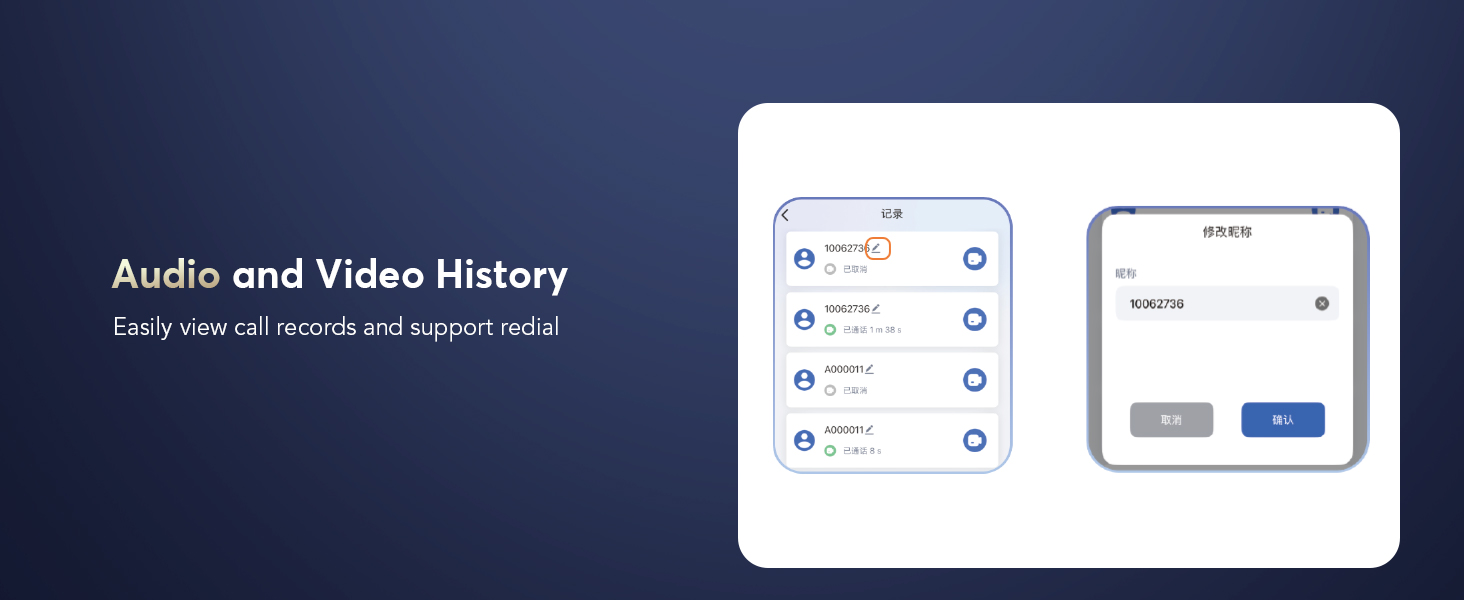
Image: A visual guide detailing the four steps to set up the earbuds: download the app, sign up/log in, pair via Bluetooth, and explore the app.
4. Cyfarwyddiadau Gweithredu
4.1 Pŵer Ymlaen/Diffodd
The earbuds automatically power on when removed from the charging case and power off when placed back into the case and the lid is closed.
4.2 Rheolaethau Cyffwrdd
Mae'r clustffonau'n cynnwys rheolyddion cyffwrdd greddfol ar gyfer amrywiol swyddogaethau:
- Chwarae/Seibiant: Click the MFB (Multi-Function Button) key.
- Trac Nesaf / Blaenorol: Double-click the left/right MFB buttons.
- Ateb / Diwedd Galwad: Cliciwch ar y botwm MFB.
- Gwrthod Galwad: Pwyswch y botwm MFB yn hir.
- Galluogi Cynorthwyydd Llais (Siri): Pwyswch a dal y botwm MFB dde am 2 eiliad.
- Newid Modd ANC: Press and hold the left MFB button for 2 seconds to cycle through Active Noise Cancellation (ANC) on/off/Transparency Mode.
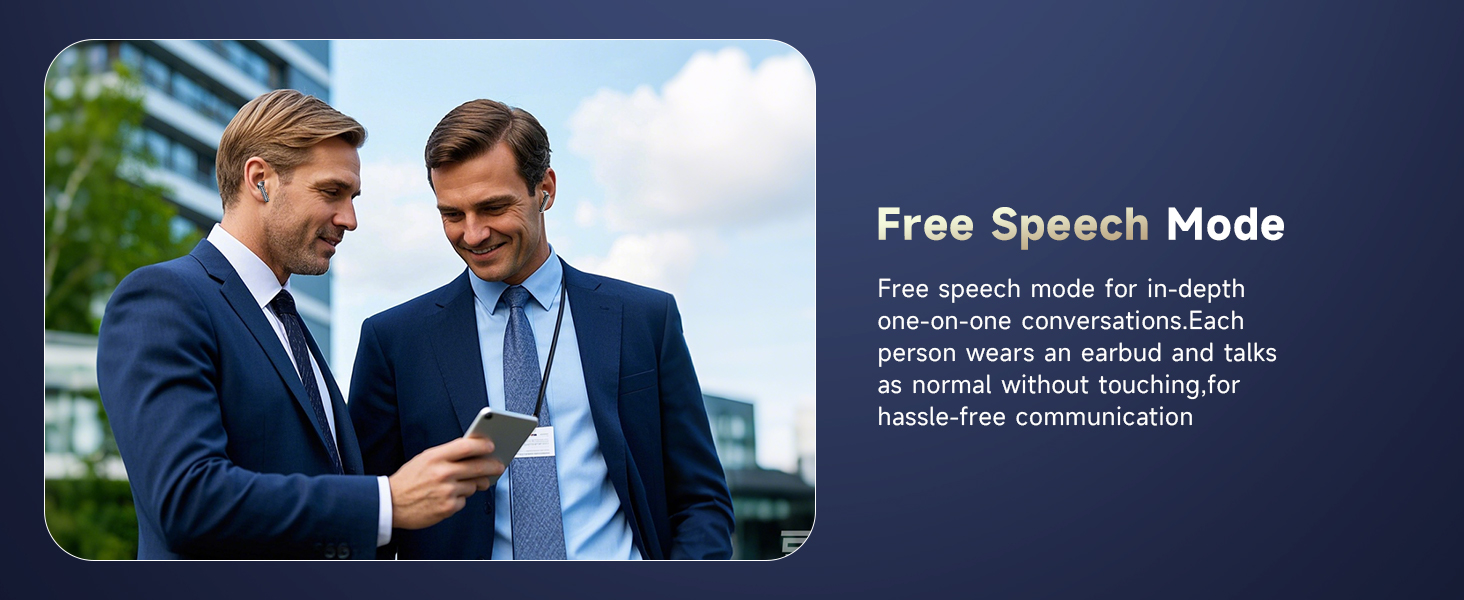
Image: An illustration of the touch control functions on the earbuds, including play/pause, call management, and mode switching.
4.3 Translation Features
The earbuds support 144 languages and accents for real-time translation without a subscription. Utilize the companion app to access various translation modes:
- Instant Real-Time Translation: The natural interpretation technology automatically picks up your voice and segments it into sentences for seamless conversation flow.
- Dehongli ar y Pryd: Ideal for international conferences, providing real-time voice translation.
- Face-to-Face Translation (Earphones + Mobile Phone): Two-way translation for global negotiations or travel.
- Dual-Ear Mode: Share earbuds with another person for simultaneous two-way conversation.
- Modd Cyffwrdd: Each person wears an earbud and touches it before speaking for fluent conversation.
- Free Speech Mode: For in-depth one-on-one conversations, speak normally without touching.
- Modd y Llefarydd: Wear earbuds yourself and speak; the translation results will play through the phone's speaker. Useful for directions or ordering food.
- Modd All-lein: Supports offline translation in most parts of the world.

Image: Demonstrates various translation modes including Live Recording, Simultaneous Interpretation, and Face-to-Face Translation.

Image: Highlights the ability to break language barriers with real-time translation in 144 languages, showing various country flags.
4.4 Moddau Rheoli Sŵn
The earbuds offer three versatile noise control modes:
- Canslo Sŵn Gweithredol (ANC): Blocks out distractions for immersive sound.
- Modd Arferol: Standard audio experience.
- Modd Tryloywder: Allows you to hear your surroundings without removing the earbuds, balancing ambient sounds for safety and interaction.

Image: Explains ANC+ENC Noise Cancellation, showing a 48dB deep noise reduction and the three modes: Active Noise Cancellation, Normal mode, and Transparency mode.
4.5 LCD Full Color Touch Screen Functions
The charging case features an LCD full-color touch screen with multiple functions:
- Chwarae Cerdd
- Noise Reduction settings
- AI Translation access
- Gosodiadau sain
- Gosodiadau Allweddol
- Cynorthwyydd Llais AI
- Dewis Modd
- Amserydd
- Stopwats
- Calendr
- Rheoli camera
- Gemau
- Cownter
- Opsiynau addasu
- Newid Iaith
- Demonstrate mode
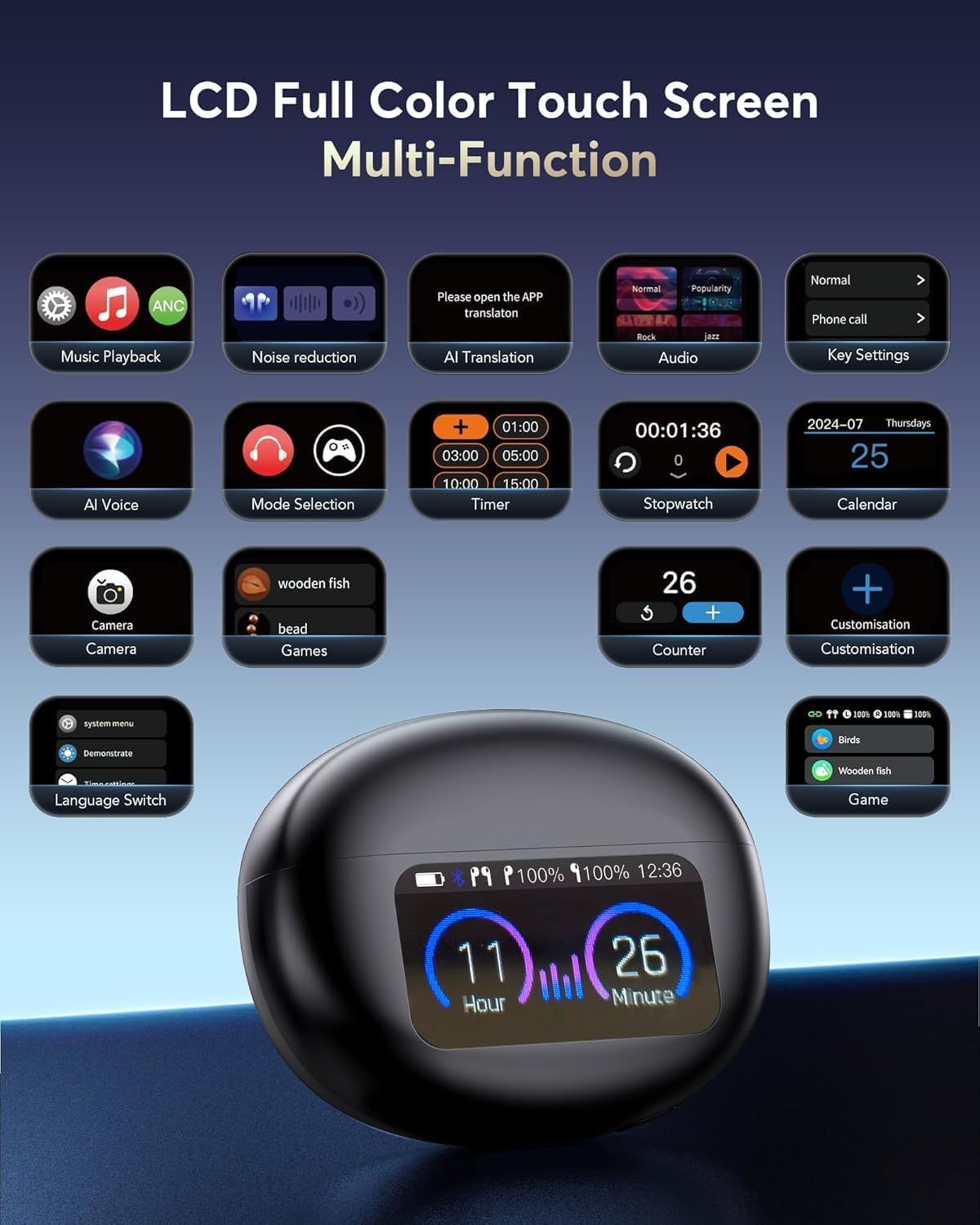
Delwedd: Manwl view of the LCD full-color touch screen on the charging case, showing various icons for music, noise reduction, AI translation, and other utilities.
4.6 Audio and Video Calls
The earbuds support online calls with real-time translation. No app is needed for the other party to communicate effortlessly. You can also easily view call records and support redialing through the app.
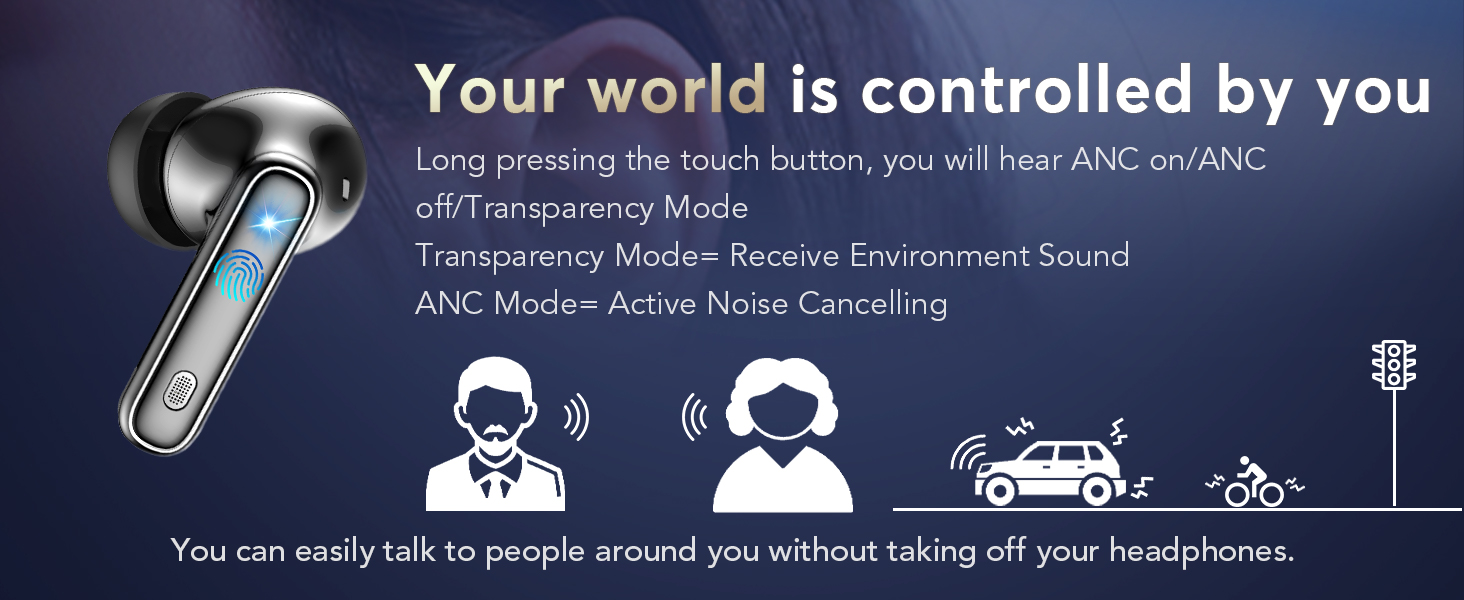
Image: A smartphone screen showing an audio and video call interface with real-time translation displayed.
4.7 Sleep Aid Feature
The earbuds include a built-in white noise feature to aid sleep. Sounds like rain and ocean waves can help you fall asleep quickly, whether at home or during travel.
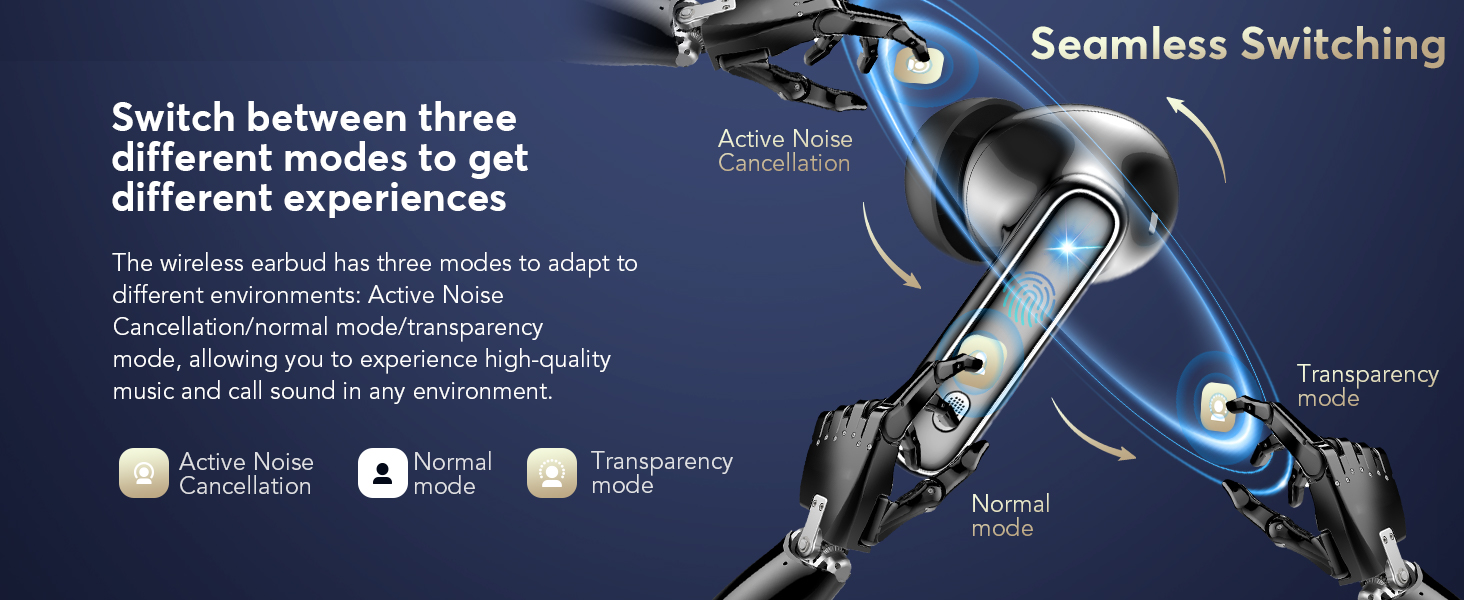
Image: A smartphone screen displaying the sleep aid feature within the app, offering various white noise options like rain and ocean waves.
5. cynnal
5.1 Glanhau
Regularly clean the earbuds and charging case with a soft, dry cloth. Avoid using liquids or abrasive cleaners. Ensure charging contacts are free of debris.
5.2 Gwrthsefyll Dŵr
The earbuds are IPX7 waterproof, meaning they can withstand immersion in water up to 1 meter for 30 minutes. However, the charging case is not waterproof. Avoid exposing the charging case to water.
5.3 Storio
Storiwch y clustffonau yn eu cas gwefru pan nad ydynt yn cael eu defnyddio i'w hamddiffyn a sicrhau eu bod yn parhau i fod wedi'u gwefru.
6. Datrys Problemau
- Clustffonau ddim yn paru: Ensure both earbuds are in the charging case, then open the lid to activate pairing mode. Check your device's Bluetooth settings to ensure it's discoverable and select the correct device name.
- Dim sain: Gwiriwch lefelau’r sain ar eich dyfais a’r clustffonau. Gwnewch yn siŵr bod y clustffonau wedi’u gosod yn iawn yn eich clustiau.
- Problemau cyfieithu: Verify that the earbuds are connected to the app and the correct source and target languages are selected. Ensure a stable internet connection for online translation modes.
- Problemau codi tâl: Ensure the USB-C cable is securely connected to both the case and the power source. Check for any debris in the charging port or on the earbud charging contacts.
7. manylebau
| Nodwedd | Manylyn |
|---|---|
| Enw Model | Q10 Pro AI (YYK-Q10) |
| Brand | EUQQ |
| Technoleg Cysylltedd | Di-wifr (Bluetooth 5.4) |
| Amrediad Bluetooth | 15 o Fesurau |
| Rheoli Sŵn | Active Noise Cancellation (ANC), CVC 8.0 Noise-Canceling, Transparency Mode |
| Bywyd Batri (Clustffonau) | 6-7 Awr |
| Cyfanswm Amser Chwarae (gyda Chas) | Hyd at 36 awr |
| Amser Codi Tâl | 1 Awr (Gwefr Gyflym) |
| Rhyngwyneb Codi Tâl | USB-C |
| Lefel Gwrthsefyll Dŵr | IPX7 Waterproof (Earbuds only) |
| Dull Rheoli | Rheoli Cyffwrdd |
| Deunydd | Metal Silicone |
| Pwysau Eitem | 12 Grams (per earbud) / 0.423 ounces (total) |
8. Cymorth a Gwarant
For further assistance or warranty inquiries, please contact EUQQ customer support at support@yykbuds.com.