
1. Rhagymadrodd
This manual provides detailed instructions for the setup, operation, and maintenance of your Prechen 12.3-inch Portable Monitor, Model HD-123. Please read this manual thoroughly before using the product to ensure proper functionality and to prevent damage. Keep this manual for future reference.
2. Cynnyrch Drosview
The Prechen HD-123 is a 12.3-inch IPS stretched bar display designed for use as a secondary monitor. It features a 1920x720 resolution, 300 nits brightness, 1200:1 contrast ratio, and 178° wide viewing angles. It includes built-in speakers and supports both USB-C and HDMI connectivity.
Porthladdoedd a Rheolaethau

Delwedd: Llun agos view of the monitor's side, highlighting the 3.5mm headphone jack, power button, menu button, return button, and shortcut keys for brightness and volume. Two USB-C ports and one HDMI port are also visible.
- Porthladdoedd USB-C (x2): One port supports both video transmission and power delivery (full-featured USB 3.1). The other is for power only.
- Porthladd HDMI: For video input.
- Jack clustffon 3.5mm: Ar gyfer allbwn sain.
- Botwm Pŵer: Yn troi'r monitor ymlaen / i ffwrdd.
- Botwm Dewislen: Yn cyrchu'r ddewislen Arddangos Ar y Sgrin (OSD).
- Botwm Dychwelyd: Navigates back in the OSD menu.
- Bysellau llwybr byr: Adjust brightness and volume directly.
3. Gosod
Cysylltu'r Monitor
The monitor supports two primary connection methods: USB-C (single cable) and HDMI (with separate power).

Image: Illustration demonstrating how to connect the monitor using a single USB-C cable for both video and power, and an alternative method using an HDMI cable for video and a USB-A to USB-C cable for power.
- USB-C Connection (Single Cable):
- Ensure your device (laptop, smartphone, etc.) has a full-featured USB-C port that supports DisplayPort Alternate Mode and power delivery.
- Connect one end of the provided USB-C to USB-C cable to your device's USB-C port.
- Connect the other end of the USB-C to USB-C cable to the monitor's full-featured USB-C port. The monitor should automatically receive video signal and power.
- HDMI Connection (with separate power):
- Connect one end of an HDMI cable to your device's HDMI output.
- Connect the other end of the HDMI cable to the monitor's HDMI port.
- Connect the provided USB-A to USB-C power cable to a power source (e.g., wall adapter, laptop USB-A port) and the monitor's power-only USB-C port.
Mowntio VESA
The monitor supports 75x75mm VESA mounting for flexible positioning.

Delwedd: Y cefn view of the monitor, indicating the 75x75mm VESA mounting pattern. A separate stand is shown next to it, demonstrating alternative placement options.
- Locate the four screw holes on the back of the monitor.
- Attach the monitor to a compatible 75x75mm VESA mount or arm using appropriate screws (not included).
4. Cyfarwyddiadau Gweithredu
Pŵer Ymlaen / Diffodd
- Press the Power Button to turn the monitor on.
- Press and hold the Power Button for 3 seconds to turn the monitor off.
Dewislen Arddangos Ar y Sgrin (OSD)
Press the Menu Button to access the OSD menu. Use the shortcut keys (brightness/volume) to navigate and adjust settings. Press the Return Button to exit a submenu or the OSD menu.
- Disgleirdeb/Cyferbyniad: Adjust display luminance and contrast levels.
- Gosodiadau lliw: Addasu tymheredd lliw, arlliw a dirlawnder.
- Ffynhonnell Mewnbwn: Manually select between USB-C and HDMI inputs if auto-detection fails.
- Gosodiadau Sain: Addaswch y gyfrol ar gyfer y siaradwyr mewnol neu'r clustffonau cysylltiedig.
- Cymhareb Agwedd: Change the display aspect ratio if needed.
Dulliau Arddangos
When connected to a computer, you can configure the display mode through your operating system's display settings:
- Modd Dyblyg: The monitor mirrors the content of your primary display.
- Ymestyn Modd: The monitor acts as an extension of your primary display, providing additional screen space.
- Second Screen Only: Only the portable monitor displays content.
5. cynnal
- Glanhau'r sgrin: Defnyddiwch frethyn meddal, di-lint ychydig dampened with water or a screen cleaner. Do not spray cleaner directly onto the screen.
- Glanhau'r Casing: Sychwch y monitor casing with a soft, dry cloth. Avoid abrasive cleaners.
- Storio: Pan nad yw'n cael ei ddefnyddio am gyfnodau hir, storiwch y monitor mewn lle oer, sych, i ffwrdd o olau haul uniongyrchol a thymheredd eithafol.
- Trin: Handle the monitor with care to avoid dropping or impacting the screen.
6. Datrys Problemau
- Dim Arwydd:
- Sicrhewch fod pob cebl wedi'i gysylltu'n ddiogel.
- Verify that your device's USB-C port supports video output (DisplayPort Alt Mode) if using a single USB-C cable.
- If using HDMI, ensure the monitor is receiving power via the separate USB-C power cable.
- Try selecting the input source manually through the OSD menu.
- Dim pŵer:
- Check the power cable connection and the power source.
- Ensure the power adapter (if used) is functioning correctly.
- Sgrin yn Fflachio:
- Gwiriwch gysylltiadau cebl am ryddid.
- Rhowch gynnig ar gebl neu borthladd gwahanol.
- Ensure your device's graphics drivers are up to date.
- Dim Sain:
- Adjust the volume through the monitor's OSD menu and your connected device.
- Ensure the audio output is directed to the monitor in your device's sound settings.
7. manylebau
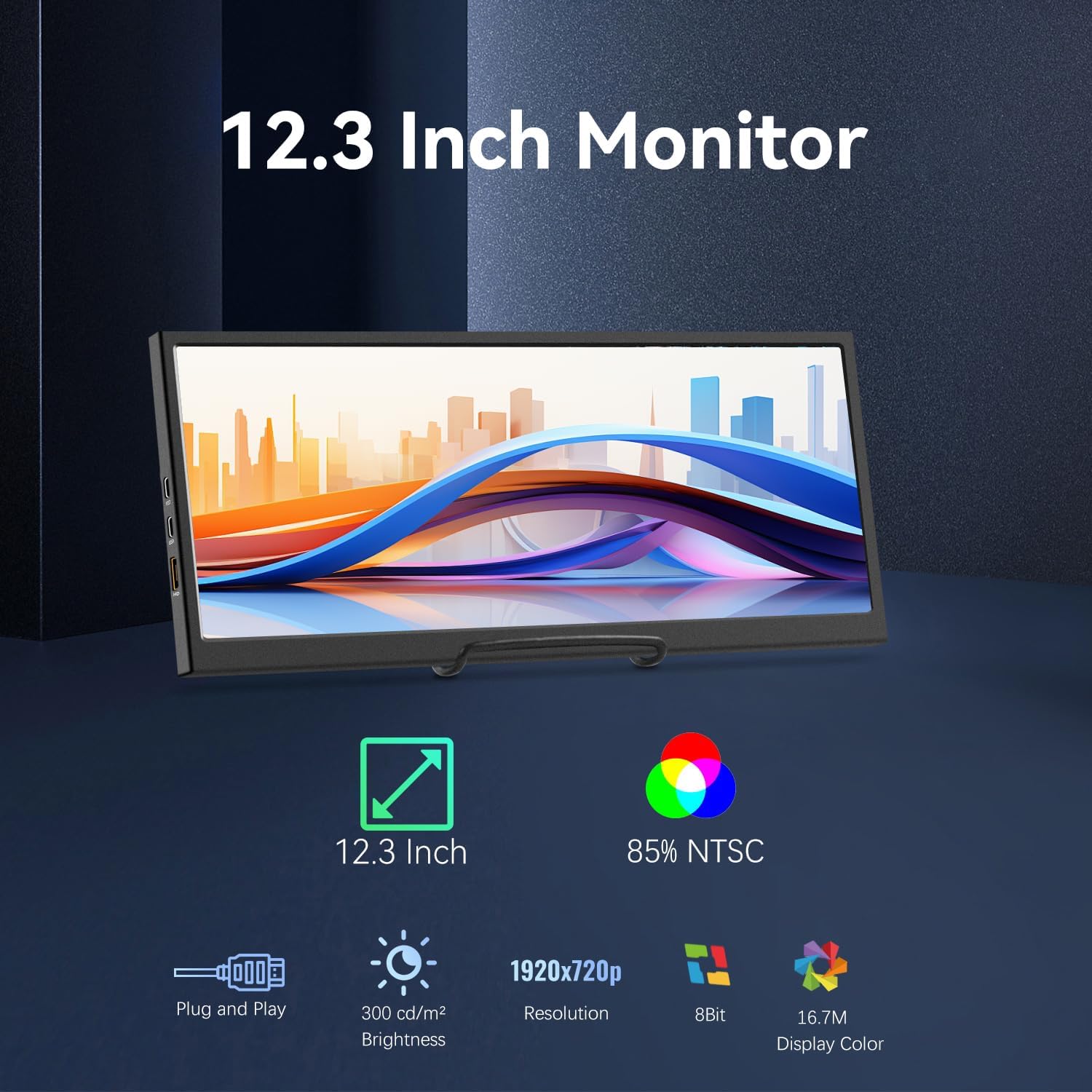
Image: Visual representation of the monitor's key features: 12.3-inch screen, 85% NTSC color gamut, Plug and Play functionality, 300 cd/m² brightness, 1920x720p resolution, 8-bit color, and 16.7M display colors.
| Nodwedd | Manyleb |
|---|---|
| Rhif Model | HD-123 |
| Maint Sgrin | 12.3 modfedd |
| Math o Banel | IPS LCD |
| Datrysiad | 1920 x 720 picsel |
| Disgleirdeb | 300 cd/m² (nits) |
| Cymhareb Cyferbyniad | 1200:1 |
| Viewongl ing | 178° |
| Lliw Gamut | 85% NTSC |
| Dyfnder Lliw | 8-bit (16.7 Million Colors) |
| Cysylltedd | 2x USB-C (1 full-featured, 1 power-only), 1x HDMI |
| Sain | Built-in Speakers, 3.5mm Headphone Jack |
| Mowntio | 75x75mm VESA Compatible |
| Deunydd | Metel |
| Dimensiynau Cynnyrch | 0.59 x 11.8 x 5.1 modfedd |
| Pwysau Eitem | 2.14 pwys |
8. Gwybodaeth Gwarant
Prechen products are covered by a limited warranty against defects in materials and workmanship. The specific warranty period may vary by region and retailer. Please retain your proof of purchase for warranty claims. For detailed warranty terms and conditions, refer to the warranty card included with your product or contact customer support.
9. Cefnogaeth
If you encounter any issues or have questions regarding your Prechen 12.3-inch Portable Monitor, please contact our customer support team. Provide your product model number (HD-123) and a detailed description of the issue for faster assistance.
- Cymorth Ar-lein: Visit the official Prechen websafle ar gyfer Cwestiynau Cyffredin ac adnoddau cymorth.
- Cefnogaeth E-bost: Refer to your product packaging or warranty card for contact email.