
1. Rhagymadrodd
The EARU Automatic Voltage Protector (Model EARU-1005) is an advanced electrical safety device designed to protect your valuable home and office appliances from damaging power fluctuations. This device offers comprehensive protection against over-voltage, dan-cyftage, and overcurrent conditions, ensuring the longevity and safe operation of your electrical equipment. It features adjustable thresholds and an auto-reconnect function for convenience and continuous protection.
2. Nodweddion Allweddol
- All-in-One Protection: Safeguards appliances from power surges, over-voltage (above 275V), under-voltage (below 175V), and adjustable overcurrent (1A-63A).
- Addasiad manwl: Customizable cut-off thresholds for over-voltage (200V-275V) and under-voltage (175V-200V) to suit specific grid conditions and appliance needs.
- Swyddogaeth ailosod yn awtomatig: Automatically restores power within 60-300 seconds once grid voltage stabilizes within the set safe range, eliminating manual intervention.
- Dargludedd Uwch: Constructed with 100% pure copper conductors for minimal resistance, efficient operation, and enhanced long-term reliability under heavy 63A loads.
- Gosod Rheilffordd DIN: Designed for easy and secure integration into standard 2-Pole, 36mm width DIN Rail electrical panels.
- Diogelwch Cynhwysfawr: Provides robust protection for an entire household against unpredictable voltage amrywiadau ac ymchwyddiadau.
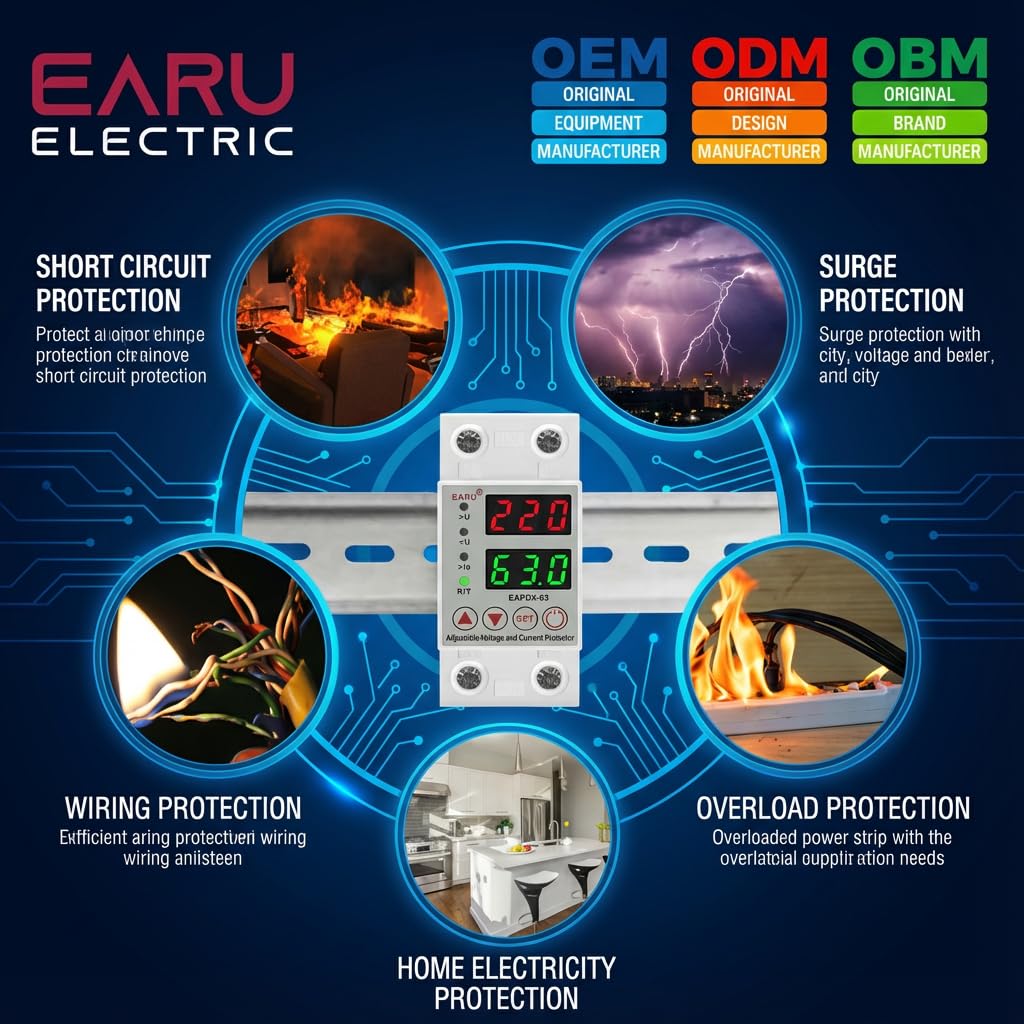
Delwedd 2.1: Drosoddview of the protection capabilities of the EARU Automatic Voltage Amddiffynnydd.
3. Gwybodaeth Diogelwch
Please read and understand all safety instructions before installing or operating the device. Failure to do so may result in electric shock, fire, or serious injury.
- Dim ond trydanwr cymwys ddylai wneud y gosodiad yn unol â chodau a rheoliadau trydanol lleol.
- Sicrhewch fod y prif gyflenwad pŵer wedi'i ddatgysylltu cyn unrhyw waith gosod neu gynnal a chadw.
- Peidiwch â gweithredu'r ddyfais os yw'n ymddangos ei bod wedi'i difrodi neu wedi bod yn agored i leithder.
- Verify correct wiring connections (Line and Neutral) to prevent malfunction or damage.
- Mae'r ddyfais wedi'i chynllunio ar gyfer defnydd dan do yn unig.
- Peidiwch â bod yn fwy na'r sgôr cerrynt uchaf o 63A.
4. Cynnyrch Drosview
4.1. Cydrannau ac Arddangosfa
The EARU Automatic Voltage Protector features a clear digital display and intuitive control buttons for easy monitoring and adjustment.
- Cyftage Arddangos: Shows the current line voltage.
- Arddangosfa Gyfredol: Shows the current load in Amperes.
- Goleuadau Dangosydd:
>U: gor-gyftage dangosydd.<U: dan-cyftage dangosydd.>Ie: Overcurrent indicator.R/T: Reset/Time indicator.
- Botymau Rheoli:
- Up Arrow (▲) / Down Arrow (▼): Wedi'i ddefnyddio i addasu gwerthoedd paramedr.
- Botwm SET: Press and hold for 3 seconds to enter setting mode.
- Botwm Pwer Ar / Oddi: Toggles power to the protected circuit.
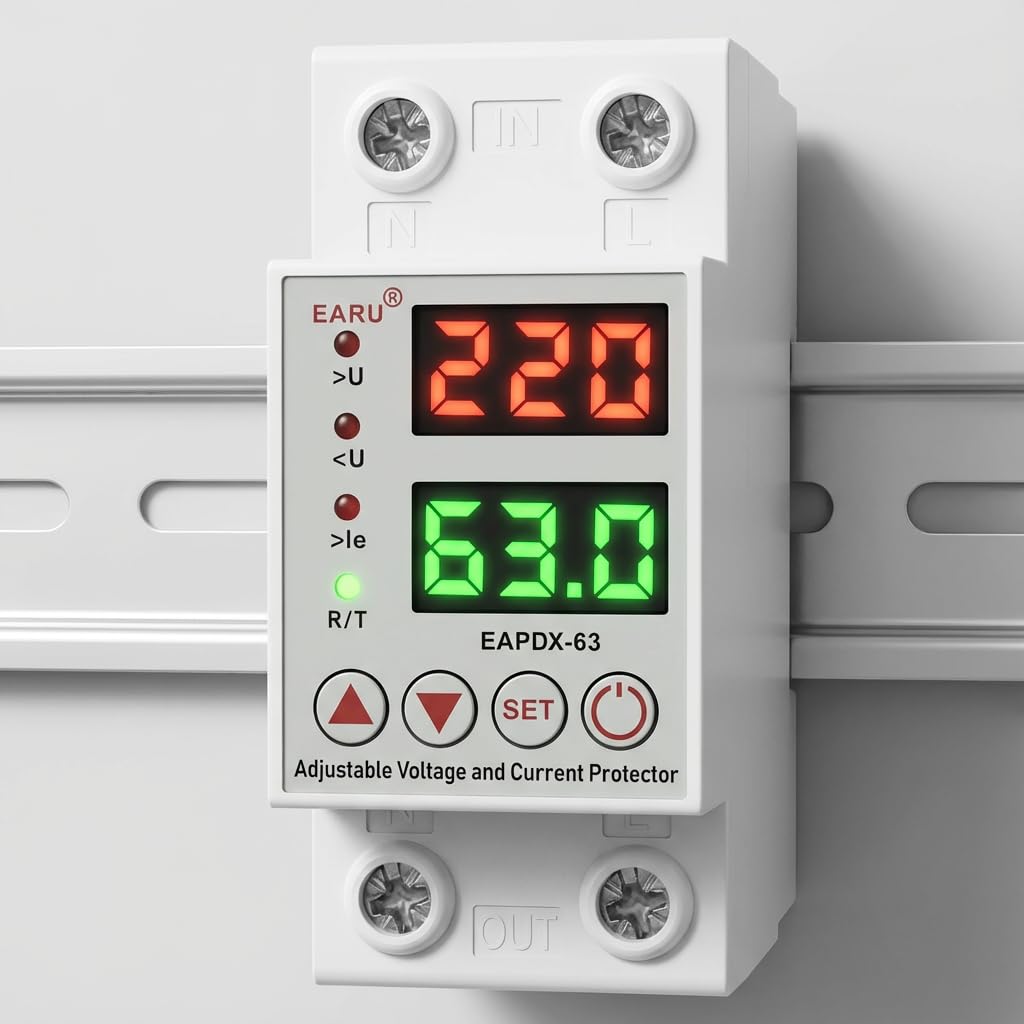
Delwedd 4.1: Blaen view of the EARU Automatic Voltage Protector, highlighting its digital display and control buttons.
5. Gosod a Gosod
The EARU Automatic Voltage Protector is designed for DIN Rail mounting. Ensure proper wiring and secure installation.
5.1. Mowntio
Mount the device onto a standard 36mm width DIN Rail within your electrical panel. Ensure it is securely clipped into place.
5.2. Diagram Gwifrau
Connect the incoming power supply (Line and Neutral) to the "IN" terminals and the outgoing load to the "OUT" terminals. Refer to the diagram below for correct wiring.

Delwedd 5.1: Enghraifftample wiring configuration for DIN Rail installation.

Image 5.2: Device dimensions for installation planning.
6. Cyfarwyddiadau Gweithredu
The device allows for precise adjustment of protection parameters. Follow these steps to configure your voltage amddiffynnydd.
6.1. Parameter Setting Mode
- Sicrhewch fod y ddyfais wedi'i phweru ymlaen.
- Pwyswch a dal y GOSOD button for approximately 3 seconds until the display changes to show "P-1" or a similar setting indicator. This indicates you are in parameter setting mode.
- Defnyddiwch y Saeth i Fyny (▲) a Saeth i Lawr (▼) buttons to navigate through the different parameters (P-1 to P-6).
- Once you have selected a parameter, press the GOSOD button briefly to enter its adjustment mode.
- Defnyddiwch y Saeth i Fyny (▲) a Saeth i Lawr (▼) botymau i newid y gwerth.
- Gwasgwch y GOSOD button again to confirm the value and move to the next parameter, or wait a few seconds for the device to automatically save and exit the setting mode.
6.2. Disgrifiadau Paramedr
| Paramedr | Disgrifiad | Ystod Addasadwy |
|---|---|---|
| P-1 | Gor-gyfroltage lleoliad | 240V - 300V (or OFF) |
| P-2 | Dan-gyfroltage lleoliad | 140V - 200V (or OFF) |
| P-3 | Overcurrent setting | 1A - 40A / 63A / 80A (depending on model) |
| P-4 | Reset/start delay | 1s - 300s |
| P-5 | Relay recovery delay | 1s - 300s |
| P-6 | Overcurrent recovery delay | 1s - 300s |
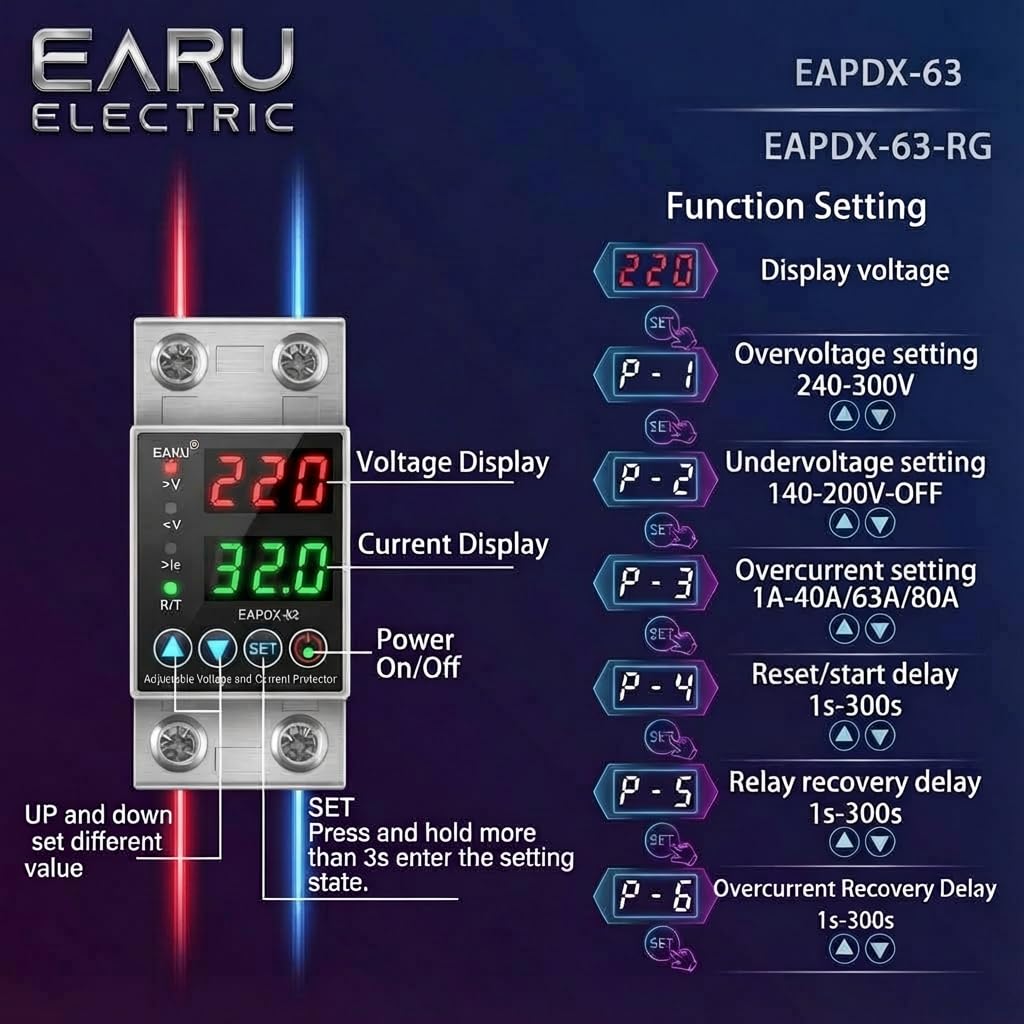
Image 6.1: Function setting guide for the device.
6.3. Video Guide: Setting Parameters
Video 6.1: This video demonstrates how to adjust the over-voltage, dan-cyftage, overcurrent, and recovery delay settings on the EARU Automatic Voltage Protector. It shows the step-by-step process of entering the setting mode and modifying each parameter.
7. cynnal
The EARU Automatic Voltage Protector requires minimal maintenance. Regular checks can ensure optimal performance.
- Periodically inspect the device for any visible damage or loose connections.
- Gwnewch yn siŵr bod y slotiau awyru yn glir o lwch a malurion i atal gorboethi.
- Clean the exterior with a dry, soft cloth. Do not use liquid cleaners or solvents.
- Do not attempt to open or repair the device yourself. Refer to qualified personnel for servicing.
8. Datrys Problemau
If you encounter issues with your EARU Automatic Voltage Protector, refer to the following common troubleshooting steps:
| Problem | Achos Posibl | Ateb |
|---|---|---|
| Dyfais ddim yn pweru ymlaen | No input power; incorrect wiring; internal fault. | Check main power supply. Verify wiring connections. If problem persists, contact support. |
| Power cuts off frequently | Cyftage/current outside set thresholds; unstable grid. | Check current voltage/current readings. Adjust P-1, P-2, P-3 settings if necessary. Monitor grid stability. |
| Device does not auto-reconnect | Recovery delay (P-4, P-5, P-6) set too long; persistent fault. | Verify recovery delay settings. Ensure grid conditions have stabilized. Manually reset if safe to do so. |
| Anghywir cyftage/current reading | Calibration issue; faulty sensor. | Cysylltwch â chymorth cwsmeriaid am gymorth. |
9. manylebau
| Nodwedd | Manylyn |
|---|---|
| Brand | EARU |
| Model | EARU-1005 |
| Dimensiynau Cynnyrch (LxWxH) | 7.7 x 3.5 x 6.5 cm |
| Pwysau Eitem | 450 g |
| Mewnbwn Voltage | 230 folt AC |
| Max Wattage | 13800 Wat |
| Max Cyfredol | 63 Amperes |
| Gor-gyfroltagYstod Amddiffyn e | Adjustable 200V-275V (Cut-off above 275V default) |
| Dan-gyfroltagYstod Amddiffyn e | Adjustable 175V-200V (Cut-off below 175V default) |
| Auto-Reconnect Delay | Addasadwy 60-300 eiliad |
| Math Mowntio | DIN Rail (2-Pole, 36mm width) |
| Deunydd arweinydd | 100% Pure Copper |
| Gwlad Tarddiad | India |
10. Gwarant a Chefnogaeth
The EARU Automatic Voltage Protector (Model EARU-1005) is backed by a 1-Year Manufacturer Warranty. This warranty covers defects in materials and workmanship under normal use.
- For warranty claims or technical support, please contact EARU customer service.
- Keep your purchase receipt as proof of purchase for warranty validation.
- Bydd atgyweiriadau neu addasiadau diawdurdod yn gwagio'r warant.