
SIMO SolHero24
SIMO Solis Hero 4G LTE Portable Mobile Hotspot Instruction Manual
Model: SolHero24 | Brand: SIMO
1. Cynnyrch Drosview
The SIMO Solis Hero is a versatile 2-in-1 device designed to provide reliable global Wi-Fi connectivity and serve as a portable power bank. It offers seamless internet access in over 140 countries without the need for a SIM card or contract, automatically connecting to the strongest available network. Its robust design is suitable for various travel and remote work scenarios.
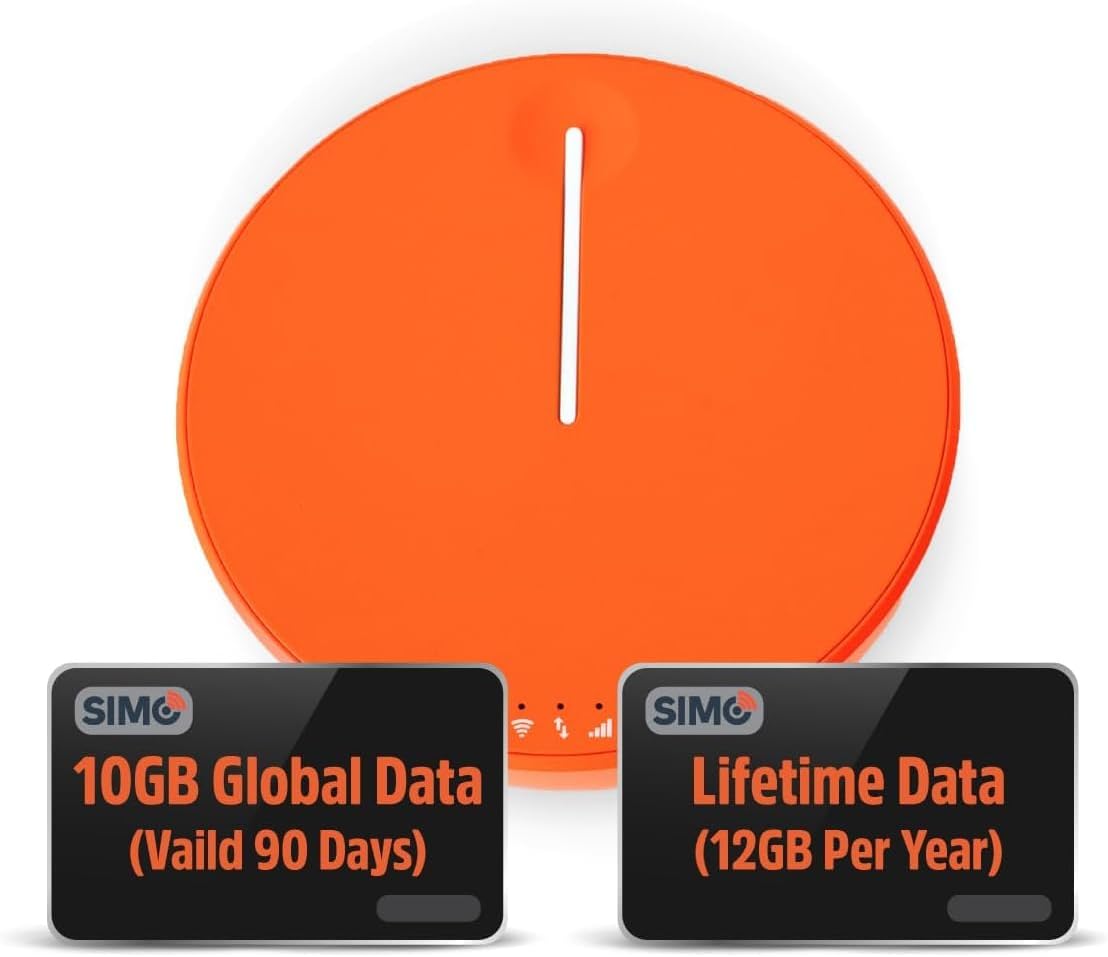
Figure 1.1: SIMO Solis Hero 4G LTE Portable Mobile Hotspot device.
Nodweddion Allweddol:
- 2-in-1 Device: Functions as a mobile hotspot and a 5250mAh power bank.
- Cysylltedd Byd-eang: Access to 300+ mobile networks in 140+ countries with SignalScan technology.
- No SIM Card or Contract: Utilizes virtual SIM technology for hassle-free connection.
- Lifetime Data Plan: Includes 1GB of global data every month for the life of the device.
- Dyluniad Gwydn: IP68-rated for dust, water, and drop protection.
- Cefnogaeth Aml-Dyfais: Yn cysylltu hyd at 10 o ddyfeisiau ar yr un pryd.

Ffigur 1.2: Drosoddview of Solis Hero key features.
2. Beth sydd wedi'i gynnwys yn y blwch
Upon opening your SIMO Solis Hero package, you will find the following components:
- SIMO Solis Hero Hotspot Device
- Achos Cario
- Cebl Codi Tâl USB-C
- Canllaw Cychwyn Cyflym
- Registration & Support Card
Video 2.1: Official unboxing and setup guide for the SIMO Solis Hero. This video demonstrates the contents of the box and initial steps to get started.

Figure 2.1: Visual representation of the Solis Hero components and initial setup steps.
3. Canllaw Gosod
3.1 Actifadu Dyfais Cychwynnol
- Gwefru'r Dyfais: Before first use, fully charge your Solis Hero using the provided USB-C charging cable. Connect the cable to the device and a compatible USB power adapter (not included).
- Pŵer Ymlaen: Press and hold the power button on the device until the indicator lights illuminate.
- Download the Solis App: Scan the QR code on the Registration & Support Card or search for 'Solis Wi-Fi' in your device's app store (available for iOS and Android).
- Cofrestrwch Eich Dyfais: Open the Solis app and follow the on-screen instructions to create an account and register your Solis Hero using its serial number. This step is crucial for activating your Lifetime Data plan and any included global data.
3.2 Cysylltu â Wi-Fi
- Locate Wi-Fi Network: On your smartphone, tablet, or laptop, go to your Wi-Fi settings.
- Select Solis Hero Network: Find the Wi-Fi network name (SSID) broadcast by your Solis Hero device. The SSID and password are typically found on a sticker on the device or in the Quick Start Guide.
- Rhowch Gyfrinair: Input the Wi-Fi password when prompted.
- Cysylltu: Your device should now be connected to the Solis Hero's Wi-Fi network.
4. Cyfarwyddiadau Gweithredu
4.1 Cysylltedd Wi-Fi
- The Solis Hero automatically connects to the strongest 4G LTE network available in your location using SignalScan technology.
- You can manage connected devices and monitor data usage through the Solis app.
4.2 Ymarferoldeb Banc Pŵer
- The built-in 5250mAh battery allows you to charge other devices.
- Connect your device to the Solis Hero using a compatible charging cable.
- The Solis Hero can provide over 16 hours of battery life for its own operation, or it can be used to charge external devices.
4.3 Data Plans and Management
Your Solis Hero comes with a Lifetime Data plan (1GB per month) and an additional 10GB of global data (valid for 90 days). Additional data can be purchased as needed via the Solis app.

Figure 4.1: Flexible data plans are available through the Solis app to suit various usage needs.
5. Cynnal a Chadw a Gofal
- Glanhau: Defnyddiwch frethyn meddal, sych i lanhau'r ddyfais. Osgowch lanhawyr neu doddyddion sgraffiniol.
- Storio: Storiwch y ddyfais mewn lle oer, sych i ffwrdd o olau haul uniongyrchol a thymheredd eithafol.
- Gofal Batri: Er mwyn ymestyn oes y batri, osgoi rhyddhau'r ddyfais yn llwyr yn aml. Gwefrwch hi'n rheolaidd, hyd yn oed os nad yw'n cael ei defnyddio am gyfnodau hir.
- Gwrthsefyll Dŵr a Llwch: While IP68-rated, avoid intentional submersion or exposure to harsh environments to maintain device integrity.
6. Datrys Problemau Cyffredin
| Problem | Achos Posibl | Ateb |
|---|---|---|
| Dim cysylltiad rhyngrwyd | No data plan active or data exhausted. Weak signal. Device not powered on. | Check data plan status in Solis app. Move to an area with better signal. Ensure device is powered on and fully charged. |
| Dyfais ddim yn codi tâl | Faulty cable or adapter. Charging port obstruction. | Try a different USB-C cable and power adapter. Check charging port for debris. |
| Cyflymder rhyngrwyd araf | Congested network. Data throttling after high usage. Too many connected devices. | Move to a less congested area. Check data plan details for speed limitations. Disconnect unused devices. |
| Methu cysylltu â rhwydwaith Wi-Fi | Incorrect Wi-Fi password. Device too far from hotspot. | Verify Wi-Fi password. Move closer to the Solis Hero device. |
7. Manylebau Technegol
| Nodwedd | Manylyn |
|---|---|
| Rhif Model | SolHero24 |
| Gallu Batri | Lithiwm Ion 5250mAh (wedi'i gynnwys) |
| Dimensiynau | 4.41 x 4.37 x 2.05 modfedd |
| Pwysau Eitem | 9.7 owns |
| Cysylltedd | 4G LTE, Wi-Fi (connects to 300+ mobile networks) |
| Dyfeisiau Cysylltiedig Uchaf | 10 |
| Sgôr Gwydnwch | IP68 (Dust, Water, Drop Protection) |
8. Gwarant a Chymorth i Gwsmeriaid
SIMO products are backed by responsive customer service. For any inquiries, technical assistance, or warranty claims, please refer to the contact information provided on your Registration & Support Card or visit the official SIMO websafle.
Gallwch hefyd ymweld â'r SIMO Store on Amazon am ragor o wybodaeth ac adnoddau cymorth.
Ask a question about this manual
Ask about setup, troubleshooting, compatibility, parts, safety, or missing instructions. Manuals+ will review the question and use this page’s manual context to help answer it.