
eKids 115
eKids Dora Karaoke Microphone with Boombox Instruction Manual
Model: 115 | Brand: eKids
1. Rhagymadrodd
Welcome to the eKids Dora Karaoke Microphone with Boombox. This device is designed to provide an interactive and engaging musical experience. It features a wired microphone, built-in music, and Bluetooth connectivity for streaming audio from compatible devices. This manual provides essential information for setup, operation, maintenance, and troubleshooting to ensure optimal performance and enjoyment.
2. Cynnyrch Drosview
The eKids Dora Karaoke Microphone with Boombox is a portable audio device shaped like Dora's backpack, designed for children aged 3 and up. It combines a speaker with a wired microphone, allowing users to sing along to pre-loaded songs or music streamed via Bluetooth.
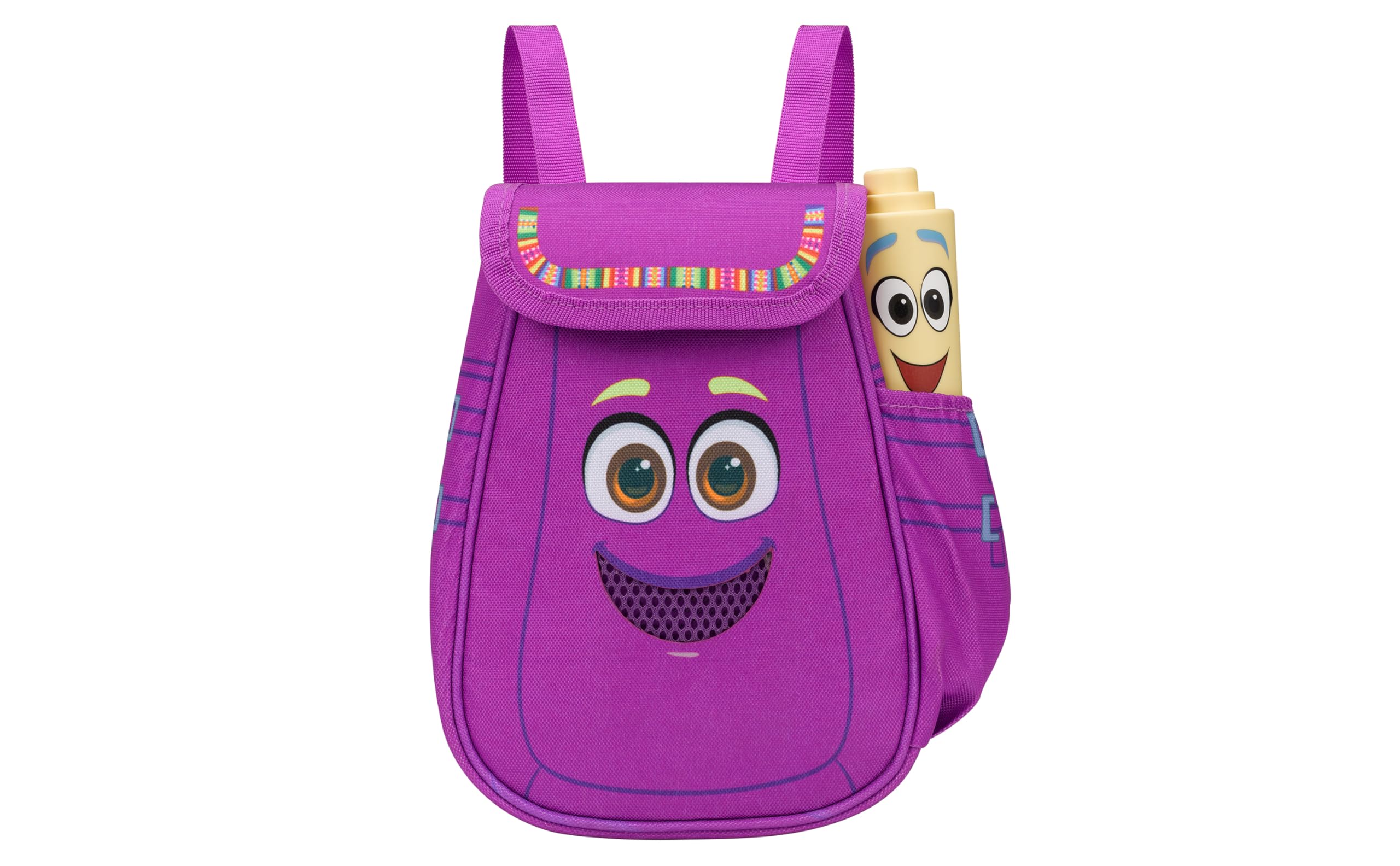
Figure 1: eKids Dora Karaoke Microphone with Boombox.
Nodweddion Allweddol:
- Llefarydd Bluetooth: Connects to any music device via Bluetooth to stream popular karaoke playlists and more. Lightweight and portable, this karaoke boombox is designed for kids aged 3 and up.
- Meicroffon Karaoke: Includes a wired microphone to amplify your voice for singing.
- Dora Backpack Design: Features cute and colorful graphics inspired by the popular Nickelodeon series.
- Cerddoriaeth adeiledig: Contains extended clips of the songs ‘Rainforest Ritmo’, ‘Cake’, and ‘Empanada’.
- Cludadwyedd: Lightweight design with a built-in handle for easy transport.
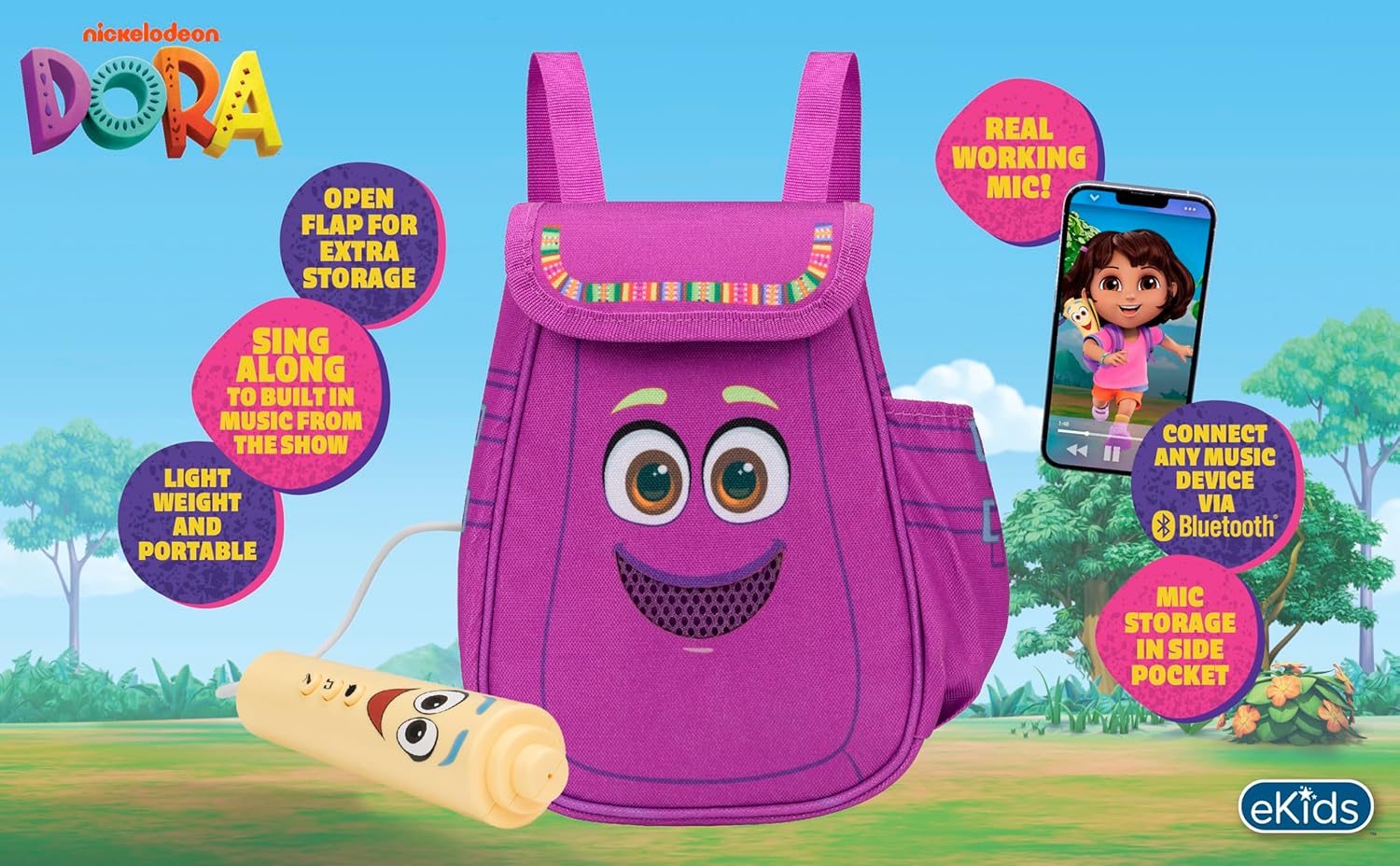
Ffigur 2: Gweledol drosoddview of the product's key features.
3. Cynnwys Pecyn
Gwnewch yn siŵr bod yr holl eitemau yn bresennol wrth ddadbocsio:
- Dora Karaoke Microphone with Boombox (main unit)
- Meicroffon Wired
- Llawlyfr Cyfarwyddiadau (y ddogfen hon)
- 3 x 'AA' Batteries (included)

Figure 3: Product as packaged, showing the boombox and microphone.
4. Gosod
4.1 Gosod Batri
- Locate the battery compartment on the back or bottom of the boombox unit.
- Gan ddefnyddio sgriwdreifer pen Phillips (heb ei gynnwys), agorwch glawr adran y batri.
- Mewnosodwch 3 batri 'AA', gan sicrhau'r polaredd cywir (+/-).
- Amnewid gorchudd adran y batri a'i ddiogelu gyda'r sgriw.
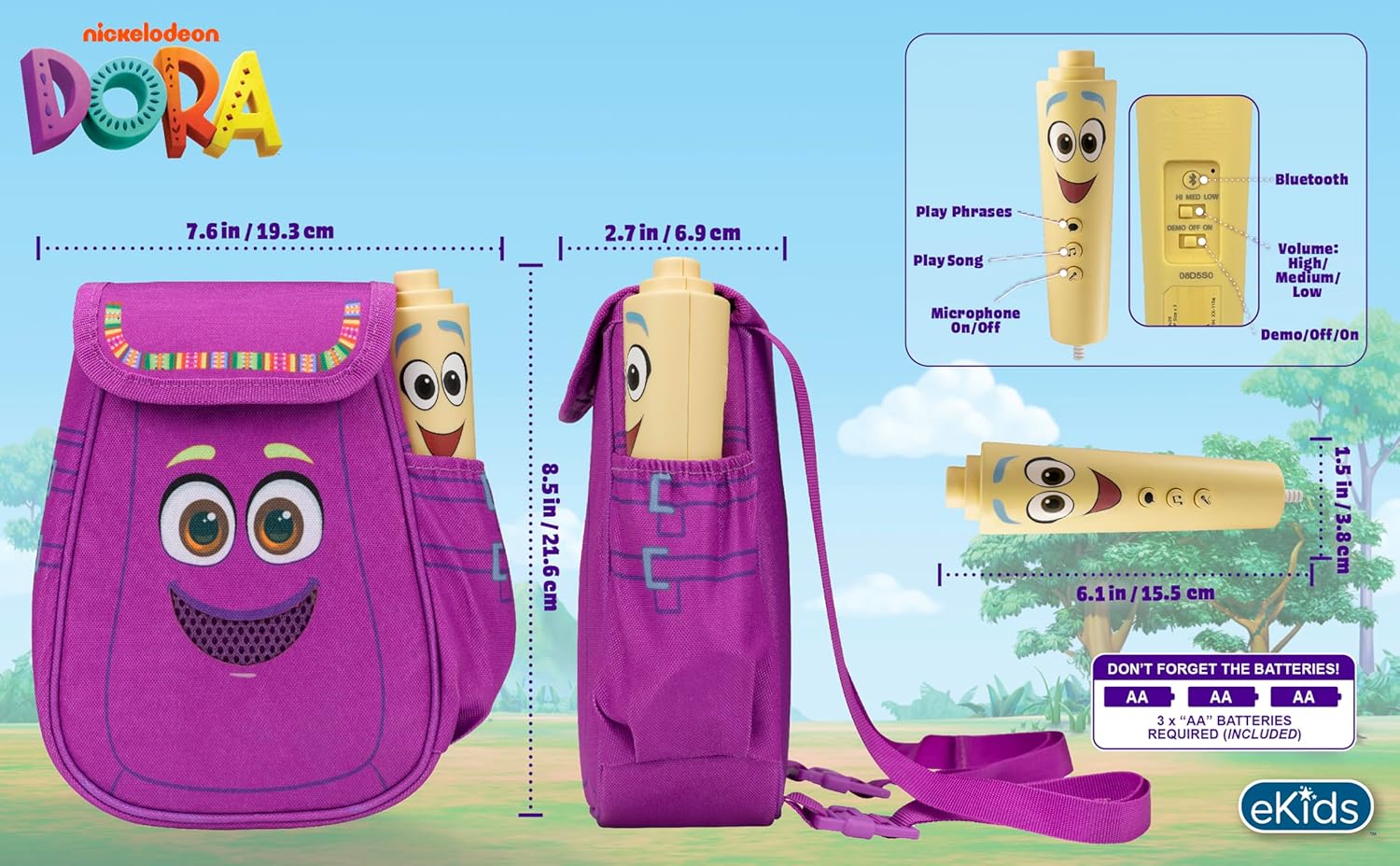
Ffigur 4: Cefn view of the boombox, indicating battery compartment and control buttons.
4.2 Cysylltiad Meicroffon
The wired microphone is typically pre-connected or plugs into a dedicated port on the boombox. Ensure the microphone cable is securely plugged in.
5. Cyfarwyddiadau Gweithredu
5.1 Pŵer Ymlaen/Diffodd
Locate the Power switch (often labeled ON/OFF or with a power symbol) on the unit. Slide it to the 'ON' position to power on the device. Slide it to 'OFF' to power off.
5.2 Playing Built-in Music
Press the designated 'Play Song' button (refer to Figure 4 for button layout) to cycle through the pre-loaded songs. The unit includes extended clips of 'Rainforest Ritmo', 'Cake', and 'Empanada'.
5.3 Using the Microphone
To use the microphone, ensure the 'Microphone On/Off' switch (refer to Figure 4) is in the 'On' position. Speak or sing into the microphone to amplify your voice through the boombox speaker.
5.4 Cysylltedd Bluetooth
To stream music from an external device:
- Ensure the boombox is powered on.
- Activate Bluetooth on your external music device (e.g., smartphone, tablet, computer).
- Chwiliwch am available Bluetooth devices and select "eKids Dora" or a similar name.
- Once paired, you can stream audio from your device to the boombox.

Figure 5: Bluetooth connectivity allows streaming from various compatible devices.
5.5 Rheoli Cyfaint
Adjust the volume using the 'Volume: High/Medium/Low' switch on the unit (refer to Figure 4).
5.6 Modd Demo
The unit may include a 'Demo/Off/On' switch (refer to Figure 4). Set it to 'Demo' for a brief demonstration of features, or 'On' for full functionality.
6. cynnal
- Glanhau: Sychwch yr uned gyda lliain meddal, sych. Peidiwch â defnyddio glanhawyr sgraffiniol na throchi'r uned mewn dŵr.
- Gofal Batri: Tynnwch y batris os na fydd yr uned yn cael ei defnyddio am gyfnod hir er mwyn atal gollyngiadau.
- Storio: Storiwch yr uned mewn lle oer, sych i ffwrdd o olau haul uniongyrchol a thymheredd eithafol.
7. Datrys Problemau
| Problem | Ateb |
|---|---|
| Dim pŵer | Check battery installation and ensure batteries are fresh. Confirm the power switch is in the 'ON' position. |
| Dim sain gan y siaradwr | Increase the volume. Ensure the microphone is switched 'ON' if using it. If using Bluetooth, check device volume and connection. |
| Meicroffon ddim yn gweithio | Ensure the microphone is securely plugged in and its 'On/Off' switch is in the 'On' position. |
| Bluetooth ddim yn cysylltu | Ensure the boombox is in Bluetooth pairing mode (if applicable, check manual for specific instructions). Turn off and on Bluetooth on your external device. Move devices closer together. |
8. manylebau
- Brand: ePlant
- Enw'r Model: 115
- Lliw: Dora
- Ffynhonnell Pwer: Battery Powered (3 x 'AA' batteries)
- Nifer y Siaradwyr: 1
- Technoleg Cysylltedd: Bluetooth, 3.5mm audio jack (for wired microphone)
- Pwysau Eitem: 0.52 Cilogram
- Dimensiynau Eitem (D x W x H): 10.63"D x 2.24"W x 8.17"H
- UPC: 092298961934
- Gwneuthurwr: Dyluniadau KID
9. Gwarant a Chefnogaeth
Daw'r cynnyrch hwn gyda a Gwarant cyfyngedig 1 mlynedd from the manufacturer, KIDdesigns. For warranty claims or technical support, please refer to the contact information provided with your purchase documentation or visit the eKids official websafle.
For additional product information or to explore other eKids products, visit the Siop Brand eKids.
Ask a question about this manual
Ask about setup, troubleshooting, compatibility, parts, safety, or missing instructions. Manuals+ will review the question and use this page’s manual context to help answer it.