
1. Rhagymadrodd
The EDIFIER MP330 is a portable Bluetooth speaker designed to deliver a high-quality audio experience with its retro aesthetic and advanced features. It supports Hi-Res audio and offers versatile connectivity options.

Image: The EDIFIER MP330 portable Bluetooth speaker, showcasing its brown finish and integrated leather handle.
2. Cynnwys Pecyn
Ticiwch y blwch ar gyfer yr eitemau canlynol:
- EDIFIER MP330 Speaker x 1
- Cebl USB-C i USB-C x 1
- Canllaw Cychwyn Cyflym x 1
- Important Safety Information x 1

Image: A visual representation of the EDIFIER MP330 speaker and its included accessories: USB-C cable, quick start guide, and safety information.
3. Cynnyrch Drosview
3.1 Rheolyddion a Phorthladdoedd
The EDIFIER MP330 features intuitive controls and essential ports for various audio sources.
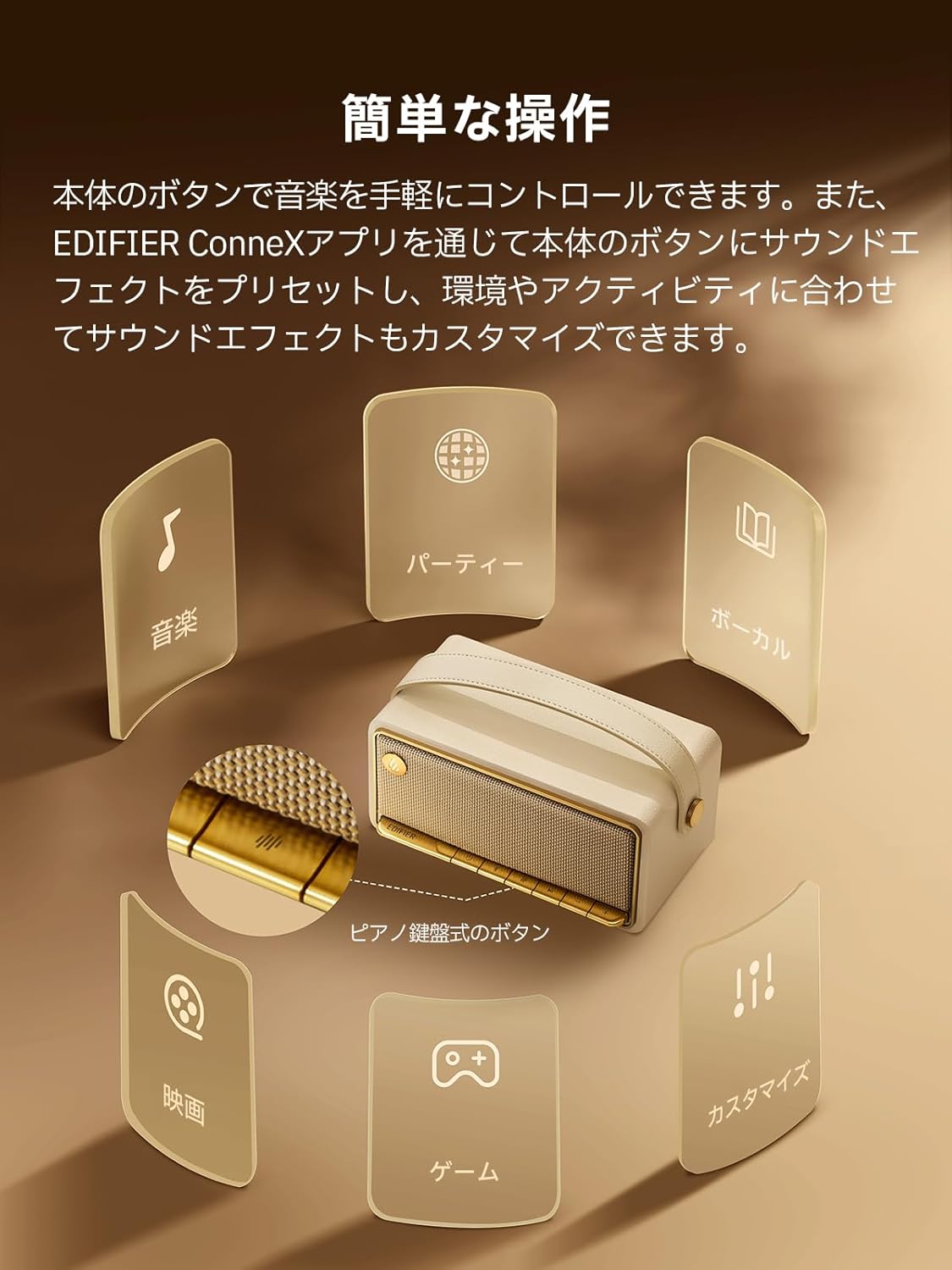
Image: A diagram illustrating the control buttons and indicator lights on the EDIFIER MP330 speaker, showing their functions for power, mode selection, playback, and volume.
- Botwm Pŵer: Pwyswch a dal i rym ymlaen / i ffwrdd.
- Botwm Modd: Short press to cycle through Bluetooth, USB-C, and microSD card input modes.
- Botwm Chwarae/Seibiant: Short press to play or pause audio.
- Botwm Cyfaint i Fyny/Trac Nesaf: Pwyswch yn fyr i gynyddu'r gyfrol, pwyswch yn hir am y trac nesaf.
- Botwm Cyfaint i Lawr/Trac Blaenorol: Pwyswch yn fyr i gostwng y gyfrol, pwyswch yn hir am y trac blaenorol.
- Porthladd USB-C: For charging and audio input.
- Slot Cerdyn microSD: Ar gyfer chwarae sain files directly from a microSD card.
4. Gosod
4.1 Gwefru'r Siaradwr
Before first use, fully charge the speaker using the provided USB-C cable and a compatible power adapter (not included). The indicator light will show charging status.
4.2 Pŵer Ymlaen/Diffodd
- I droi ymlaen: Pwyswch a daliwch y botwm Pŵer nes bod y golau dangosydd yn goleuo.
- I ddiffodd y pŵer: Pwyswch a daliwch y botwm Pŵer nes bod y golau dangosydd yn diffodd.
4.3 Pâr Bluetooth
I gysylltu eich dyfais trwy Bluetooth:
- Power on the MP330 speaker. The Bluetooth indicator will flash, indicating it is in pairing mode.
- Ar eich dyfais (ffôn clyfar, tabled, ac ati), galluogwch Bluetooth a chwiliwch am ddyfeisiau sydd ar gael.
- Select "EDIFIER MP330" from the list of devices.
- Ar ôl cysylltu, bydd y dangosydd Bluetooth yn aros yn gadarn.
4.4 Cysylltiad Aml-bwynt
The MP330 supports connecting to two Bluetooth devices simultaneously. After connecting the first device, put the speaker back into pairing mode and connect the second device. You can then switch between audio sources by pausing playback on one device and starting it on the other.

Image: Two mobile phones displaying music playback interfaces, indicating a multipoint Bluetooth connection to the EDIFIER MP330 speaker.
4.5 Paru Stereo (TWS)
For an enhanced stereo sound experience, you can pair two MP330 speakers together:
- Ensure both MP330 speakers are powered on and not connected to any Bluetooth device.
- On one speaker, press and hold the Bluetooth button until it enters TWS pairing mode (indicator light will flash a specific pattern).
- The two speakers will automatically connect to each other. One speaker will become the left channel and the other the right.
- Ar ôl paru, cysylltwch eich dyfais â'r prif siaradwr drwy Bluetooth fel y disgrifir yn adran 4.3.

Image: Two EDIFIER MP330 speakers, one black and one ivory, positioned to illustrate stereo pairing, with a Bluetooth logo and arrows indicating connection.
5. Cyfarwyddiadau Gweithredu
5.1 Switching Input Modes
Short press the Mode button to switch between Bluetooth, USB-C, and microSD card input modes. The indicator light will change color to reflect the active mode.
5.2 USB-C Audio Playback
Connect the MP330 to your computer using the provided USB-C cable. The speaker will automatically switch to USB-C audio mode. Select "EDIFIER MP330" as the audio output device on your computer.

Image: A diagram showing the EDIFIER MP330 speaker connected to a computer via a USB-C cable, indicating USB-C audio playback.
5.3 microSD Card Playback
Mewnosodwch gerdyn microSD sy'n cynnwys sain files into the microSD card slot. The MP330 will automatically switch to microSD card mode and begin playback.

Image: A diagram illustrating how to insert a microSD card into the dedicated slot on the EDIFIER MP330 speaker.
5.4 Using the EDIFIER Connex App
Download the EDIFIER Connex app to unlock extended features and customize your listening experience. The app allows you to:
- Newid ffynonellau mewnbwn.
- Rheoli chwarae.
- Customize sound effects (equalizer presets or custom settings).
- Access the electronic user manual and other settings.

Image: Multiple smartphone screens displaying the EDIFIER Connex app interface, highlighting various control and customization options for the speaker.
6. cynnal
To ensure the longevity and optimal performance of your EDIFIER MP330 speaker, follow these maintenance guidelines:
- Glanhau: Use a soft, dry cloth to clean the speaker's surface. Avoid using abrasive cleaners, solvents, or strong chemicals, as they may damage the finish.
- Storio: Storiwch y siaradwr mewn lle oer, sych i ffwrdd o olau haul uniongyrchol, tymereddau eithafol, a lleithder uchel.
- Amlygiad Dŵr: The speaker is not waterproof. Avoid exposing it to water, rain, or excessive moisture.
- Trin: Handle the speaker with care. Avoid dropping it or subjecting it to strong impacts.
- Gofal Batri: I gael bywyd batri gorau posibl, osgoi rhyddhau'r batri'n llwyr yn aml. Os ydych chi'n ei storio am gyfnod hir, gwefrwch y batri i tua 50% bob ychydig fisoedd.
7. Datrys Problemau
If you encounter issues with your EDIFIER MP330 speaker, refer to the following common troubleshooting steps:
- Dim pŵer:
- Sicrhewch fod y siaradwr wedi'i wefru'n llawn.
- Check if the power button is pressed and held correctly to turn on the device.
- Dim Sain:
- Verify the volume level on both the speaker and your connected device.
- Ensure the correct input mode (Bluetooth, USB-C, microSD) is selected.
- If using Bluetooth, ensure the speaker is properly paired and connected to your device.
- If using a microSD card, ensure the card is inserted correctly and contains playable audio files.
- Problemau paru Bluetooth:
- Make sure the speaker is in Bluetooth pairing mode (flashing indicator light).
- Analluogwch ac ail-alluogwch Bluetooth ar eich dyfais.
- Move the speaker closer to your device and away from potential interference sources.
- Rhowch gynnig ar ddadbaru ac ail-baru'r siaradwr o osodiadau Bluetooth eich dyfais.
- Stereo Pairing Not Working:
- Ensure both speakers are not connected to any other Bluetooth device before initiating TWS pairing.
- Follow the TWS pairing steps carefully (Section 4.5).
- Materion Cysylltedd Ap:
- Ensure Bluetooth is enabled and the speaker is connected to your device.
- Update the EDIFIER Connex app to the latest version.
- Ailgychwynnwch y siaradwr a'ch dyfais.
If the problem persists after trying these steps, please contact Edifier customer support for further assistance.
8. manylebau
Detailed technical specifications for the EDIFIER MP330 speaker:

Image: A comparison chart highlighting key specifications of the EDIFIER MP330 and MP230 models, including output power, Bluetooth version, battery capacity, playback time, and Hi-Res audio support.
| Nodwedd | Manyleb |
|---|---|
| Enw Model | MP330 |
| Math o Siaradwr | Llefarydd Cludadwy |
| Deunydd | Pren (MDF) |
| Lliw | Brown |
| Pŵer Allbwn | 40W RMS |
| Fersiwn Bluetooth | 6.0 |
| Gallu Batri | 4800mAh |
| Amser Chwarae | Hyd at 19 awr (cyfaint o 50%) |
| Ymateb Amlder | 53Hz-40kHz |
| Sain Hi-Res | Supported (up to 24bit/96kHz) |
| Cysylltedd | Bluetooth, USB-C, microSD card |
| Dimensiynau (W x D x H) | 20.7 x 11.6 x 10.1 cm |
| Pwysau | 1.13 kg |
| Dull Rheoli | Ap, Botwm Gwthio |
| Cymhareb Signal-i-Sŵn (S/N) | 85 dB |

Image: A technical drawing showing the dimensions (width, depth, height) and weight of the EDIFIER MP330 speaker.
9. Gwarant a Chefnogaeth
For warranty information, please refer to the warranty card included in your product packaging or visit the official Edifier website. If you require technical support or have questions about your EDIFIER MP330 speaker, please contact Edifier customer service through their official channels.
Edifier Official Websafle: www.edifier.com