
Rhagymadrodd
Thank you for choosing kurdene SP9i Wireless Over-Ear Bluetooth Earbuds. These earbuds are designed to provide a high-quality audio experience with exceptional comfort and stability, making them ideal for sports, meetings, workouts, and everyday use. Featuring advanced Bluetooth 5.3 technology, deep bass sound, and an impressive 60-hour total playtime, your kurdene SP9i earbuds are built for performance and convenience.
This manual will guide you through the setup, operation, maintenance, and troubleshooting of your new earbuds to ensure you get the most out of your listening experience.
Beth Sydd yn y Bocs
Upon opening your kurdene SP9i package, you should find the following items:
- kurdene SP9i Wireless Over-Ear Earbuds (Left and Right)
- Achos Codi Tâl Cludadwy
- Cebl Codi Tâl USB-C
- Interchangeable Ear Tips (Various Sizes)
- Llawlyfr Defnyddiwr

Image: kurdene SP9i Wireless Over-Ear Bluetooth Earbuds in Hot Pink, shown with their charging case.
Canllaw Gosod
1. Gwefru Eich Clustffonau a'ch Cas
Cyn ei ddefnyddio gyntaf, gwefrwch y clustffonau a'r cas gwefru yn llawn.
- Place the earbuds into the charging case. Ensure they are correctly seated; the indicator lights on the earbuds will illuminate to confirm charging.
- Connect the USB-C charging cable to the charging port on the case and plug the other end into a compatible USB power source.
- The charging case's indicator light will show charging status. A full charge for the case typically takes about 1.5 hours.
The earbuds offer up to 12 hours of continuous playtime on a single charge, and the charging case provides an additional 48 hours, totaling 60 hours of playtime.

Image: Visual representation of the earbud and charging case battery life, highlighting 60 hours total playtime and USB-C charging.
2. Paru â'ch Dyfais
Your kurdene SP9i earbuds utilize Bluetooth 5.3 for a stable and efficient connection.
- Open the charging case. The earbuds will automatically enter pairing mode, indicated by flashing LED lights on the earbuds.
- Ar eich dyfais (ffôn clyfar, tabled, gliniadur), ewch i'r gosodiadau Bluetooth.
- Chwiliwch am available devices and select "kurdene SP9i" from the list.
- Once connected, the earbud indicator lights will stop flashing or show a steady light, and you will hear an audio confirmation.
The Bluetooth 5.3 technology ensures faster data transfer and a reliable connection up to 33 feet, perfect for seamless audio and video synchronization.
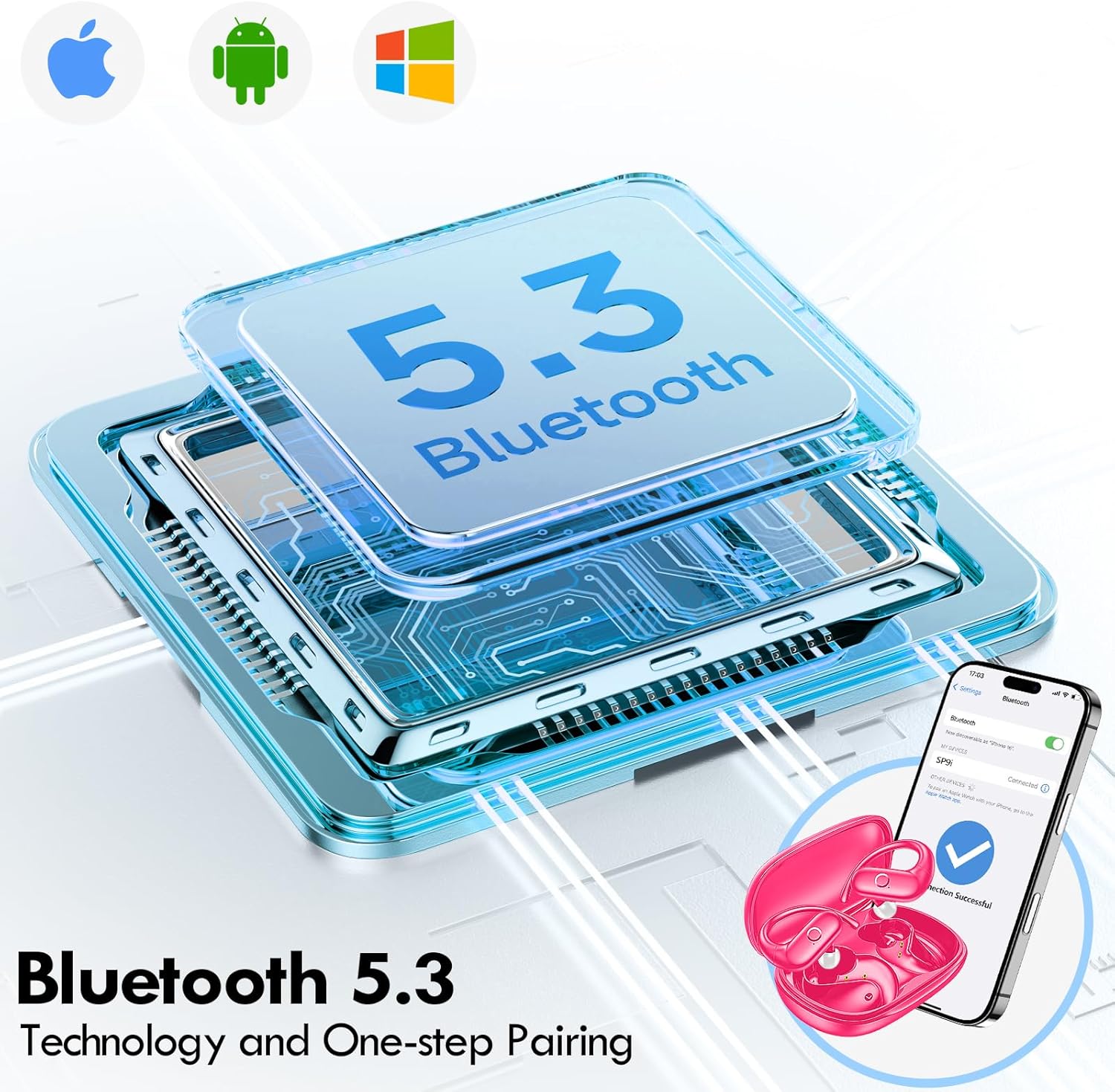
Image: Illustration of Bluetooth 5.3 technology and the one-step pairing process with a mobile device.
Cyfarwyddiadau Gweithredu
1. Gwisgo Eich Earbuds
The kurdene SP9i earbuds feature an over-ear design with soft silicone ear hooks for a secure and comfortable fit, especially during active use.
- Nodwch y clustffonau Chwith (Ch) a Dde (D).
- Gently place the earbud into your ear canal and hook the ear hook over the top of your ear.
- Adjust the earbud and hook until it feels snug and comfortable. The flexible design ensures a natural, pressure-free listening experience.

Image: Visual guide to the over-ear design, emphasizing comfort and secure fit.

Image: A user wearing the earbuds during physical activity, showcasing their suitability for active lifestyles.
2. Rheolyddion Cyffwrdd Clyfar
The earbuds feature intuitive touch controls for easy management of your audio and calls:
- Chwarae/Seibiant: Tap sengl ar y naill glust neu'r llall.
- Trac Nesaf: Tapiwch ddwywaith ar y glustffon dde.
- Trac Blaenorol: Tapiwch ddwywaith ar y glustffon chwith.
- Cyfrol i Fyny: Tapiwch driphlyg ar y glustffon dde.
- Cyfrol i Lawr: Tapiwch driphlyg ar y glustffon chwith.
- Ateb / Diwedd Galwad: Tap sengl ar y naill glustffon neu'r llall yn ystod galwad sy'n dod i mewn.
- Gwrthod Galwad: Pwyswch a daliwch y naill glustffon neu'r llall am 2 eiliad yn ystod galwad sy'n dod i mewn.
- Ysgogi Cynorthwyydd Llais: Pwyswch a daliwch y naill glust neu'r llall am 3 eiliad.
3. Sound Quality and Microphones
Equipped with 16.1mm vibrating diaphragm drivers, these earbuds deliver powerful bass, crisp mids, and clear treble for a rich, immersive sound. The built-in microphones are designed to isolate your voice, ensuring crystal-clear call quality even in noisy environments.
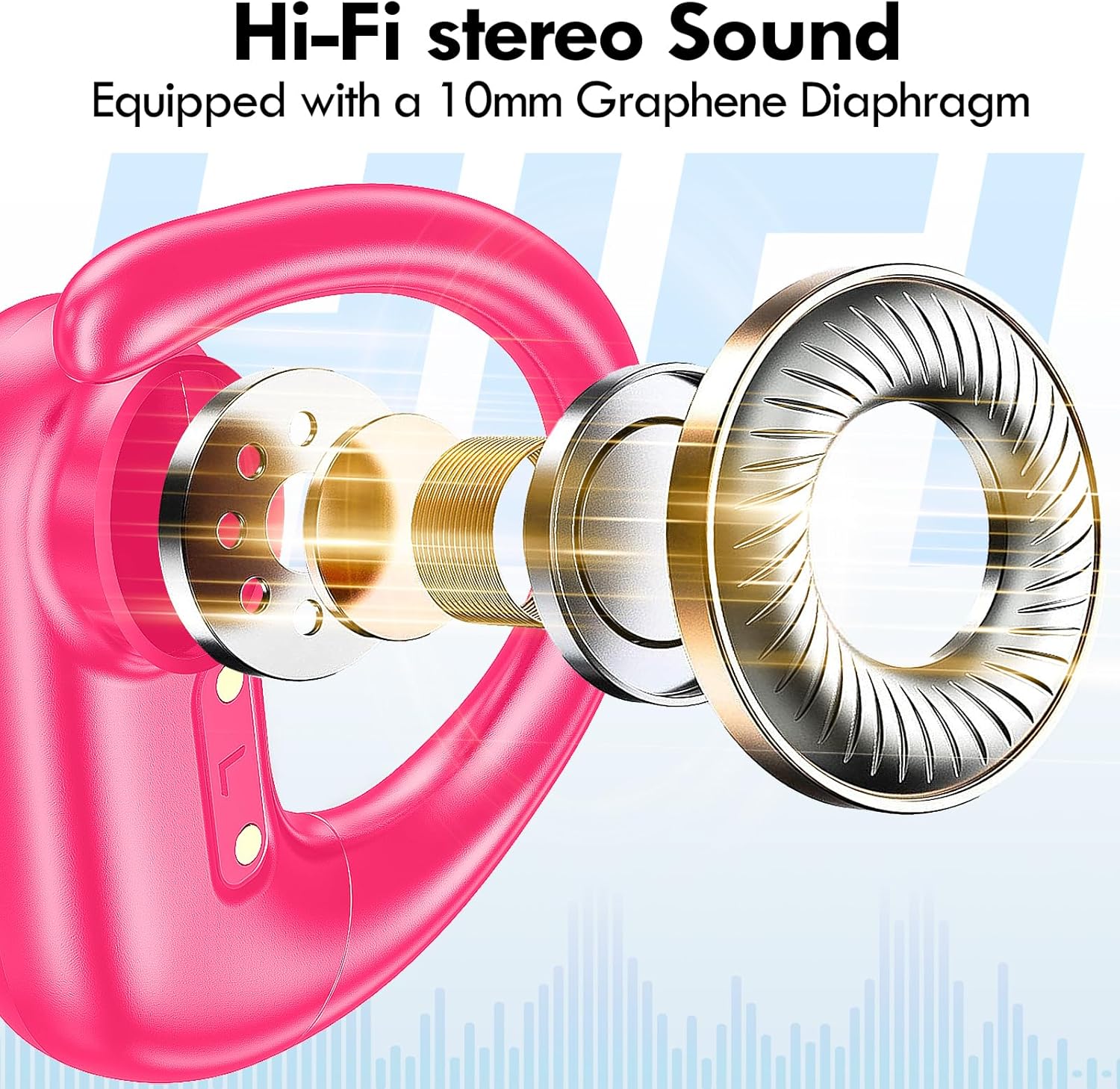
Delwedd: Ffrwydrodd view of the earbud's internal structure, emphasizing the Hi-Fi stereo sound components.

Image: Depiction of precision directional audio and 95% sound leakage reduction for an enhanced listening experience.
Cynnal a chadw
To ensure the longevity and optimal performance of your kurdene SP9i earbuds, follow these maintenance guidelines:
- Glanhau: Sychwch y clustffonau a'r cas gwefru yn rheolaidd gyda lliain meddal, sych, heb lint. Peidiwch â defnyddio cemegau llym na deunyddiau sgraffiniol.
- Cynghorion Clust: Tynnwch a glanhewch flaenau'r clustiau o bryd i'w gilydd gyda sebon ysgafn a dŵr. Gwnewch yn siŵr eu bod yn hollol sych cyn eu hailgysylltu â'r clustffonau.
- Porthladdoedd Codi Tâl: Keep the charging contacts on the earbuds and inside the case clean and free of debris. Use a dry cotton swab if necessary.
- Storio: Pan nad ydynt yn cael eu defnyddio, storiwch y clustffonau yn eu cas gwefru i'w hamddiffyn rhag llwch, difrod, ac i'w cadw'n wefredig.
- Osgoi Amodau Eithafol: Do not expose the earbuds to extreme temperatures, humidity, or direct sunlight for extended periods.
Datrys problemau
If you encounter any issues with your kurdene SP9i earbuds, please refer to the following common solutions:
- Clustffonau ddim yn paru:
- Sicrhewch fod y ddau glustffon wedi'u gwefru'n llawn.
- Diffoddwch Bluetooth ar eich dyfais, yna trowch ef yn ôl ymlaen.
- Forget/delete "kurdene SP9i" from your device's Bluetooth list and attempt to pair again.
- Rhowch y clustffonau yn ôl yn y cas, caewch y caead, arhoswch ychydig eiliadau, yna agorwch i ailymuno â'r modd paru.
- Dim sain neu gyfaint isel:
- Gwiriwch lefelau'r gyfrol ar eich dyfais a'r clustffonau.
- Gwnewch yn siŵr bod y clustffonau wedi'u gosod yn iawn yn eich clustiau.
- Try cleaning the ear tips and speaker mesh to remove any obstructions.
- Ailgysylltwch y clustffonau i'ch dyfais.
- Clustffonau ddim yn gwefru:
- Gwnewch yn siŵr bod y cebl gwefru wedi'i gysylltu'n ddiogel â'r cas a'r ffynhonnell bŵer.
- Verify that the charging contacts on the earbuds and inside the case are clean and free of debris.
- Ceisiwch ddefnyddio cebl USB-C gwahanol neu addasydd pŵer.
- Cysylltiad ysbeidiol:
- Ensure your device is within the 33-foot Bluetooth range.
- Osgowch rwystrau ffisegol rhwng eich dyfais a'r clustffonau.
- Lleihau ymyrraeth gan ddyfeisiau diwifr eraill.
If these steps do not resolve your issue, please contact kurdene customer support for further assistance.
Manylebau Cynnyrch
| Nodwedd | Manyleb |
|---|---|
| Enw Model | SP9i |
| Brand | cwrdîn |
| Technoleg Cysylltedd | Di-wifr (Bluetooth 5.3) |
| Technoleg Cyfathrebu Di-wifr | Bluetooth |
| Fersiwn Bluetooth | 5.3 |
| Amrediad Bluetooth | 10 medr (33 troedfedd) |
| Lleoliad Clust | Dros Glust |
| Ffactor Ffurf | Dros Glust |
| Rheoli Sŵn | Sound Isolation, Passive Noise Isolation |
| Math Gyrrwr Sain | Gyrrwr Dynamig |
| Bywyd Batri (Clustffonau) | 12 Awr |
| Cyfanswm Amser Chwarae (gyda Chas Gwefru) | 60 Awr |
| Dull Rheoli | Cyffwrdd |
| Deunydd | Silicôn |
| Pwysau Eitem | 3.52 owns (0.1 cilogram) |
| Lliw | Pinc Poeth |
| Cydrannau wedi'u Cynnwys | Microphone Earphones (Earbuds, Charging Case, USB-C Cable, Ear Tips) |
Gwarant a Chefnogaeth
kurdene products are manufactured with high-quality standards. For information regarding warranty coverage and customer support, please refer to the warranty card included in your product packaging or visit the official kurdene website. If you require assistance with your SP9i earbuds, our customer support team is ready to help.
Am y wybodaeth a'r gefnogaeth ddiweddaraf, ewch i: kurdene Official Store on Amazon


