
1. Rhagymadrodd
This manual provides instructions for the proper use and care of your Lamshaw Magnetic Charging Cable, designed for the ICE Watch Ice Smart 2.0 1.96" Smart Watch. Please read this manual thoroughly before using the product to ensure optimal performance and longevity.
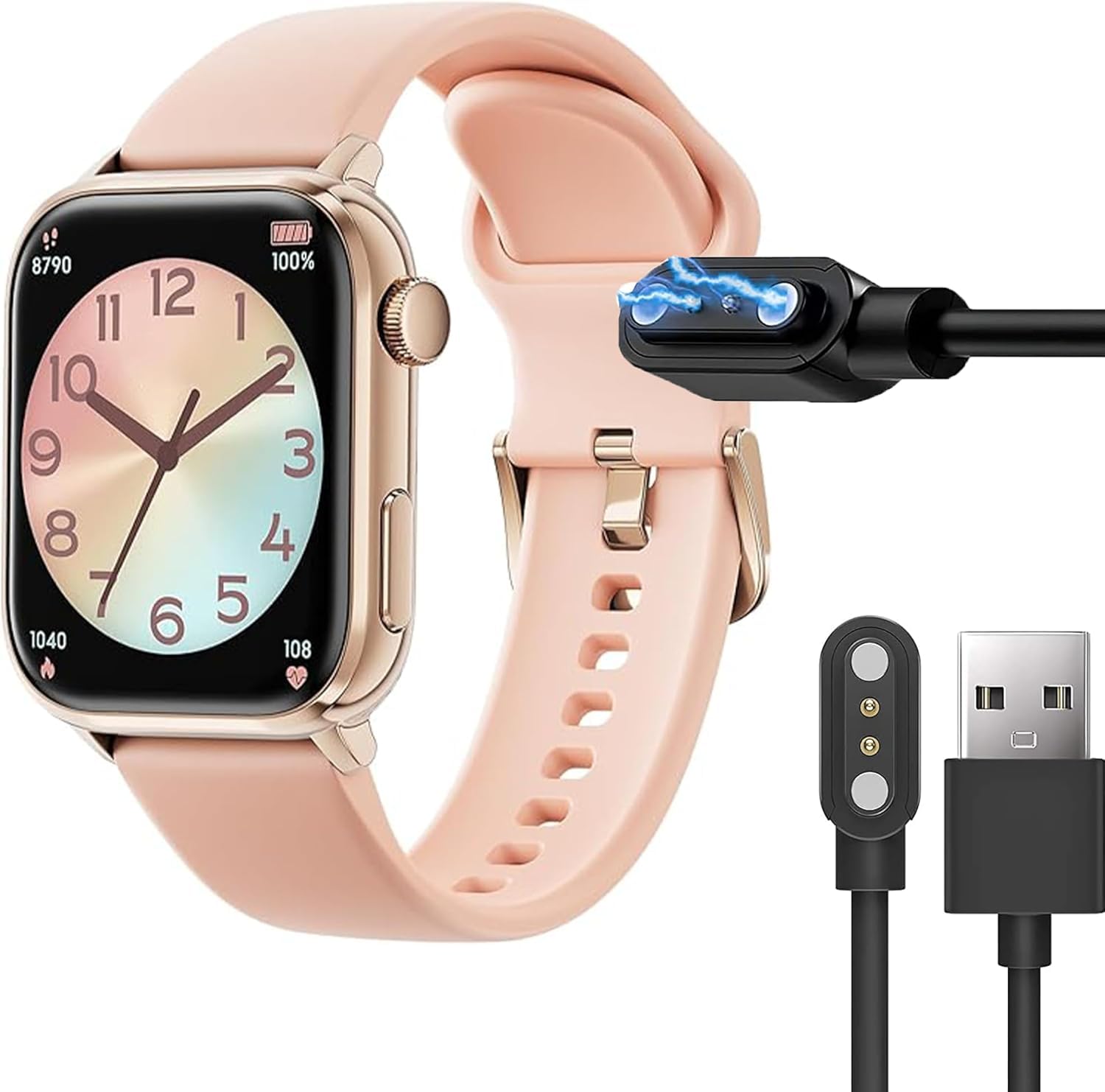
Image 1.1: The Lamshaw Magnetic Charging Cable, featuring a USB-A connector and a magnetic 2-pin charging head.
2. Beth sydd yn y Bocs
- 1 x Lamshaw Magnetic Charging Cable (Type A-Black)
3. Gosod a Chysylltiad
Follow these steps to set up and connect your charging cable to your smartwatch:
- Cysylltu â Power Source: Insert the USB-A end of the charging cable into a compatible USB power adapter (not included), a computer's USB port, or a power bank.
- Connect to Smartwatch: Align the magnetic charging pins of the cable with the charging contacts on the back of your ICE Watch Ice Smart 2.0. The magnetic connection will automatically secure the charger in place.
- Gwirio Cysylltiad: Ensure the smartwatch screen displays a charging indicator (e.g., a battery icon with a lightning bolt or a percentage increase) to confirm that charging has begun.

Delwedd 3.1: Llun agos view of the magnetic charging pins and the USB-A connector, highlighting the contact points.
Video 3.1: This video demonstrates the correct method for connecting the magnetic charging cable to a smartwatch, showing the alignment and secure attachment of the charging head.
4. Cyfarwyddiadau Gweithredu
Once connected, the charging cable will automatically begin to charge your smartwatch. The cable features a built-in smart IC and multi-protection systems to ensure safe and efficient charging.
- Arwydd Codi Tâl: The smartwatch display will show the charging status, typically a battery icon with a charging animation or a percentage.
- Tâl Llawn: The smartwatch will indicate when it is fully charged. Disconnect the charger once the device is fully charged to conserve energy.

Image 4.1: Diagram highlighting the charger's safety features, including protection against over-charging, short-circuits, and excessive temperature during overnight charging.
5. Nodweddion Allweddol
- Cysylltiad magnetig: Provides a strong, secure, and instant connection for charging.
- USB Design: Compatible with various USB power sources for convenient charging at home, office, or while traveling.
- Built-in Smart IC: Features an integrated chip to protect your smartwatch and extend its battery life.
- Reinforced Design: Engineered for durability with a sturdy cord and enhanced bending resistance (6000+ times).
- Multi-layer Shielding: Yn sicrhau cyflenwad pŵer sefydlog ac effeithlon.
- Flexible PVC Cable: Easy to roll and store, preventing tangles.
- Pure Copper Probe: Facilitates rapid and stable electrical conduction.

Image 5.1: An illustration demonstrating the strong magnetic connection and internal components that enable efficient charging for smartwatches.

Image 5.2: This diagram illustrates the reinforced design of the cable, highlighting its 180-degree bending capability for increased durability and resistance to wear.

Delwedd 5.3: Ffrwydrad view showing the multi-layer shielding for stability, the flexible PVC cable for ease of use, and the pure copper probe for efficient conduction.

Image 5.4: This diagram specifically points out the flexible PVC cable, designed for easy storage, and the pure copper probe, ensuring rapid and stable charging.
6. manylebau
| Brand | Lamshaw |
| Math o Gysylltydd | 2-pin |
| Math Cebl | USB |
| Dyfeisiau Cydnaws | ICE WATCH Ice Smart 2.0 1.96" Smart Watch |
| Nodwedd Arbennig | Ysgafn |
| Modelau Ffôn Cydnaws | CAMPUS |
| Nifer y Pinnau | 2 |
| Defnyddiau a Argymhellir | Codi tâl |
| Lliw | TYPE A-Black |
| Cydrannau wedi'u Cynnwys | Cebl |
7. Cynnal a Chadw a Gofal
- Glanhau: Gently wipe the charging cable and magnetic contacts with a dry, soft cloth to remove dust or debris. Do not use liquid cleaners.
- Storio: Store the cable in a cool, dry place away from direct sunlight and extreme temperatures. Avoid tightly coiling the cable to prevent damage.
- Trin: Do not pull the cable forcefully from the smartwatch or power source. Always grasp the connector ends when disconnecting.
8. Datrys Problemau
- Smartwatch is not charging:
- Ensure the USB-A connector is fully inserted into a working power source.
- Verify that the magnetic charging pins are clean and properly aligned with the smartwatch's charging contacts.
- Try using a different USB power adapter or port.
- Check if the smartwatch itself is powered on or has sufficient battery to display the charging indicator.
- Codi tâl araf:
- Ensure the power source provides adequate output (e.g., a wall adapter rather than a low-power USB port on a computer).
- Avoid using the smartwatch extensively while it is charging.
9. Gwarant a Chefnogaeth
This product is covered by the manufacturer's standard warranty. For specific warranty details, please refer to the documentation provided with your purchase or contact the retailer. If you encounter any issues or require technical assistance, please reach out to Lamshaw customer support through the contact information provided on their official websafle neu drwy eich platfform prynu.


