
1. Rhagymadrodd
The BoxWave AllCharge miniSync is an innovative, retractable, and portable USB cable designed for charging and syncing multiple devices simultaneously. Its unique retraction mechanism keeps the cable organized and tangle-free, making it ideal for travel and everyday use. This manual provides detailed instructions on how to set up, operate, and maintain your AllCharge miniSync cable.

Image: The AllCharge miniSync cable alongside a compatible smartphone, demonstrating its compact design.
2. Nodweddion Allweddol
- Innovative Retraction Design: Keeps the cable organized, preventing knots, tangles, or twists.
- Cydnawsedd Cyffredinol: Includes Micro USB, USB Type-C, and Apple connectors to charge most USB-powered devices.
- Codi Tâl ar y Pryd: Capable of charging up to three separate devices at once.
- High Quality Construction: Made with durable polycarbonate material and a heavy-duty ribbon-style cable for longevity.
- Cludadwy: Retracts to a minuscule 3 inches for easy portability and extends up to 3 feet in length for ample reach.

Image: Visual representation of the three different connector types: USB-C, Apple Connector, and Micro USB.

Image: The AllCharge miniSync cable connected to and charging multiple devices simultaneously.
3. Gosod a Defnydd
3.1. Extending the Cable
To extend the AllCharge miniSync cable, gently pull both ends of the cable simultaneously. The cable will lock into one of five pre-set lengths. Do not pull only one end, as this can damage the retraction mechanism.
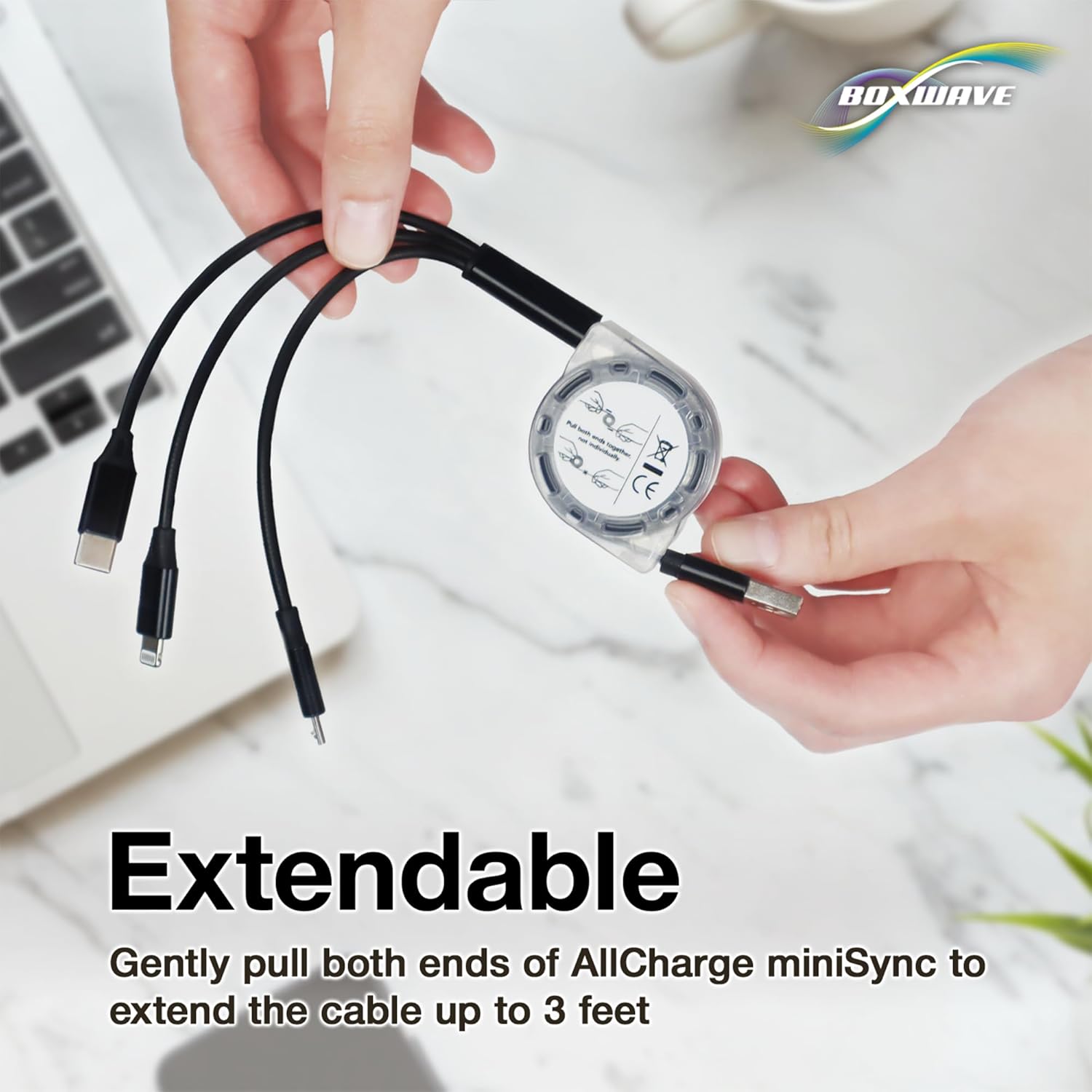
Image: Proper technique for extending the cable by pulling both ends.

Image: Diagram illustrating the various adjustable lengths of the cable.
3.2. Retracting the Cable
Once you are finished using the cable, give a quick, gentle tug on both ends simultaneously. The cable will automatically retract back into its miniature, compact form factor.
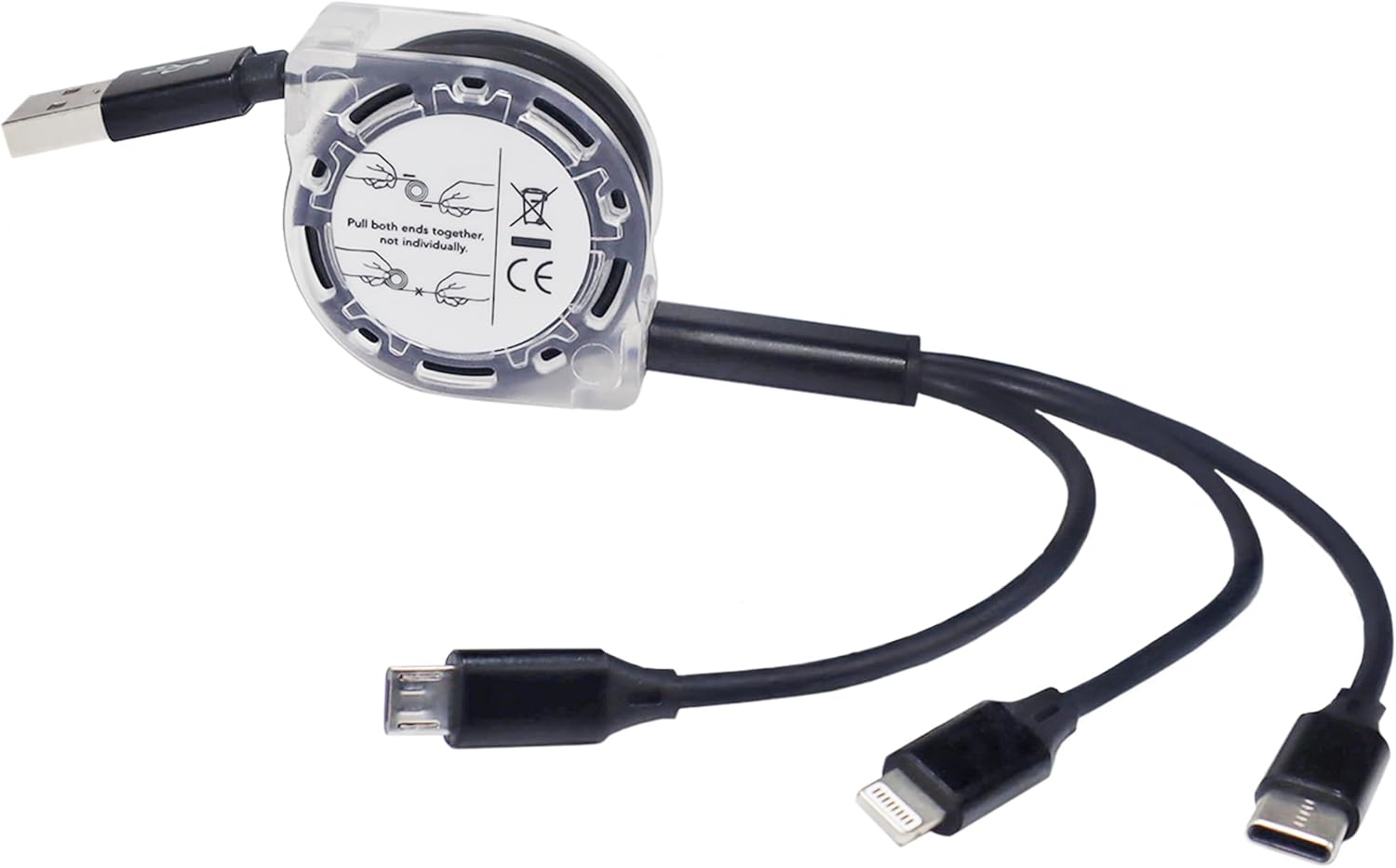
Delwedd: Manwl view of the retraction mechanism and its proper use.
3.3. Cysylltu Dyfeisiau
Identify the appropriate connector (Micro USB, USB Type-C, or Apple connector) for your device. Plug the USB-A end of the AllCharge miniSync into a compatible USB power source (e.g., computer USB port, wall adapter, power bank). Then, connect the desired device connector to your smartphone, tablet, or other compatible electronic device.
4. Cyfarwyddiadau Gweithredu
4.1. Codi tâl
Once connected to a power source and your device, the AllCharge miniSync cable will begin charging your device(s). You can charge up to three devices simultaneously using the different connectors.
4.2. Cysoni Data
When connected to a computer, the AllCharge miniSync cable supports data transfer for compatible devices. Ensure your device is set to data transfer mode if prompted. The cable supports high-speed 480Mbps transfers.
5. cynnal
- Proper Retraction: Always pull both ends simultaneously when extending or retracting the cable to prevent damage to the internal mechanism.
- Osgoi Gormodedd: Do not yank or pull the cable with excessive force.
- Cadw'n Lân: Wipe the cable and connectors with a soft, dry cloth if they become dirty. Avoid using harsh chemicals or abrasive materials.
- Storio: Store the cable in its fully retracted state when not in use to protect it and maintain its compact form.
- Archwiliwch yn Rheolaidd: Periodically check the cable and connectors for any signs of wear or damage. Discontinue use if damage is observed.

Image: Detail of the reinforced strain relief, designed to prevent kinks and splitting.
6. Datrys Problemau
| Problem | Achos Posibl | Ateb |
|---|---|---|
| Cebl ddim yn ymestyn/tynnu'n ôl yn llyfn. | Pulling only one end; internal mechanism obstruction. | Ensure you pull both ends simultaneously and gently. Do not force. |
| Dyfais ddim yn gwefru. | Incorrect connector; faulty power source; damaged cable/device port. | Verify correct connector. Try a different power source. Check for visible damage on cable and device port. |
| Nid yw trosglwyddo data yn gweithio. | Device not in data transfer mode; driver issues; cable damage. | Ensure device is set to data transfer. Try a different USB port on computer. Check cable for damage. |
7. manylebau
| Nodwedd | Manylyn |
|---|---|
| Enw Model | AllCharge miniSync |
| Cysylltwyr | USB-A (input), Micro USB, USB Type-C, Apple Connector (outputs) |
| Hyd a dynnwyd yn ôl | Tua 3 modfedd (7.6 cm) |
| Hyd Estynedig | Up to 3 feet (91.4 cm) |
| Cyflymder Trosglwyddo Data | Hyd at 480 Mbps (safon USB 2.0) |
| Pwysau Eitem | 0.8 owns (22.7 gram) |
| Gwneuthurwr | Ton Bocs |
| Gwlad Tarddiad | Tsieina |
8. Gwarant a Chefnogaeth
For warranty information or technical support regarding your BoxWave AllCharge miniSync cable, please refer to the product packaging or visit the official BoxWave website. You may also contact BoxWave customer service directly for assistance with any issues or questions.
BoxWave Corporation Contact:
- Websafle: www.boxwave.com
- Customer Service: Refer to websafle ar gyfer opsiynau cysylltu.