
Rhagymadrodd
This manual provides detailed instructions for the safe and efficient operation of your Kuephom PM24 Portable CD Player with Speakers. Please read this manual thoroughly before using the device and retain it for future reference.
The Kuephom PM24 is a versatile audio device offering multiple playback options including CD, Bluetooth, FM Radio, USB, and TF card. It features built-in stereo speakers, a rechargeable battery for portability, and a remote control for convenient operation.

Image: The Kuephom PM24 Portable CD Player, showcasing its design with an open CD lid, remote control, and an indicator for its rechargeable battery.
Cynnwys Pecyn
Gwiriwch fod yr holl eitemau yn bresennol yn y pecyn:
- Kuephom PM24 Portable CD Player with Speakers x 1
- Cebl gwefru x 1
- Rheoli o Bell x 1
- Llawlyfr Defnyddiwr x 1
Cynnyrch Drosview
The PM24 offers a range of features for diverse audio playback. Familiarize yourself with the device's components and capabilities.

Image: A visual representation of the PM24's key features, including CD/MP3 playback, Bluetooth connectivity, USB and TF card support, FM radio, audio input, headphone jack, remote control, rechargeable battery, and sleep timer.
Nodweddion Allweddol:
- CD/MP3 Playback: Supports standard audio CDs and MP3 files from CD-R/RW discs.
- Cysylltedd Bluetooth: Ffrydio sain diwifr o ddyfeisiau cydnaws.
- USB & TF Card Support: Play MP3/WMA audio files directly from USB flash drives or TF cards (up to 32GB).
- Radio FM: Built-in FM tuner with retractable antenna and programmable presets.
- Mewnbwn Ategol: Cysylltwch ffynonellau sain allanol trwy gebl sain 3.5mm.
- Jack Clustffon: Ar gyfer gwrando preifat.
- Rheolaeth Anghysbell: Full function remote for convenient operation.
- Batri y gellir ei ailwefru: Yn darparu pŵer cludadwy ar gyfer defnydd estynedig.
- Amserydd Cwsg: Automatically turns off the device after a set period.
- Siaradwyr Stereo: Integrated speakers for clear audio output.
Gosod
1. Codi Tâl y Dyfais
Before first use, fully charge the PM24. Connect the provided charging cable to the DC 5V input port on the device and the other end to a standard USB power adapter (not included) or a computer USB port.
- Bydd y golau dangosydd gwefru yn goleuo yn ystod gwefru.
- Mae gwefr lawn fel arfer yn cymryd tua 4 awr.
- The device provides approximately 5-8 hours of playback on a full charge, depending on volume and mode.

Image: Visual representation of the PM24's rechargeable nature, highlighting its play time and charge time.
2. Pŵer Ymlaen / I ffwrdd
Pwyswch a dal y GRYM button on the device or remote control to turn the unit on or off.
3. Gosod Batri Rheoli Anghysbell
The remote control requires 2 AAA batteries (not included). Open the battery compartment on the back of the remote and insert the batteries, observing the correct polarity (+/-).
Cyfarwyddiadau Gweithredu
1. Defnyddio'r Rheolaeth Anghysbell
The remote control allows for convenient operation of all functions from a distance.

Image: A user interacting with the PM24 using the remote control, illustrating various functions accessible from the remote.
- Botwm Pŵer: Yn troi'r ddyfais ymlaen neu i ffwrdd.
- Botwm Modd: Switches between CD, Bluetooth, FM, USB, TF, and AUX modes.
- Botwm Chwarae/Seibiant: Yn dechrau neu'n oedi wrth chwarae.
- Botymau Trac Blaenorol/Nesaf: Yn neidio i'r trac/orsaf flaenorol neu nesaf.
- Botymau Cyfaint +/-: Yn addasu lefel y sain.
- Repeat/Shuffle Button: Changes playback repeat modes (e.g., repeat one, repeat all, shuffle).
- Botwm Cwsg: Activates and sets the sleep timer.
2. Chwarae CD
- Agorwch gaead yr adran CD.
- Carefully place a CD (audio CD or MP3 CD) onto the spindle with the label side facing up.
- Caewch gaead y compartment CD.
- Gwasgwch y MODD button until "CD" mode is selected.
- The CD will begin playing automatically. If not, press the CHWARAE/SEIBIANT botwm.

Image: Icons illustrating various CD playback options such as sequential play, random play, repeating a single track, repeating all tracks, and the play memory function.
3. Modd Bluetooth
- Gwasgwch y MODD button until "BT" (Bluetooth) mode is selected. The display will show "bt" and flash, indicating it's in pairing mode.
- Ar eich dyfais sydd wedi'i galluogi gan Bluetooth (ffôn clyfar, tabled, ac ati), galluogwch Bluetooth a chwiliwch am ddyfeisiau sydd ar gael.
- Select "PM24" from the list of devices.
- Once paired, the "bt" indicator will stop flashing, and you can stream audio wirelessly to the PM24.

Image: A smartphone screen showing a successful Bluetooth connection to the PM24, with the player's display confirming 'bt' mode.
4. Modd Radio FM
- Estynnwch yr antena telesgopig ar gefn yr uned i gael y derbyniad gorau posibl.
- Gwasgwch y MODD button until "FM" mode is selected.
- Pwyswch a dal y CHWARAE/SEIBIANT button to initiate an automatic station scan. The radio will scan and save available stations.
- Defnyddiwch y TRAC BLAENOROL/NESAF botymau i'w llywio trwy orsafoedd sydd wedi'u cadw.

Image: A user enjoying FM radio on the PM24, with visual cues indicating different radio frequencies.
5. Chwarae Cerdyn USB/TF
- Insert a USB flash drive into the USB port or a TF card into the TF card slot. Ensure the card is inserted correctly.
- Gwasgwch y MODD button until "USB" or "TF" mode is selected.
- The device will automatically detect and begin playing MP3/WMA audio files o'r storfa a fewnosodwyd.
- Defnyddiwch y TRAC BLAENOROL/NESAF buttons to navigate between files.

Delwedd: Llun agos view of the USB and TF card slots on the PM24, indicating their function for playing media from external storage.
6. Mewnbwn Cynorthwyol (AUX)
- Connect one end of a 3.5mm audio cable (not included) to the AUX IN port on the PM24.
- Connect the other end to the headphone jack or audio output of an external audio device (e.g., smartphone, MP3 player).
- Gwasgwch y MODD botwm nes bod modd "AUX" wedi'i ddewis.
- Control playback and volume from your external audio device.
7. Swyddogaeth Amserydd Cysgu
Mae'r amserydd cysgu yn caniatáu i'r ddyfais ddiffodd yn awtomatig ar ôl cyfnod penodol.
- While the device is playing, press the CYSGU botwm ar y teclyn rheoli o bell.
- Pwyswch dro ar ôl tro ar y CYSGU button to cycle through available timer settings (e.g., 10, 20, 30, 60, 90 minutes).
- The selected time will be displayed. The device will automatically power off once the timer expires.

Image: A visual demonstration of the sleep timer function, showing the PM24 on a nightstand while a person sleeps.
8. Defnyddio Clustffonau
For private listening, connect 3.5mm headphones (not included) to the JACK EARPHONE on the device. The built-in speakers will automatically mute when headphones are connected.
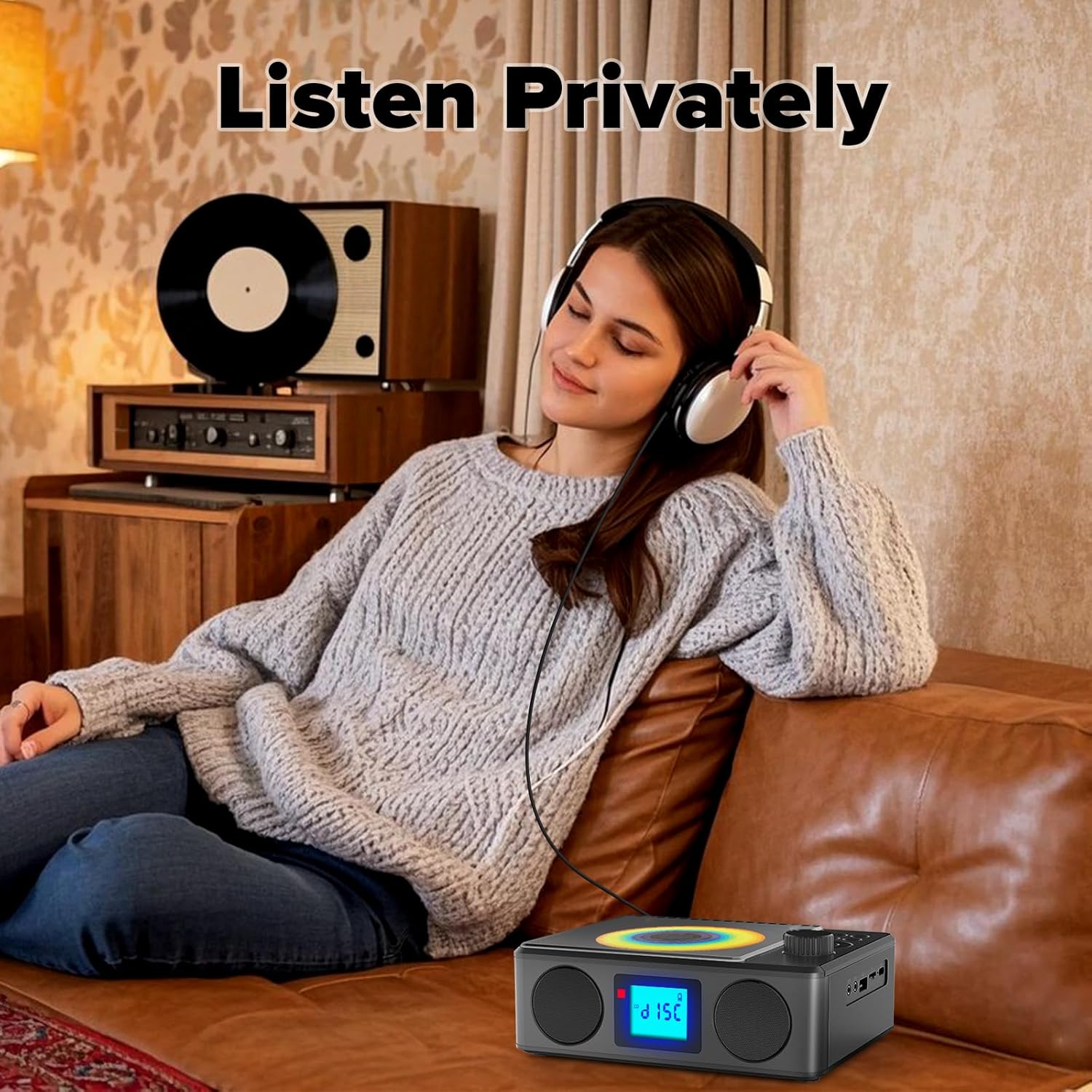
Image: A user enjoying private audio through headphones connected to the PM24.
Cynnal a chadw
- Glanhau: Defnyddiwch frethyn meddal, sych i lanhau tu allan y ddyfais. Peidiwch â defnyddio glanhawyr sgraffiniol na thoddyddion.
- Gofal CD: Trinwch CDs wrth eu hymylon. Glanhewch CDs budr gyda lliain meddal, di-flwff, gan sychu o'r canol allan.
- Storio: Pan nad yw'n cael ei ddefnyddio am gyfnodau hir, storiwch y ddyfais mewn lle oer, sych i ffwrdd o olau haul uniongyrchol a thymheredd eithafol.
- Batri: To prolong battery life, avoid fully discharging the battery frequently. Charge the device regularly, even if not in use.
Datrys problemau
| Problem | Achos Posibl | Ateb |
|---|---|---|
| Nid yw'r ddyfais yn pweru ymlaen. | Mae batri wedi'i ddisbyddu. | Connect the charging cable and allow the device to charge. |
| Dim sain gan siaradwyr. | Mae'r sain yn rhy isel neu wedi'i mudo. Mae clustffonau wedi'u cysylltu. | Increase volume. Disconnect headphones. |
| CD skips or does not play. | Mae'r CD yn fudr, wedi'i grafu, neu wedi'i fewnosod yn anghywir. | Clean the CD. Ensure it is placed correctly. Try another CD. |
| Mae paru Bluetooth yn methu. | Device is too far, not in pairing mode, or already paired. | Ensure PM24 is in BT mode and flashing. Move devices closer. Disconnect from other devices. |
| Derbyniad radio FM gwael. | Antena heb ei hymestyn neu ardal signal gwael. | Fully extend the telescopic antenna. Reposition the device for better signal. |
| Rheoli o bell ddim yn gweithio. | Batteries are depleted or inserted incorrectly. Obstruction between remote and device. | Replace batteries, check polarity. Remove obstructions. Ensure remote is pointed at the device. |
Manylebau
- Model: PM24
- Brand: Kuephom
- Dimensiynau Cynnyrch: 7.5 x 6.3 x 2.5 modfedd (19.05 x 16.00 x 6.35 cm)
- Pwysau Eitem: 1.96 pwys (0.89 kg)
- Technoleg Cysylltedd: Cynorthwyol, Bluetooth, USB
- Lliw: Du
- Math o Siaradwr: Stereo
- Batris: 1 Batri Ansafonol (wedi'i gynnwys)
- Amser Chwarae: 5-8 awr (tua)
- Amser codi tâl: 4 awr (tua)
Gwarant a Chefnogaeth
Kuephom products are designed for reliability and performance. For warranty information or technical support, please refer to the contact details provided on the product packaging or visit the official Kuephom websafle.
Cadwch eich prawf prynu ar gyfer hawliadau gwarant.