
1. Rhagymadrodd
The waveshare ESP32-C6 1.47inch Display Development Board (Model: ESP32-C6 1.47inch Display-M) is a microcontroller development board designed for various applications, particularly in the Internet of Things (IoT) and Human-Machine Interface (HMI) domains. It features a 1.47-inch LCD display with 172x320 resolution and 262K colors, integrated with an ESP32-C6 chip. This board supports Wi-Fi 6 and Bluetooth 5 (LE) connectivity, making it suitable for wireless communication projects. It includes a pre-soldered header for easy integration into existing systems or breadboards.
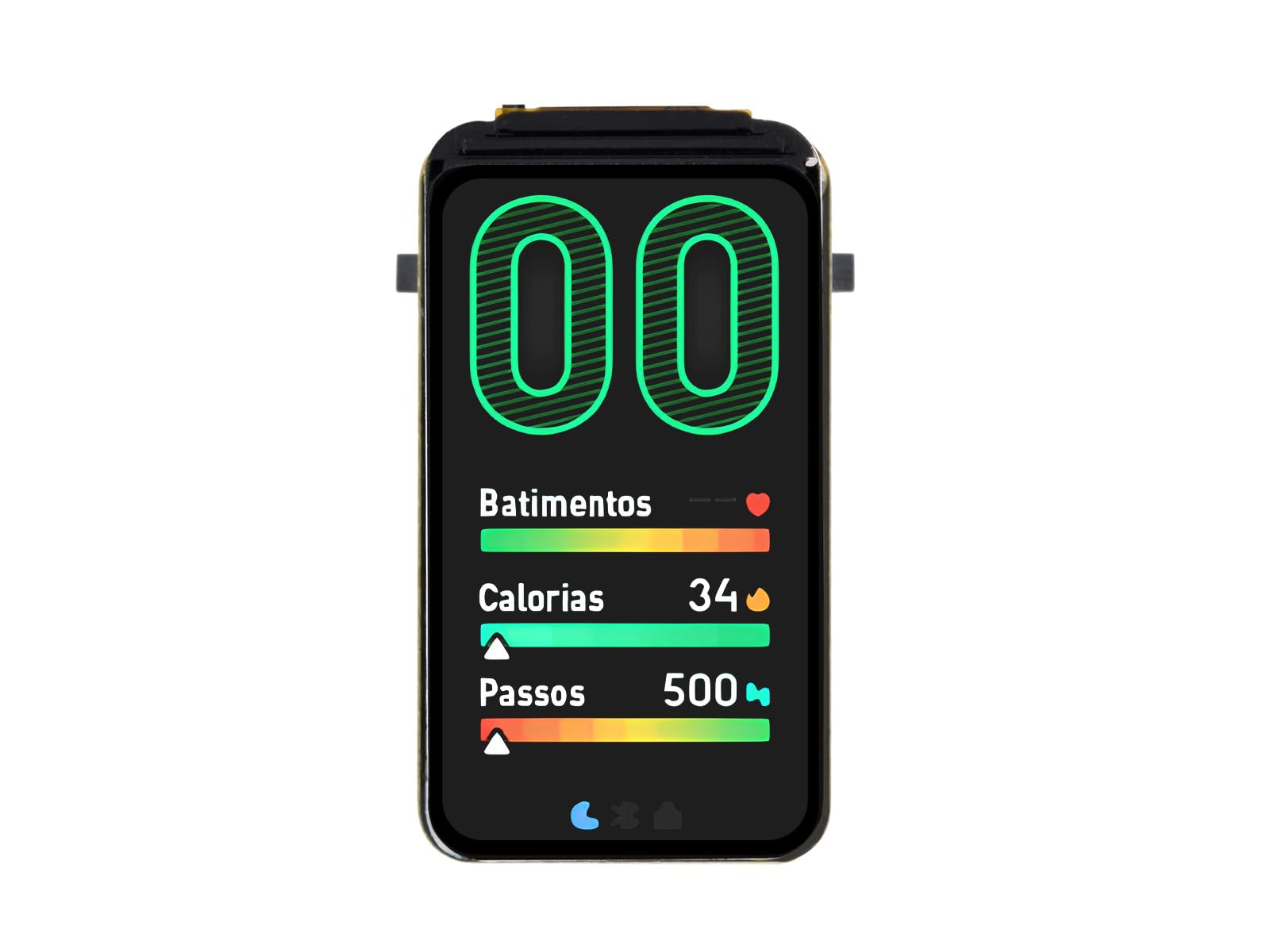
Figure 1: waveshare ESP32-C6 1.47inch Display Development Board.
2. Nodweddion Allweddol
- Microreolydd: ESP32-C6, featuring a high-performance 32-bit RISC-V processor (up to 160 MHz) and a low-power 32-bit RISC-V processor (up to 20 MHz).
- Arddangos: Onboard 1.47-inch TFT LCD with 172x320 resolution and 262K colors, controlled by the ST7789 chip.
- Cysylltedd Di-wifr: Supports 2.4GHz Wi-Fi 6 (802.11 b/g/n) and Bluetooth 5 (LE) with an onboard antenna.
- Cof: Built-in 320KB ROM, 512KB HP SRAM, 16KB LP SRAM, and 4MB Flash memory.
- Perifferolion: Multiple IO interfaces, full-speed USB port, and an onboard TF card slot for external storage.
- Rheoli Pwer: Supports flexible clock and multiple power modes for low power consumption.
- LED: Built-in RGB LED with a clear acrylic sandwich panel for lighting effects.

Figure 2: ESP32-C6 chip architecture suitable for AIoT applications.

Figure 3: Wi-Fi 6 and Bluetooth 5 (LE) connectivity features.
3. Cyfarwyddiadau Gosod
To begin using your ESP32-C6 1.47inch Display Development Board, follow these general setup steps:
- Cysylltiad Pwer: Connect the board to a power source using the USB Type-C port. A standard USB cable (not included) can be used to connect to a computer or a 5V USB power adapter.
- Gosod Gyrrwr: Depending on your operating system, you may need to install USB-to-serial drivers (e.g., CP210x or CH340 drivers) to allow your computer to communicate with the ESP32-C6 board. Refer to the official Espressif documentation or Waveshare resources for specific driver requirements.
- Development Environment Setup: Install a suitable Integrated Development Environment (IDE) such as Arduino IDE with ESP32 board support, or Espressif's ESP-IDF. These environments provide the necessary tools for writing, compiling, and uploading code to the board.
- First Program Upload: Connect the board to your computer via USB. Select the correct board model and serial port in your IDE. Upload a simple test program, such as a 'Hello World' example for the serial monitor or a basic display test, to verify communication and functionality.
4. Operating the Board
The ESP32-C6 1.47inch Display Development Board operates by executing firmware uploaded to its flash memory. Interaction typically involves:
- Rhaglennu: Use your chosen development environment (e.g., Arduino IDE, ESP-IDF) to write C/C++ code. This code defines the board's behavior, including display output, sensor readings, network communication, and peripheral control.
- Uploading Firmware: After compiling your code, upload it to the board via the USB Type-C connection. The board will automatically reset and run the new firmware.
- Rhyngweithio arddangos: Utilize libraries like LVGL (Light and Versatile Graphics Library) to create graphical user interfaces on the 1.47-inch LCD. The display can show text, images, and interactive elements.
- Cyfathrebu Rhwydwaith: Implement Wi-Fi 6 for internet connectivity or local network communication, and Bluetooth 5 (LE) for short-range wireless data exchange with other devices.
- Peripheral Control: Access and control external components connected to the GPIO pins, such as sensors, actuators, or other modules.
5. Senarios Cais
The versatility of the ESP32-C6 1.47inch Display Development Board makes it suitable for a range of applications:
- Rhyngwyneb Dyn-Peiriant (HMI): Develop interactive user interfaces for control panels, smart home devices, or industrial equipment. The integrated display allows for direct user feedback and input.
- LVGL GUI Development: Leverage the LVGL graphics library to create rich, embedded graphical user interfaces with visual effects, optimized for low memory requirements.
- IoT Devices: Build connected devices that require both display capabilities and robust wireless communication (Wi-Fi 6, Bluetooth 5 LE) for data logging, remote control, or sensor monitoring.
- Wearable Technology: Its compact size and display make it a candidate for prototyping small, display-enabled wearable devices.
- Prosiectau Addysgol: An excellent platform for learning about embedded systems, microcontrollers, wireless communication, and GUI development.

Ffigur 4: Eithriad gweledolamples of potential application scenarios for the development board.
6. Pinout and Onboard Components
Understanding the pinout and onboard components is crucial for connecting external peripherals and utilizing the board's full capabilities.

Figure 5: Pinout and labeled components of the ESP32-C6 1.47inch Display Development Board.
6.1 Key Onboard Components:
- ESP32-C6FH4: The main microcontroller unit.
- ME6217C33M5G: Low dropout regulator, providing 800mA output (Max.).
- Slot cerdyn TF: For external Micro SD card storage of pictures or files.
- Onboard ceramic antenna: For Wi-Fi and Bluetooth connectivity.
- Botwm BOOT: Used for entering download mode.
- Botwm AILOSOD: Resets the ESP32-C6 chip.
6.2 GPIO Pin Functions:
The board provides various General Purpose Input/Output (GPIO) pins, which can be configured for different functions such as UART, I2C, SPI, PWM, and ADC. Refer to the pinout diagram (Figure 5) for specific pin assignments and capabilities. These pins allow for expansion with multiple peripherals via the GPIO header.
7. manylebau
Detailed technical specifications for the ESP32-C6 1.47inch Display Development Board:
| Enw Paramedr | Gwerth |
|---|---|
| Brand | rhannu tonnau |
| Enw Model | ESP32-C6 1.47inch Display-M |
| Sglodion Meistr | ESP32-C6 |
| Cyflymder CPU | 160 MHz (High-performance RISC-V) |
| Technoleg Cysylltedd | Wi-Fi 6 (802.11 b/g/n), Bluetooth 5 (LE) |
| Math Arddangos | TFT LCD |
| Maint Arddangos | 1.47 modfedd |
| Cydraniad Arddangos | 172 × 320 picsel |
| Arddangos Dyfnder Lliw | lliwiau 262K |
| Display Control Chip | ST7789 |
| Technoleg Cof RAM | SRAM (512KB HP SRAM, 16KB LP SRAM) |
| Cof Fflach | 4MB |
| Dyfais ar fwrdd | Slot cerdyn micro SD |
| Rhyngwyneb | USB Math-C |
| Dyfeisiau Cydnaws | Cameras, Computers (PCs, laptops, tablets), Storage devices (TF cards) |
| Pwysau Eitem | 0.01 Cilogram |
| UPC | 788046389784 |

Figure 6: Outline dimensions of the development board.
8. Datrys Problemau
This section addresses common issues you might encounter during the use of your development board.
8.1 Serial Port Connection or Burning Failure
Problem: The serial port cannot be connected, or the program burning (uploading) fails after re-downloading a module program.
Ateb: This often occurs when the module is not in download mode. To resolve this:
- Press and Hold BOOT: Pwyswch yn hir y BOOT botwm ar y bwrdd.
- Press RESET: While holding the BOOT button, briefly press the AILOSOD botwm.
- Release RESET: Rhyddhewch y botwm AILOSOD.
- Release BOOT: Finally, release the BOOT button.
At this point, the module should enter download mode, allowing you to connect via the serial port and successfully upload your program. This procedure can resolve most issues related to inability to download firmware.
9. cynnal
To ensure the longevity and proper functioning of your ESP32-C6 1.47inch Display Development Board, observe the following maintenance guidelines:
- Ymdrin â Gofal: Avoid dropping the board or subjecting it to physical shock, which can damage components or solder joints.
- Rhyddhau Statig: Always handle the board in an environment free of static electricity. Use anti-static mats or wrist straps when working with electronic components.
- Cyflenwad Pŵer: Use a stable 5V power supply. Over-voltage can permanently damage the board.
- Amodau Amgylcheddol: Store and operate the board in a dry environment, away from extreme temperatures, humidity, and corrosive substances.
- Glanhau: If necessary, gently clean the board with a soft, dry brush or compressed air to remove dust. Avoid using liquids or harsh chemicals.
- Diweddariadau Cadarnwedd: Regularly check for and apply firmware updates for the ESP32-C6 chip and relevant libraries to benefit from bug fixes and new features.
10. Gwarant a Chefnogaeth
For warranty information, technical support, and additional resources, please refer to the official waveshare websafle neu cysylltwch â'u gwasanaeth cwsmeriaid yn uniongyrchol. Cadwch eich derbynneb prynu fel prawf o brynu ar gyfer unrhyw hawliadau gwarant.
Adnoddau Ar-lein:
- Ymwelwch â'r waveshare Store on Amazon for product updates and related items.
- Consult the official Espressif documentation for detailed information on the ESP32-C6 chip.