
SVITOO SVITOO Tab 10 GMS Certified 1027C
SVITOO Kids Tablet 10 Inch User Manual
Model: SVITOO Tab 10 GMS Certified 1027C
Rhagymadrodd
This manual provides essential instructions for setting up, operating, and maintaining your SVITOO Kids Tablet 10 Inch. Designed for young users, this Android 15 tablet features parental controls, a durable shockproof case, and a vibrant 10-inch HD IPS display. Please read this guide thoroughly to ensure proper use and to maximize your tablet's functionality.
Beth Sydd yn y Bocs
- SVITOO Kids Tablet 10 Inch
- Protective Cover (Pre-installed)
- Cebl Codi Tâl USB-C
- Llawlyfr Defnyddiwr
- Blwch Rhodd
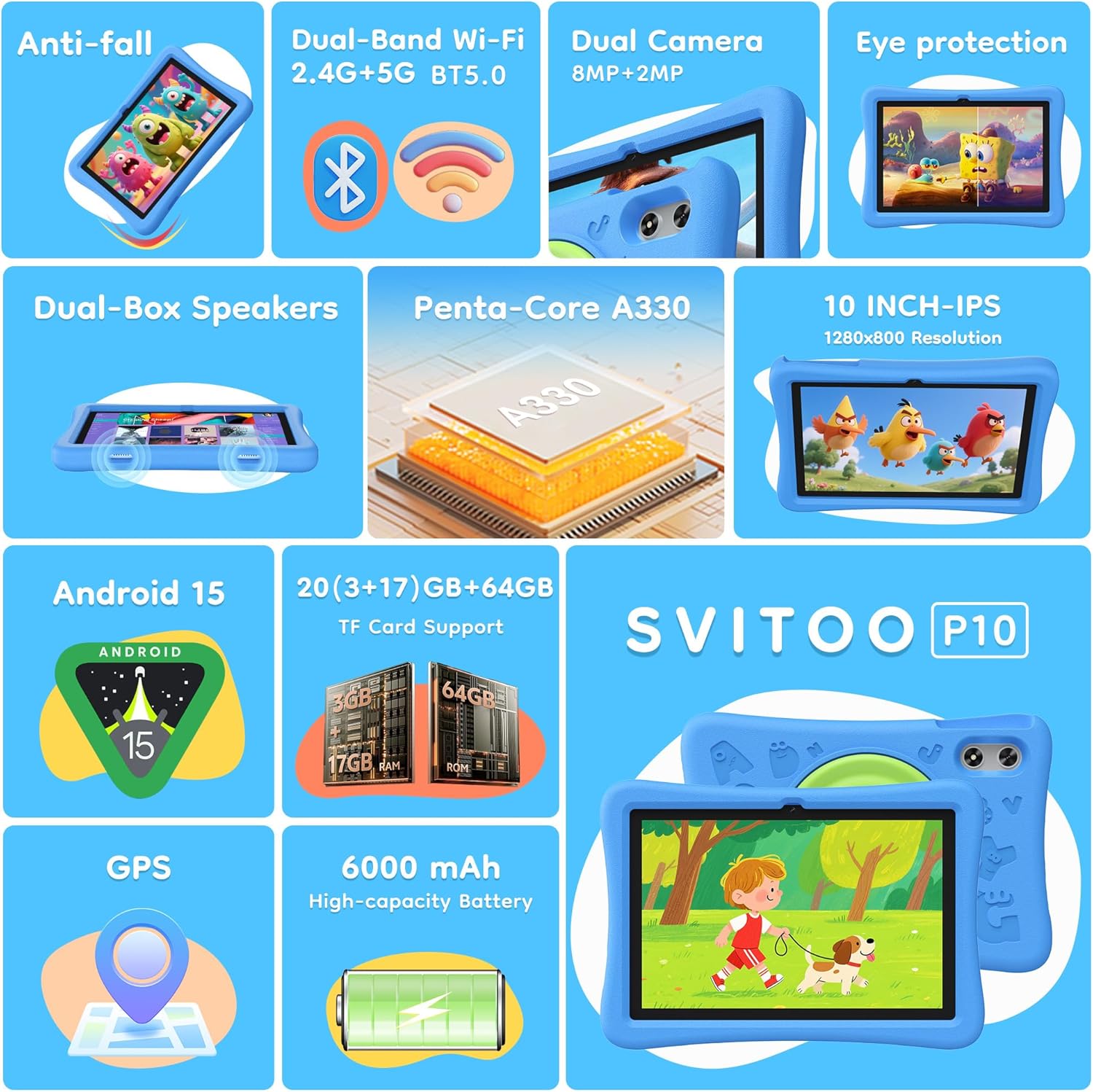
Image: The SVITOO Kids Tablet 10 Inch, shown in its blue protective case, highlighting its robust design suitable for children.
Cynnyrch Drosview
Nodweddion Allweddol
- System Weithredu: Android 15 with GMS Certification for full Google Play access.
- Arddangos: 10-inch HD IPS (1280 x 800 pixels) touchscreen with eye protection mode.
- Prosesydd: Unisoc T7200 8-core CPU for smooth performance.
- Cof a Storio: 20GB RAM (3GB physical + 17GB virtual) and 64GB internal storage, expandable up to 1TB via microSD card (sold separately).
- Camerâu: 8MP Rear Camera and 2MP Front Camera.
- Cysylltedd: Dual-Band Wi-Fi (2.4/5 GHz) and Bluetooth 5.0.
- Batri: 6000mAh high-capacity battery for extended usage.
- Sain: Dual-box speakers and a 3.5mm headphone jack.
- Gwydnwch: Kid-friendly EVA shockproof case with a 360° rotating handle and 180° rotating stand.
- Rheolaethau Rhieni: Advanced settings for screen time limits, content filtering, and app management.
Cydrannau Tabled
Ymgyfarwyddwch â chydrannau ffisegol eich tabled:

Delwedd: Manwl view of the tablet's side and rear, indicating the USB Type-C port, headphone jack, power ON/OFF button, volume controls, speakers, rear camera, and front camera.
- Porth USB Math-C: Ar gyfer codi tâl a throsglwyddo data.
- Jack clustffon (3.5mm): Ar gyfer cysylltu clustffonau â gwifrau.
- Botwm Pwer AR / ODDI: To turn the tablet on/off or put it to sleep.
- Botymau Cyfrol: To adjust the audio volume.
- Siaradwyr: Dual-box speakers for audio output.
- Camera blaen: Ar gyfer galwadau fideo a hunluniau.
- Camera Cefn: Ar gyfer tynnu lluniau a fideos.
- Slot Cerdyn MicroSD: Located under a protective flap, for storage expansion.

Image: The tablet's protective case featuring a versatile 360-degree rotating handle that also functions as a 180-degree rotating stand, allowing for various viewing onglau.
Canllaw Gosod
- Codi tâl ar y Dabled: Before first use, fully charge the tablet using the provided USB-C cable and a compatible power adapter.
- Pŵer Ymlaen: Press and hold the Power ON/OFF button until the screen lights up.
- Gosodiad Cychwynnol: Dilynwch yr awgrymiadau ar y sgrin i ddewis eich iaith, cysylltu â rhwydwaith Wi-Fi, a sefydlu eich cyfrif Google.
- Google Kids Space / Parental Controls: During setup, you will have the option to configure Google Kids Space or other parental control settings. It is highly recommended to set these up immediately to ensure a safe environment for your child.
- Gosod Apiau: Once setup is complete, you can download age-appropriate apps and games from the Google Play Store.
Cyfarwyddiadau Gweithredu
Llywio Sylfaenol
- Sgrin Cartref: Sweipiwch i'r chwith neu'r dde i gael mynediad at dudalennau ap gwahanol.
- Drôr Ap: Swipe i fyny o waelod y sgrin i view holl gymwysiadau gosod.
- Hysbysiadau a Gosodiadau Cyflym: Swipe down from the top of the screen to access notifications and quick settings like Wi-Fi, Bluetooth, and screen brightness.
- Yn ôl, Hafan, Apiau Diweddar: Use the navigation buttons at the bottom of the screen to go back, return to the home screen, or view recently opened applications.
Codi Tâl y Dabled
Connect the USB-C charging cable to the tablet's USB-C port and the other end to a power adapter. The battery icon on the screen will indicate charging status. A full charge provides approximately 12 hours of mixed use.

Image: The tablet connected to a charger, displaying a battery icon with 99% charge, illustrating the charging process and battery life features like Night Mode and Energy Saving.
Modd Amddiffyn Llygaid
To reduce eye strain, especially during prolonged use, activate the Eye Protection Mode (often called Night Mode or Reading Mode) from the quick settings panel or display settings. This mode adjusts screen colors to warmer tones.
Rheolaethau Rhieni
The SVITOO Kids Tablet features robust parental controls to help manage your child's digital experience. These controls are integrated with Android 15 and Google Family Link.

Image: A family using the tablet, with an overlay showing various parental control options such as setting screen time limits, blocking harmful apps/websites, approving app downloads, and tracking child's location.
Ffurfweddu Rheolaethau Rhieni:
- Gosodiadau Mynediad: Ewch i Gosodiadau > Lles Digidol a Rheolaethau Rhieni or search for "Family Link" in your app drawer.
- Gosod Terfynau Amser Sgrin: Define daily limits for tablet usage to encourage balanced screen time.
- Hidlo Cynnwys: Rhwystro mynediad i bethau amhriodol webgwefannau ac apiau.
- App Approvals: Require parental approval for new app downloads or in-app purchases.
- Olrhain Lleoliad: Monitor your child's device location (if enabled and configured).
For detailed instructions on Google Family Link, please refer to Google's official support documentation.
Cynnal a chadw
- Glanhau: Defnyddiwch frethyn meddal, di-flwff i lanhau'r sgrin a chorff y dabled. Osgowch lanhawyr neu doddyddion sgraffiniol.
- Gofal Batri: Er mwyn ymestyn oes y batri, osgoi rhyddhau'r tabled yn llwyr yn aml. Gwefrwch ef yn rheolaidd ac osgoi ei amlygu i dymheredd eithafol.
- Diweddariadau Meddalwedd: Keep the tablet's operating system and apps updated to ensure optimal performance and security.
- Storio: Store the tablet in a cool, dry place away from direct sunlight when not in use.
- Achos Amddiffynnol: The included EVA shockproof case provides protection against drops and bumps. Ensure it is properly fitted at all times.
Datrys problemau
| Problem | Ateb |
|---|---|
| Nid yw'r tabled yn troi ymlaen. | Ensure the tablet is fully charged. Connect it to a charger for at least 30 minutes, then try powering it on again. |
| Nid yw'r sgrin yn ymateb. | Perform a force restart by holding the Power ON/OFF button for 10-15 seconds. If the issue persists, contact support. |
| Problemau cysylltiad Wi-Fi. | Check if other devices can connect to the Wi-Fi network. Restart your router and the tablet. Forget the network and reconnect. |
| Apps are crashing or slow. | Close background apps. Clear app cache (Settings > Apps > [App Name] > Storage > Clear Cache). Ensure sufficient storage space is available. Restart the tablet. |
| Mae'r batri yn draenio'n gyflym. | Lleihau disgleirdeb y sgrin. Caewch apiau nas defnyddir. Analluogwch Wi-Fi/Bluetooth pan nad ydynt yn cael eu defnyddio. Gwiriwch y defnydd o fatri yn y gosodiadau i nodi apiau sy'n llwglyd o ran pŵer. |
Manylebau
| Nodwedd | Manylyn |
|---|---|
| Enw Model | SVITOO Tab 10 GMS Certified 1027C |
| System Weithredu | Android 15 |
| Maint Sgrin | 10 modfedd |
| Cydraniad Sgrin | 1280 x 800 Picsel (HD IPS) |
| Prosesydd | 1.8 GHz (Unisoc T7200 8-core CPU) |
| HWRDD | 20 GB (3GB ffisegol + 17GB rhithwir) |
| Storio Mewnol | 64 GB |
| Storfa Ehangadwy | Up to 1TB via MicroSD (sold separately) |
| Cydbrosesydd graffeg | Mali-G57 processor Imagination Tech |
| Math Di-wifr | 802.11a/b/g/n/ac (Dual-Band 2.4/5 GHz) |
| Bluetooth | Bluetooth 5.0 |
| Gallu Batri | 6000mAh |
| Bywyd Batri Cyfartalog | 12 Awr |
| Camera blaen | 2 Megapixel |
| Camera Cefn | 8 Megapixel |
| Pwysau Eitem | 2.44 pwys |
| Dimensiynau Cynnyrch | 9.7 x 6.4 x 0.4 modfedd |
Gwarant a Chefnogaeth
Your SVITOO Kids Tablet comes with a 1-Year Manufacturer Protection. This warranty covers manufacturing defects under normal use. It does not cover damage caused by misuse, accidents, natural disasters, or unauthorized modifications.
For technical support, warranty claims, or any questions regarding your product, please contact SVITOO customer service through your Amazon order page. Look for the "Contact Us" option next to your order details.
Cadwch eich prawf prynu at ddibenion gwarant.
Ask a question about this manual
Ask about setup, troubleshooting, compatibility, parts, safety, or missing instructions. Manuals+ will review the question and use this page’s manual context to help answer it.