
CATIGA CS-121
CATIGA Scientific Calculator CS-121 User Manual
Model: CS-121
Rhagymadrodd
This manual provides comprehensive instructions for the CATIGA CS-121 Scientific Calculator. Designed for both beginner and advanced users, this calculator features graphic functions, multiple operating modes, and over 360 functions to support a wide range of academic and professional needs.

Image: The CATIGA CS-121 Scientific Calculator alongside its product packaging, highlighting its graphic capabilities and extensive functions.
Gosod
Pweru Ymlaen ac i ffwrdd
The CATIGA CS-121 calculator is battery-powered. Ensure batteries are correctly installed before first use. To turn the calculator on, press the ON button. To turn it off, press SHIFT yn cael ei ddilyn gan y ODDI AR botwm.
Ailosod y Gyfrifiannell
If the calculator does not turn on or experiences unexpected behavior, a reset may be necessary. Locate the small reset button on the back of the calculator. Use a thin, pointed object (like a paperclip) to gently press the reset button. This will restore the calculator to its factory default settings.
Dulliau Gweithredu
The calculator offers multiple operating modes to suit different calculation needs. Use the MODD button to cycle through or select the desired mode. The available modes include:
- Angular Measurement: Degrees, Radians, and Grads for trigonometric calculations.
- Cyfrifiad: Standard computation, complex numbers, standard deviation, regression, and Base-n calculations.
- Arddangos: Normal display, fixed decimals, and significant digits settings.

Image: Close-up of the CATIGA CS-121 calculator display and keypad, highlighting the "MODE" button used to select between angular measurement, calculation, and display modes.
Swyddogaethau
The CATIGA CS-121 provides over 360 functions, covering a broad spectrum of mathematical and scientific operations. Key function categories include:
- Cyfleustodau: Equation Solver, 9 Variable Memories.
- Swyddogaethau Sylfaenol: Trigonometry (sin, cos, tan), Hyperbolic and Inverse functions, Exponential and Logarithmic functions, Power functions, Fraction calculations, Sexagesimal functions.
- Algebra: Calculations with square roots and pi, simplifying radicals, simultaneous equations, polynomial equations, table function, complex number calculations.
- Geometreg: Coordinate conversion.
- Tebygolrwydd: Permutation and Combination.
- Ystadegau: Standard Deviation, Linear Regression, and other statistical calculations.

Delwedd: Drosoddiadview of the CATIGA CS-121's versatile function capabilities, including utilities, basic functions, algebra, geometry, probability, and statistics, with a visual of the calculator's display.

Delwedd: Examples of calculations on the CATIGA CS-121, demonstrating its ability to handle fractions, trigonometry, and variable solutions, along with features like instant replay and statistics.
Swyddogaethau Graffig
The CATIGA CS-121 is equipped with graphic capabilities, allowing you to visualize mathematical functions and data. The large display enables simultaneous viewing of diagrams and equations, facilitating detailed analysis and corrections.
Key Graphic Features:
- Built-In Graphs: Access 20 pre-programmed graphs.
- Graph Composition: Combine multiple graphs.
- Trace and Plot: Explore points on a graph.
- Line Scroll: Navigate along the graph.
- Zoom-In/Zoom-Out: Addaswch y view for closer inspection or broader perspective.
- Ysgrifennu: Modify existing graphs.
- Statistical Graph: Visualize statistical data.

Image: The CATIGA CS-121 calculator showcasing its large 3-inch display, which is 3.25 times larger than standard scientific calculators, ideal for viewing graphic functions.
Cynnal a chadw
To ensure the longevity and optimal performance of your CATIGA CS-121 calculator, follow these maintenance guidelines:
- Glanhau: Defnyddiwch frethyn meddal, sych i lanhau tu allan y gyfrifiannell. Osgowch lanhawyr neu doddyddion sgraffiniol.
- Storio: Store the calculator in a cool, dry place, away from direct sunlight and extreme temperatures. The calculator comes with a protective cover to prevent damage to the screen and keys.
- Amnewid Batri: When the display becomes dim or the calculator functions erratically, it may be time to replace the batteries. Refer to the battery compartment on the back of the calculator for instructions on battery type and replacement.
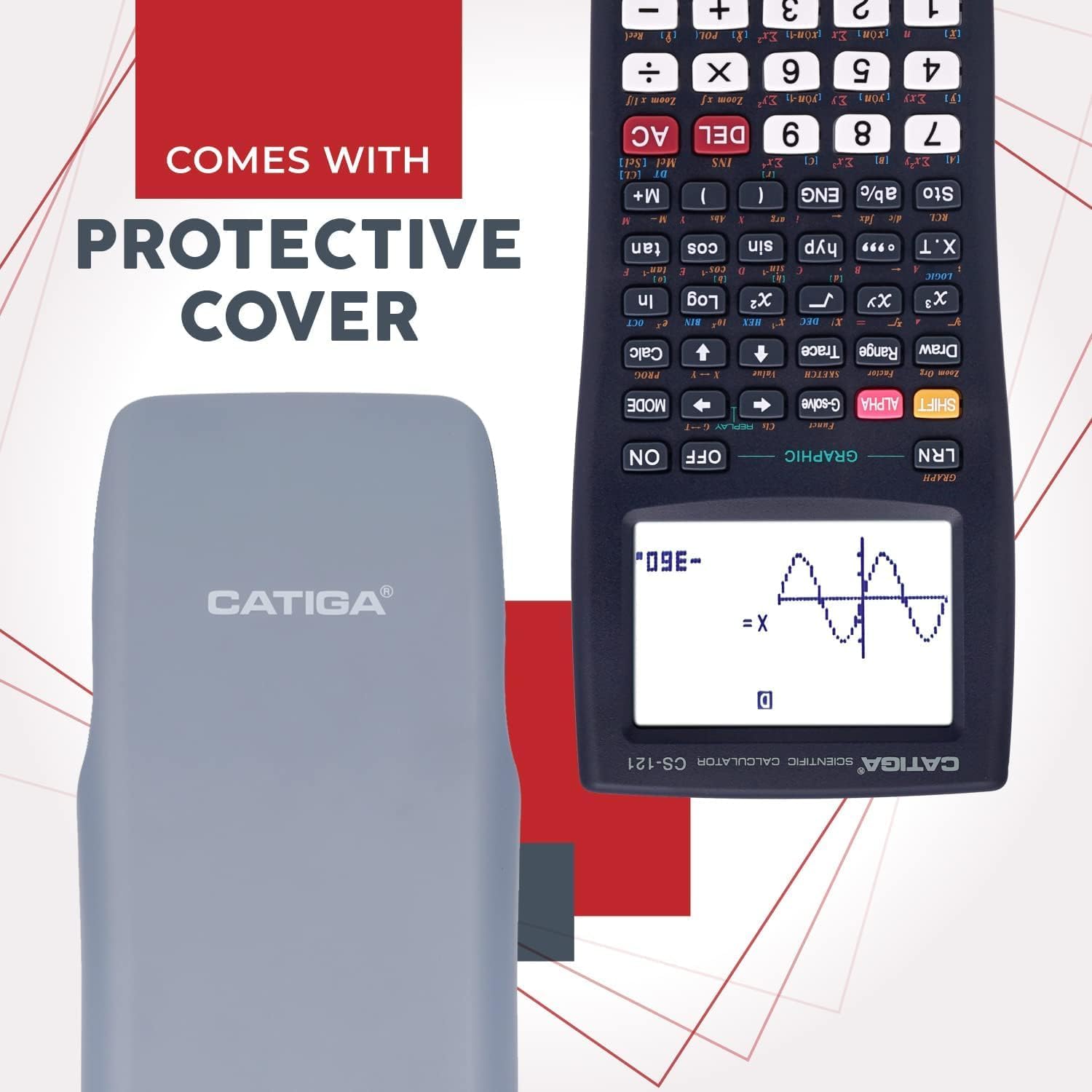
Image: The CATIGA CS-121 calculator shown with its included protective cover, designed to safeguard the device during storage and transport.
Datrys problemau
If you encounter issues with your CATIGA CS-121 calculator, try the following solutions:
- Nid yw'r Cyfrifiannell yn Troi Ymlaen:
- Sicrhewch fod batris wedi'u gosod yn gywir a bod digon o wefr arnynt.
- Press the reset button on the back of the calculator using a thin, pointed object.
- Incorrect Calculations:
- Verify that the calculator is in the correct operating mode (e.g., Degrees vs. Radians for trigonometry).
- Check your input for any typographical errors.
- Perform a reset if the issue persists.
- Problemau Arddangos:
- Os yw'r arddangosfa'n dywyll, newidiwch y batris.
- If characters are incomplete or distorted, try resetting the calculator.
Manylebau
| Nodwedd | Manylyn |
|---|---|
| Brand | CATIGA |
| Model | CS-121 |
| Math Cyfrifiannell | Scientific/Graphing |
| Math Arddangos | LCD |
| Ffynhonnell Pwer | Wedi'i Bweru â Batri |
| Lliw | 1.1) Black |
| Pwysau Eitem | 6.7 owns |
| Dimensiynau Pecyn | 7.32 x 3.7 x 1.26 modfedd |
Gwarant a Chefnogaeth
CATIGA offers dedicated support for your CS-121 Scientific Calculator:
- Gwarant Cyfyngedig: The product comes with a limited warranty of 365 days from the date of purchase.
- Cefnogaeth i Gwsmeriaid:
- 24/7 customer support is available.
- Lifetime phone support is available from 9 AM to 5 PM PST.
- Expect a response to inquiries within 24 hours.
- Gwarant Dychwelyd: A 30-day unconditional return guarantee is provided.
For any further problems or inquiries, please contact CATIGA customer service. Refer to the product packaging or official CATIGA websafle am fanylion cyswllt.