
GOWENIC GOWENICciay5v4qwe-12
GOWENIC 5K UHD Digital Camera User Manual
Model: GOWENICciay5v4qwe-12 | Brand: GOWENIC
1. Rhagymadrodd
Thank you for choosing the GOWENIC 5K UHD Digital Camera. This compact and portable camera is designed for photography and vlogging, offering advanced features such as 5K video recording, 75MP image resolution, 18X digital zoom, and Wi-Fi connectivity. This manual will guide you through the setup, operation, and maintenance of your new camera to ensure you capture every moment with clarity and precision.

Mae'r ddelwedd hon yn dangos y cefn view of the GOWENIC 5K UHD Digital Camera, highlighting its 3-inch Ultra HD screen. The screen is flipped open and displays a vibrant image, demonstrating its capability for high-quality photo and video playback. The camera's control dial and buttons are visible on the right side of the screen.
2. Cynnwys Pecyn
Gwiriwch y pecyn i sicrhau bod yr holl eitemau yn bresennol:
- 1 x High Definition Digital Camera
- 1 x Portable Hand Strap
- 1 x Bag Storio Cludadwy
- 1 x Power Line (USB Cable)
- 1 x Cloth Glanhau
- 1 x Llawlyfr Cyfarwyddiadau
3. Nodweddion Cynnyrch
3.1. High Resolution Imaging
The camera boasts a 75MP sensor, delivering an image resolution of 9248×6936 pixels. This enhances overall image quality and color richness, providing detailed visuals ideal for portraits and landscapes.

This image highlights the camera's 75MP image quality through three distinct examples: a clear portrait of a person, a detailed close-up of a butterfly on a flower, and a dynamic shot of two dogs playing. These examples demonstrate the camera's high resolution and ability to capture fine details in various scenarios.
3.2. 5K UHD Video Recording
Capture stunning videos with 5K resolution (5120×2880). The built-in microphone ensures clear audio for your recordings.

This image emphasizes the camera's 5K High Definition Video recording capability. It features a vibrant scene of graduation caps being thrown into the air, with a filmstrip-like border at the bottom displaying smaller video frames, suggesting the camera's ability to capture high-quality, memorable video moments.
3.3. 18X Digital Zoom
The camera offers up to 18x digital zoom, allowing you to magnify distant objects and capture details from afar. This is ideal for various situations, from travel to events.

This image visually explains the 18x zoom feature. It shows a large illustration of the camera with light rays emanating from its lens, symbolizing zoom. Below, two comparative images of a lighthouse demonstrate the effect of 18x zoom, showing a distant view and a significantly magnified view of the same subject.
3.4. AF Autofocus
Equipped with powerful AF autofocus technology, the camera precisely locks onto subjects, making it easy to capture clear macro shots. With an aperture of F/3.2 and a focal length of f=7.36mm, you can explore a detailed world of text, food, and flowers.
3.5. 3-inch 180° Flip Screen
The 3.0-inch Ultra HD (16:9) screen can be flipped 180 degrees, making it perfect for vlogging, selfies, and reviewing your shots from various angles.
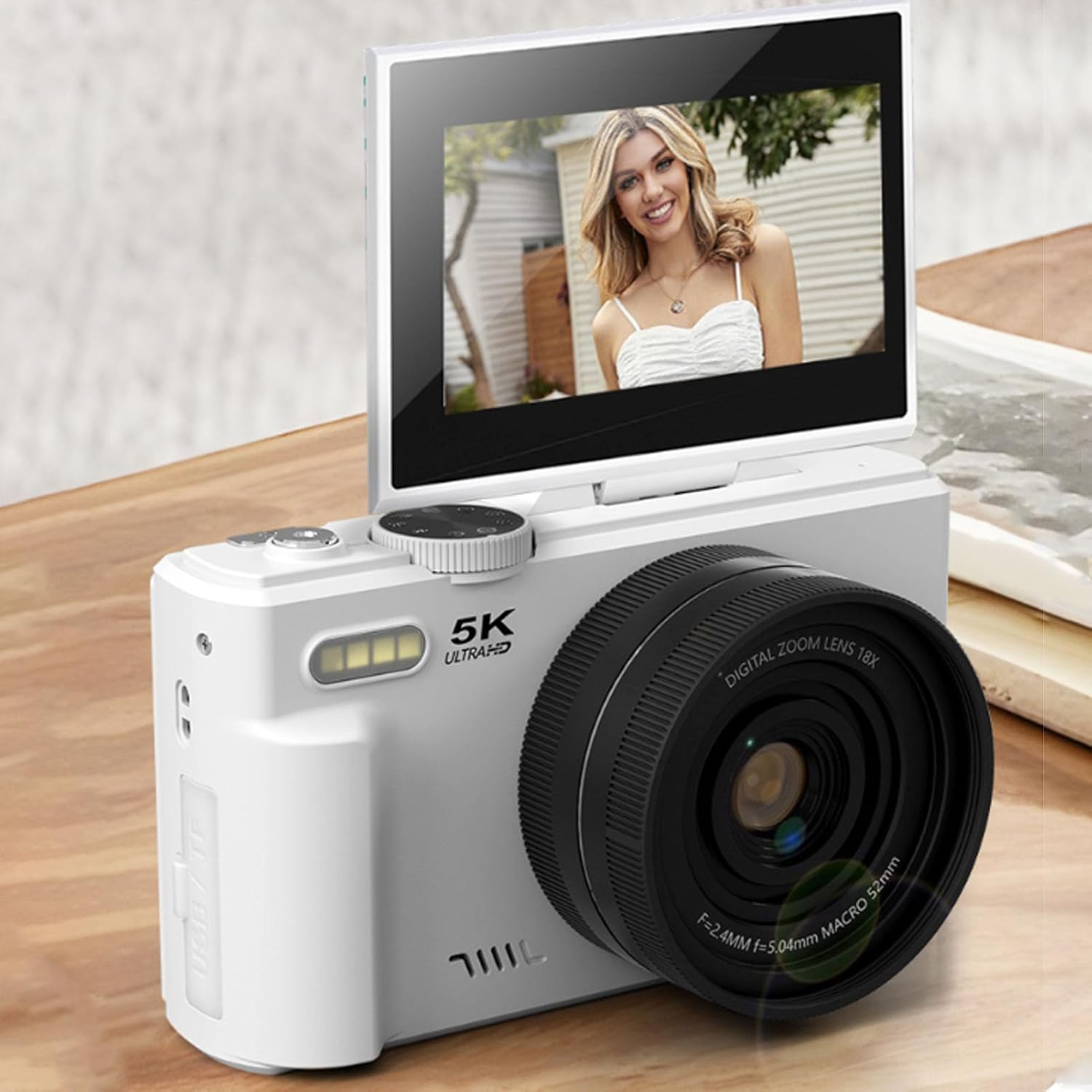
This image presents the GOWENIC 5K UHD Digital Camera from a front-side angle, with its 180-degree flip screen fully raised. The screen displays a clear image of a person, emphasizing its utility for vlogging and selfies. The camera's lens and "5K ULTRAHD" branding are also visible.
3.6. Cysylltedd WiFi
Instantly transfer photos and videos to your smartphone or tablet via WiFi. Share your amazing moments with family and friends anytime, anywhere.
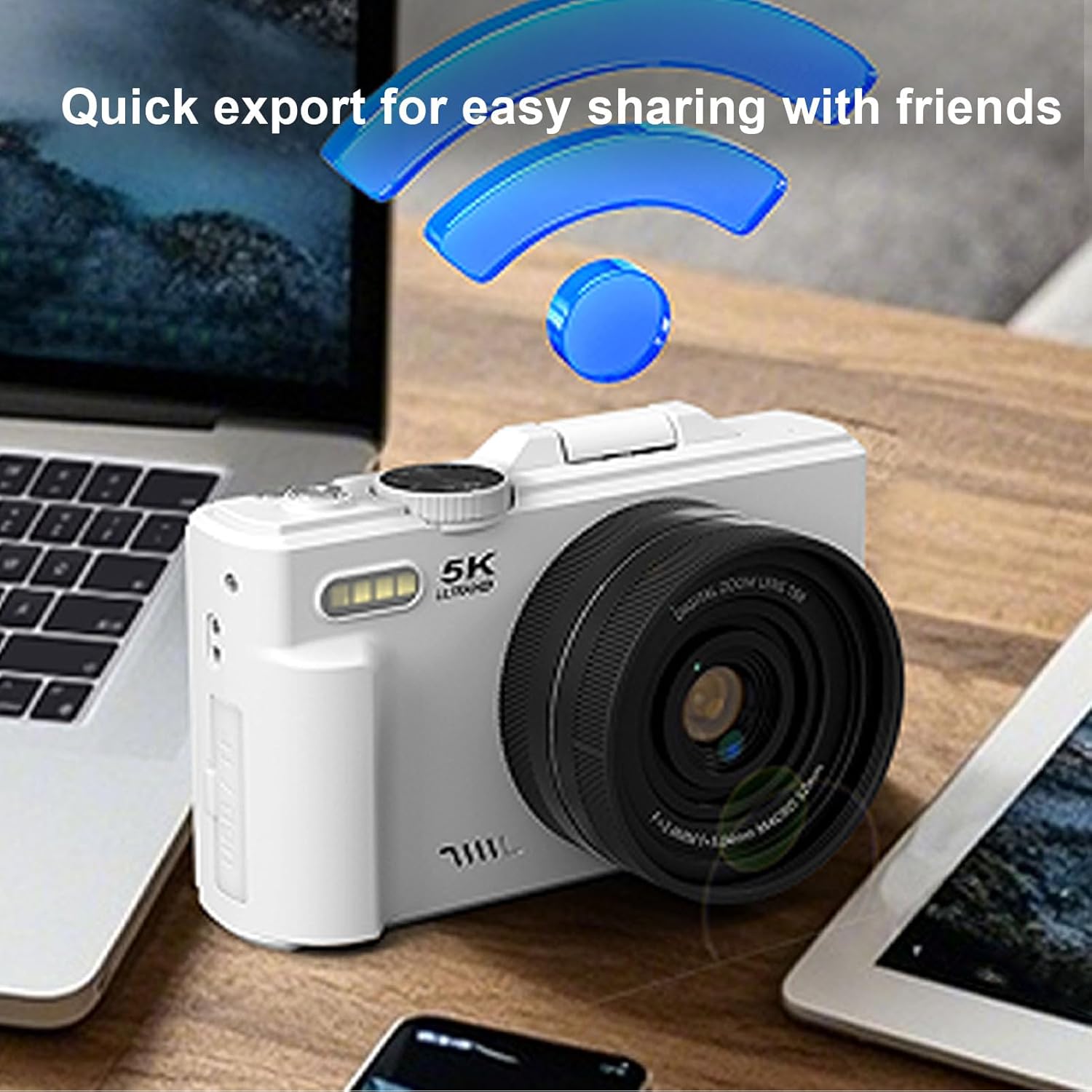
This image illustrates the camera's WiFi transfer capability. The GOWENIC 5K UHD Digital Camera is positioned on a desk alongside a laptop and a tablet, with a prominent WiFi symbol floating above it, signifying quick and easy sharing of content to other devices.
3.7. Versatile Modes and Features
The camera offers 8 distinct modes: Photo, Continuous Photography, Time Lapse, Video Recording, Loop Recording, Slow Motion, and Time Lapse Recording. Additional features include beauty effects, smile detection, and built-in filters.

This image depicts a digital screen interface, likely from the camera's companion app or a demonstration, showcasing the continuous photography and timer recording features. It displays a large main selfie and several smaller thumbnail selfies below, indicating the camera's ability to capture multiple shots in sequence or with a delay.
3.8. Built-in Flash and Fill Light
The camera includes a built-in flash for photos and an LED fill light for videos, ensuring optimal lighting in various conditions.
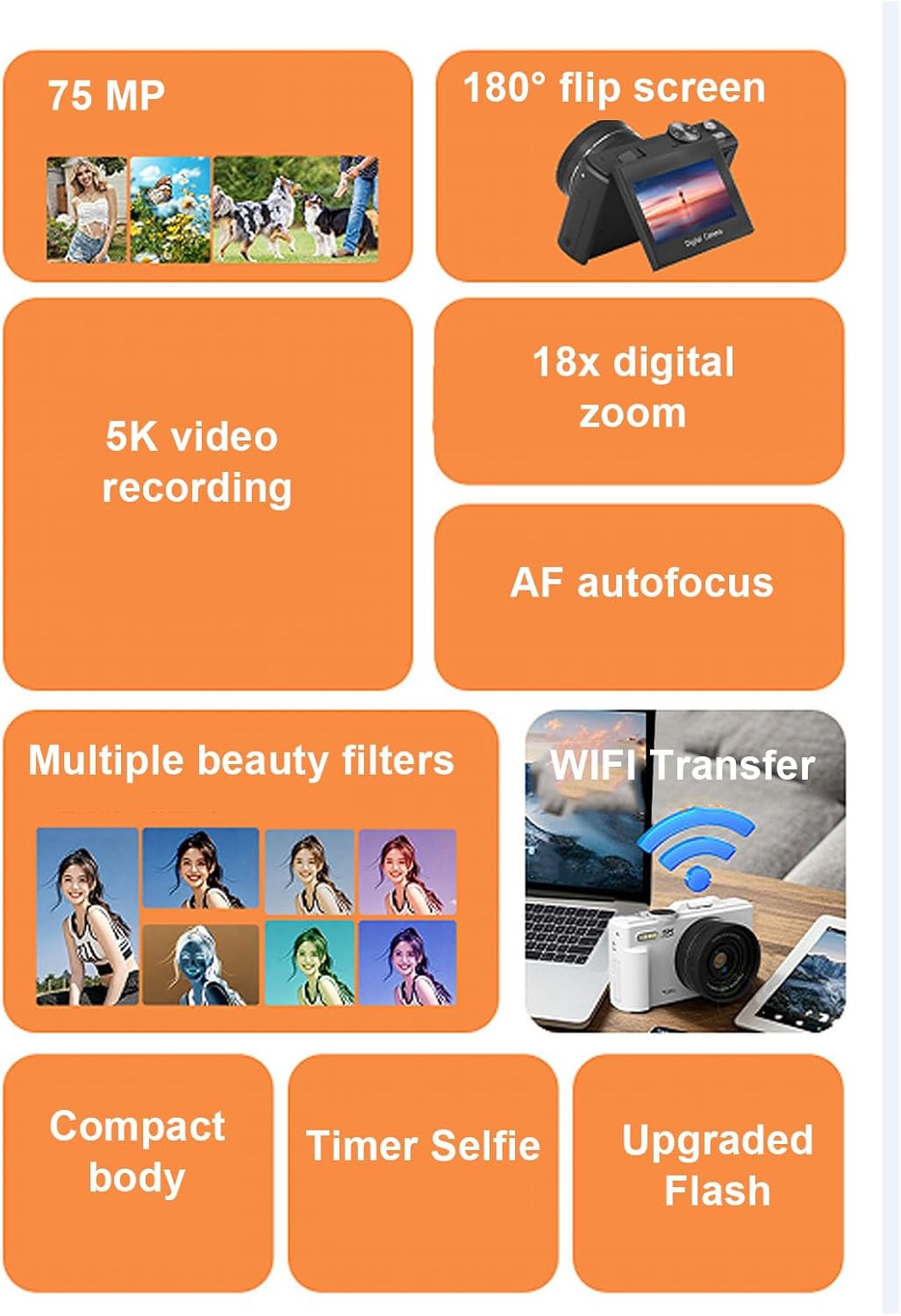
This infographic visually summarizes the main features of the GOWENIC 5K UHD Digital Camera. It includes icons and text for 75MP resolution, 5K video recording, 180° flip screen, 18x digital zoom, AF autofocus, multiple beauty filters, WiFi transfer, compact body, timer selfie, and upgraded flash.
4. Gosod
4.1. Codi Tâl y Batri
The camera comes with a built-in 1150mAh battery. Before first use, fully charge the camera using the provided power line (USB cable) connected to a USB power adapter (not included) or a computer USB port. The charging indicator will show the charging status.
4.2. Mewnosod Cerdyn Cof
The camera supports up to a 128GB Class 10 memory card (not included). Locate the memory card slot, usually on the side or bottom of the camera. Insert the memory card with the contacts facing the correct direction until it clicks into place.
4.3. Troi ymlaen yn gychwynnol
Press and hold the power button to turn on the camera. Follow any on-screen prompts for initial setup, such as setting the date and time.

This image provides a labeled diagram of the GOWENIC 5K UHD Digital Camera, pointing out key physical components. Labels indicate the "Reversible screen," "LED flash," "Battery compartment," and "Lens," offering a clear overview of the camera's external parts.
5. Cyfarwyddiadau Gweithredu
5.1. Switching Camera Modes
The camera mode dial allows easy switching between 8 modes:
- Llun: Cipio delwedd llonydd safonol.
- Continuous Photography: Yn tynnu lluniau lluosog yn gyflym yn olynol.
- Hepgor Amser: Captures images at set intervals to create a time-lapse video.
- Recordiad Fideo: Records standard video footage.
- Recordiad Dolen: Records video in a loop, overwriting older footage pan fydd y cerdyn cof yn llawn.
- Cynnig Araf: Yn recordio fideo ar gyfradd ffrâm uwch ar gyfer chwarae symudiad araf.
- Recordiad Lapse Amser: Records video over a period to create a time-lapse video.
5.2. Using Autofocus (AF)
The camera's AF autofocus system automatically adjusts the lens to bring your subject into sharp focus. Simply point the camera at your subject and half-press the shutter button to engage autofocus before fully pressing to capture the image or start recording.
5.3. Cysylltedd WiFi
I drosglwyddo files via WiFi, enable the WiFi function on your camera and connect your smartphone or tablet to the camera's WiFi network. Use the dedicated application (if available, refer to the camera's on-screen instructions or included manual for app details) to browse and transfer files.
5.4. HD Multimedia Interface Connection
You can connect the camera to a TV using an HD Multimedia Interface cable (not included) to view your photos and videos on a larger screen. Connect one end of the cable to the camera's HD Multimedia Interface port and the other to your TV's HD Multimedia Interface input. Select the correct HD Multimedia Interface input on your TV.
5.5. Exposure Compensation and White Balance
Adjust exposure compensation from approximately -3.0EV to +3.0EV to control the brightness of your photos. White balance settings (Auto/Sunny/Cloudy/Incandescent/Fluorescent) help ensure accurate color reproduction under different lighting conditions. Access these settings through the camera's menu.
6. cynnal
6.1. Glanhau'r Camera
Use the provided cleaning cloth to gently wipe the camera body and screen. For the lens, use a specialized lens cleaning solution and cloth to avoid scratches. Do not use abrasive cleaners or solvents.
6.2. Gofal Batri
To prolong battery life, avoid exposing the camera to extreme temperatures. Charge the battery regularly, even if the camera is not in use for extended periods.
6.3. Storio
When not in use, store the camera in the portable storage bag in a cool, dry place, away from direct sunlight and excessive humidity.
7. Datrys Problemau
7.1. Camera Ddim yn Troi Ymlaen
- Sicrhewch fod y batri wedi'i wefru'n llawn.
- Gwiriwch a yw'r batri wedi'i fewnosod yn iawn.
- If using an external power source, ensure the connection is secure.
7.2. Blurry Images
- Sicrhewch fod y lens yn lân.
- Check that autofocus is engaged and has locked onto the subject.
- Ensure sufficient lighting for the scene.
- Hold the camera steady or use a tripod to prevent camera shake.
7.3. WiFi Connection Issues
- Ensure WiFi is enabled on both the camera and your smart device.
- Restart both the camera and your smart device.
- Ensure you are within the effective range of the camera's WiFi signal.
7.4. Memory Card Error
- Gwnewch yn siŵr bod y cerdyn cof wedi'i fewnosod yn gywir.
- Try formatting the memory card (this will erase all data, so back up important fileyn gyntaf).
- Try a different compatible memory card.
8. manylebau
| Nodwedd | Manyleb |
|---|---|
| Math o Eitem | Camera Digidol 5K |
| Deunydd | ABS, Electronic |
| WIFI (Application) | Cefnogaeth |
| Chwyddo Digidol | Chwyddo Digidol 18x |
| Sgrin LCD | 3.0 inch Ultra HD Screen (16:9) |
| Golau Llenwi LED | Flash for Photos, Fill Light for Videos |
| Iawndal Amlygiad | Approx. from -3.0EV to +3.0EV |
| Balans Gwyn | Auto/Hulog/Cymylog/Gwynias/Flworoleuol |
| Math Slot Cerdyn | Supports up to 128GB Memory Card (class 10) (not included) |
| Ieithoedd | English (default), Simplified Chinese, Traditional Chinese, Japanese, Korean, Russian, German, French, Italian, Spanish, Portuguese, Thai |
| Math Batri | Built-in 1150mAh Battery (included) |
| Datrysiad llonydd effeithiol | 72 AS |
| Maint Synhwyrydd Llun | Ffrâm Llawn (35mm) |
| Ffactor Ffurf | DSLR |
| Technoleg Cysylltedd | Ethernet (Note: WiFi is also supported for transfer) |
9. Gwarant a Chefnogaeth
For warranty information and customer support, please refer to the documentation included with your purchase or visit the official GOWENIC websafle. Cadwch eich derbynneb prynu fel prawf o brynu ar gyfer unrhyw hawliadau gwarant.
Ask a question about this manual
Ask about setup, troubleshooting, compatibility, parts, safety, or missing instructions. Manuals+ will review the question and use this page’s manual context to help answer it.