
1. Rhagymadrodd
This manual provides essential information for setting up, operating, maintaining, and troubleshooting your GIGABYTE AORUS Elite 16 BWH gaming laptop. The AORUS Elite 16 BWH is designed for high-performance gaming and demanding applications, featuring an Intel Core Ultra 9 processor, NVIDIA GeForce RTX 5070 laptop GPU, a 16-inch WQXGA 165Hz display, and Windows 11 Pro.
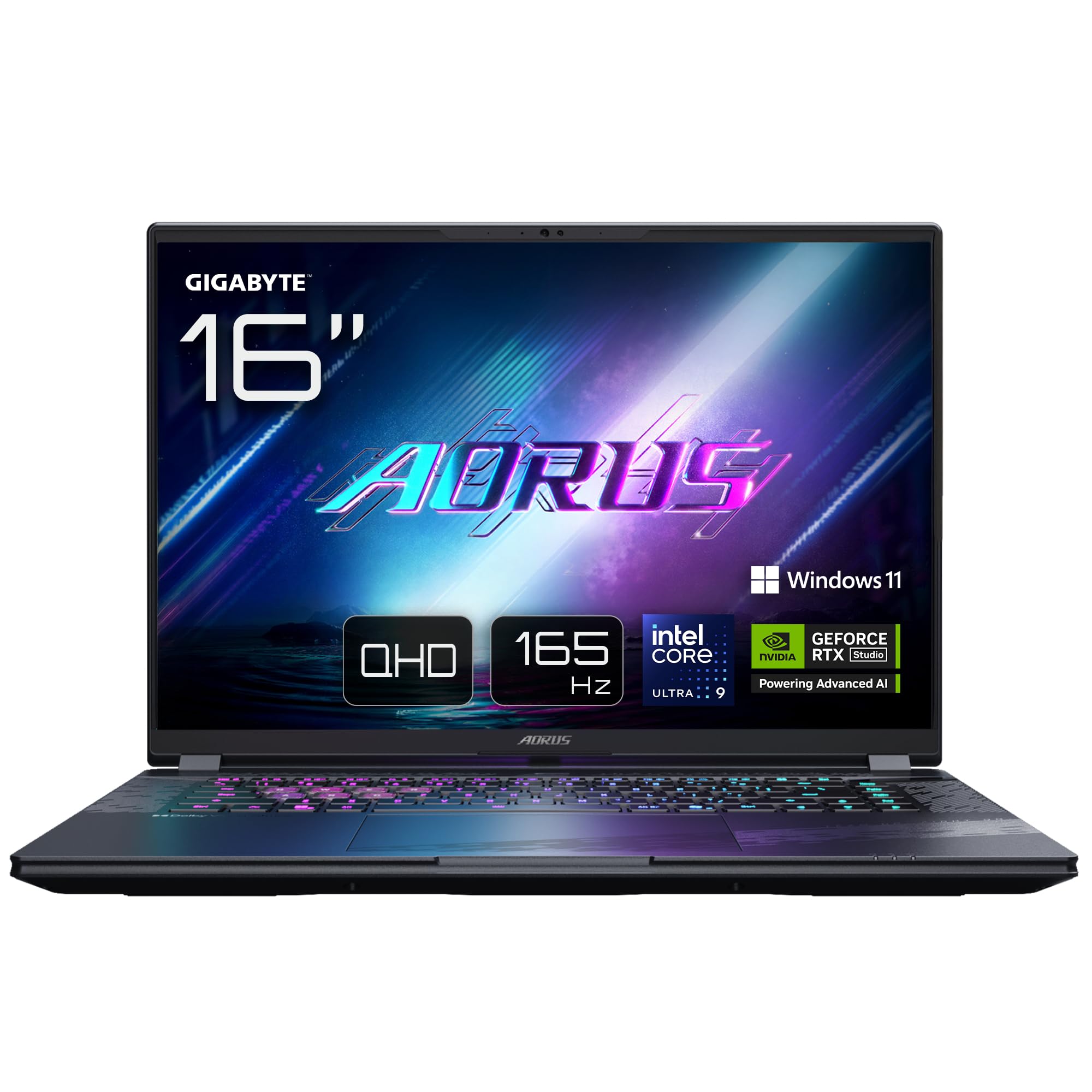
Image: The GIGABYTE AORUS Elite 16 BWH gaming laptop, showcasing its open display and keyboard.
2. Gosod
2.1 Dadbocsio ac Archwiliad Cychwynnol
Tynnwch y gliniadur a'r holl ategolion o'r pecynnu yn ofalus. Gwiriwch fod yr holl gydrannau a restrir yn yr adran "Beth sydd yn y Blwch" yn bresennol ac yn ddi-ddifrod.
- GIGABYTE AORUS ELITE 16 BWHC3FRC65SP Laptop
- Addasydd Pŵer a Chebl
- Dogfennaeth (y llawlyfr hwn, cerdyn gwarant)
2.2 Pŵer Cysylltu
Connect the power adapter to the laptop's power input port and then plug the power cable into an electrical outlet. It is recommended to fully charge the battery before initial use.
2.3 Pŵer Cyntaf Ymlaen
Press the power button to turn on the laptop. Follow the on-screen instructions to complete the Windows 11 Pro setup process, including language selection, network connection, and user account creation.
2.4 Cysylltu Perifferolion a Rhwydwaith
The laptop features various ports for connecting external devices and networks.
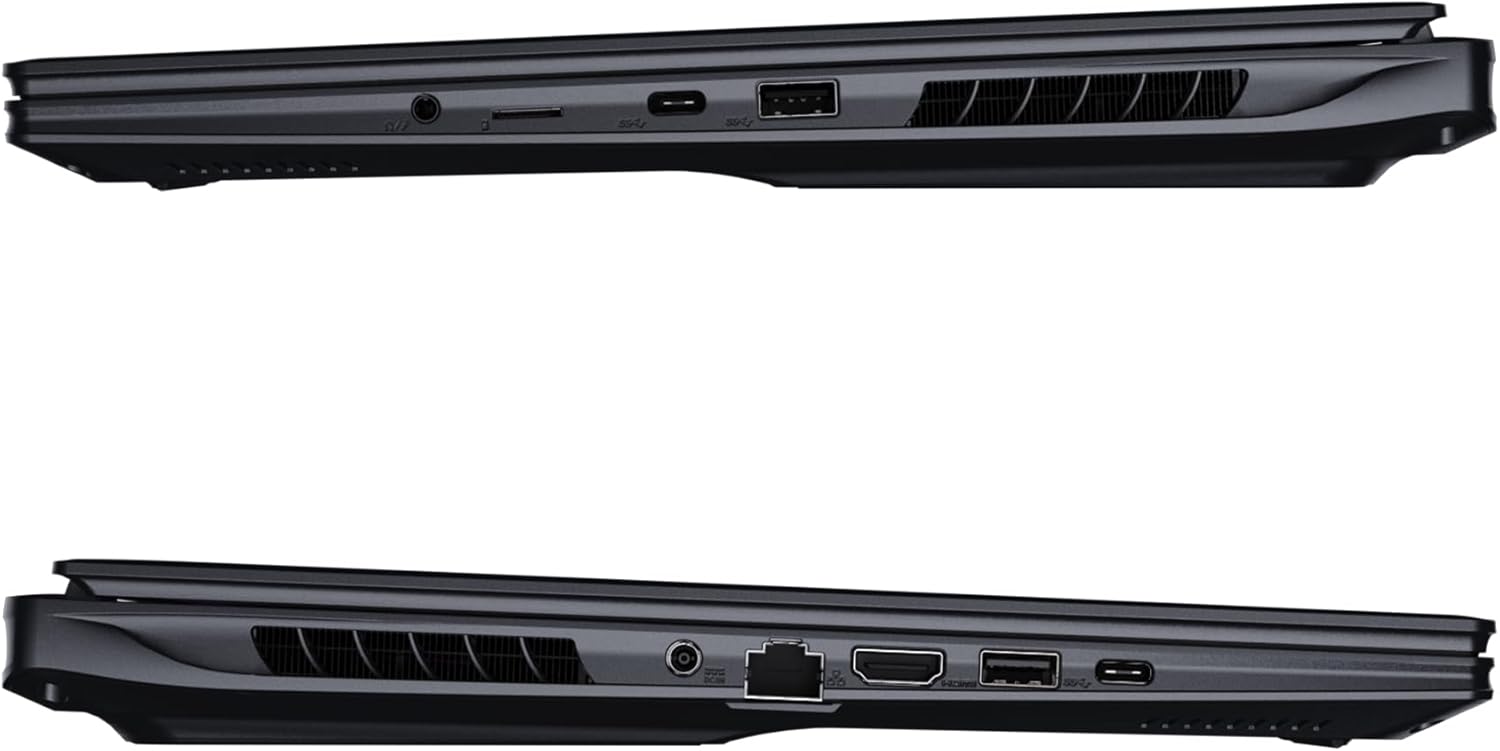
Delwedd: Ochr view of the laptop illustrating the available ports for connectivity.
- Porthladdoedd USB: Connect USB devices such as mice, keyboards, or external storage.
- Porthladd HDMI: Connect to an external display or TV.
- Thunderbolt 4 Port: For high-speed data transfer and display output.
- Porthladd Ethernet: Ar gyfer cysylltiad rhwydwaith gwifrau.
- Jack Clustffon: Ar gyfer allbwn sain i glustffonau neu siaradwyr allanol.
- Wi-Fi 7: Connect to wireless networks via the integrated Wi-Fi 7 module.
- Bluetooth 5.4: Paru â dyfeisiau sy'n galluogi Bluetooth.
3. Gweithredu Eich Gliniadur
3.1 Nodweddion Arddangos
Your AORUS Elite 16 BWH features a 16-inch WQXGA (2560x1600) IPS display with a 165Hz refresh rate and 16:10 aspect ratio, offering a wide viewing experience. It supports Dolby Vision for enhanced visual quality and is Pantone validated for color accuracy.

Image: The laptop's 16:10 aspect ratio display, highlighting its IPS panel and Pantone validation.
3.2 Bysellfwrdd a Phad Cyffwrdd
The laptop is equipped with a backlit keyboard for comfortable typing in various lighting conditions and a responsive touchpad for navigation.
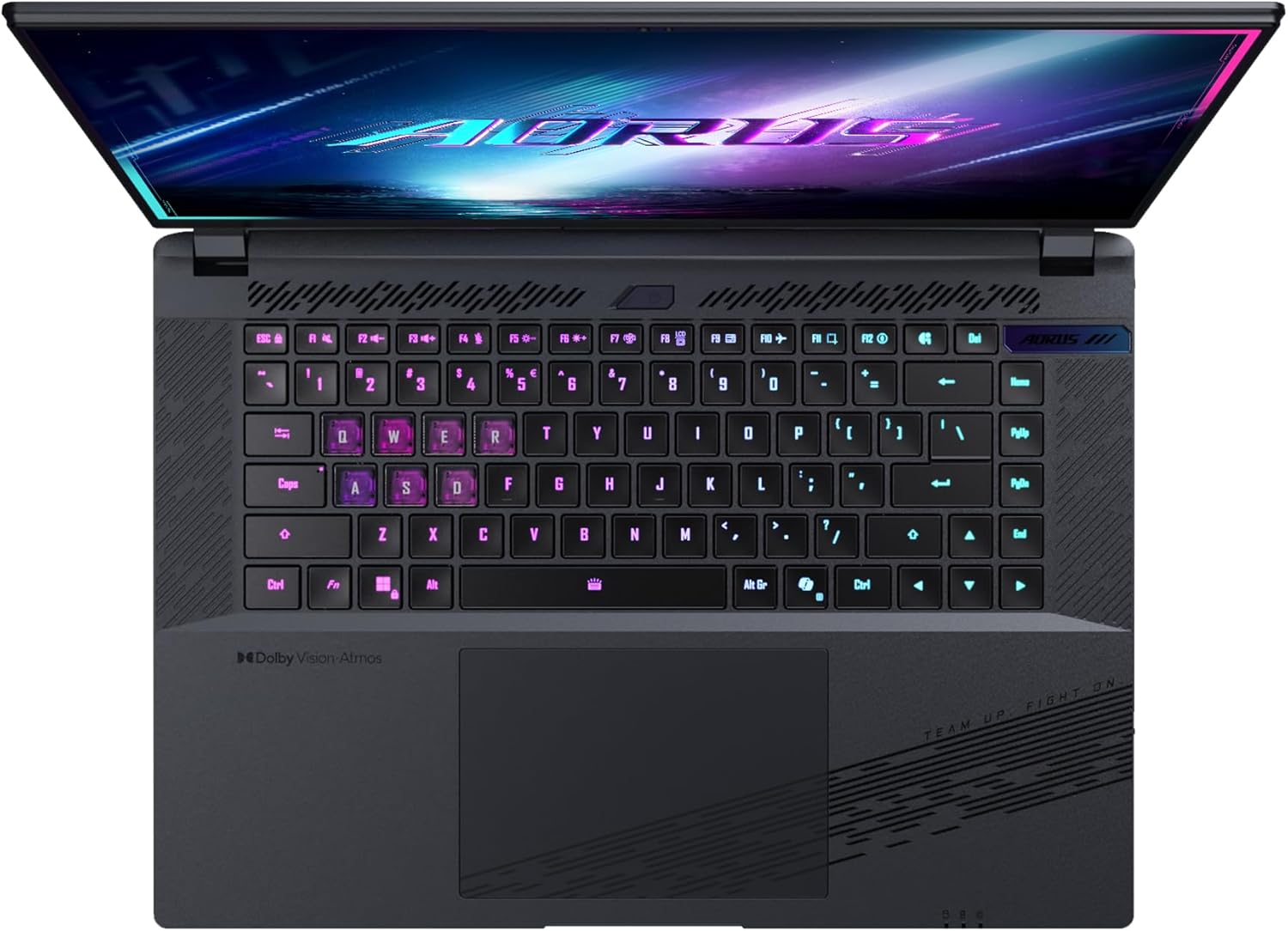
Delwedd: O'r brig i lawr view of the laptop's keyboard, showcasing its backlit keys.
The keyboard also features a dedicated Copilot Key for quick access to AI functionalities in Windows 11.

Image: Close-up of the keyboard, highlighting the Copilot Key for AI features.
3.3 System Sain
Experience immersive audio with Dolby Atmos support and integrated 2W speakers. The laptop also includes a built-in microphone for communication.

Image: Visual representation of Dolby Atmos and Dolby Vision audio and visual enhancements.
3.4 Nodweddion Perfformiad
The AORUS Elite 16 BWH is powered by an Intel Core Ultra 9 processor with an integrated NPU for AI acceleration and an NVIDIA GeForce RTX 5070 laptop GPU, ensuring high performance for gaming and demanding tasks. It also features Advanced Optimus with DDS Technology for optimized graphics performance.

Delwedd: Manwl view of the Intel Core Ultra 9 processor chip.

Delwedd: Manwl view of the NVIDIA GeForce RTX 50 Series laptop GPU chip.
3.5 GiMATE AI Agent
Utilize GiMATE, your personal AI agent, to optimize performance, manage smart cooling, enhance privacy, control power settings, and improve audio and voice functionalities.

Image: GiMATE AI Agent interface showing various optimization features.
4. cynnal
4.1 System Oeri
The laptop features the WINDFORCE Infinity cooling system to maintain optimal temperatures during intensive use. Ensure the vents are clear of obstructions to allow proper airflow.

Image: Representation of the WINDFORCE Infinity cooling system.
4.2 Glanhau
Defnyddiwch frethyn meddal, di-flwff i lanhau'r sgrin a'r arwynebau allanol. Ar gyfer marciau ystyfnig, dampgolchwch y lliain yn ysgafn gyda dŵr neu doddiant glanhau sgrin. Osgowch gemegau llym.
4.3 Gofal Batri
To prolong battery life, avoid extreme temperatures and do not leave the laptop fully charged or fully discharged for extended periods.
4.4 Diweddariadau Meddalwedd
Regularly update your Windows operating system, drivers, and GIGABYTE software to ensure optimal performance and security.
5. Datrys Problemau
5.1 Problemau Pŵer
- Nid yw'r gliniadur yn troi ymlaen: Ensure the power adapter is securely connected and the outlet is functional. Check the battery charge level.
- Batri ddim yn codi tâl: Gwiriwch nad yw'r addasydd pŵer a'r cebl wedi'u difrodi. Rhowch gynnig ar soced gwahanol.
5.2 Materion Arddangos
- Dim arddangosfa: Connect an external monitor to check if the issue is with the laptop's screen. Ensure the laptop is powered on.
- Arddangosfa sy'n fflachio neu'n ystumio: Diweddarwch yrwyr graffeg. Gwiriwch gysylltiadau cebl yr arddangosfa os ydych chi'n defnyddio monitor allanol.
5.3 Problemau Cysylltedd
- Wi-Fi ddim yn cysylltu: Check if Wi-Fi is enabled in Windows settings. Restart your router and laptop.
- Dyfais Bluetooth heb ei pharu: Ensure the device is in pairing mode and within range. Update Bluetooth drivers.
5.4 Problemau Perfformiad Cyffredinol
- Perfformiad araf: Close unnecessary applications. Check for malware. Ensure sufficient free disk space.
- Gorboethi: Ensure cooling vents are clear. Use the laptop on a hard, flat surface.
For more complex issues, refer to the GIGABYTE support websafle neu cysylltwch â gwasanaeth cwsmeriaid.
6. manylebau
| Nodwedd | Manylyn |
|---|---|
| Brand | GIGABYTE |
| Enw Model | AORUS ELITE 16 BWHC3FRC65SP |
| Maint Sgrin | 16 modfedd |
| Lliw | Llwyd |
| Maint y ddisg galed | 2000 GB (2x 1TB SSD Gen4) |
| Model CPU | Intel Core Ultra 9 275HX |
| Maint RAM wedi'i Gosod | 32 GB DDR5 |
| System Weithredu | Windows 11 Pro |
| Nodwedd Arbennig | Backlit Keyboard, Memory Card Slot |
| Disgrifiad o'r Cerdyn Graffeg | Ymroddedig |
| Cydbrosesydd graffeg | NVIDIA GeForce RTX 5070 |
| Hard Disk Technology | SSD |
| Pwysau Eitem | 2300 gram |
| Webcam Capability | Yes (Frontal) |
| Maint RAM y Cerdyn Graffeg | 8 GB GDDR6 |
| RAM Uchafswm a Gefnogir | 64 GB |
| Cynnwys Ynni Batri | 99 Watt-hours (Lithium-polymer, 4 cells) |
| Cysylltedd | Bluetooth 5.4, Ethernet (10/1000 Mbit/s), HDMI (1 port), Thunderbolt 4 (1 port), USB 3.2 Gen 2 (2 ports), Wi-Fi 7 (802.11.be) |
| Cyflymder Prosesydd | 2.7 GHz (Max 5.4 GHz) |
| Nifer y Proseswyr | 24 |
| Cydraniad Sgrin | 2560 x 1600 pixels (WQXGA) |
| Math Arddangos | IPS LCD |
| Nodweddion Sain | Dolby Atmos, 2x 2W Integrated Speakers, Integrated Microphone |
7. Gwybodaeth Gwarant
Your GIGABYTE AORUS Elite 16 BWH laptop comes with a Gwarant cyfyngedig 2 mlynedd. This warranty covers manufacturing defects and hardware malfunctions under normal use. Please retain your proof of purchase for warranty claims. For detailed terms and conditions, refer to the warranty card included with your product or visit the official GIGABYTE websafle.
8. Cefnogaeth
For technical assistance, driver downloads, and further product information, please visit the official GIGABYTE support websafle. Gallwch hefyd ddod o hyd i Gwestiynau Cyffredin a fforymau cymunedol yno.
- Swyddogol GIGABYTE Websafle: www.gigabyte.com
- Gwasanaeth Cwsmer: Refer to your regional GIGABYTE webgwefan ar gyfer gwybodaeth gyswllt leol.