
1. Rhagymadrodd
Thank you for choosing the Intelbras PFL7560 Full HD Wi-Fi Projector. This projector is designed to deliver a high-quality visual and audio experience for various applications, from home cinema to business presentations. It features Full HD resolution, 8000 lumens brightness, and integrated 12W stereo speakers. This manual provides essential information for safe and efficient operation of your projector.
2. Gwybodaeth Diogelwch
Darllenwch yr holl gyfarwyddiadau diogelwch yn ofalus cyn defnyddio'r taflunydd. Cadwch y llawlyfr hwn i gyfeirio ato yn y dyfodol.
- Cyflenwad Pŵer: Use only the power adapter provided with the projector. Ensure the voltage yn cyfateb i'ch cyflenwad pŵer lleol.
- Awyru: Peidiwch â rhwystro'r agoriadau awyru. Sicrhewch fod digon o le o amgylch y taflunydd ar gyfer llif aer priodol i atal gorboethi.
- Lleoliad: Rhowch y taflunydd ar arwyneb sefydlog, gwastad. Osgowch ei osod mewn golau haul uniongyrchol, ger ffynonellau gwres, neu mewn amgylcheddau â lleithder uchel neu lwch.
- Amddiffyn Llygaid: Peidiwch ag edrych yn uniongyrchol i lens y taflunydd pan fydd y lamp ymlaen, gan y gall y golau llachar achosi niwed i'r llygaid.
- Glanhau: Unplug the projector before cleaning. Use a soft, dry cloth. Do not use liquid or aerosol cleaners.
- Gwasanaethu: Peidiwch â cheisio atgyweirio'r taflunydd eich hun. Cyfeiriwch bob gwasanaeth at bersonél gwasanaeth cymwys.
3. Cynnwys Pecyn
Gwiriwch fod yr holl eitemau yn bresennol yn y pecyn:
- Intelbras PFL7560 Projector Unit
- Rheolaeth Anghysbell
- Cebl Pŵer
- Llawlyfr Defnyddiwr
4. Cynnyrch Drosview
Familiarize yourself with the main components and ports of your Intelbras PFL7560 projector.
4.1. Cydrannau'r Taflunydd

Image: Intelbras PFL7560 Projector with included remote control.
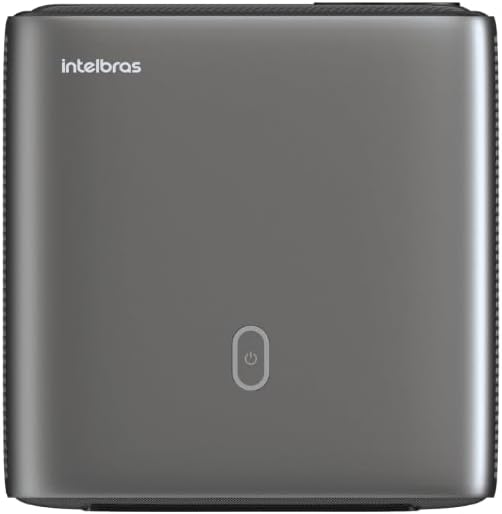
Delwedd: Top view of the projector, highlighting the power button and sleek design.
4.2. Porthladdoedd a Chysylltedd
Mae'r taflunydd yn cynnig sawl opsiwn cysylltedd:
- HDMI: For connecting high-definition devices such as laptops, gaming consoles, or Blu-ray players.
- USB: Ar gyfer cysylltu dyfeisiau storio USB i chwarae cyfryngau files yn uniongyrchol.
- Wi-Fi (802.11 ac/b/g/n): For wireless connectivity and screen mirroring from compatible Android devices.
- Sain Allan: For connecting external audio systems or headphones.
5. Gosod
5.1. Lleoliad
Choose a suitable location for your projector. The PFL7560 can project images from 60 to 150 inches, making it versatile for various room sizes. Ensure the projector is placed on a stable surface and is not obstructed.
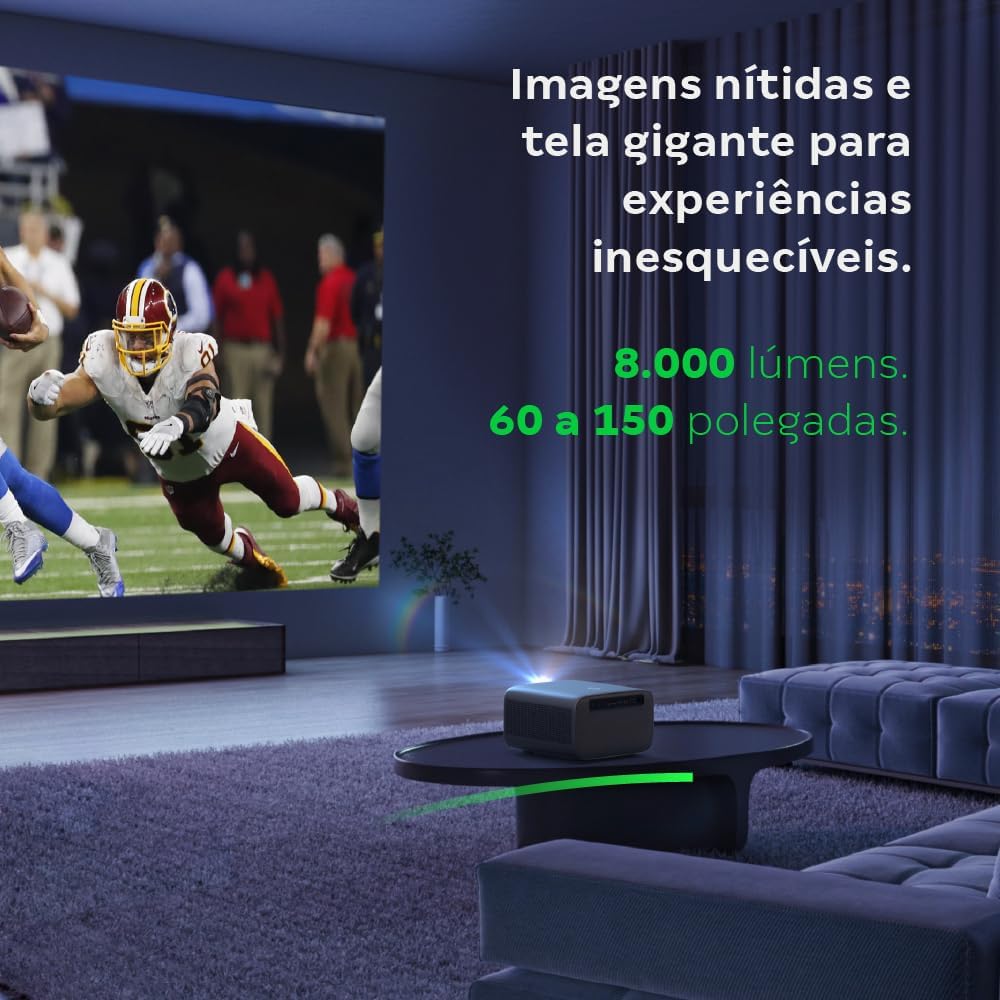
Image: The projector creating a large, clear image in a home environment, demonstrating its capability for immersive viewing.
5.2. Cysylltiad Pwer
Connect the power cable to the projector's power input and then to a power outlet.
5.3. Troi ymlaen yn gychwynnol
Pwyswch y botwm pŵer ar y taflunydd neu'r teclyn rheoli o bell i droi'r ddyfais ymlaen. Bydd y taflunydd yn cychwyn ei ddilyniant cychwyn.
5.4. Ffocws a Chywiriad Keystone
The PFL7560 features automatic focus and keystone correction for a perfectly aligned and sharp image without manual effort. If manual adjustment is needed, refer to the on-screen display (OSD) menu.
6. Cyfarwyddiadau Gweithredu
6.1. Cysylltu Dyfeisiau
- HDMI: Connect your device using an HDMI cable to the HDMI port on the projector. Select the corresponding HDMI input from the projector's source menu.
- USB: Insert a USB drive into the USB port. The projector's media player will typically detect the drive automatically, allowing you to browse and play files.
- Wi-Fi / Screen Mirroring: For compatible Android devices, enable screen mirroring on your device and select the projector from the available devices. Ensure both devices are connected to the same Wi-Fi network.
6.2. Allbwn Sain
The projector is equipped with two integrated 12W speakers, providing clear and immersive audio. For external audio, connect speakers or headphones to the audio output port.

Image: Detail of the projector's integrated 12W speakers, designed for powerful and clear sound.
7. cynnal
7.1. Glanhau'r Lens
Use a soft, lint-free cloth specifically designed for optical lenses to gently wipe the projector lens. Avoid using abrasive materials or harsh chemicals.
7.2. Glanhau Corff y Taflunydd
Wipe the exterior of the projector with a soft, dry cloth. Do not use liquid or spray cleaners directly on the unit.
7.3. LED Light Source Longevity
The Intelbras PFL7560 uses an LED light source with a lifespan of up to 30,000 hours, ensuring long-term use and consistent performance without significant brightness degradation.
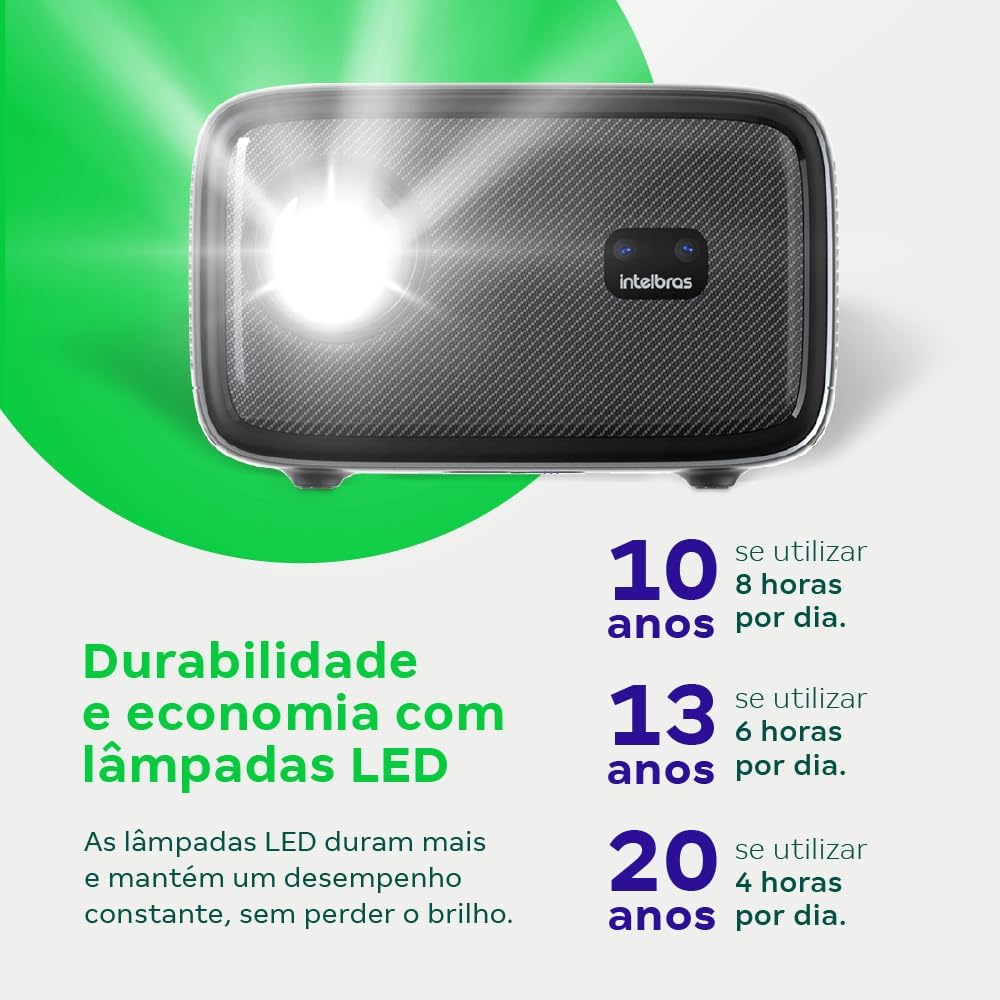
Image: An infographic illustrating the extended durability and economic benefits of the LED lamp, lasting up to 30,000 hours.
8. Datrys Problemau
Os byddwch chi'n dod ar draws problemau gyda'ch taflunydd, cyfeiriwch at y problemau a'r atebion cyffredin canlynol:
- Dim Delwedd: Ensure the power cable is securely connected and the projector is turned on. Check the input source selection to match your connected device.
- Delwedd aneglur: Adjust the focus. If the image is distorted, check for automatic keystone correction or adjust it manually via the settings menu.
- Dim Sain: Verify the volume level on both the projector and the connected device. Ensure external speakers are properly connected if used, or that the internal speakers are enabled.
- Materion Cysylltedd: For Wi-Fi or screen mirroring, ensure both the projector and your device are on the same network. Restart both devices if necessary.
- Gorboethi: Ensure the projector's ventilation openings are not blocked. Turn off the projector and allow it to cool down if it feels excessively hot.
9. manylebau
| Nodwedd | Manyleb |
|---|---|
| Brand | Intelbras |
| Enw Model | PFL 7560 |
| Technoleg Cysylltedd | Wi-Fi |
| Nodweddion Arbennig | Wi-Fi Yn barod |
| Cydraniad Arddangos | 1920 x 1080 (HD Llawn) |
| Datrysiad Brodorol | 1920 x 1080 |
| Cydraniad Arddangos Uchaf | 1920 x 1080 |
| Math Arddangos | LCD |
| Disgleirdeb | 8000 o Lumens |
| Dyfeisiau Cydnaws | Gliniadur, Ffôn Clyfar, Tabled |
| Bywyd Gweithredu Ffynhonnell Ysgafn | 30000 Awr |
| Rhyngwyneb Caledwedd | 802.11 ac/b/g/n |
| Amgodio Fideo | H.264, H.265 |
| Defnyddiau a Argymhellir | Sinema Gartref |
| Sain | 2 x Siaradwyr Integredig 12W |
10. Gwarant a Chefnogaeth
For warranty information, technical support, or service requests, please refer to the official Intelbras websafle neu cysylltwch â'u gwasanaeth cwsmeriaid yn uniongyrchol. Cadwch eich derbynneb prynu fel prawf o brynu ar gyfer hawliadau gwarant.