
xinwld A97
xinwld A97 Pro Wireless Earbuds User Manual
Model: A97 | Brand: xinwld
Rhagymadrodd
Thank you for choosing the xinwld A97 Pro Wireless Earbuds. These earbuds are designed to provide a superior audio experience with advanced Bluetooth 5.4 technology, Hi-Fi stereo sound, and effective ENC noise cancellation. This manual will guide you through the setup, operation, and maintenance of your new earbuds to ensure optimal performance and longevity.
Gwybodaeth Diogelwch
- Peidiwch â dadosod na newid y clustffonau na'r cas gwefru.
- Keep away from extreme temperatures, humidity, and corrosive materials.
- Osgoi amlygiad hirfaith i lefelau cyfaint uchel i atal niwed i'r clyw.
- Cadwch allan o gyrraedd plant ac anifeiliaid anwes.
- Defnyddiwch y cebl gwefru a ddarperir neu gebl USB-C ardystiedig yn unig.
- Gwaredwch y cynnyrch yn gyfrifol yn unol â rheoliadau lleol.
Beth Sydd yn y Bocs
Your xinwld A97 Pro Wireless Earbuds package includes the following items:
- 2x Wireless Earbuds (Left and Right)
- 1x Lightweight Charging Case
- Cebl Codi Tâl 1x USB-C
- 3x Eartips (S/M/L)
- Llawlyfr Defnyddiwr 1x

Image: Contents of the A97 Pro package, showing the earbuds, charging case, USB-C cable, and three pairs of eartips (S, M, L).
Cynnyrch Drosview
The xinwld A97 Pro Wireless Earbuds feature a compact design with an integrated LED display on the charging case for battery status. The earbuds are ergonomically designed for a comfortable and secure fit.

Image: The xinwld A97 Pro Wireless Earbuds resting in their open charging case, which features a digital LED display indicating battery percentage for both the case and individual earbuds.

Delwedd: Manwl view of the charging case's dual LED display, showing the charging status of the case and the left and right earbuds separately.
Gosod
1. Gwefru'r Clustffonau a'r Cas
Before first use, fully charge the earbuds and the charging case. Connect the provided USB-C cable to the charging port on the case and a power source. The LED display on the case will show the charging progress.

Image: Illustration demonstrating the charging process of the earbuds and case via USB-C, highlighting the 40-hour total playtime.
2. Pâr Bluetooth
The A97 Pro earbuds feature one-step pairing for convenience.
- Agorwch y cas gwefru. Bydd y clustffonau'n mynd i mewn i'r modd paru yn awtomatig.
- Ar eich dyfais (ffôn clyfar, tabled, ac ati), galluogwch Bluetooth a chwiliwch am ddyfeisiau sydd ar gael.
- Select "A97 Pro" from the list of devices.
- Ar ôl cysylltu, byddwch yn clywed tôn cadarnhau, a bydd y clustffonau'n barod i'w defnyddio.

Image: Visual representation of the one-step pairing process, showing the earbuds being taken out of the case and connecting to a device.
The earbuds utilize Bluetooth 5.4 technology for a stable and efficient connection.

Image: Diagram highlighting the benefits of New Bluetooth V5.4 technology, including faster speed, more stable connection, and lower latency.
Cyfarwyddiadau Gweithredu
Rheolaethau Cyffwrdd
The A97 Pro earbuds feature intuitive touch controls on each earbud. Refer to the diagram below for specific functions:

Image: A comprehensive guide to the smart touch controls on both the left and right earbuds, detailing actions for music playback, call management, and voice assistant activation.
Mono/Dual Mode
You can use either earbud independently (mono mode) or both together (dual mode). The earbuds seamlessly switch between these modes.

Image: Diagram illustrating the flexibility of using the earbuds in either mono mode (single earbud) or dual mode (both earbuds), with seamless switching capability.
Ansawdd Sain a Chanslo Sŵn
Experience immersive Hi-Fi stereo sound with 13mm dynamic drivers, delivering rich bass and clear audio. The earbuds also feature ENC (Environmental Noise Cancellation) for clearer calls by reducing ambient noise.

Delwedd: Ffrwydrad view showing the internal components of the earbud, emphasizing the 13mm driver responsible for immersive Hi-Fi stereo sound.
Bywyd Batri
The earbuds provide up to 8 hours of playback on a single charge, with the charging case extending total playtime to approximately 40 hours.
Cynnal a chadw
Glanhau
Regularly clean your earbuds and charging case to maintain optimal performance and hygiene. Use a soft, dry, lint-free cloth. For eartips, you can gently wipe them with a damp lliain a sebon ysgafn, yna sychwch yn drylwyr cyn ei ailgysylltu.
Gwrthiant Dŵr
The earbuds are IP7 waterproof, making them resistant to sweat and splashes. This makes them suitable for workouts and outdoor activities. However, they are not designed for swimming or submersion in water.
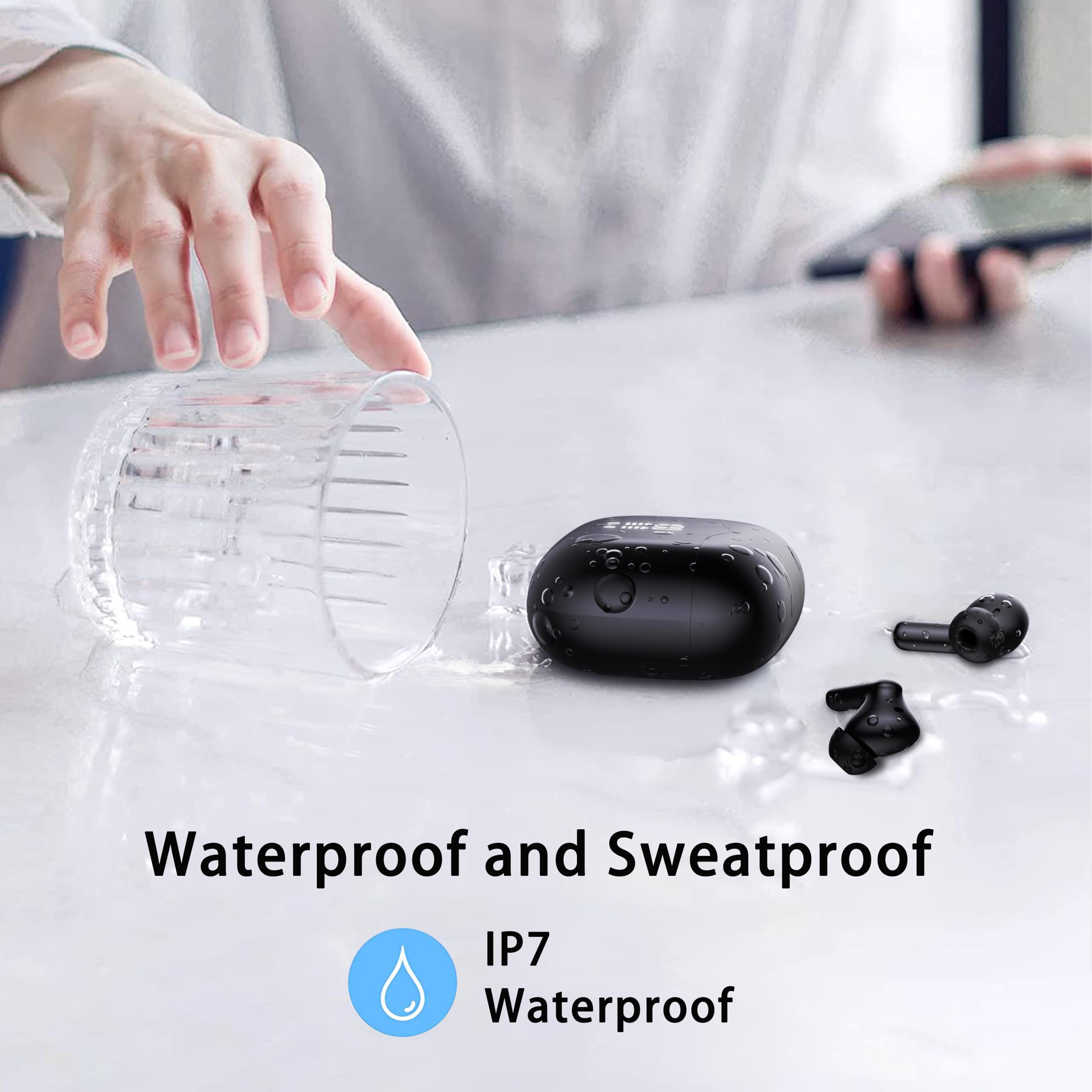
Image: The earbuds shown with water splashing on them, indicating their IP7 waterproof and sweatproof capabilities.
Storio
When not in use, store the earbuds in their charging case to protect them and keep them charged. Store in a cool, dry place away from direct sunlight.
Datrys problemau
| Problem | Achos Posibl | Ateb |
|---|---|---|
| Clustffonau ddim yn paru | Bluetooth off; Earbuds not in pairing mode; Device too far. | Ensure Bluetooth is on. Place earbuds in case, close, then open to re-enter pairing mode. Keep device within 15m. |
| Dim sain o un glust | Low battery; Earbud not connected properly. | Charge both earbuds. Place both earbuds back in the case, close, then open to reset connection. |
| Achos codi tâl nid codi tâl | Cable issue; Power source issue. | Try a different USB-C cable or power adapter. Ensure connections are secure. |
| Ansawdd galwad gwael | Environmental noise; Earbuds not positioned correctly. | Ensure earbuds are snugly fitted. Move to a quieter environment if possible. |
Manylebau
| Nodwedd | Manylyn |
|---|---|
| Enw Model | A97 Pro |
| Technoleg Cysylltedd | Diwifr (Bluetooth) |
| Fersiwn Bluetooth | 5.4 |
| Amrediad Bluetooth | 15 o Fesurau |
| Bywyd Batri (Clustffonau) | Hyd at 8 awr |
| Cyfanswm Amser Chwarae (gyda Chas) | Hyd at 40 awr |
| Math Gyrrwr Sain | Gyrrwr Dynamig 13mm |
| Rheoli Sŵn | Canslo Sŵn ENC (ar gyfer galwadau) |
| Lefel Gwrthsefyll Dŵr | IP7 dal dŵr |
| Math o Reoli | Rheoli Cyffwrdd |
| Pwysau (Eitem) | 3.52 owns |
| Deunydd | Plastig |
Fideo Cynnyrch Swyddogol
Fideo: Sioe fideo cynnyrch swyddogolasing the features and design of the xinwld A97 Pro Wireless Earbuds, including their lightweight nature, Hi-Fi stereo sound, Bluetooth 5.4 technology, call noise cancellation, 40-hour playtime, one-step pairing, ergonomic design, smart touch control, and IPX7 waterproof rating.
Gwarant a Chefnogaeth
For warranty information and customer support, please refer to the contact details provided in the packaging or visit the official xinwld websafle. Cadwch eich derbynneb prynu ar gyfer hawliadau gwarant.
Ask a question about this manual
Ask about setup, troubleshooting, compatibility, parts, safety, or missing instructions. Manuals+ will review the question and use this page’s manual context to help answer it.