Rhagymadrodd
This manual provides detailed instructions for the setup, operation, and maintenance of your Lotus Smartwatch 50050/4. Please read this manual thoroughly before using your device to ensure proper functionality and to maximize its features.
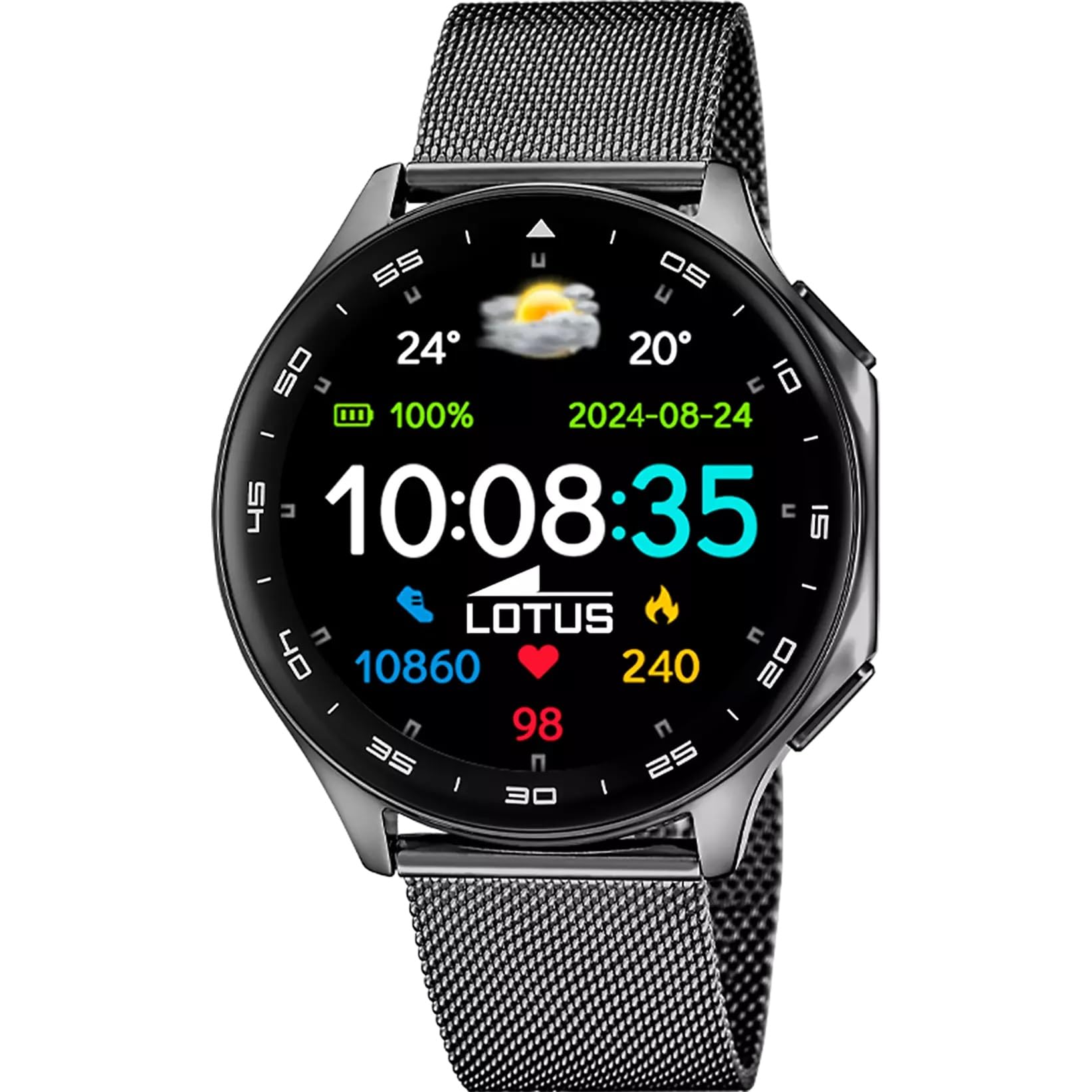
The Lotus Smartwatch 50050/4 is an outdoor sports watch designed for active lifestyles. It features a durable zinc alloy case, a black Milanese steel mesh strap, and a digital display. The watch offers a range of functions including sports tracking, health monitoring, and smart notifications.
Beth Sydd yn y Bocs
- Lotus Smartwatch 50050/4
- Cebl Codi Tâl
- Llawlyfr Defnyddiwr (y ddogfen hon)
- Strap Ychwanegol
Gosod
1. Gwefru'r Smartwatch
Before initial use, fully charge your smartwatch. Connect the charging cable to the charging port on the back of the watch and plug the other end into a USB power adapter (not included) or a computer's USB port. The watch display will indicate charging status.
Nodyn: Use a standard 5V/1A USB charger. Overcharging or using incompatible chargers may damage the device.
2. Pweru Ymlaen / I ffwrdd
- I Bweru Ymlaen: Press and hold the side button for a few seconds until the Lotus logo appears.
- I Bweru i ffwrdd: Pwyswch a daliwch y botwm ochr, yna dewiswch "Power Off" ar y sgrin.
3. Gosod a Pharu Apiau
To unlock the full potential of your smartwatch, download the official Lotus Smartwatch application on your smartphone. The app is compatible with Android devices.
- Chwiliwch am the "Lotus Smartwatch" app in your smartphone's app store (Google Play Store for Android).
- Gosod y cais.
- Agorwch yr ap a dilynwch y cyfarwyddiadau ar y sgrin i greu cyfrif neu fewngofnodi.
- Galluogi Bluetooth ar eich ffôn clyfar.
- In the app, navigate to the device pairing section and select your Lotus Smartwatch 50050/4 from the list of available devices.
- Cadarnhewch y cais paru ar eich ffôn clyfar a'ch oriawr smart.
Once paired, the watch will synchronize time, date, and other settings with your smartphone.
Cyfarwyddiadau Gweithredu
Llywio Sylfaenol
- Sgrin Gyffwrdd: Swipe left, right, up, or down to navigate through menus and functions. Tap to select an item.
- Botwm Ochr: Press to return to the previous screen or to the watch face. Press and hold for power options.
Swyddogaethau Allweddol
- Dulliau Chwaraeon: Access various sports modes (e.g., running, walking, cycling) to track your activity, including steps, calories burned, and distance.
- Monitro Iechyd:
- Cyfradd y galon: Monitro cyfradd eich calon mewn amser real.
- Ocsigen gwaed: Mesurwch lefelau ocsigen eich gwaed.
- Olrhain Cwsg: Dadansoddwch eich patrymau cysgu (cwsg dwfn, cwsg ysgafn, amser effro).
- Ymarferion Anadlu: Ymarferion anadlu dan arweiniad ar gyfer ymlacio.
- Hysbysiadau: Receive notifications for incoming calls, SMS messages, and app alerts directly on your watch. You can reject calls from the watch.
- Rheoli Cerddoriaeth: Control music playback on your connected smartphone (play, pause, skip tracks).
- Tywydd: View amodau a rhagolygon y tywydd cyfredol.
- Larymau ac Amseryddion: Set alarms, use the stopwatch, or set a countdown timer.
- Anghysbell Camera: Defnyddiwch eich oriawr fel caead o bell ar gyfer camera eich ffôn clyfar.
- Video Calculator: Access a video calculator function.
- AI Voice Calculator: Utilize an AI voice-activated calculator.
- Canfyddwr Ffôn: Lleolwch eich ffôn clyfar wedi'i baru trwy wneud iddo ganu.
- Flashlight: Activate the screen as a flashlight.
- Dial Customization: Change the watch face (dial) through the watch settings or the companion app.
- Diweddariad Cadarnwedd: Update the watch's software via the companion app to ensure optimal performance and access new features.
- Language, Time, and Date: Adjust these settings through the watch or the companion app.
Cynnal a chadw
Glanhau a Gofal
- Sychwch sgrin a chorff yr oriawr gyda lliain meddal, sych, heb lint.
- Ar gyfer staeniau ystyfnig, ychydig dampgolchwch y brethyn gyda dŵr. Peidiwch â defnyddio cemegau llym na deunyddiau sgraffiniol.
- Gwnewch yn siŵr bod y cysylltiadau gwefru yn lân ac yn sych cyn gwefru.
Gwrthiant Dŵr (IP65)
The Lotus Smartwatch 50050/4 has an IP65 rating, meaning it is protected against dust ingress and low-pressure water jets from any direction. This rating indicates resistance to splashes and light rain. It is not suitable for swimming, showering, or submersion in water. Exposure to high-pressure water or prolonged submersion may cause damage.
Amnewid Strap
The watch comes with an additional strap. To replace the strap, locate the quick-release pins on the underside of the strap where it connects to the watch case. Slide the pin to detach the strap, then align the new strap and slide the pin back into place to secure it.
Datrys problemau
Oriawr Ddim yn Troi Ymlaen
- Gwnewch yn siŵr bod yr oriawr wedi'i gwefru'n llawn. Cysylltwch hi â'r gwefrydd am o leiaf 30 munud.
- Rhowch gynnig ar wasgu a dal y botwm ochr am 10-15 eiliad i orfodi ailgychwyn.
Methu paru â ffôn clyfar
- Sicrhewch fod Bluetooth wedi'i alluogi ar eich ffôn clyfar.
- Ensure the watch is within range of your smartphone (typically 10 meters).
- Ailgychwynwch eich ffôn clyfar a'ch oriawr smart.
- Clear the Bluetooth cache on your smartphone (if applicable) and try pairing again.
- Ensure the Lotus Smartwatch app is updated to the latest version.
Data Iechyd Anghywir
- Gwnewch yn siŵr bod yr oriawr yn cael ei gwisgo'n glyd ar eich arddwrn, ond nid yn rhy dynn.
- Keep the sensor on the back of the watch clean and free from debris.
- Environmental factors and individual physiology can affect sensor accuracy.
Ailosod Ffatri
If you experience persistent issues, a factory reset may resolve them. This will erase all data on the watch and restore it to its original settings. Consult the watch's settings menu or the companion app for the factory reset option.
Manylebau
| Rhif Model | 50050/4 |
| Brand | Lotus |
| Maint Arddangos | 46.7 mm |
| Siâp | Rownd |
| Deunydd Achos | Aloi Sinc |
| Deunydd strap | Milanese Steel Mesh |
| Gwrthiant Dŵr | IP65 (Splash and dust resistant) |
| Cysylltedd | Bluetooth |
| AO cydnaws | Android (for companion app) |
| GPS | Nac ydw |
| Nodweddion Arbennig | Advanced sport and health functions |
Gwarant a Chefnogaeth
The Lotus Smartwatch 50050/4 comes with a Gwarant 3 mlynedd from the date of purchase. This warranty covers manufacturing defects. It does not cover damage caused by misuse, accidents, unauthorized modifications, or failure to follow the instructions in this manual, including water damage beyond the specified IP65 rating.
For warranty claims or technical support, please contact your authorized Lotus retailer or visit the official Lotus websafle ar gyfer gwybodaeth am wasanaeth cwsmeriaid.
Polisi Dychwelyd: If purchased from Amazon, the product is subject to a 30-day return policy for refund or replacement, as per Amazon's terms.
Delwedd Cynnyrch