
1. Cynnyrch Drosview
The WVX Gaming Laptop R9-6900HX (Model A02) is a high-performance portable computer designed for demanding tasks such as gaming, content creation, and multitasking. It features an AMD Ryzen 9 6900HX processor, AMD Radeon 680M integrated graphics, and fast DDR5 memory.
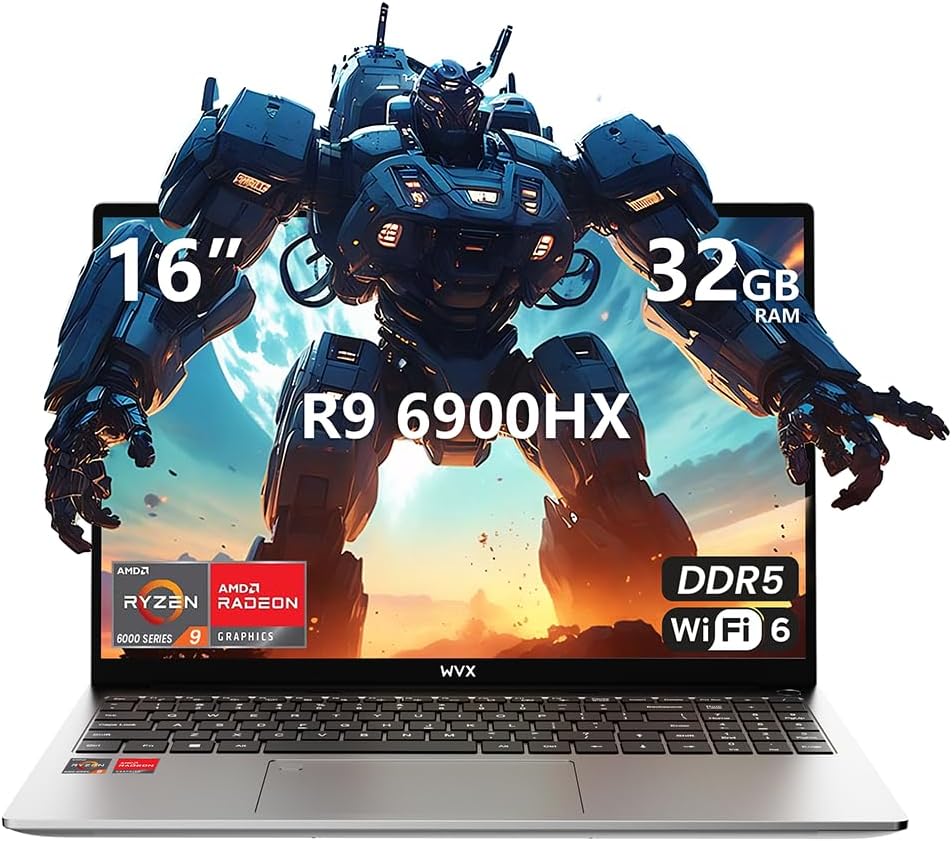
Image 1.1: WVX Gaming Laptop R9-6900HX
Nodweddion Allweddol:
- CPU Perfformiad Uchel: AMD Ryzen 9 6900HX with 8 cores and 16 threads, up to 4.9 GHz.
- Graffeg Integredig: AMD Radeon 680M, delivering strong visual performance.
- Fast Memory: 32GB o RAM DDR5, gellir ei ehangu hyd at 64GB.
- Ampgyda Storio: 512GB SSD, expandable up to 2TB.
- Arddangosfa fywiog: 16-inch Full HD (1920x1200) screen.
- Cysylltedd Uwch: Wi-Fi 6 and Bluetooth 5.2.
- System Weithredu: Pre-installed with Windows 11 Pro.
2. Gosod
2.1 Dadbocsio ac Archwiliad Cychwynnol
Carefully remove the laptop and its accessories from the packaging. Ensure all components listed in the 'What's in the Box' section are present and undamaged.
- R9-6900HX laptop
- PD100W adapter (charger)
2.2 Cysylltu'r Addasydd Pŵer
Connect the PD100W adapter to the laptop's power input port and then plug it into a power outlet. It is recommended to fully charge the laptop before its first use.
2.3 Cychwyn Cychwynnol a Gosod Windows
Press the power button located on the laptop. The system will guide you through the initial Windows 11 Pro setup process. Follow the on-screen instructions to configure your language, region, network, and user account.
3. Cyfarwyddiadau Gweithredu
3.1 Bysellfwrdd a Phad Cyffwrdd
The laptop features a full-size keyboard with a numeric keypad and a responsive touchpad. The keyboard is backlit for comfortable use in low-light conditions. The touchpad supports multi-touch gestures for enhanced navigation.

Image 3.1: Laptop keyboard and touchpad layout.
3.2 Display and Graphics
The 16-inch FHD display offers a resolution of 1920x1200 pixels, providing clear and vibrant visuals. The AMD Radeon 680M graphics processor handles demanding visual tasks efficiently.

Image 3.2: Display features including 300 nits brightness, IPS, and low blue light.
3.3 Porthladdoedd a Chysylltedd
The laptop is equipped with various ports for external devices and connectivity:
- 4x Porthladdoedd USB 3.0
- Porthladd HDMI
- Full-function Type-C Port (supports charging, data transfer, external 4K monitor)
- Jack Clust 3.5mm
- Darllenydd Cerdyn SD
For wireless connectivity, the laptop supports Wi-Fi 6 for high-speed internet and Bluetooth 5.2 for connecting peripherals.
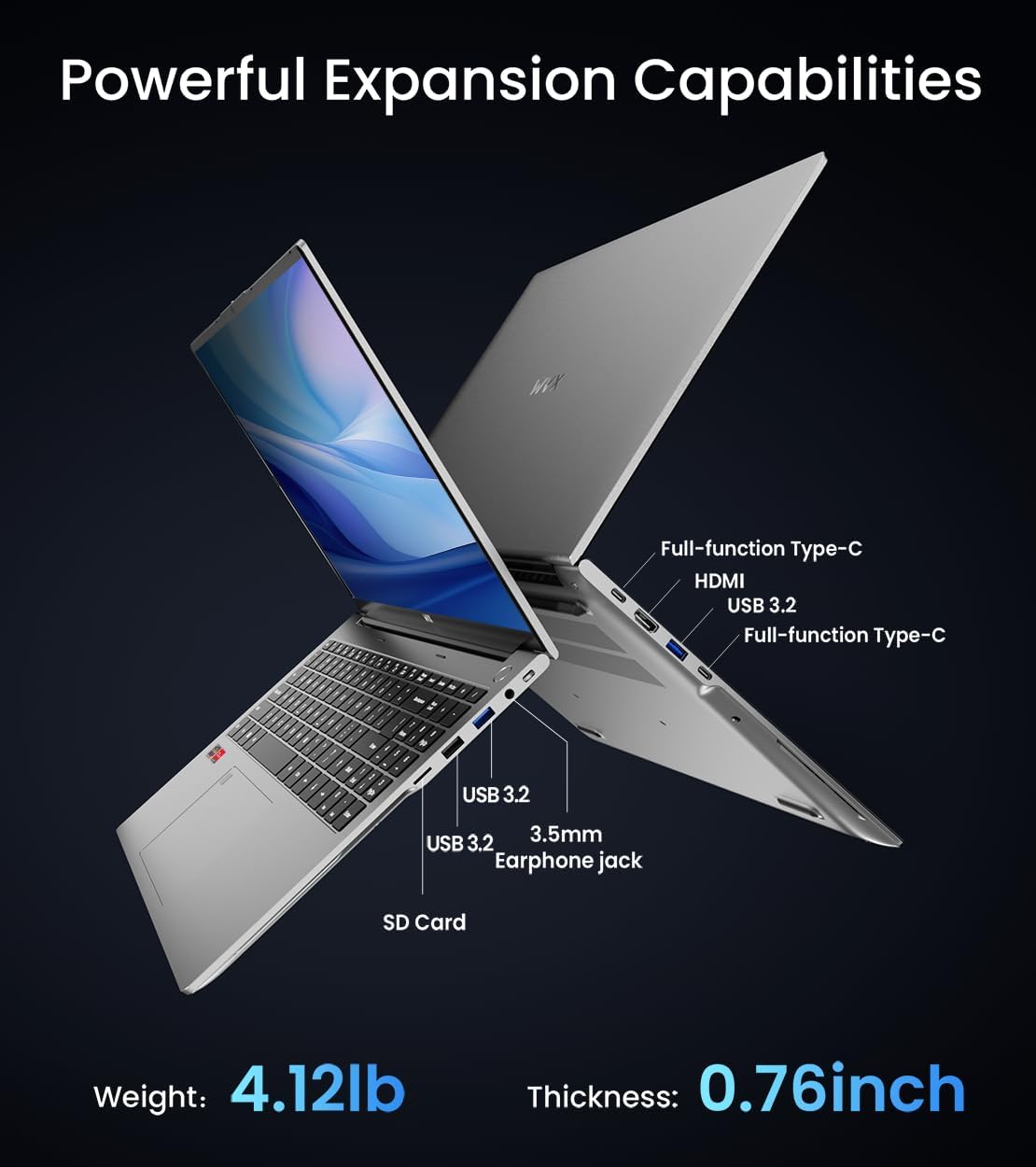
Delwedd 3.3: Drosoddview of available ports and physical dimensions.
4. cynnal
4.1 Glanhau
To maintain optimal performance and appearance, regularly clean your laptop. Use a soft, lint-free cloth for the screen and exterior. For stubborn smudges, a slightly dampgellir defnyddio lliain wedi'i olchi â dŵr neu lanhawr sgrin arbenigol. Osgowch gemegau llym.
4.2 Diweddariadau Meddalwedd
Regularly update your Windows operating system and drivers to ensure system stability, security, and optimal performance. Windows Update can be accessed through the Settings menu.
4.3 Storage and Memory Upgrades
The laptop's RAM can be upgraded to a maximum of 64GB, and the SSD storage can be expanded up to 2TB. Consult a qualified technician for hardware upgrades to avoid voiding your warranty.

Image 4.1: Illustration of memory and storage upgrade capabilities.
5. Datrys Problemau
5.1 Problemau Pŵer
- Nid yw'r gliniadur yn troi ymlaen: Gwnewch yn siŵr bod yr addasydd pŵer wedi'i gysylltu'n ddiogel a bod digon o wefr ar y batri. Rhowch gynnig ar soced pŵer gwahanol.
- Batri ddim yn codi tâl: Verify the power adapter is functioning correctly. Check the charging port for any obstructions.
5.2 Problemau Arddangos
- Sgrin wag: Connect an external monitor to check if the issue is with the laptop's display. Restart the laptop.
- Sgrin yn fflachio: Update graphics drivers. Adjust display refresh rate in Windows settings.
5.3 Problemau Perfformiad
- Perfformiad araf: Caewch gymwysiadau diangen. Chwiliwch am ddrwgwedd. Sicrhewch fod digon o le storio rhydd.
- Gorboethi: Ensure ventilation vents are clear. Consider using a cooling pad.

Image 5.1: Illustration of the laptop's cooling system with pure copper heat pipes and fan speed.
6. manylebau
| Nodwedd | Manyleb |
|---|---|
| Brand | WVX |
| Enw Model | R9-6900HX (A02) |
| Prosesydd | AMD Ryzen 9 6900HX (4.9 GHz, 8 Cores, 16 Threads) |
| Cydbrosesydd graffeg | AMD Radeon 680M |
| HWRDD | 32 GB DDR5 (Uchafswm 64GB) |
| Gyriant Caled | 512 GB SSD (Max 2TB) |
| Maint Sgrin | 16 modfedd |
| Cydraniad Sgrin Max | Picseli 1920x1200 |
| System Weithredu | Windows 11 Pro |
| Math Di-wifr | 802.11ax (Wi-Fi 6) |
| Bluetooth | 5.2 |
| Nifer y Porthladdoedd USB 3.0 | 4 |
| Dimensiynau Cynnyrch | 14 x 9.7 x 0.78 modfedd |
| Pwysau Eitem | 5.89 pwys |
| Batri | 58Wh |
| Nodweddion Arbennig | Backlit Keyboard, Fingerprint Reader, HD Audio |
7. Gwarant a Chefnogaeth
WVX offers comprehensive support for your laptop:
- Cymorth Technegol: Enjoy unlimited technical support.
- Gwasanaeth Atgyweirio: 12 months of repair service for all customers.
- Amser ymateb: Online connection within 24 hours for inquiries.
For any questions or concerns, please reach out to the WVX support team.

Delwedd 7.1: Drosoddview of WVX customer support services.
8. Fideo Cynnyrch Swyddogol
Fideo 8.1: Sioe fideo swyddogolasing the WVX R9 6900HX Laptop, highlighting its features and design.