
1. Rhagymadrodd
Welcome to the TABWEE T80 Tablet user manual. This guide provides comprehensive instructions to help you get the most out of your new Android 15 tablet. The T80 is designed for a seamless and powerful user experience, featuring advanced AI capabilities, a vibrant display, and robust performance for both work and entertainment.
Nodweddion Allweddol:
- System Weithredu Android 15: Experience the latest features and security enhancements.
- Gemini AI 2.0: Enhanced AI for smarter interactions and controls.
- 10.5-inch HD+ IPS Display: Enjoy clear and vibrant visuals with a wide viewongl ing.
- Perfformiad pwerus: Equipped with a 2.0GHz CPU, 12GB RAM, and 64GB ROM (expandable up to 2TB via TF card).
- Batri hirhoedlog: 6000mAh mega battery for extended use.
- Cysylltedd Uwch: Supports 5G WiFi and Bluetooth 5.0.
- 5MP Google Lens Camera: For clear photos and smart scene recognition.

Figure 1.1: The TABWEE T80 Tablet, showcasinei ddyluniad a'i arddangosfa cain.
2. Gosod
2.1 Dadbocsio a Thâl Cychwynnol
Carefully remove your TABWEE T80 Tablet from its packaging. Before first use, it is recommended to fully charge the device using the provided USB-C cable and power adapter. The charging port is located on the side of the tablet.
2.2 Troi Ymlaen a Chyflunio Cychwynnol
- Press and hold the Power button (located on the side) until the TABWEE logo appears on the screen.
- Dilynwch yr awgrymiadau ar y sgrin i ddewis eich iaith, cysylltu â rhwydwaith Wi-Fi, a sefydlu eich cyfrif Google.
- Review a derbyn y telerau ac amodau i gwblhau'r broses sefydlu.

Ffigur 2.1: Drosview of the TABWEE T80's core specifications and features.
3. Gweithredu'r Tabled
3.1 Nodweddion Android 15
Your TABWEE T80 runs on the latest Android 15, offering enhanced user experience, improved privacy, and smart features.
Split-Screen Combo
The split-screen feature allows you to run two applications simultaneously, enhancing multitasking and productivity. You can easily save app pairs for quick access.
Video 3.1: Demonstrates how to use the split-screen feature to run two applications concurrently on the TABWEE T80 tablet.
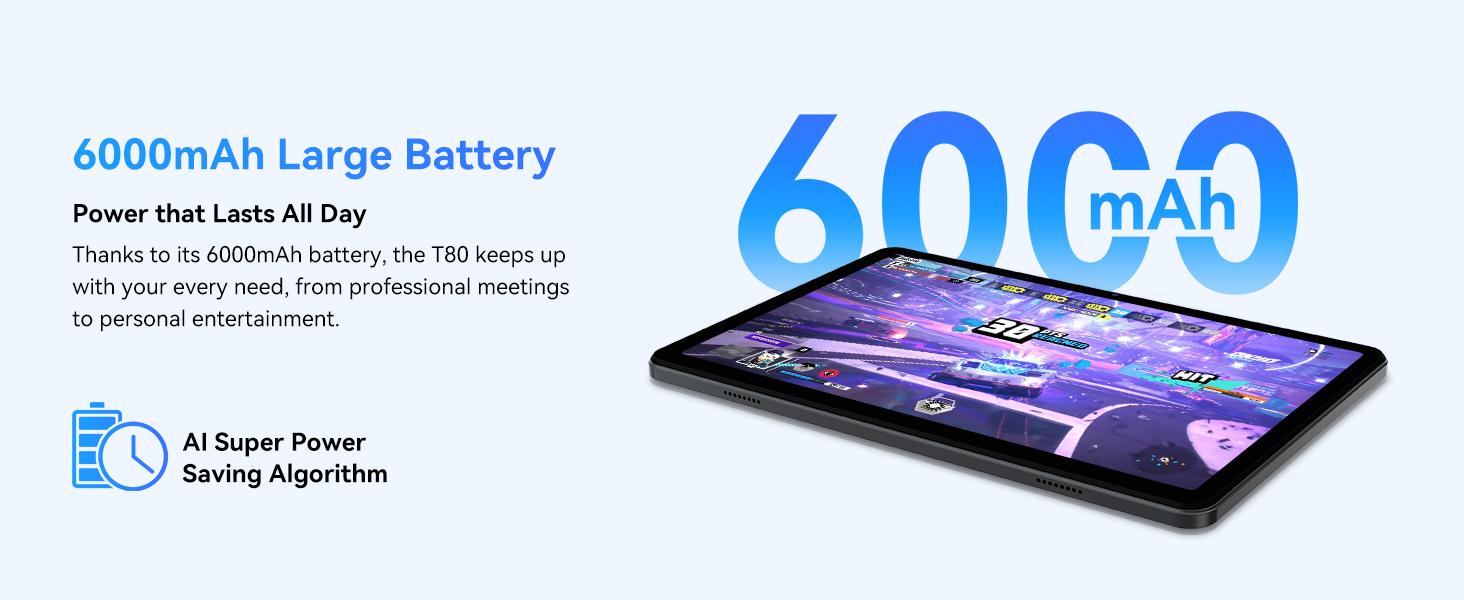
Figure 3.1: Visual representation of the split-screen functionality, allowing for efficient multitasking.
Desktop Customization and Widgets
Personalize your home screen by dragging and grouping apps freely. You can also add various widgets, such as the calendar, to quickly access information and tasks.
Video 3.2: Illustrates how to customize your desktop layout and add widgets for quick access to information.
Rheoli Preifatrwydd
Android 15 offers enhanced privacy controls, allowing you to manage app permissions and secure your data. You can block app access to sensitive information like location.
Video 3.3: Shows how to manage privacy settings and control app access to your data on the TABWEE T80.
Parental Controls with Gemini AI
Utilize Gemini AI parental controls to manage screen time, automatically lock games during homework, and ensure a safe digital environment for children.
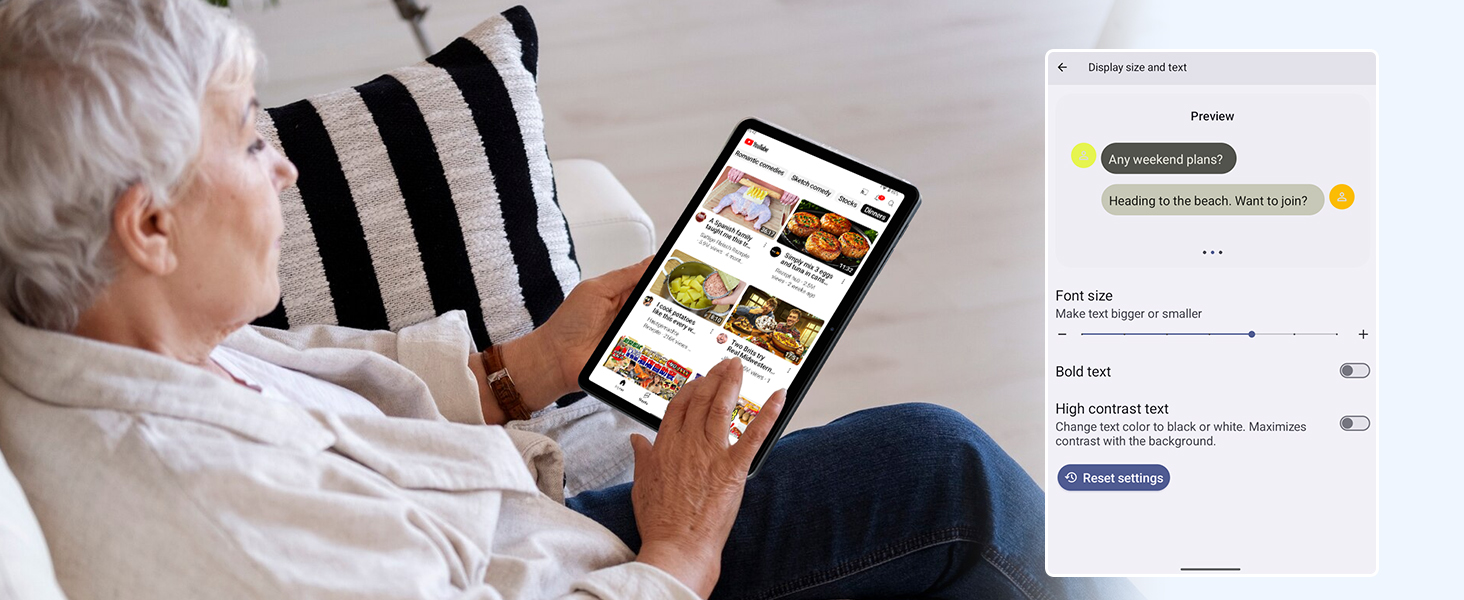
Figure 3.2: The Digital Wellbeing interface, demonstrating options for managing screen time and parental controls.
3.2 Arddangosfa a Delweddau
The 10.5-inch HD+ IPS display provides a clear and immersive viewing experience with a 1280x800 resolution and 84.9% screen-to-body ratio. It's ideal for watching videos, browsing, and reading.

Figure 3.3: Details of the tablet's display, highlighting its resolution and IPS full view galluoedd.
3.3 Perfformiad a Storio
Powered by a 2.0GHz Unisoc T310 CPU and 12GB RAM (expandable via software memory extension), the T80 ensures smooth multitasking and responsive performance. With 64GB of internal storage and support for up to 2TB TF cards, you have amplle i chi gyd files, apps, and media.

Figure 3.4: Illustration of the tablet's processing power and memory, enabling seamless multitasking and productivity.
3.4 Bywyd Batri
The 6000mAh mega battery provides extended usage, offering up to 8 hours of video streaming, 6 hours of gaming, or 30 hours of music playback. Smart power-saving modes further optimize battery longevity.

Figure 3.5: Depiction of the tablet's large 6000mAh battery and its USB-C charging port.
3.5 Nodweddion Camera
The T80 features a 5MP Google Lens enabled camera. This allows for scene recognition, night mode optimization, and useful functions like text translation and object identification.

Ffigur 3.6: Drosview of the tablet's camera and its integration with Google Lens for smart functions.
4. cynnal
To ensure the longevity and optimal performance of your TABWEE T80 Tablet, follow these maintenance guidelines:
- Glanhau: Defnyddiwch frethyn meddal, di-flwff i lanhau'r sgrin a'r corff. Osgowch ddeunyddiau sgraffiniol neu gemegau llym.
- Diweddariadau Meddalwedd: Chwiliwch am ddiweddariadau system a'u gosod yn rheolaidd i elwa o'r nodweddion, y clytiau diogelwch a'r gwelliannau perfformiad diweddaraf.
- Gofal Batri: Osgowch dymheredd eithafol. Peidiwch â gadael i'r batri ddraenio'n llwyr yn aml. Ar gyfer storio tymor hir, gwefrwch y batri i tua 50%.
- Rheoli Storio: Clirio pethau diangen yn rheolaidd files ac apiau i ryddhau lle storio a chynnal gweithrediad llyfn.
- Diogelu: Ystyriwch ddefnyddio cas amddiffynnol ac amddiffynnydd sgrin i warchod rhag diferion a chrafiadau.
5. Datrys Problemau
This section addresses common issues you might encounter with your TABWEE T80 Tablet.
5.1 Dyfais Ddim yn Troi Ymlaen
- Gwirio Batri: Ensure the tablet has sufficient charge. Connect it to the charger and wait a few minutes before attempting to power on again.
- Ailosod caled: Press and hold the Power button for about 10-15 seconds until the device restarts.
5.2 Problemau Cysylltedd Wi-Fi
- Toggle Wi-Fi: Turn Wi-Fi off and then on again in Settings.
- Ailgychwyn Llwybrydd: Power cycle your Wi-Fi router.
- Anghofiwch y Rhwydwaith: Go to Wi-Fi settings, forget the problematic network, and then reconnect.
5.3 Perfformiad Araf
- Cau Apiau Cefndir: Cau cymwysiadau nas defnyddir sy'n rhedeg yn y cefndir.
- Clirio'r storfa: Regularly clear app caches in Settings > Apps.
- Rhyddhewch Storfa: Dileu diangen files or uninstall rarely used apps.
- Ailgychwyn Dyfais: Gall ailgychwyn syml ddatrys arafwch dros dro yn aml.
5.4 Apps Crashing or Not Responding
- Force Stop App: Go to Settings > Apps, select the problematic app, and choose 'Force Stop'.
- Clear App Data/Cache: In the same app settings, try clearing its cache or data (note: clearing data will reset the app to its default state).
- Ailosod ap: Uninstall and then reinstall the app from the Google Play Store.
6. manylebau
Detailed technical specifications for the TABWEE T80 Tablet:
| Nodwedd | Manyleb |
|---|---|
| Brand | TABWEE |
| Enw Model | T80 |
| System Weithredu | Android 15 |
| Maint Sgrin | 10.5 modfedd |
| Cydraniad Sgrin | 1280 x 800 picsel |
| Prosesydd | 2.0 GHz Unisoc T310 |
| Cof (RAM) | 12 GB |
| Storio (ROM) | 64 GB |
| Storfa Ehangadwy | Cerdyn TF hyd at 2TB |
| Cefn Webcam Datrys | 5 AS |
| Math Di-wifr | 802.11n, 802.11b, 802.11a, 802.11ac, 802.11g (5G WiFi) |
| Bluetooth | Bluetooth 5.0 |
| Gallu Batri | 6000mAh |
| Bywyd Batri Cyfartalog | 550 Awr (Wedi'i Wrthsefyll) |
| Pwysau Eitem | 1.1 pwys (tua 523 gram) |
| Dimensiynau Cynnyrch | 9.5 x 6.4 x 0.3 modfedd |
| Lliw | Llwyd |
7. Gwarant a Chefnogaeth
TABWEE is committed to quality and customer satisfaction. Your T80 Tablet comes with comprehensive support to ensure a worry-free experience.
7.1 Gwybodaeth Gwarant
The TABWEE T80 Tablet is backed by a Gwarant 2 mlynedd. This warranty covers manufacturing defects and ensures free repair service for eligible issues. Please retain your proof of purchase for warranty claims.
7.2 Cefnogaeth i Gwsmeriaid
For any questions, technical assistance, or warranty claims, please contact our dedicated support team:
- 24/7 Online Call Support: Available for immediate assistance.
- Cymorth Technegol Oes: Expert help whenever you need it.
- Hassle-Free Service: Assistance available through the TABWEE Official Flagship Store.
We are dedicated to providing prompt and effective solutions to all your inquiries.

Ffigur 7.1: Mae ein tîm cymorth cwsmeriaid ymroddedig yn barod i'ch cynorthwyo.