
Rhagymadrodd
Thank you for choosing the UYIKOO BGL13 1080p HD Hidden Camera Glasses. These glasses are designed for discreet video recording and photo capture in Full HD resolution. Featuring a lightweight and durable design, a built-in rechargeable battery, and a 64GB memory card, they are suitable for various activities such as meetings, travel, sports, and outdoor adventures. This manual provides detailed instructions for setup, operation, and maintenance to ensure optimal performance.
Cynnwys Pecyn
Gwiriwch fod yr holl eitemau a restrir isod wedi'u cynnwys yn eich pecyn:
- UYIKOO BGL13 Camera Glasses
- Cerdyn Micro SD 64GB
- Darllenydd Cerdyn USB
- Pin Ailosod
- Cebl Codi Tâl USB
- Llawlyfr Defnyddiwr
- Achos Storio
- Glanhau Brethyn

Image: Contents of the UYIKOO BGL13 Camera Glasses package.
Cynnyrch Drosview
The UYIKOO BGL13 glasses integrate a high-definition camera into a discreet, wearable design. Key features include:
- Recordio Fideo HD Llawn 1080p: Capture clear videos at 1920 x 1080 pixels.
- Cipio Llun: Take high-resolution JPEG photos.
- Integrated 64GB Memory: Comes with a 64GB Micro SD card, expandable up to 256GB (Class 10 recommended).
- Batri y gellir ei ailwefru: Built-in lithium-ion battery provides up to 75 minutes of continuous recording on a full charge. Supports recording while charging.
- Gweithrediad Un Botwm: Simple control for recording videos and taking photos.
- Ysgafn a Gwydn: Constructed from high-quality ABS plastic for comfort and longevity.
- Recordiad Dolen: Yn trosysgrifennu'n awtomatig yn hŷn files when the memory card is full, ensuring continuous recording.

Image: UYIKOO BGL13 Hidden Camera Glasses with camera lens highlighted.

Image: The single button control on the UYIKOO BGL13 Camera Glasses.
Gosod
- Gwefru'r Dyfais: Before first use, fully charge the glasses. Connect the USB charging cable to the glasses and a power source (e.g., computer USB port or USB wall adapter). The indicator light will show charging status (refer to the LED indicator section for details).
- Mewnosod Cerdyn Micro SD: Locate the Micro SD card slot on the glasses. Gently insert the provided 64GB Micro SD card into the slot until it clicks into place. Ensure the card is inserted correctly to avoid damage. The glasses support up to 256GB Micro SD cards (Class 10 recommended for optimal performance).

Image: Inserting the Micro SD card into the glasses.
Cyfarwyddiadau Gweithredu
Pŵer Ymlaen / Diffodd
- Pŵer Ymlaen: Press and hold the ON/OFF button for approximately 2 seconds until the indicator light illuminates.
- Pwer i ffwrdd: Press and hold the ON/OFF button for approximately 3-5 seconds until the indicator light turns off.
Recordio Fideo
- Dechrau Recordio: With the device powered on, press and hold the ON/OFF button for 2 seconds. The indicator light will flash, indicating that video recording has started.
- Stopio Recordio: Press the ON/OFF button once. The indicator light will change, and the video file bydd yn cael ei gadw.

Image: One-button operation for video recording and photo capture.
Dal Lluniau
- Tynnu llun: With the device powered on, press the ON/OFF button once. The indicator light will flash briefly, indicating that a photo has been taken and saved.
Cysylltu â Chyfrifiadur
- Trosglwyddiad Files: Connect the glasses to your computer using the provided USB cable. The device will be recognized as a removable disk. You can then access and transfer your video and photo files.
- Cydnawsedd: Compatible with both Windows and macOS operating systems.
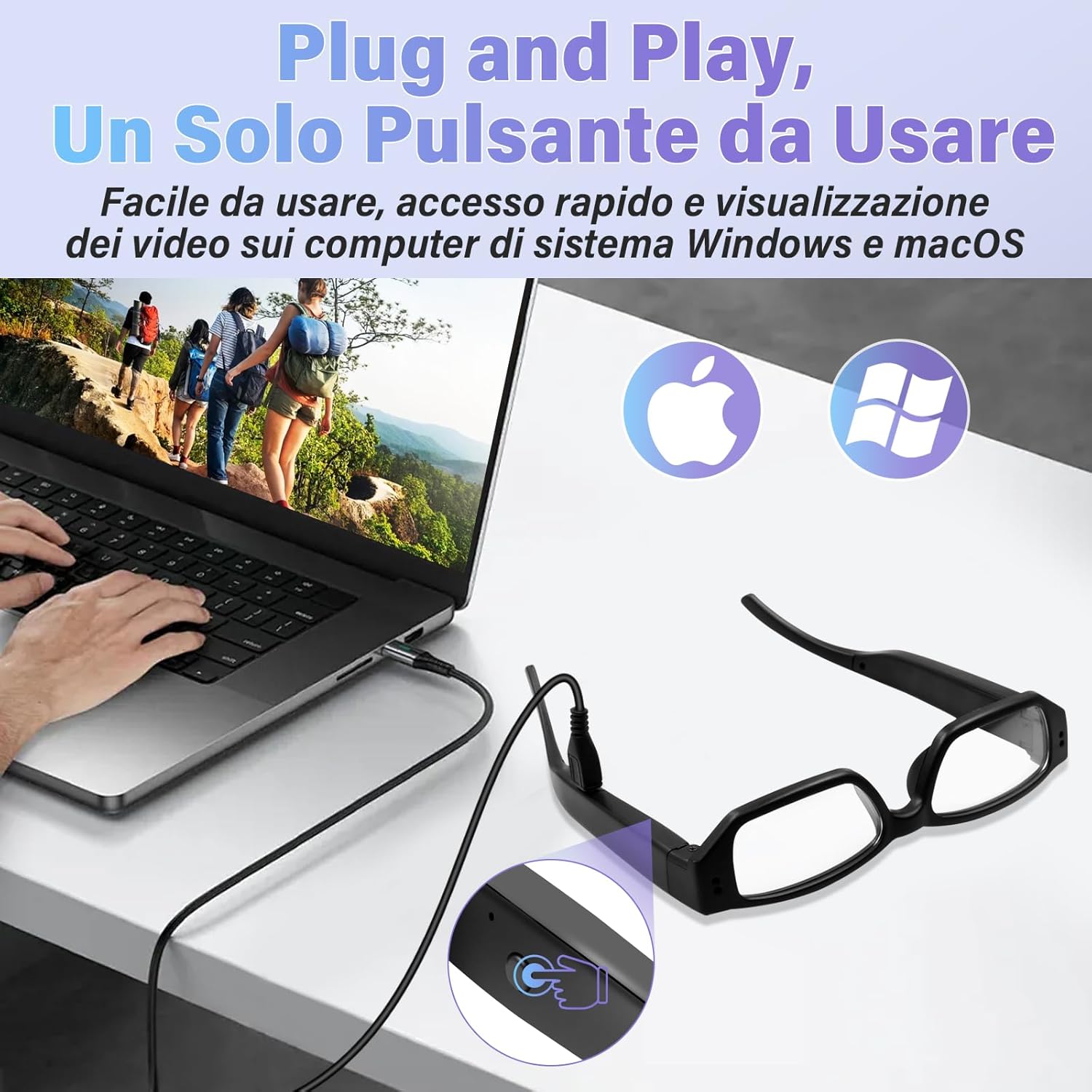
Image: Connecting the glasses to a computer for file mynediad.
Codi tâl
The UYIKOO BGL13 glasses feature a built-in rechargeable lithium-ion battery. To charge:
- Connect the USB charging cable to the charging port on the glasses and a standard USB power source.
- The indicator light will typically show red during charging and turn blue (or off) when fully charged. Refer to the specific LED indicator behavior in your detailed manual for precise information.
- A full charge provides approximately 75 minutes of continuous recording.
- The device supports recording while charging, allowing for extended use when connected to a power bank or wall adapter.

Image: Charging the glasses on the go.
Rheoli Cerdyn Cof
- Cynhwysedd Storio: The glasses come with a 64GB Micro SD card. This provides ample space for numerous video and photo files.
- Ehangu: For increased storage, the device supports Micro SD cards up to 256GB. Ensure to use a Class 10 or higher speed card for reliable recording.
- Recordiad Dolen: When the memory card is full, the device will automatically overwrite the oldest files with new recordings. This ensures continuous operation without manual deletion of files.
- Fformatio: It is recommended to format the Micro SD card periodically to maintain optimal performance and prevent data corruption. This can usually be done via your computer.

Image: Micro SD card slot and battery indicator.

Image: Loop recording functionality.
Cynnal a chadw
- Glanhau: Use the provided cleaning cloth to gently wipe the lenses and frame. Avoid using harsh chemicals or abrasive materials.
- Storio: Store the glasses in the provided storage case when not in use to protect them from dust, scratches, and impacts.
- Tymheredd: Osgoi amlygu'r ddyfais i dymereddau eithafol, golau haul uniongyrchol, neu leithder uchel.
- Amlygiad Dŵr: The glasses are not waterproof. Avoid contact with water or other liquids.
- Gofal Batri: Er mwyn ymestyn oes y batri, osgoi rhyddhau'r batri'n llwyr yn aml. Gwefrwch y ddyfais yn rheolaidd, hyd yn oed os nad yw'n cael ei defnyddio am gyfnodau hir.
Datrys problemau
| Problem | Achos Posibl | Ateb |
|---|---|---|
| Nid yw'r ddyfais yn pweru ymlaen. | Batri isel; dyfais wedi rhewi. | Charge the battery fully. Use the reset pin to press the reset button if the device is unresponsive. |
| Methu recordio fideo/tynnu lluniau. | No Micro SD card; Micro SD card full or corrupted; incorrect operation. | Ensure Micro SD card is inserted correctly. Check available space or format the card. Refer to operating instructions for correct button presses. |
| Computer does not recognize the device. | Faulty USB cable; driver issue; incorrect connection. | Try a different USB port or cable. Ensure the glasses are powered on when connecting. Restart your computer. |
| Ansawdd fideo/lluniau gwael. | Dirty lens; insufficient lighting; rapid movement. | Clean the camera lens with the provided cloth. Ensure adequate lighting conditions. Minimize sudden movements during recording. |
Manylebau
- Model: BGL13
- Datrysiad Fideo: 1920 x 1080p HD Llawn
- Fformat Llun: JPEG
- Fformat Fideo: AVI
- Storio: Supports Micro SD/SDHC cards up to 256GB (64GB included)
- Math o batri: Polymer Lithiwm
- Bywyd batri: Approximately 75 minutes continuous recording
- Amser Codi Tâl: (Not specified, typically 1-2 hours)
- Dimensiynau: 13 x 2 x 5 cm (tua)
- Pwysau: 140 g
- Deunydd: Plastig ABS o ansawdd uchel
- Cysylltedd: USB for data transfer and charging
- Nodweddion arbennig: Local recording, portable, 64GB card included

Image: Product dimensions and face shape compatibility.
Gwarant a Chefnogaeth
For warranty information and technical support, please refer to the documentation included with your purchase or contact UYIKOO customer service through the retailer where the product was purchased. Keep your proof of purchase for warranty claims.