
Rhagymadrodd
This manual provides detailed instructions for the safe and effective use of your Rollei Easy Creator Desktop AI Face Tracking Phone Holder. Please read this manual thoroughly before operating the device and retain it for future reference.
The Rollei Easy Creator Desktop is an intelligent device designed to automatically track faces and bodies, ensuring you remain in frame during video recording, live streaming, or video calls. It features 360° rotation, gesture control, and a built-in rechargeable battery, offering a convenient hands-free experience without requiring a dedicated application.
Gwybodaeth Diogelwch
- Peidiwch ag amlygu'r ddyfais i dymheredd eithafol, golau haul uniongyrchol, na lleithder uchel.
- Cadwch y ddyfais i ffwrdd o ddŵr a hylifau eraill.
- Peidiwch â cheisio dadosod, atgyweirio na newid y ddyfais. Bydd hyn yn gwneud y warant yn ddi-rym.
- Defnyddiwch y cebl gwefru a ddarperir neu gebl USB-C ardystiedig yn unig ar gyfer gwefru.
- Ensure the smartphone is securely mounted before operation to prevent accidental drops.
- Cadwch allan o gyrraedd plant.
Beth Sydd yn y Bocs
Gwiriwch fod yr holl gydrannau yn bresennol wrth ddadbocsio:
- Rollei Easy Creator Desktop AI Face Tracking Phone Holder
- Cebl Codi Tâl USB-C
- Llawlyfr Defnyddiwr
Fideo: Rollei Easy Creator Desktop Unboxing. This video demonstrates the unboxing process and shows the included components of the Rollei Easy Creator Desktop.
Gosod
1. Codi Tâl y Dyfais
Before first use, fully charge the device. Connect the provided USB-C cable to the charging port on the back of the device and to a suitable USB power source. The charging indicator light will illuminate during charging and turn off when fully charged.
The device features a built-in rechargeable battery with a USB-C charging port, providing 2-4 hours of continuous use on a full charge.

Delwedd: The Rollei Easy Creator Desktop connected to a USB-C charging cable, highlighting the charging port and the red indicator light.
2. Gosod Eich Ffôn Clyfar
- Extend the scalable phone bracket by gently pulling it upwards.
- Place your smartphone into the bracket, ensuring it is securely held. The bracket supports smartphones with a width between 6.5cm and 9.5cm.
- Adjust the phone's orientation (horizontal or vertical) by rotating the phone clip as needed.

Delwedd: A smartphone securely mounted on the Rollei Easy Creator Desktop, demonstrating its compatibility with various smartphone models without requiring an app.
3. Atodi Ategolion
The device is equipped with a cold shoe mount and a 1/4" tripod thread for versatile use:
- Mownt Esgidiau Oer: Located on the top of the phone clip, this allows you to attach accessories like LED video lights or microphones.
- 1/4" Tripod Thread: Located at the bottom of the device, this allows mounting the Easy Creator Desktop onto a standard tripod for elevated or more stable shots.

Delwedd: The Rollei Easy Creator Desktop highlighting its 1/4" tripod thread at the base and a cold shoe mount on the phone clip, demonstrating options for attaching additional photographic devices.
Cyfarwyddiadau Gweithredu
1. Pŵer Ymlaen / I ffwrdd
Press and hold the power button (central button) for 3 seconds to turn the device on or off. The indicator light will illuminate when powered on.
2. AI Face and Body Tracking
The Rollei Easy Creator Desktop uses advanced AI to automatically track your face and body, rotating 360° to keep you centered in the frame.
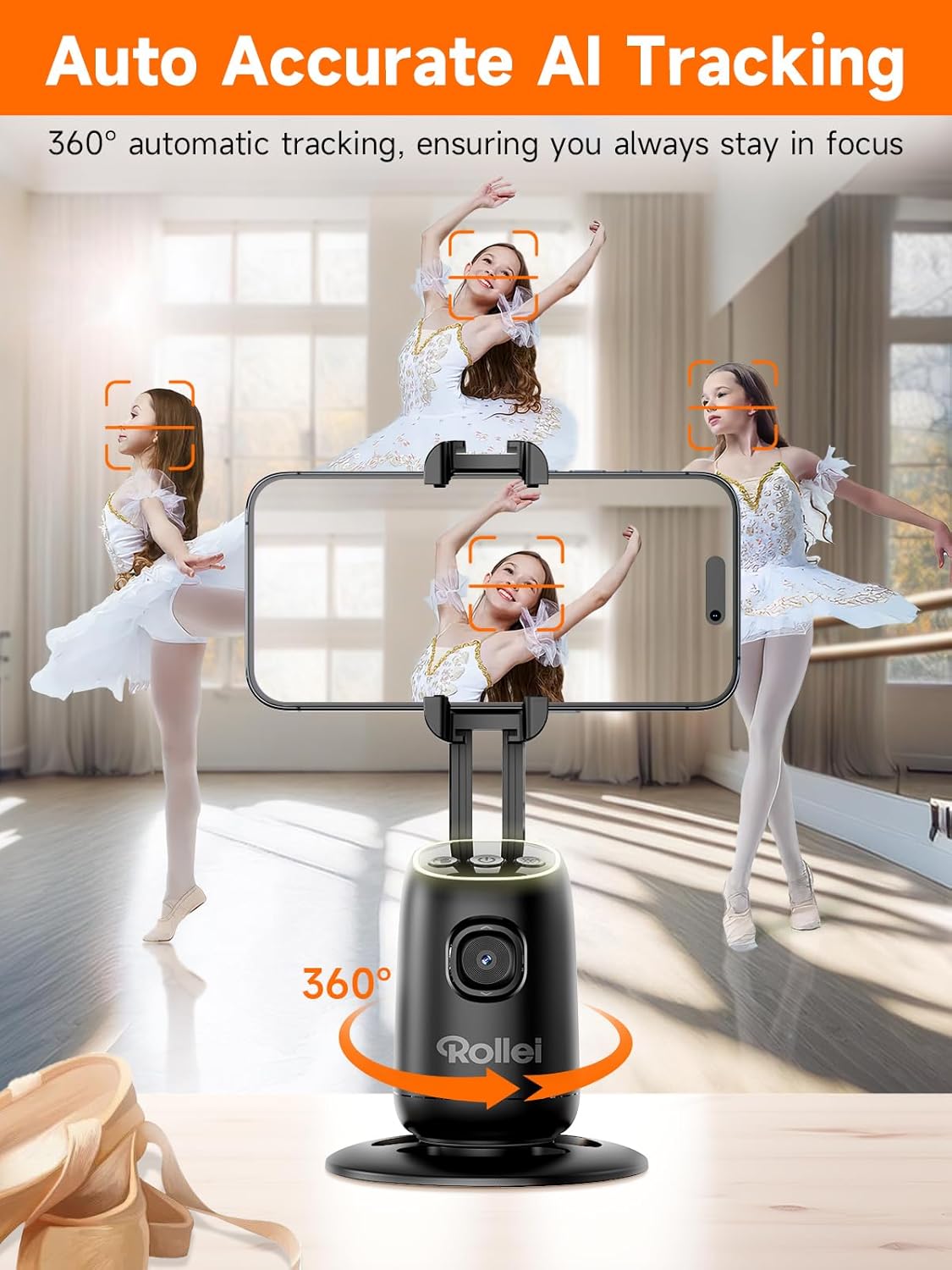
Delwedd: The Rollei Easy Creator Desktop actively tracking multiple faces, demonstrating its 360° automatic tracking capability to keep subjects in focus.
Fideo: Rollei Easy Creator Desktop with AI Tracking. This video showcases the AI tracking features, including face and body tracking, and 360-degree rotation.
3. Rheoli Ystumiau
The device supports intelligent gesture control for hands-free operation:
- OK Gesture (👌): Show an 'OK' gesture to the camera to initiate face tracking. The indicator light will turn green.
- Palm Gesture (✋): Show an open palm gesture to the camera to pause face tracking. The indicator light will turn red.

Delwedd: A user demonstrating the palm gesture to stop tracking and the 'OK' gesture to start tracking with the Rollei Easy Creator Desktop.
4. Switching Tracking Objects
When multiple faces are detected, use the 'OK' gesture to switch between tracking different individuals. The device will focus on the last recognized 'OK' gesture.
5. Horizontal and Vertical Modes
The phone holder allows for quick switching between horizontal and vertical orientations by manually rotating the phone clip. This flexibility is useful for various content formats, such as landscape videos for YouTube or portrait videos for TikTok.
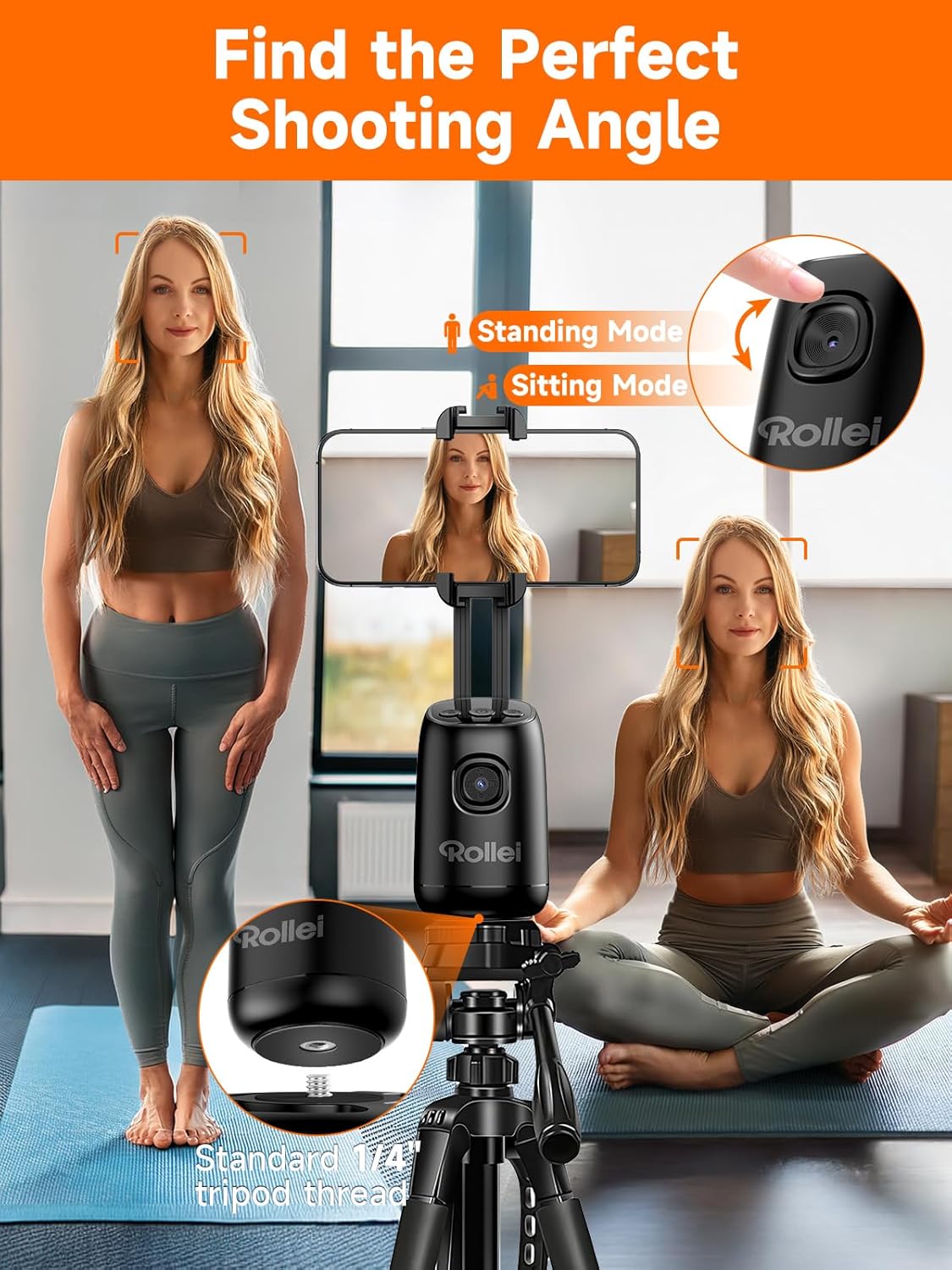
Delwedd: The Rollei Easy Creator Desktop illustrating its ability to adjust for standing and sitting modes, along with the 1/4" tripod thread for additional mounting options.
Cynnal a chadw
- Glanhau: Defnyddiwch frethyn meddal, sych i lanhau'r ddyfais. Peidiwch â defnyddio glanhawyr sgraffiniol na thoddyddion.
- Gofal Batri: Er mwyn ymestyn oes y batri, osgoi rhyddhau'r batri'n llwyr yn aml. Gwefrwch y ddyfais yn rheolaidd, hyd yn oed os nad yw'n cael ei defnyddio am gyfnodau hir.
- Storio: Storiwch y ddyfais mewn lle oer, sych i ffwrdd o olau haul uniongyrchol pan nad yw'n cael ei defnyddio.
Datrys problemau
| Problem | Achos Posibl | Ateb |
|---|---|---|
| Nid yw'r ddyfais yn pweru ymlaen. | Batri isel. | Gwefrwch y ddyfais gan ddefnyddio'r cebl USB-C. |
| Tracking is not working. | Tracking is paused or not activated. | Ensure the device is powered on and perform the 'OK' gesture to activate tracking. Check for sufficient lighting. |
| Device does not rotate 360°. | Obstruction or limited movement. | Ensure the device is on a flat surface and has clear space for rotation. |
| Smartphone is not held securely. | Incorrect placement or phone width outside range. | Adjust the phone within the bracket (6.5-9.5cm width). Ensure it is centered and firmly gripped. |
Manylebau
| Nodwedd | Manylyn |
|---|---|
| Enw Model | 23158 |
| Brand | Rollei |
| Pwysau Eitem | 230 gram (8.1 owns) |
| Deunydd | Plastig |
| Uchder Uchaf | 18.8 Centimedr |
| Isafswm Uchder | 9.5 Centimedr |
| Dyfeisiau Cydnaws | Smartphone, Tablet (width 6.5-9.5cm) |
| Nodwedd Arbennig | Automatic and precise tracking with AI, intelligent gesture control |
| Gallu Batri | 1200mAh (approx. 2-4 hours working time) |
| Porthladd Codi Tâl | USB-C |
| Opsiynau Mowntio | Cold shoe mount, 1/4" tripod thread |
Gwarant
Rollei products are covered by a manufacturer's warranty against defects in materials and workmanship. Please refer to the warranty card included with your product or visit the official Rollei website for specific terms and conditions. Keep your proof of purchase for warranty claims.
Cefnogaeth
For further assistance, technical support, or to inquire about replacement parts, please visit the official Rollei website or contact their customer service department. You can find contact information on the product packaging or on the Rollei brand store page on Amazon.


