
1. Rhagymadrodd
The Yasola RC Drone Car Model 828 is a versatile 2-in-1 remote control vehicle designed for both ground driving and aerial flight. This manual provides essential instructions for safe operation, setup, and maintenance to ensure an enjoyable experience.
2. Rhagofalon Diogelwch
- Goruchwyliaeth Oedolion: Always ensure adult supervision when children are operating the drone car.
- Amgylchedd Hedfan: Operate the drone in open, clear areas, away from people, animals, buildings, and other obstacles. Avoid flying in strong winds or rain.
- Diogelwch Batri:
- Defnyddiwch y cebl gwefru a'r batris a ddarperir yn unig.
- Peidiwch â gorwefru na chylched fer batris.
- Peidiwch ag amlygu batris i dymheredd eithafol na thân.
- Os bydd batris yn chwyddo neu'n gollwng, stopiwch eu defnyddio ar unwaith.
- Diogelwch Propelwyr: Cadwch fysedd, gwallt a dillad rhydd i ffwrdd o bropellorau sy'n cylchdroi.
- Osgoi Effaith: Avoid collisions with objects or people to prevent damage to the drone car and potential injury.
- Amlygiad Dŵr: Do not expose the drone car to water or moisture.
3. Cynnwys Pecyn
Gwiriwch fod yr holl eitemau yn bresennol yn y pecyn:
- 1 x Yasola RC Drone Car (Model 828)
- 1 x Rheolaeth Anghysbell
- 2 x Lithium Batteries (for drone car)
- 1 x Cebl Codi Tâl USB
- 4 x Propelwyr Sbâr
- 1 x Llawlyfr Defnyddiwr (y ddogfen hon)
4. Canllaw Gosod
4.1 Gosod Batri
For the Drone Car:
- Locate the battery compartment on the underside of the drone car.
- Agorwch y clawr adran batri yn ofalus.
- Connect the drone battery to the drone's power connector.
- Rhowch y batri y tu mewn i'r adran a chau'r clawr yn ddiogel.
- Use a small screwdriver to turn the battery cover screw to secure it.


For the Remote Control:
- Agorwch y compartment batri ar gefn y teclyn rheoli o bell.
- Insert 2 LR44 batteries (included) according to the polarity markings.
- Caewch yr adran batri.
4.2 Gwefru Batri'r Drôn
- Cysylltwch y cebl gwefru USB â batri'r drôn.
- Plug the USB end into a compatible USB power source (e.g., computer, USB wall adapter).
- The indicator light on the USB cable will show charging status (refer to charger for specific light indications).
- Charging typically takes approximately 60-90 minutes. Do not leave unattended while charging.
4.3 Pairing the Remote Control with the Drone Car
- Ensure the drone car battery is installed and fully charged.
- Long press the power button on the drone car to turn it on. The LED lights will begin to flash.
- Trowch y teclyn rheoli o bell ymlaen. Bydd y golau dangosydd ar y teclyn rheoli o bell yn fflachio.
- Move the left joystick (throttle) on the remote control up and then down. The remote control will beep, and the drone car's lights will become solid, indicating successful pairing.
- The default mode after pairing is typically Flight Mode.
5. Cyfarwyddiadau Gweithredu
5.1 Rheolaeth o Bell Drosview
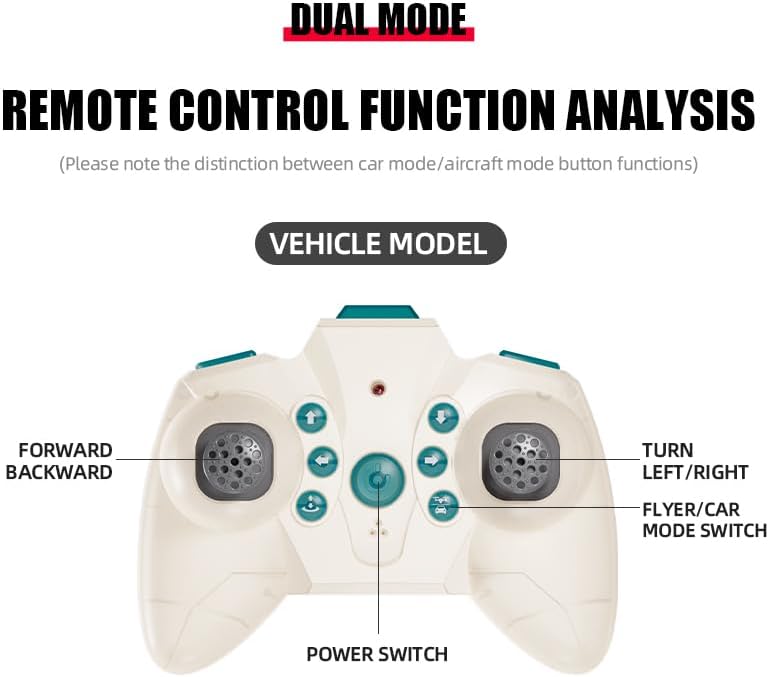
The remote control features dual modes for car and flight operation. Familiarize yourself with the controls:
- Joystick Chwith (Throttel): Controls forward/backward movement in car mode, and ascent/descent in flight mode.
- Right Joystick (Steering/Direction): Controls left/right turns in car mode, and directional flight (forward, backward, left, right) in flight mode.
- Botwm Newid Modd: Toggles between Flight Mode and Car Mode.
- One-Key Take Off/Landing Button: Initiates automatic take-off or landing in flight mode.
- Speed Shift Button: Adjusts the speed setting (low/high).
- Botwm Modd Di-ben: Activates headless mode for simplified flight control.
- Botwm Newid Golau: Toggles the LED lights.
5.2 Switching Between Flight Mode and Car Mode
- After pairing, the drone car is typically in Flight Mode.
- I newid i Modd Car: Ensure the drone car has landed and propellers have stopped spinning. Press the Mode Switch button on the remote control. The lights on the drone car will turn red to indicate Car Mode.
- I newid i Modd Hedfan: Press the Mode Switch button again. The lights on the drone car will turn blue to indicate Flight Mode.

5.3 Flight Operations
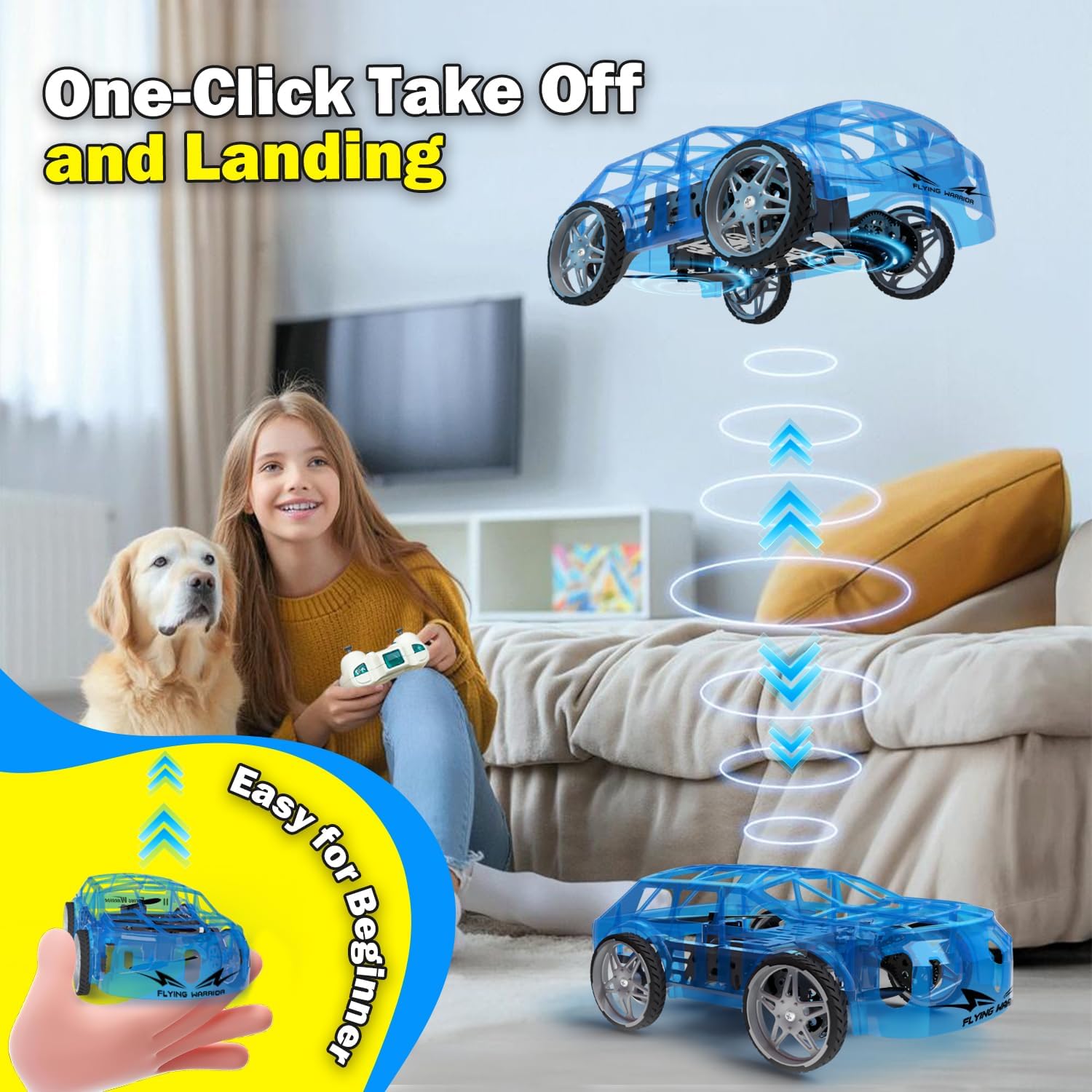
- One-Key Take Off: With the drone car in Flight Mode, press the One-Key Take Off/Landing button. The drone will automatically ascend to a stable hovering altitude.
- Rheoli Uchder: Gwthiwch y ffon reoli chwith i fyny i esgyn ac i lawr i ddisgyn.
- Directional Flight: Push the right joystick forward to fly forward, backward to fly backward, left to fly left, and right to fly right.
- Cylchdro: Push the left joystick left or right to rotate the drone car.
- Addasiad Cyflymder: Press the Speed Shift button to toggle between low and high-speed modes.
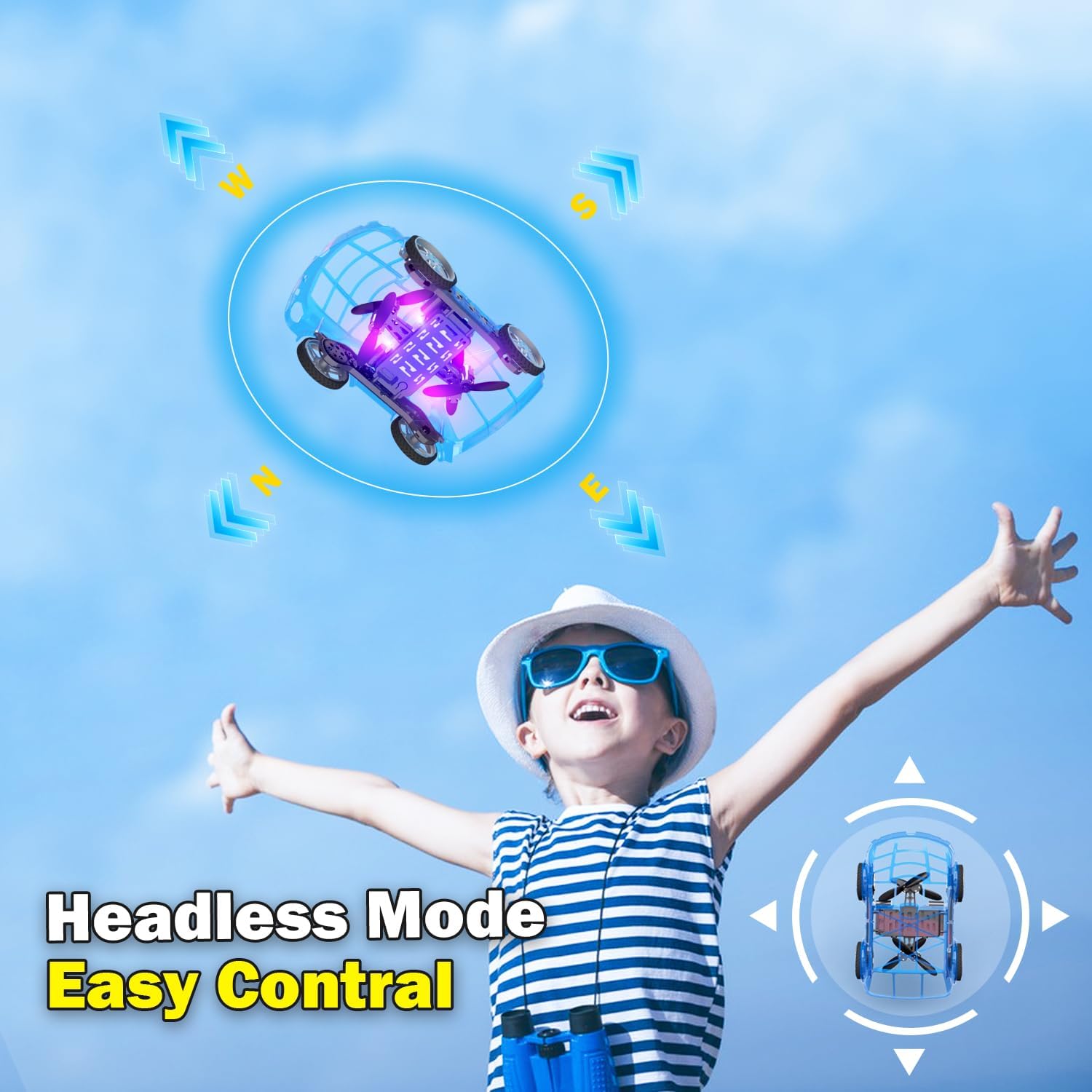
- Modd Di-ben: Press the Headless Mode button to activate. In this mode, the drone's orientation is relative to the pilot, regardless of the drone's front direction. Press again to exit.
- Glaniad Un Allwedd: Press the One-Key Take Off/Landing button again to initiate an automatic landing. The drone will slowly descend and land.

5.4 Car Operations
- Ymlaen / Yn ôl: Push the left joystick up to drive forward and down to drive backward.
- Troi: Push the right joystick left to turn left and right to turn right.
- Addasiad Cyflymder: Press the Speed Shift button to toggle between low and high-speed modes.
6. cynnal
- Glanhau: Use a soft, dry cloth to clean the drone car. Do not use water or chemical cleaners.
- Amnewid Propelor: If a propeller is damaged, carefully remove it and replace it with a spare propeller, ensuring correct orientation.
- Gofal Batri:
- Storio batris mewn lle oer, sych pan nad ydynt yn cael eu defnyddio.
- Do not store fully charged or completely depleted batteries for extended periods.
- Charge batteries at least once every three months to maintain their health.
7. Datrys Problemau
| Problem | Achos Posibl | Ateb |
|---|---|---|
| Drone car does not respond to remote control. | Not paired; low battery in drone or remote; drone not powered on. | Ensure drone and remote are powered on. Re-pair the remote control (Section 4.3). Charge drone battery. Replace remote control batteries. |
| Drone car cannot take off or flies unstably. | Low drone battery; damaged propellers; incorrect calibration; operating in windy conditions. | Charge drone battery. Check and replace damaged propellers. Perform "Outer eight calibration" (refer to video demonstration). Operate in calm conditions. |
| Short flight time (e.g., 3-5 minutes). | Normal battery capacity for mini drones; battery not fully charged. | Ensure battery is fully charged before use. Utilize the second included battery for extended play. |
| Drone car drifts during flight. | Needs fine-tuning/trimming; environmental factors (e.g., slight breeze). | Use the direction fine-tuning buttons on the remote control to correct drift. Ensure operation in a calm environment. |
8. manylebau
- Brand: Yasola
- Enw'r Model: 828
- Dimensiynau Cynnyrch: 9.56"H x 5.11"L x 3.54"U
- Pwysau Eitem: 9.4 owns (0.59 pwys)
- Deunydd: Plastig
- Lliw: Glas
- Technoleg Cysylltedd: Remote control 2.4G
- Cynhwysedd Batri: 600 Miliamp Oriau (Ion Lithiwm)
- Ystod Oedran (Disgrifiad): Kid (recommended for ages 8-12)
- Nodweddion arbennig: Drone car, UFO, flying and running RC drone, flying car, One-Key Take Off/Landing, LED Lights, 2 Mode Control, Headless Mode, High-Low Speed Shift.
9. Gwarant a Chefnogaeth
For warranty information, technical support, or any inquiries regarding your Yasola RC Drone Car Model 828, please refer to the contact information provided on the product packaging or visit the official Yasola websafle.