
1. Cynnyrch Drosview
This manual provides instructions for the installation and care of your Lamshaw TPU Screen Protector, designed specifically for the MECHEN H11 Pro 5-inch MP3 Player. This screen protector offers comprehensive protection against scratches and impacts while maintaining screen clarity and touch sensitivity.
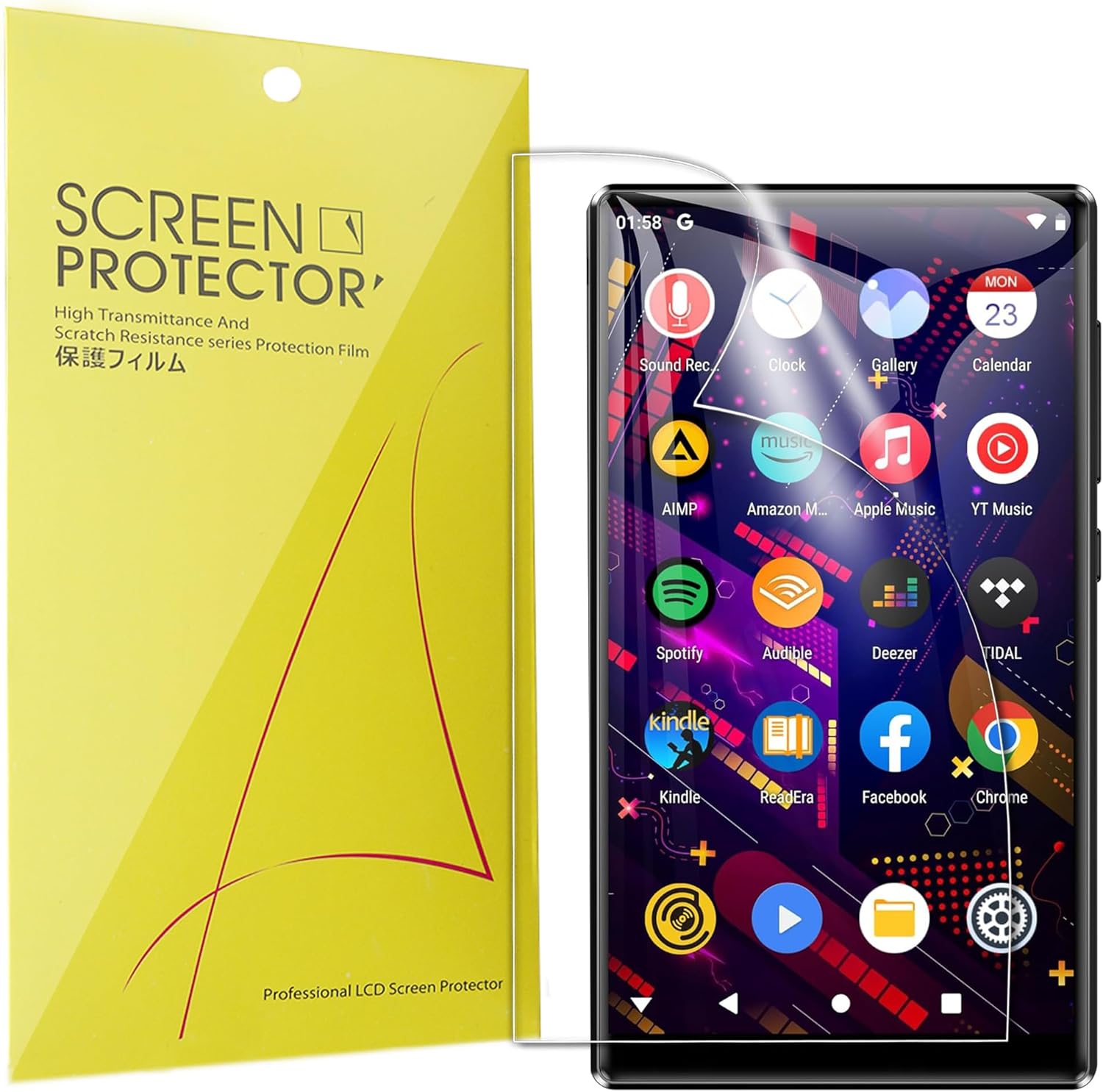
Image: Lamshaw Screen Protector applied to a device, showcasing its clear finish.
2. Beth sydd yn y Bocs
Gwiriwch fod yr holl eitemau canlynol wedi'u cynnwys yn eich pecyn:
- 6 x Screen Protectors
- 1 x Squeegee
- 1 x Brethyn Glanhau Microfiber
- 3 x Alcohol Cleaning Wipes (Wet & Dry)

Image: A visual representation of the package contents, including screen protectors, squeegee, microfiber cloth, and alcohol wipes.
3. Canllaw Gosod
Follow these steps carefully for optimal screen protector application. For a visual guide, please refer to the installation video below.
- Glanhewch y sgrin: Use the provided alcohol wet wipe (Wipes 1) to thoroughly clean the MP3 player screen. Follow with the dry wipe (Wipes 2) and the microfiber cloth to remove any dust, smudges, or moisture. Ensure the screen is completely dry and free of particles.
- Prepare the Protector: The screen protector consists of three layers. Carefully peel off the red-labeled "Back 1" protective film from the screen protector. This exposes the adhesive side.
- Align and Apply: Align the screen protector precisely with the edges of your MP3 player screen. Once aligned, gently lay the protector onto the screen, starting from one edge and slowly lowering it.
- Tynnu Swigod: Use the squeegee card to gently push out any air bubbles from the center towards the edges of the screen. If a large bubble persists, you may need to carefully lift a corner of the protector and reapply, pushing the bubble out.
- Remove Top Film: Finally, peel off the black-labeled "Front 2" protective film from the top of the screen protector. The middle layer is the actual screen protector that remains on your device.
- Final Polish: Use the microfiber cloth to gently wipe the newly installed screen protector, removing any fingerprints or remaining dust.

Image: A close-up of hands carefully peeling a protective film from the screen protector, illustrating the initial step of installation.
Fideo Gosod
Video: A detailed demonstration of the TPU screen protector installation method. This video provides a visual guide to complement the written instructions.
4. Nodweddion Cynnyrch
- Deunydd TPU Meddal: Made from high-quality Thermoplastic Polyurethane (TPU), offering flexibility and durability.
- Bubble Self-Healing: Features self-healing technology that helps eliminate minor scratches and small bubbles within 24 hours after application.
- Anti-Shatter & Anti-Scratch: Provides robust protection against daily scratches, scuffs, and minor impacts, preventing screen damage.
- High Transparency & High Sensitivity: Ensures crystal-clear viewing and maintains the original touch response and sensitivity of your MP3 player screen.
- Oleophobic Coating: Equipped with a special oleophobic coating to resist fingerprints, smudges, and oil residue, keeping your screen clean and clear.

Image: A finger interacting with a screen protected by the Lamshaw film, illustrating the maintained original touch response.

Image: Two devices with screen protectors, visually representing the automatic repair feature that eliminates minor scratches and bubbles.

Image: Water droplets beading on the screen protector surface, demonstrating the effectiveness of the oleophobic coating against liquids and smudges.
5. Datrys Problemau
Persistent Bubbles After Installation
If you encounter bubbles that do not disappear after using the squeegee, or if they are large:
- Ail-ymgeisio: Carefully lift the nearest edge of the screen protector to the bubble. Ensure no dust has settled underneath. Reapply the protector slowly, using the squeegee to push the air out as you lay it down.
- Hunan-Iachâd: For very small bubbles, allow 24 hours for the self-healing properties of the TPU material to work. Many minor bubbles will naturally disappear over this period.
- Dust Particle: If a bubble is caused by a dust particle, you may need to gently lift the protector, use a dust absorber sticker (if available) to remove the particle, and then reapply.
Incorrect Layer Removal
The protector has three layers. If you accidentally peel off the wrong layer or find the protector is not sticky:
- Ensure you first peel off the red-labeled "Back 1" layer. This exposes the adhesive.
- After applying the protector, the middle layer adheres to the screen. The black-labeled "Front 2" layer is the final one to be removed.
- If you mistakenly peeled "Front 2" first and the adhesive side seems non-sticky, try to gently wrinkle the red "Back 1" layer to separate it into two layers. This should help you identify and correctly peel off the middle layer, allowing it to adhere properly to the screen.
6. manylebau
| Brand | Lamshaw |
| Dyfeisiau Cydnaws | MECHEN H11 Pro MP3 Player |
| Deunydd | TPU (Silicon) |
| Caledwch Eitem | 2H |
| Nodweddion Arbennig | Anti-Shatter, Anti-Scratch, Self-Healing, High Transparency, High Sensitivity, Oleophobic Coating |
| Math Gorffen | Clir |
7. Gwarant a Chefnogaeth
This Lamshaw screen protector comes with a gwarant 90 diwrnod from the date of purchase. This warranty covers manufacturing defects. For any issues, questions, or support needs, please contact the seller or manufacturer directly through your purchase platform.