
1. Rhagymadrodd
The ORGBRO Z3 Bluetooth Thermal Label Printer is a versatile and portable device designed for efficient label creation. It supports a wide range of label sizes from 0.8 to 3.15 inches, making it suitable for various applications including home organization, small business needs, and office use. This manual provides detailed instructions to help you set up, operate, and maintain your label printer.
2. Cynnwys Pecyn
Gwiriwch fod yr holl eitemau a restrir isod wedi'u cynnwys yn eich pecyn:
- ORGBRO Z3 Label Printer
- Cebl Codi Tâl USB
- Canllaw Defnyddiwr
- Roll of Labels (1.97"x1.18" square labels)
- USB Flash Drive (for PC drivers)
3. Cynnyrch Drosview
Familiarize yourself with the physical components and controls of your ORGBRO Z3 Label Printer.
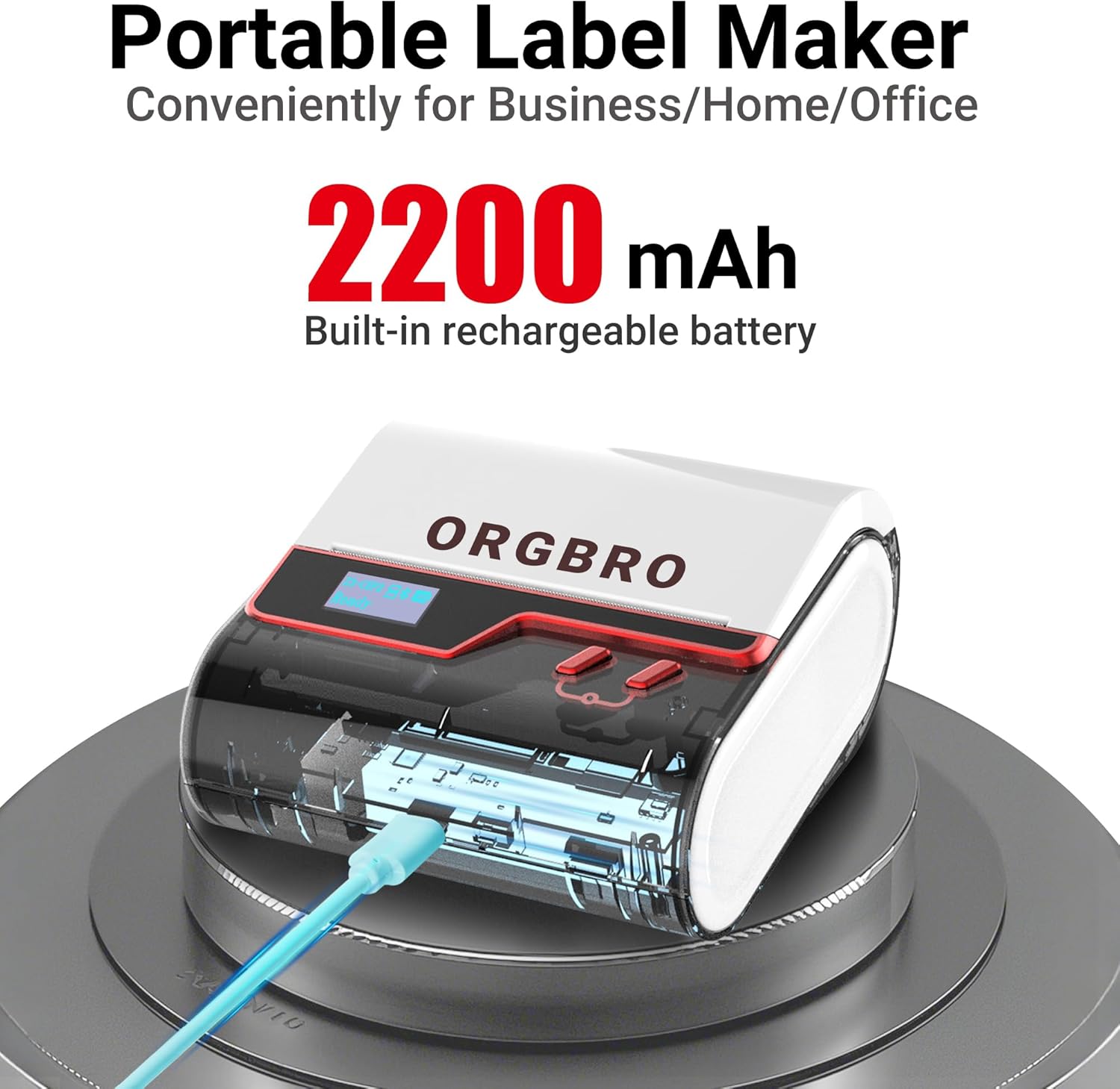
The ORGBRO Z3 Label Maker features a portable design with a built-in 2200mAh rechargeable battery, ensuring long-lasting use on the go.
The device includes a power button, an open cover button for loading labels, and a charging port. An LED screen displays essential information such as battery life, Bluetooth status, and print progress.
4. Nodweddion Allweddol
- Versatile Label Compatibility: Supports labels from 0.8 to 3.15 inches wide, including square, round, transparent, and file labeli.
- Argraffu o ansawdd uchel: Achieves crisp 203dpi resolution at speeds up to 50mm/s, ensuring clear text, graphics, and barcodes without smudging.
- Argraffu Thermol Di-inc: Utilizes thermal printing technology, eliminating the need for ink or toner cartridges.
- Batri Parhaol: Equipped with a 2200mAh rechargeable battery, providing up to 4 weeks of runtime on a single charge.
- Integreiddio Ap Clyfar: Connects via Bluetooth to the free '4BarCode' app (Android/iOS) or via USB to computers (Windows/Mac/Chrome OS/Linux) for label customization.
- Labeli y gellir eu haddasu: The '4BarCode' app offers over 80 fonts, 150+ frames, 670+ icons, and allows importing images for personalized labels.

The ORGBRO Z3 supports a wide range of label paper widths, from 0.78 to 3.15 inches, accommodating various label styles for diverse applications.

Experience fast and clear printing with the ORGBRO Z3, capable of producing up to 52 labels per minute with a crisp 203 DPI resolution.

The ORGBRO Z3 is ideal for various business applications, including creating shipping labels, product labels, QR codes, and clothing tags.

Organize your home efficiently with the ORGBRO Z3, perfect for labeling kitchen canisters, storage bins, and other household items.
5. Canllaw Gosod
5.1. Codi Tâl y Dyfais
Before first use, fully charge the ORGBRO Z3 Label Printer using the provided USB cable. Connect the cable to the charging port on the device and a compatible USB power source. The LED screen will indicate charging status.
5.2. Llwytho Labeli
- Press the open cover button on the side of the printer to open the top cover.
- Insert the roll of thermal labels into the compartment, ensuring the printing side faces upwards and the label edge is aligned with the print head.
- Caewch y clawr uchaf yn gadarn nes ei fod yn clicio i'w le.
5.3. App Installation & Connection
The ORGBRO Z3 can be connected via Bluetooth to your smartphone or via USB to your computer.
5.3.1. Smartphone Connection (Bluetooth)
- Download the free '4BarCode' app from your device's app store (available for Android and iOS).
- Sicrhewch fod Bluetooth wedi'i alluogi ar eich ffôn clyfar.
- Power on the ORGBRO Z3 Label Printer.
- Open the '4BarCode' app and follow the on-screen instructions to connect to your printer via Bluetooth. The printer's name (e.g., Z3-XXXX) should appear in the app's device list.
5.3.2. Computer Connection (USB)
- Connect the ORGBRO Z3 Label Printer to your computer using the provided USB cable.
- Install the necessary drivers from the included USB flash drive or download them from the official ORGBRO websafle.
- Follow the installation prompts to complete the driver setup.

The ORGBRO Z3 supports seamless connection to both phones (Android/iOS via Bluetooth) and computers (Windows/Mac/Chrome OS/Linux via USB).
6. Cyfarwyddiadau Gweithredu
Once connected, you can start creating and printing labels.
6.1. Creating Labels (Using '4BarCode' App)
- Open the '4BarCode' app on your smartphone.
- Select 'Create' to start a new label project.
- Choose your desired label size and orientation.
- Use the app's tools to add text, icons, images, barcodes, or QR codes. You can customize fonts, sizes, and styles.
- Arrange elements on the label canvas as needed.
6.2. Argraffu Labeli
- After designing your label, tap the 'Print' button in the app.
- Review y cyn-argraffuview to ensure the layout is correct.
- Adjust printing density or number of copies if necessary.
- Confirm the print command. The label will be printed from the device.
- Gently tear off the printed label along the serrated edge.

The '4BarCode' app provides multiple labels and templates, along with extensive customization options including over 80 fonts, 150+ frames, and 670+ icons.
7. manylebau
| Nodwedd | Manylyn |
|---|---|
| Cyfryngau Argraffu | Papur Thermol |
| Cynhwysedd Taflen Mewnbwn Uchaf | 230 o daflenni |
| Cyflymder Copïo Uchaf (Du a Gwyn) | 2 ppm |
| Cydraniad Argraffu Uchaf | 203 dpi |
| Sheet Size (Included) | 1.97 modfedd (lled) |
| Maint Cyfryngau Uchaf | 3.15 modfedd (lled) |
| Argraffu dwy ochr | Na (Simplex) |
| Rhyngwyneb Caledwedd | USB |
| Technoleg Cysylltedd | Bluetooth, USB |
| Nodwedd Arbennig | Cludadwy |
| Allbwn Argraffydd | Unlliw |
| Pwysau Eitem | 1.21 pwys (0.55 cilogram) |
| Dimensiynau Cynnyrch | 4.42 x 4.42 x 2.41 modfedd |
| Batris | 1 AA batteries required (included) - 2200mAh rechargeable |
8. cynnal
- Glanhau: Regularly clean the print head with a soft, lint-free cloth moistened with isopropyl alcohol. Ensure the device is powered off before cleaning.
- Storio: Storiwch yr argraffydd mewn lle oer, sych i ffwrdd o olau haul uniongyrchol a thymheredd eithafol.
- Gofal Batri: Er mwyn ymestyn oes y batri, osgoi rhyddhau'r batri'n llwyr yn aml. Gwefrwch y ddyfais yn rheolaidd, hyd yn oed os nad yw'n cael ei defnyddio am gyfnodau hir.
- Rholiau Label: Use only high-quality thermal label rolls compatible with the ORGBRO Z3 to ensure optimal print quality and prevent damage to the print head.
9. Datrys Problemau
- Argraffydd heb gysylltu:
- Gwnewch yn siŵr bod yr argraffydd wedi'i bweru ymlaen ac wedi'i wefru'n llawn.
- Verify Bluetooth is enabled on your device and the '4BarCode' app has permission to use it.
- For USB connection, ensure drivers are correctly installed and the cable is securely connected.
- Try restarting both the printer and your connecting device.
- Ansawdd Argraffu Gwael:
- Check if the label roll is inserted correctly with the printing side facing up.
- Glanhewch y pen print fel y disgrifir yn yr adran Cynnal a Chadw.
- Adjust the printing density settings in the '4BarCode' app.
- Ensure you are using compatible thermal labels.
- Labeli Ddim yn Bwydo'n Gywir:
- Gwnewch yn siŵr bod y rholyn label wedi'i osod yn iawn a heb ei jamio.
- Chwiliwch am unrhyw rwystrau yn llwybr y label.
- Verify the label width is within the supported range (0.8-3.15 inches).
10. Gwarant a Chefnogaeth
ORGBRO products are designed for reliability and performance. For warranty information, technical support, or service inquiries, please refer to the contact details provided in your product packaging or visit the official ORGBRO websafle. Cadwch eich derbynneb prynu fel prawf o brynu ar gyfer hawliadau gwarant.