
CHROX TX98 PRO+
CHROX TX98 PRO+ Android 14.0 TV Box User Manual
Model: TX98 PRO+
1. Rhagymadrodd
This manual provides detailed instructions for the setup, operation, and maintenance of your CHROX TX98 PRO+ Android 14.0 TV Box. Please read this guide thoroughly before using the device to ensure proper functionality and to maximize your viewing experience. The CHROX TX98 PRO+ is designed to transform your television into a smart entertainment hub, offering access to a wide range of applications, streaming services, and media content.
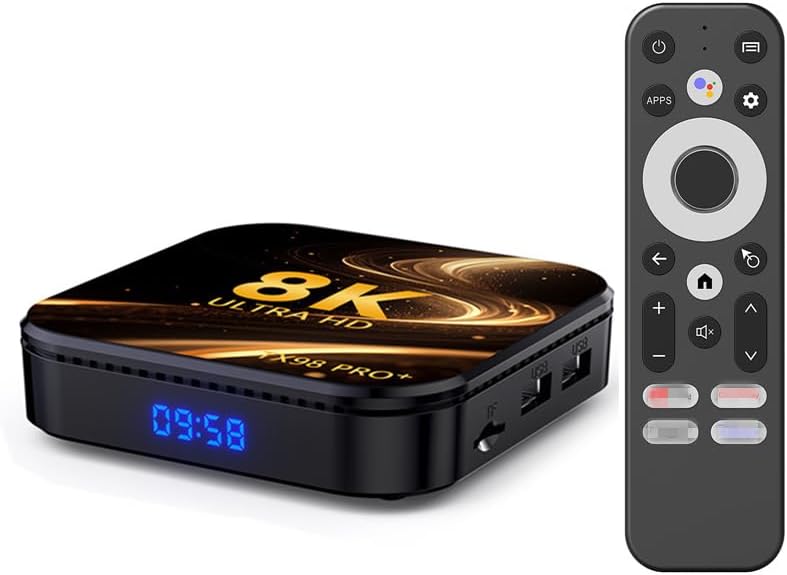
Image 1.1: The CHROX TX98 PRO+ Android TV Box and its accompanying remote control.
2. Cynnwys Pecyn
Before proceeding with the setup, please verify that all items listed below are included in your package. If any items are missing or damaged, please contact customer support.
- 1 x CHROX TX98 PRO+ Android 14.0 TV Box
- 1 x Rheolaeth Anghysbell
- 1 x HD Cable (HDMI Cable)
- 1 x Addasydd Pŵer (DC 5V/2.5A)
- 1 x Llawlyfr Defnyddiwr (y ddogfen hon)

Delwedd 2.1: Cynrychiolaeth weledol o'r eitemau sydd wedi'u cynnwys ym mhecyn y cynnyrch.
3. Cynnyrch Drosview
The CHROX TX98 PRO+ features a compact design with various ports for connectivity. Familiarize yourself with the device's layout and available interfaces.
3.1 Cydrannau Dyfais
- Panel blaen: Digital display (time/status).
- Panel Ochr: USB ports, TF Card slot.
- Panel cefn: Power input, HDMI output, Ethernet port, AV port, SPDIF port.
3.2 Available Interfaces

Image 3.1: Illustration of the various input and output ports on the CHROX TX98 PRO+ TV Box.
- Porth USB 3.0: For high-speed data transfer with external storage devices.
- Porth USB 2.0: For connecting peripherals like keyboards, mice, or USB drives.
- Slot Cerdyn TF: Supports Micro SD cards for expanded storage.
- HDMI 2.0a Output: Connects to your TV or display for video and audio output (supports up to 4K@60Hz).
- Porthladd AV: Ar gyfer cysylltu â setiau teledu hŷn gan ddefnyddio cebl AV (heb ei gynnwys).
- Porthladd LAN (Ethernet): For wired network connection (10/1000M).
- Mewnbwn Pwer DC 5V: Yn cysylltu â'r addasydd pŵer a ddarperir.
- SPDIF Port: For digital audio output to compatible audio systems.
4. Canllaw Gosod
Follow these steps to set up your CHROX TX98 PRO+ Android TV Box.
- Cysylltu â'r teledu: Connect one end of the provided HDMI cable to the HDMI port on the TV Box and the other end to an available HDMI input on your television.
- Pwer Cysylltu: Plug the power adapter into the DC 5V port on the TV Box, then plug the adapter into a wall outlet.
- Pŵer Ymlaen: The TV Box should automatically power on. If not, press the power button on the remote control or the device.
- Dewiswch Mewnbwn: On your television, select the correct HDMI input source using your TV's remote control.
- Gosodiad Cychwynnol: Dilynwch y cyfarwyddiadau ar y sgrin i gwblhau'r gosodiad cychwynnol, gan gynnwys dewis iaith, cysylltiad rhwydwaith, a mewngofnodi i gyfrif Google.
5. Cyfarwyddiadau Gweithredu
5.1 Swyddogaethau Rheoli o Bell
The included remote control allows you to navigate the Android interface and control media playback.
- Botwm Pŵer: Yn troi'r ddyfais ymlaen neu i ffwrdd.
- Pad Llywio: Use the directional arrows to move through menus and select items.
- Botwm Iawn: Yn cadarnhau dewisiadau.
- Botwm Cefn: Yn dychwelyd i'r sgrin flaenorol.
- Botwm Cartref: Yn dychwelyd i'r prif sgrin gartref.
- Botymau Cyfrol: Yn addasu'r cyfaint sain.
- Botwm Apiau: Accesses the installed applications list.
- Botwm Gosodiadau: Opens the system settings menu.
5.2 Llywio Rhyngwyneb Android
The CHROX TX98 PRO+ runs on Android 14.0, providing a user-friendly interface.
- Sgrin Cartref: Displays frequently used apps, recommended content, and system information.
- Drôr Ap: Access all installed applications.
- Gosodiadau: Customize network, display, sound, and other system preferences.
5.3 Gosod Ceisiadau
You can download and install applications from the Google Play Store or other compatible sources.
- Ensure the TV Box is connected to the internet.
- Navigate to the Google Play Store app on the home screen or app drawer.
- Chwiliwch am your desired application.
- Select the app and choose "Install".
6. Cysylltedd
6.1 Cysylltiad Wi-Fi
The device supports dual-band 2.4G/5G Wi-Fi 6 for fast and stable wireless internet access.
- Ewch i Gosodiadau > Rhwydwaith a Rhyngrwyd > Wi-Fi.
- Turn Wi-Fi On.
- Dewiswch eich rhwydwaith Wi-Fi dymunol o'r rhestr.
- Rhowch gyfrinair y rhwydwaith os gofynnir amdano a dewiswch Cyswllt.
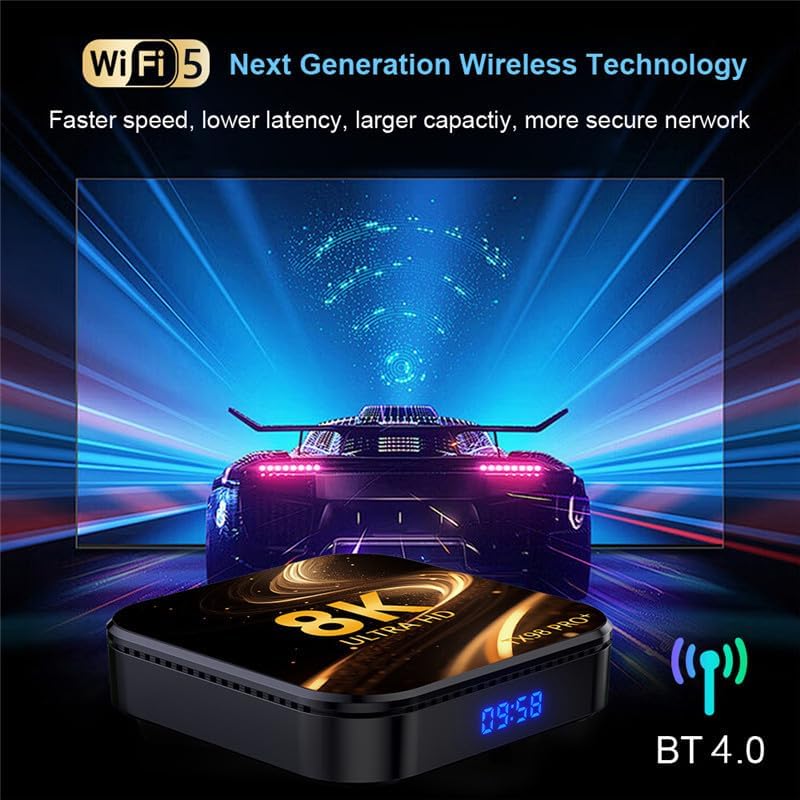
Image 6.1: The TV Box supports advanced wireless technologies for network connectivity. Note: While the image shows "Wi-Fi 5", the product supports Wi-Fi 6 for enhanced performance.
6.2 Cysylltiad Ethernet
For a more stable internet connection, you can use a wired Ethernet connection.
- Connect an Ethernet cable from your router or modem to the LAN port on the TV Box.
- The device will automatically detect and connect to the wired network.
6.3 Pâr Bluetooth
The TV Box features Bluetooth 4.0 for connecting wireless accessories like headphones, speakers, or game controllers.
- Ewch i Gosodiadau > Dyfeisiau cysylltiedig > Pâr dyfais newydd.
- Rhowch eich dyfais Bluetooth yn y modd paru.
- Dewiswch eich dyfais o'r rhestr ar sgrin y teledu i'w pharu.
6.4 Rhyngweithio Aml-Sgrin
The CHROX TX98 PRO+ supports multi-screen interaction technologies like DLNA and Miracast, allowing you to cast content from your mobile phone or tablet to your TV.
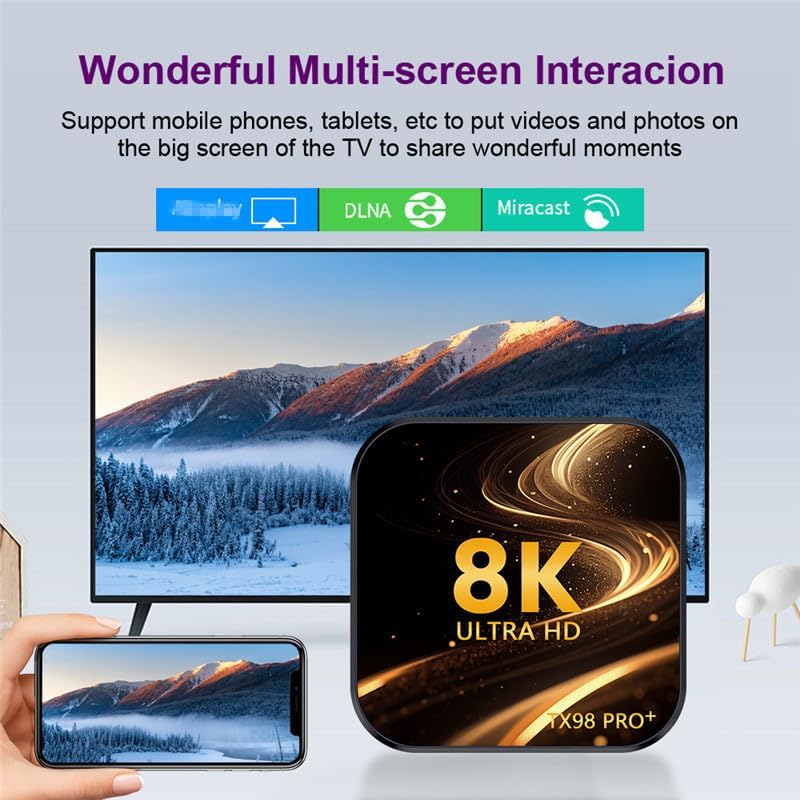
Image 6.2: Demonstrates the ability to share content from mobile devices to the TV via the TV Box.
7. Chwarae Cyfryngau
The CHROX TX98 PRO+ supports a wide range of media formats and high-resolution video playback, including 8K and 4K content.
7.1 High-Resolution Video
Experience stunning visuals with support for 8K and 4K video decoding. The device utilizes H.265 technology for efficient playback, reducing bandwidth and storage requirements.

Image 7.1: The TV Box is capable of decoding and displaying 8K resolution video content.
7.2 Cymorth HDR10
With HDR10 support, the TV Box delivers a wider range of colors and deeper contrast, resulting in a more vivid and immersive viewing profiad.

Image 7.2: Comparison illustrating the enhanced visual quality with HDR10 enabled.
7.3 Fformatau Cyfryngau â Chymorth
- Decoder Formats: 4K VP9, H.265/H.264, 1080P (VC-1, MPEG-1/2/4, VP6/8).
- Fformatau'r Cyfryngau: Avi, Ts, Vob, Mkv, Mov, ISO, wmv, asf, flv, dat, mpg, mpeg.
- Fformatau Cerddoriaeth: MP3, WMA, AAC, WAV, OGG, DDP, HD, FLAC, APE.
- Fformatau Llun: HD JPEG, BMP, GIF, PNG, TIFF.
8. cynnal
To ensure the longevity and optimal performance of your CHROX TX98 PRO+ TV Box, follow these maintenance guidelines:
- Glanhau: Defnyddiwch frethyn meddal, sych i lanhau'r ddyfais. Osgowch lanhawyr hylif neu ddeunyddiau sgraffiniol.
- Awyru: Gwnewch yn siŵr bod y ddyfais wedi'i gosod mewn man sydd wedi'i awyru'n dda i atal gorboethi. Peidiwch â rhwystro agoriadau awyru.
- Pwer i ffwrdd: When not in use for extended periods, disconnect the power adapter from the wall outlet.
- Diweddariadau Meddalwedd: Periodically check for and install system updates to ensure the latest features and security patches.
9. Datrys Problemau
If you encounter issues with your CHROX TX98 PRO+ TV Box, refer to the following common problems and solutions.
| Problem | Achos Posibl | Ateb |
|---|---|---|
| Dim pŵer | Addasydd pŵer heb ei gysylltu neu'n ddiffygiol. | Gwnewch yn siŵr bod yr addasydd pŵer wedi'i gysylltu'n ddiogel â'r ddyfais ac allfa bŵer sy'n gweithio. Rhowch gynnig ar allfa wahanol. |
| Dim signal ar y teledu | Incorrect HDMI input selected or loose HDMI cable. | Verify the TV is on the correct HDMI input. Check that the HDMI cable is securely connected to both the TV Box and the TV. |
| Materion cysylltiad Wi-Fi | Cyfrinair anghywir, signal gwan, neu broblem gyda'r llwybrydd. | Re-enter the Wi-Fi password carefully. Move the TV Box closer to the router. Restart your router and the TV Box. |
| Rheolaeth bell ddim yn ymateb | Batris isel neu rwystr. | Amnewidiwch y batris yn y teclyn rheoli o bell. Gwnewch yn siŵr nad oes unrhyw rwystrau rhwng y teclyn rheoli o bell a'r blwch teledu. |
| Cymwysiadau'n chwalu neu'n rhewi | Insufficient memory or app compatibility issues. | Close background applications. Clear app cache (Settings > Apps > [App Name] > Clear Cache). Restart the TV Box. |
If the problem persists after trying these solutions, please contact CHROX customer support for further assistance.
10. manylebau
Detailed technical specifications for the CHROX TX98 PRO+ Android 14.0 TV Box.
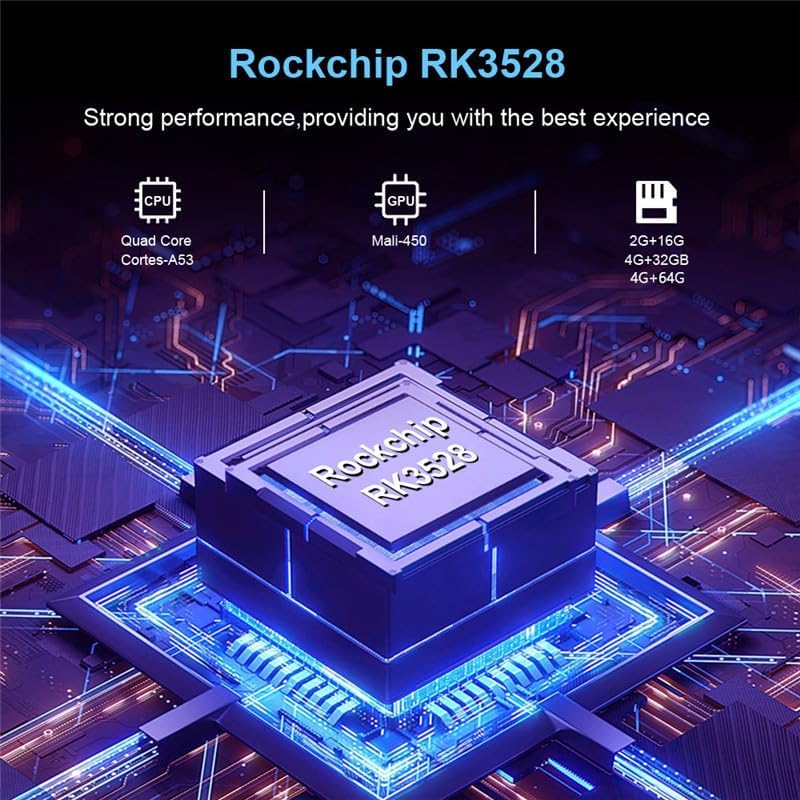
Delwedd 10.1: Drosoddview of the Rockchip RK3528 processor, highlighting its CPU, GPU, and memory configurations.
| Nodwedd | Manylyn |
|---|---|
| System Weithredu | Android 14.0 |
| CPU | RK3528 Quad-Core 64-bit ARM Cortex-A53 |
| GPU | Penta-Core Mali-450 |
| SDRAM | 4 GB |
| Flash ROM | 32 GB (available in 32GB/64GB variants) |
| Wi-Fi | 2.4G/5G Dual-band Wi-Fi 6 (802.11 a/b/g/n/ac/ax) |
| Bluetooth | 4.0 |
| Ethernet LAN | 10/1000M Standard RJ-45 |
| Porthladdoedd USB | 1 x USB 3.0, 1 x USB 2.0 |
| Allbwn HDMI | HDMI 2.0a for 4K@60Hz |
| Porthladdoedd Eraill | 1 x AV, 1 x Micro SD Card Reader, 1 x Power DC 5V/2.5A, 1 x SPDIF |
| Video Decoder Support | 4K VP9, H.265/H.264, 1080P (VC-1, MPEG-1/2/4, VP6/8) |
| Cefnogaeth HDR | HDR10 |
| Ieithoedd OSD | English, French, German, Spanish, Italian, etc. |
11. Gwybodaeth Diogelwch
Please observe the following safety precautions to prevent damage to the device or personal injury:
- Peidiwch ag amlygu'r ddyfais i ddŵr, lleithder, na thymheredd eithafol.
- Osgowch ollwng y ddyfais neu roi effaith ddifrifol iddi.
- Peidiwch â cheisio agor na thrwsio'r ddyfais eich hun. Cyfeiriwch bob gwasanaethu at bersonél cymwys.
- Defnyddiwch yr addasydd pŵer a ddarperir yn unig. Gall defnyddio addaswyr heb awdurdod niweidio'r ddyfais a gwneud y warant yn ddi-rym.
- Cadwch y ddyfais i ffwrdd o olau haul uniongyrchol a ffynonellau gwres.
12. Gwarant a Chefnogaeth
Your CHROX TX98 PRO+ Android 14.0 TV Box comes with a standard manufacturer's warranty. For specific warranty terms and conditions, please refer to the documentation included with your purchase or contact your retailer.
For technical support, troubleshooting assistance beyond what is provided in this manual, or inquiries regarding your product, please contact CHROX customer service.
Cefnogaeth i Gwsmeriaid: Please refer to your purchase receipt or the CHROX official websafle ar gyfer gwybodaeth cyswllt.
Ask a question about this manual
Ask about setup, troubleshooting, compatibility, parts, safety, or missing instructions. Manuals+ will review the question and use this page’s manual context to help answer it.