
Rhagymadrodd
Thank you for choosing the CREATE Speaker Retro. This portable Bluetooth speaker combines a classic retro design with modern audio technology, offering versatile connectivity and powerful sound. This manual will guide you through the setup, operation, and maintenance of your new speaker to ensure optimal performance and longevity.

Image: The CREATE Speaker Retro, highlighting its elegant retro aesthetic and compact form factor.
Cyfarwyddiadau Diogelwch Pwysig
- Darllenwch yr holl gyfarwyddiadau yn ofalus cyn defnyddio'r cynnyrch.
- Cadwch y llawlyfr hwn er mwyn cyfeirio ato yn y dyfodol.
- Do not expose the speaker to water or excessive moisture. This product is ddim yn dal dŵr.
- Peidiwch â'i osod ger ffynonellau gwres fel rheiddiaduron, cofrestri gwres, stofiau, neu offer arall (gan gynnwys amplifyddion) sy'n cynhyrchu gwres.
- Defnyddiwch atodiadau/ategolion a nodir gan y gwneuthurwr yn unig.
- Tynnwch y plwg o'r cyfarpar hwn yn ystod stormydd mellt neu pan na chaiff ei ddefnyddio am gyfnodau hir.
- Cyfeirio pob gwasanaeth i bersonél gwasanaeth cymwys.
Cynnwys Pecyn
The CREATE Speaker Retro package includes:
- CREATE Speaker Retro Portable Bluetooth Speaker (1 unit)
- Cebl Codi Tâl USB-C
- Llawlyfr Defnyddiwr (y ddogfen hon)
Controls and Ports Overview
Familiarize yourself with the speaker's controls and connection ports:

Delwedd: Manwl view of the speaker's top control panel.
- Knob Cyfrol: Yn addasu'r gyfrol sain gyffredinol.
- Knob Bas: Yn addasu lefel y bas.
- Knob Trebl: Yn addasu lefel y trebl.
- Switsh Dewisydd Mewnbwn: Toggles between AUX, Bluetooth (BT), and USB input modes.
- Newid Pwer: Yn troi'r siaradwr YMLAEN/DIFFODD.
- Mewnbwn AUX (3.5mm): Ar gyfer cysylltu dyfeisiau sain allanol trwy gebl sain.
- Porth USB: Ar gyfer chwarae gyriant USB.
- DC-IN 5V Port: Am godi tâl ar y siaradwr.
- Golau Dangosydd: Yn dangos statws pŵer, statws gwefru, a statws paru Bluetooth.
Gosod
1. Codi Tâl ar y Llefarydd
Before first use, fully charge the speaker. Connect the provided USB-C charging cable to the DC-IN 5V port on the speaker and the other end to a compatible USB power adapter (not included) or a computer's USB port. The indicator light will show the charging status. A full charge takes approximately 4-5 hours.
- Codi tâl: Indicator light glows (color may vary).
- Codi Tâl Llawn: Indicator light turns off or changes color.
2. Pweru Ymlaen / I ffwrdd
To power on the speaker, flip the Switch Power to the "ON" position. To power off, flip the switch to the "OFF" position.
Cyfarwyddiadau Gweithredu
1. Modd Bluetooth
The speaker features Bluetooth 5.2 for wireless audio streaming with a range of up to 10 meters.
- Pwer ar y siaradwr.
- Gosodwch y Switsh Dewisydd Mewnbwn to "BT/AUX" and then ensure it's in Bluetooth mode (indicator light will blink, indicating pairing mode).
- Ar eich ffôn clyfar, tabled, neu ddyfais arall sydd â Bluetooth, galluogwch Bluetooth a chwiliwch am ddyfeisiau sydd ar gael.
- Select "CREATE Speaker Retro" from the list.
- Once paired, the indicator light will stop blinking and remain solid. You can now play music wirelessly.
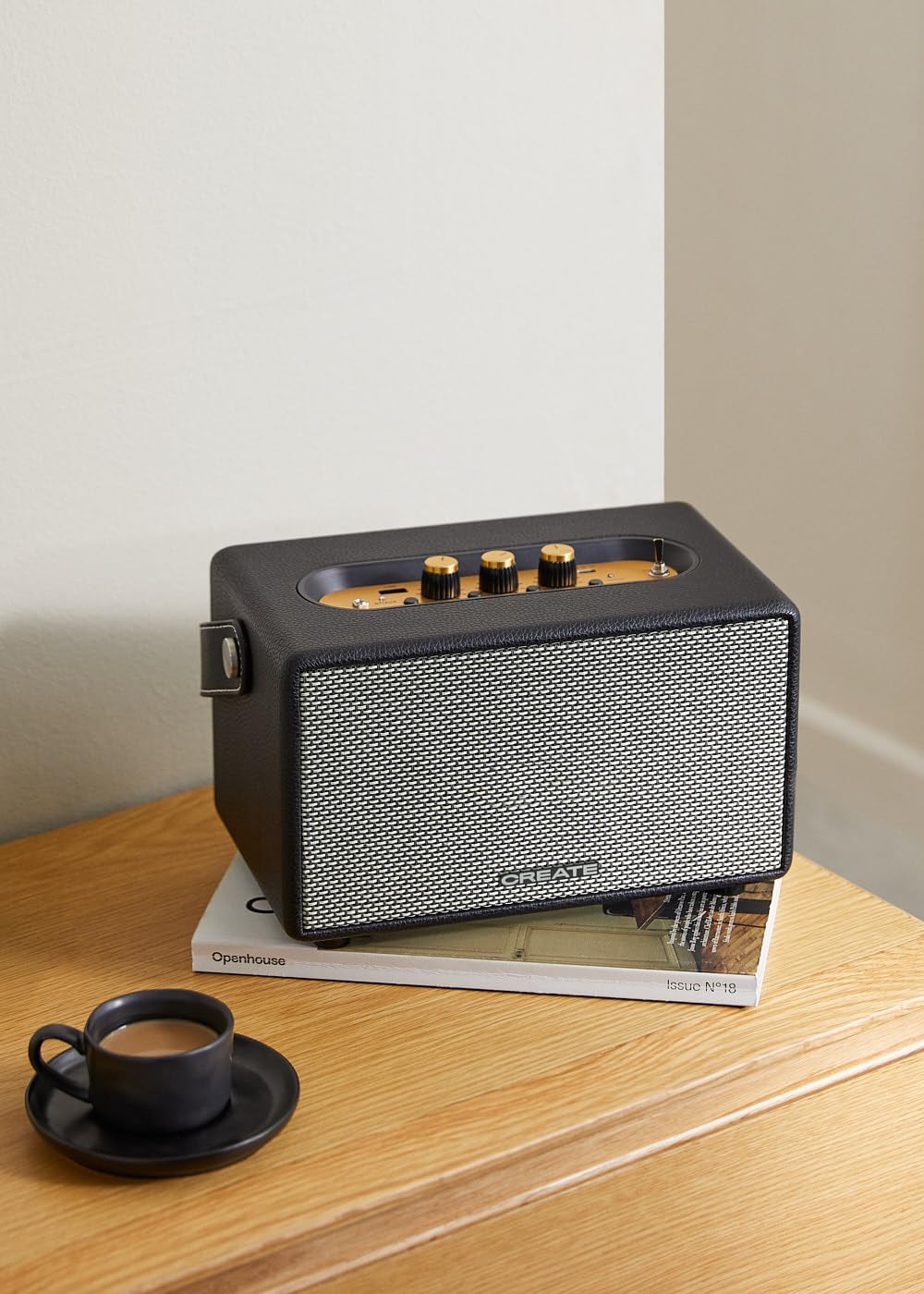
Image: Connecting to the speaker via Bluetooth from a mobile device.
2. USB Playback Mode
Chwarae sain files uniongyrchol o yriant fflach USB.
- Pwer ar y siaradwr.
- Mewnosod gyriant fflach USB sy'n cynnwys sain files i mewn i'r Porth USB.
- Gosodwch y Switsh Dewisydd Mewnbwn to "USB". The speaker will automatically begin playing music from the USB drive.

Image: Inserting a USB drive for direct audio playback.
3. Modd Mewnbwn AUX
Cysylltwch ddyfeisiau sain allanol gan ddefnyddio cebl sain 3.5mm.
- Pwer ar y siaradwr.
- Cysylltwch un pen cebl sain 3.5mm (heb ei gynnwys) â'r Mewnbwn AUX porthladd ar y siaradwr.
- Connect the other end of the cable to the headphone jack or audio output of your external device (e.g., MP3 player, laptop).
- Gosodwch y Switsh Dewisydd Mewnbwn to "AUX". The speaker will now play audio from your connected device.
4. Addasu Sain
Use the dedicated knobs on the control panel to fine-tune your audio experience:
- Cylchdroi y Knob Cyfrol to increase or decrease the overall sound level.
- Cylchdroi y Knob Bas to adjust the low-frequency sounds.
- Cylchdroi y Knob Trebl to adjust the high-frequency sounds.
Cynnal a chadw
Glanhau
To clean the speaker, use a soft, dry cloth. Do not use abrasive cleaners, waxes, or solvents as they may damage the finish. Avoid spraying liquids directly onto the speaker.
Storio
Pan nad yw'n cael ei ddefnyddio am gyfnodau hir, storiwch y siaradwr mewn lle oer, sych i ffwrdd o olau haul uniongyrchol a thymheredd eithafol. Gwnewch yn siŵr bod y siaradwr wedi'i wefru'n llawn cyn ei storio i gynnal iechyd y batri.
Gofal Batri
The speaker is equipped with a built-in rechargeable battery. To maximize battery life:
- Osgowch ollwng y batri'n llwyr yn aml.
- Recharge the battery regularly, even if the speaker is not used often.
- Do not expose the speaker to temperatures above 45°C (113°F) or below 0°C (32°F).
Datrys problemau
If you encounter any issues with your CREATE Speaker Retro, please refer to the following common problems and solutions:
| Problem | Achos Posibl | Ateb |
|---|---|---|
| Nid yw'r siaradwr yn troi ymlaen. | Mae batri wedi'i ddisbyddu. | Charge the speaker for 4-5 hours using the USB-C cable. |
| Dim sain gan y siaradwr. | Mae'r gyfrol yn rhy isel; modd mewnbwn anghywir; dyfais heb ei chysylltu'n iawn. | Increase volume. Ensure the correct input mode (BT, USB, AUX) is selected. Reconnect Bluetooth device or AUX cable. |
| Mae paru Bluetooth yn methu. | Speaker is not in pairing mode; device is out of range; interference. | Ensure speaker is in Bluetooth pairing mode (blinking indicator). Move device closer to speaker (within 10m). Turn off other Bluetooth devices. |
| Nid yw chwarae USB yn gweithio. | Incorrect input mode; USB drive not formatted correctly or no compatible files. | Ensure "USB" input mode is selected. Check USB drive for compatible audio files (e.g., MP3). Try a different USB drive. |
| Play/Pause button not responding. | Problem caledwedd neu feddalwedd bosibl. | Restart the speaker. If the issue persists, contact customer support. (Note: A user review mentioned this issue.) |
Manylebau
| Enw Model | SPEAKER RETRO |
| Rhif Model | 181643_452174 |
| Dimensiynau (D x W x H) | 17 x 26 x 15 cm |
| Pwysau | 2.5 kg |
| Max. Speaker Output Power | 40 Gw |
| Modd Allbwn Sain | Stereo (Sianel 2.0) |
| Technoleg Cysylltedd | Bluetooth 5.2, USB, AUX (3.5mm) |
| Amrediad Bluetooth | Hyd at 10 metr |
| Gallu Batri | 3000 mAh |
| Bywyd Batri | Hyd at 5 awr (yn dibynnu ar y defnydd) |
| Amser Codi Tâl | Tua. 4-5 awr |
| Dull Rheoli | Touch (knobs and switches) |
| Lliw | Du |
| Dal dwr | Nac ydw |
Gwarant a Chefnogaeth
Gwybodaeth Gwarant
The CREATE Speaker Retro comes with a standard manufacturer's warranty. Please retain your proof of purchase for warranty claims. The warranty covers defects in materials and workmanship under normal use. It does not cover damage caused by misuse, accidents, unauthorized modifications, or exposure to water.
For specific warranty terms and conditions, please refer to the warranty card included with your product or contact CREATE customer service.
Cefnogaeth i Gwsmeriaid
If you have any questions, require technical assistance, or need to report an issue that cannot be resolved using the troubleshooting guide, please contact CREATE customer support.
You can find more information and contact details on the official CREATE website or through their Amazon brand store: