
Rhagymadrodd
This manual provides detailed instructions for the setup, operation, and maintenance of your Transformers TF-T31 Bluetooth TWS Wireless Earbuds. Please read this manual thoroughly before using the product to ensure proper function and longevity.
Cynnyrch Drosview
Cynnwys Pecyn
- Transformers TF-T31 Wireless Earbuds (Left and Right)
- Achos Codi Tâl
- Cebl Codi Tâl USB Math-C
- Llawlyfr Defnyddiwr (Y Ddogfen Hon)
Nodweddion Allweddol
- Bluetooth 5.4: Provides a stable, fast, and low-power connection.
- Swyddogaeth Modd Deuol: Switch between Gaming Mode for low latency audio and Music Mode for HiFi sound.
- Sain Ffyddlondeb Uchel: Features 13mm magnetically levitated drivers for rich, detailed sound with deep bass.
- Canslo Sŵn Amgylcheddol (ENC): Yn gwella eglurder galwadau trwy leihau sŵn amgylchynol.
- Rheolaethau Cyffwrdd sythweledol: Manage music playback, calls, and mode switching directly from the earbuds.
- Oes batri estynedig: Up to 5 hours of playback per charge, with the charging case providing up to 50 hours total.
- Dyluniad ergonomig: Lightweight and comfortable for prolonged wear.
- Mechanical Shell Design: Unique aesthetic inspired by Transformers.

Image: The Transformers TF-T31 wireless earbuds and their distinctive mechanical shell charging case, shown in yellow.

Image: Close-up of the Transformers TF-T31 charging case, highlighting its unique mechanical shell design and the Transformers logo.
Gosod
1. Gwefru'r Clustffonau a'r Cas
Cyn ei ddefnyddio gyntaf, gwefrwch y clustffonau a'r cas gwefru yn llawn.
- Rhowch y ddau glustffon yn y cas gwefru. Gwnewch yn siŵr eu bod wedi'u gosod yn gywir.
- Connect the provided USB Type-C cable to the charging port on the case and plug the other end into a USB power source (e.g., wall adapter, computer).
- The LED digital display on the charging case will indicate the battery status during charging.
- Mae gwefru fel arfer yn cymryd tua 1.5 awr ar gyfer gwefr lawn.
Nodyn: The charging case has a 3.7V/300mAh battery, and each earbud has a 3.7V/30mAh built-in battery.
2. Pâr Bluetooth
Dilynwch y camau hyn i baru'ch clustffonau â dyfais sydd wedi'i galluogi gan Bluetooth:
- Pŵer Ymlaen: Open the charging case. The earbuds will automatically power on and enter pairing mode. You may hear an audible prompt.
- Gweithredu Bluetooth: On your device (smartphone, tablet, computer), go to the Bluetooth settings and ensure Bluetooth is enabled.
- Dewiswch Dyfais: Look for "TF-T31" in the list of available Bluetooth devices and select it to connect.
- Cadarnhad: Once connected, you will hear a confirmation sound from the earbuds, and your device will show "TF-T31" as connected.
Nodyn: Bydd y clustffonau'n ailgysylltu'n awtomatig â'r ddyfais a barwyd ddiwethaf pan gânt eu tynnu allan o'r cas, os yw Bluetooth wedi'i alluogi ar y ddyfais.

Image: Diagram illustrating the advanced Bluetooth 5.4 technology, emphasizing stable and fast connection.
Cyfarwyddiadau Gweithredu
Pŵer Ymlaen / Diffodd
- Pŵer Ymlaen: Open the charging case, or long-press the touch area on both earbuds for 3 seconds.
- Pwer i ffwrdd: Place the earbuds back into the charging case and close the lid, or long-press the touch area on both earbuds for 5 seconds.
Rheolaethau Cyffwrdd
The TF-T31 earbuds feature intuitive touch controls on the outer surface of each earbud. The functions are as follows:
| Gweithred | Swyddogaeth |
|---|---|
| Tap Sengl (Chwith/Dde) | Chwarae / Saib cerddoriaeth, Ateb / Diwedd galwad |
| Tap dwbl (Clust i'r Dde) | Trac Nesaf |
| Tap Dwbl (Clust Chwith) | Trac Blaenorol |
| Tap Driphlyg (Chwith/Dde) | Switch between Gaming Mode and Music Mode |
| Long Press (Left/Right, 2 seconds) | Reject incoming call, Activate Voice Assistant |
Switching Modes (Gaming/Music)
The TF-T31 earbuds offer two distinct audio modes:
- Modd Hapchwarae: Provides ultra-low latency audio synchronization, ideal for gaming and video playback to minimize delay between audio and visuals.
- Modd Cerddoriaeth: Delivers rich HiFi sound with enhanced bass and clear highs, optimized for an immersive music listening experience.
To switch between modes, tap triphlyg the touch area on either earbud. You will hear an audible prompt indicating the current mode.
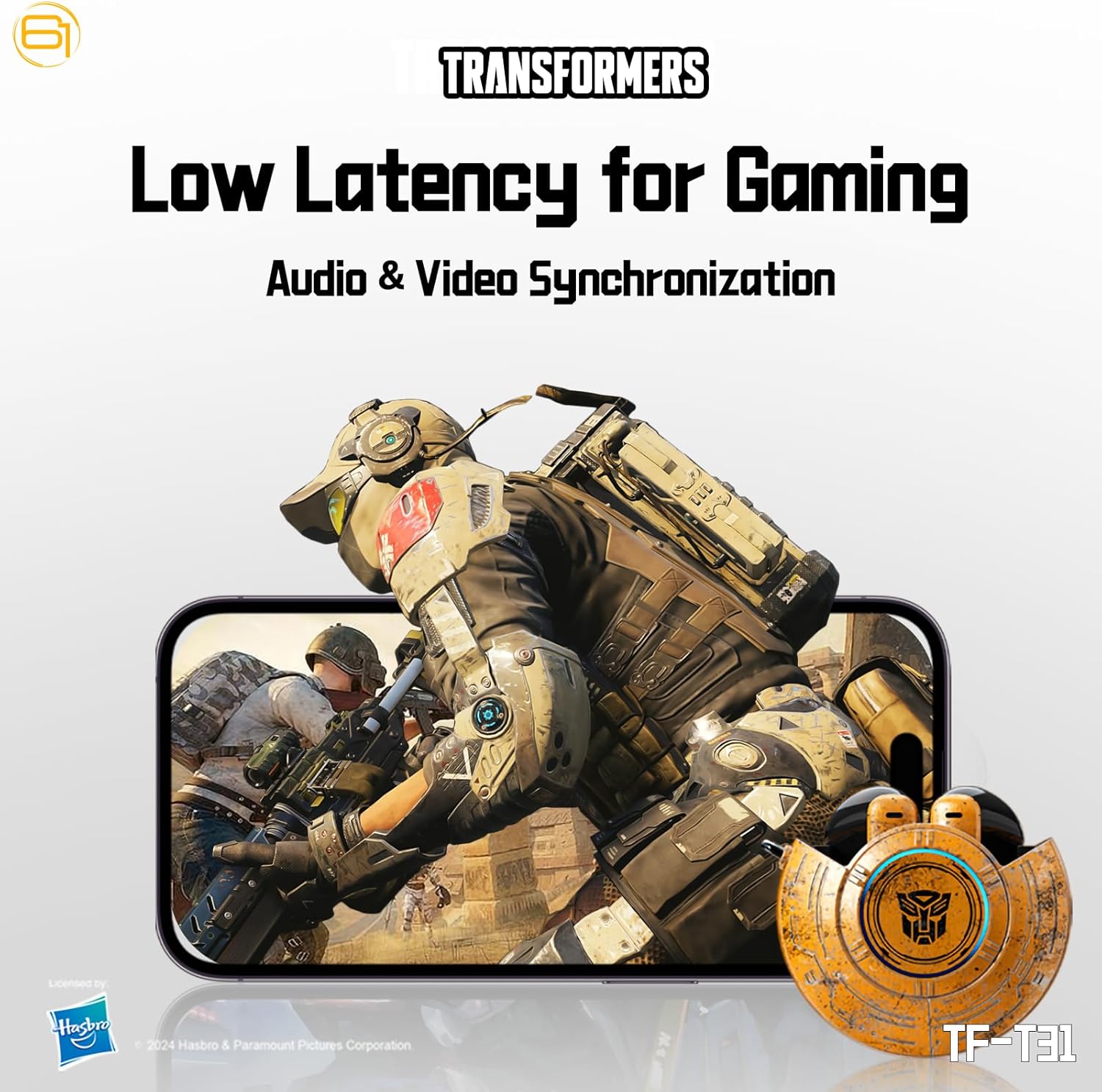
Image: Illustration of the earbuds providing low latency audio for gaming, showing a mobile gaming scenario.
Cynnal a chadw
Glanhau
- Glanhewch y clustffonau a'r cas gwefru yn rheolaidd gyda lliain meddal, sych, heb lint.
- Peidiwch â defnyddio glanhawyr sgraffiniol, alcohol na thoddyddion cemegol.
- Gently remove any earwax or debris from the earbud mesh using a small, soft brush or cotton swab.
- Ensure the charging contacts on both the earbuds and the case are clean and dry to maintain proper charging.
Storio
- Pan nad ydynt yn cael eu defnyddio, storiwch y clustffonau yn eu cas gwefru i'w hamddiffyn a'u cadw'n wefredig.
- Storiwch y cynnyrch mewn lle oer, sych, i ffwrdd o dymheredd eithafol a golau haul uniongyrchol.
- Avoid exposing the earbuds or case to water or excessive moisture. While the product is water-resistant, it is not waterproof.
Datrys problemau
If you encounter issues with your TF-T31 earbuds, please refer to the following common problems and solutions:
Clustffonau Ddim yn Paru nac yn Cysylltu
- Sicrhewch fod y ddau glustffon wedi'u gwefru.
- Sicrhewch fod Bluetooth wedi'i alluogi ar eich dyfais.
- Rhowch y clustffonau yn ôl yn y cas gwefru, caewch y caead, arhoswch ychydig eiliadau, yna agorwch ef eto i ailymuno â'r modd paru.
- On your device, forget or delete "TF-T31" from your Bluetooth device list, then attempt to pair again.
- Rhowch gynnig ar baru â dyfais wahanol i ddiystyru problemau sy'n benodol i'r ddyfais.
Dim Sain na Chyfaint Isel
- Gwiriwch lefel y gyfrol ar eich dyfais gysylltiedig a'r clustffonau.
- Gwnewch yn siŵr bod y clustffonau wedi'u gosod yn iawn yn eich clustiau.
- Clean any debris from the earbud mesh that might be obstructing sound.
- Ailgysylltwch y clustffonau i'ch dyfais.
Materion Codi Tâl
- Gwiriwch fod y cebl gwefru wedi'i gysylltu'n ddiogel â'r cas a'r ffynhonnell bŵer.
- Ensure the charging contacts on the earbuds and inside the case are clean and free of obstructions.
- Rhowch gynnig ar ddefnyddio cebl USB Math-C neu addasydd pŵer gwahanol.
- Confirm the power source is active.
Earbuds Disconnect Frequently
- Ensure your device is within the Bluetooth transmission distance (26-32 feet or 8-10 meters) without significant obstacles.
- Osgowch amgylcheddau ag ymyrraeth electromagnetig cryf.
- Fully charge both the earbuds and the charging case.
Manylebau
| Nodwedd | Manylyn |
|---|---|
| Enw Model | TF-T31 |
| Fersiwn Bluetooth | Bluetooth 5.4 |
| Pellter Trosglwyddo Bluetooth | 26-32 troedfedd (8-10 metr) |
| Capasiti Batri Clustffonau | 3.7V/30mAh (each earbud) |
| Capasiti Batri Achos Codi Tâl | 3.7V/300mAh |
| Porthladd Codi Tâl | Math-C |
| Amser Codi Tâl | Tua 1.5 awr |
| Battery Talk/Music Time | Hyd at 5 awr (earbuds), hyd at 50 awr (gydag achos gwefru) |
| Ystod Ymateb Amlder | 20Hz-20KHz |
| Impedance Siaradwr | 32Ω |
| Sensitifrwydd | 109dB±3dB |
| Math o Reoli | Rheoli Cyffwrdd |
| Lefel Gwrthsefyll Dŵr | Gwrth-ddŵr |
| Dimensiynau Cynnyrch | 3.15 x 3.15 x 4.72 modfedd |
| Pwysau Eitem | 5.3 owns (0.15 cilogram) |
Gwybodaeth Diogelwch
- Diogelu'r Clyw: Osgowch wrando ar lefelau cyfaint uchel am gyfnodau estynedig i atal niwed i'r clyw.
- Diogelwch Gyrru: Do not use earbuds while driving or operating machinery where the inability to hear ambient sounds could pose a danger.
- Amlygiad Dŵr: The earbuds are water-resistant, not waterproof. Do not submerge them in water or expose them to heavy rain. Dry them thoroughly if they get wet.
- Plant: Keep earbuds and small parts away from children to prevent choking hazards.
- Diogelwch Batri: Do not attempt to replace the built-in batteries. Do not expose batteries to excessive heat or direct sunlight. Dispose of batteries according to local regulations.
- Glanhau: Use only recommended cleaning methods. Avoid harsh chemicals.
Gwarant a Chefnogaeth
For warranty information or technical support, please refer to the documentation provided at the time of purchase or contact the retailer/manufacturer directly. Keep your proof of purchase for warranty claims.
You can visit the official Transformers store on Amazon for more product information: Transformers Store