
1. Rhagymadrodd
Diolch am brynuasing the KTC 24-inch WQHD 100Hz IPS Monitor. This manual provides essential information for the safe and efficient use of your new monitor. Please read it thoroughly before use and keep it for future reference.
This monitor features a 24-inch IPS panel with WQHD (2560x1440) resolution, offering stunning visual clarity and vibrant colors with 122% sRGB coverage. A 100Hz refresh rate and FreeSync & G-Sync compatibility ensure smooth, tear-free visuals, ideal for both office work and casual gaming. Advanced eye care technologies, including blue light reduction and flicker-free operation, provide a comfortable viewing experience even during extended use. The monitor also supports HDR10 for enhanced dynamic range and features flexible connectivity options with HDMI and DisplayPort.
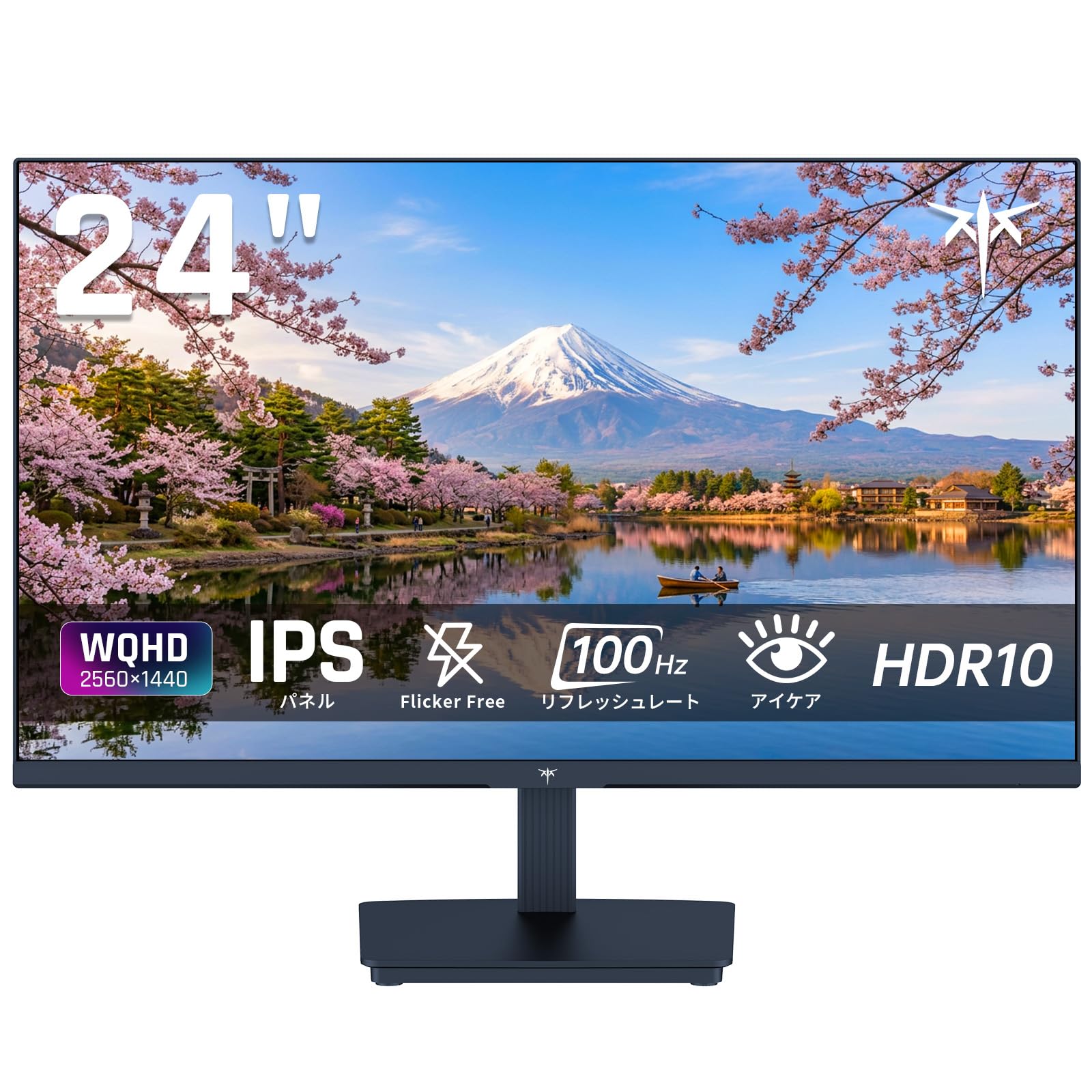
Image: KTC 24-inch WQHD 100Hz IPS Monitor.
2. Gwybodaeth Diogelwch
Please observe the following safety precautions to prevent damage to the monitor or injury to yourself or others:
- Peidiwch ag amlygu'r monitor i law, lleithder, na thymheredd eithafol.
- Sicrhewch awyru priodol o amgylch y monitor i atal gorboethi.
- Defnyddiwch yr addasydd pŵer a gyflenwir gyda'r monitor yn unig.
- Osgowch osod gwrthrychau trwm ar y llinyn pŵer neu'r monitor.
- Do not attempt to disassemble or repair the monitor yourself. Contact qualified service personnel.
- Cadwch y monitor i ffwrdd o feysydd magnetig cryf.
3. Cynnwys Pecyn
Gwiriwch fod yr holl eitemau yn bresennol yn y pecyn:
- KTC 24-inch WQHD 100Hz IPS Monitor (H24T27)
- Sylfaen Monitro
- Cebl HDMI
- Addasydd Pŵer
- Llawlyfr Defnyddiwr
4. Gosod
4.1 Cydosod y Stand
- Tynnwch y monitor a'r sylfaen o'r pecynnu yn ofalus.
- Atodwch wddf y stondin i banel y monitor.
- Secure the base to the stand neck using the provided screws.
4.2 Cysylltu'r Monitor
Cysylltwch y monitor â'ch cyfrifiadur neu ddyfeisiau eraill gan ddefnyddio'r ceblau priodol.
- Cysylltiad Pwer: Connect the power adapter to the monitor's DC input and then plug it into a power outlet.
- Cysylltiad Fideo: Use the supplied HDMI cable or a DisplayPort cable to connect your computer's video output to the corresponding port on the monitor.
- Allbwn sain: If desired, connect headphones or external speakers to the 3.5mm audio output jack.

Image: Close-up of the KTC monitor's rear ports, including DC power, HDMI, DisplayPort, and audio out.
5. Cyfarwyddiadau Gweithredu
5.1 Pŵer Ymlaen/Diffodd
Pwyswch y botwm pŵer sydd wedi'i leoli ar y monitor i'w droi ymlaen neu i ffwrdd.
5.2 Dewislen Arddangos Ar y Sgrin (OSD)
The OSD menu allows you to adjust various monitor settings. Use the control buttons (usually located on the back or bottom of the monitor) to navigate the menu and make selections.
5.3 Gosodiadau Arddangos
- Penderfyniad: The monitor supports WQHD (2560x1440) resolution for sharp and detailed images. Ensure your graphics card is set to this resolution for optimal display.
- Cyfradd Adnewyddu: Enjoy smooth visuals with a 100Hz refresh rate. This can be configured in your operating system's display settings.
- Gamut lliw: The monitor offers 122% sRGB coverage for rich and accurate colors.

Image: KTC monitor highlighting key features like IPS panel, 100Hz, WQHD, 24-inch, Adaptive Sync, and blue light reduction.

Image: Comparison of WQHD (2560x1440) and FHD (1920x1080) resolutions, demonstrating enhanced detail with WQHD.

Image: Comparison of 100Hz and 60Hz refresh rates, showing smoother motion with 100Hz.
5.4 Adaptive Sync (FreeSync & G-Sync)
The monitor supports both FreeSync and G-Sync technologies to eliminate screen tearing and stuttering, providing a fluid gaming experience. Ensure this feature is enabled in your graphics card settings and the monitor's OSD.

Image: Monitor display showing HDR10 content on one side and standard HDR on the other, along with FreeSync & G-Sync comparison (ON/OFF).
5.5 Nodweddion Gofal Llygaid
The monitor includes Flicker-Free technology and a Blue Light Reduction mode to minimize eye strain during prolonged use. These settings can be adjusted via the OSD menu.

Image: KTC monitor displaying eye care features: Low Blue Light (ON/OFF) and Flicker-Free (ON/OFF).
5.6 Cymorth HDR10
This monitor supports HDR10, providing a wider range of colors and contrasts for a more immersive viewing experience. Ensure HDR is enabled in your device's display settings for compatible content.
5.7 Stondin Addasadwy
The monitor stand allows for tilt adjustment from -5° to 15°, enabling you to find the most comfortable viewongl ing.

Delwedd: Ochr view of the KTC monitor demonstrating the tilt-adjustable stand (-5° to 15°).
5.8 Eang Viewongl ing
The IPS panel provides a wide 178-degree viewing angle, ensuring consistent color and image quality from almost any perspective.

Image: KTC monitor showcasing a wide 178-degree viewing angle with consistent color.
6. cynnal
6.1 Glanhau'r Monitor
- Tynnwch y plwg bob amser o'r monitor cyn glanhau.
- Defnyddiwch frethyn meddal, di-lint yn ysgafn dampwedi'i lanhau â dŵr neu lanhawr sgrin ysgafn, nad yw'n sgraffiniol.
- Peidiwch â chwistrellu glanhawr yn uniongyrchol ar y sgrin.
- Ceisiwch osgoi defnyddio cemegau llym neu ddeunyddiau sgraffiniol.
6.2 Gofal Cyffredinol
- Keep the monitor in a clean, dry environment.
- Protect the screen from sharp objects.
- When moving the monitor, handle it carefully and avoid putting pressure on the screen.
7. Datrys Problemau
Os byddwch chi'n dod ar draws problemau gyda'ch monitor, cyfeiriwch at y problemau a'r atebion cyffredin canlynol:
| Problem | Ateb Posibl |
|---|---|
| Dim delwedd ar y sgrin | Check power connections. Ensure video cable is securely connected to both monitor and computer. Select correct input source via OSD. |
| Mae'r ddelwedd yn aneglur neu wedi'i gwyrdroi | Ensure the display resolution is set to 2560x1440. Check video cable for damage. |
| Rhwygo sgrin neu atal cegau | Verify FreeSync/G-Sync is enabled in both monitor OSD and graphics card settings. |
| Dim sain o'r clustffonau/siaradwyr | Check audio cable connection. Ensure volume is not muted on monitor or computer. |
| Nid yw'r monitor yn troi ymlaen | Check power outlet and power adapter connection. Try a different power outlet. |
If the problem persists after trying these solutions, please contact KTC customer support.
8. manylebau
Detailed technical specifications for the KTC H24T27 monitor:
| Nodwedd | Manyleb |
|---|---|
| Brand | KTC |
| Rhif Model | H24T27 |
| Maint Sgrin | 24 modfedd |
| Datrysiad | WQHD (2560 x 1440 pixels) |
| Cymhareb Agwedd | 16:9 |
| Math o Banel | IPS |
| Arwyneb y Sgrin | Di-lacharedd |
| Cyfradd Adnewyddu | 100 Hz |
| Amser Ymateb | 7 ms |
| Cymhareb Cyferbyniad | 1300:1 |
| Disgleirdeb | 300 cd/m² |
| Lliw Gamut | 122% sRGB |
| Viewongl ing | 178 gradd |
| Technoleg HDR | HDR10 |
| Cysoni Addasol | FreeSync, G-Sync |
| Cysylltedd | 1x HDMI, 1x DisplayPort, Allbwn Sain |
| Defnydd Pŵer | 12 Wat |
| Cyftage | 100 folt |
| Dimensiynau (D x W x H) | 18.3 x 54 x 40.5 cm |
| Nodweddion Ychwanegol | Adaptive Sync, Eye Care, Flicker-Free, Blue Light Filter, Tilt Adjustment |
| Dyfeisiau Cydnaws | Game Consoles, Laptops |
| Lliw | Du |
| Siâp | Fflat |
| Tarddiad | Tsieina |
9. Gwarant a Chefnogaeth
9.1 Gwybodaeth Gwarant
Your KTC monitor comes with a Gwarant gwneuthurwr 3 flynedd. In the event of a product defect, a free replacement will be provided. Please note that this warranty does not cover loss or damage caused by customer negligence.

Image: KTC's 3-year free replacement warranty details and contact information.
9.2 Cefnogaeth i Gwsmeriaid
For any inquiries or concerns, please feel free to contact us. We are committed to providing full support to ensure your satisfaction.
Ffôn: 050-3606-8990
E-bost: cefnogaeth@ktcplay.com
You can also contact support through Amazon:

Image: Step-by-step guide on how to contact customer support via Amazon.
10. Cynnyrch Drosview Fideo
Gwyliwch y fideo hwn am drosolwg gweledolview of the KTC QHD computer monitor and its features.
Video: This video showcases the KTC QHD computer monitor, highlighting its 2560x1440 (2K) resolution, 100Hz refresh rate, FreeSync and G-Sync compatibility, flicker-free and low blue light features, 8-bit & 116% sRGB color gamut, 3-side frameless design, -5° to 15° tilt adjustable stand, and available sizes (24, 27, 32 inches). It emphasizes its suitability for professional office use.