
1. Rhagymadrodd
The Xigmatek Aqua V AIR is a high-performance mid-tower PC case designed for gaming enthusiasts. It features a spacious interior, optimized airflow, and tempered glass panels on the front and side to showcase your components. Equipped with seven 120mm ARGB fans, it supports graphics cards up to 410mm in length and is compatible with motherboards featuring hidden connectors for a clean build.
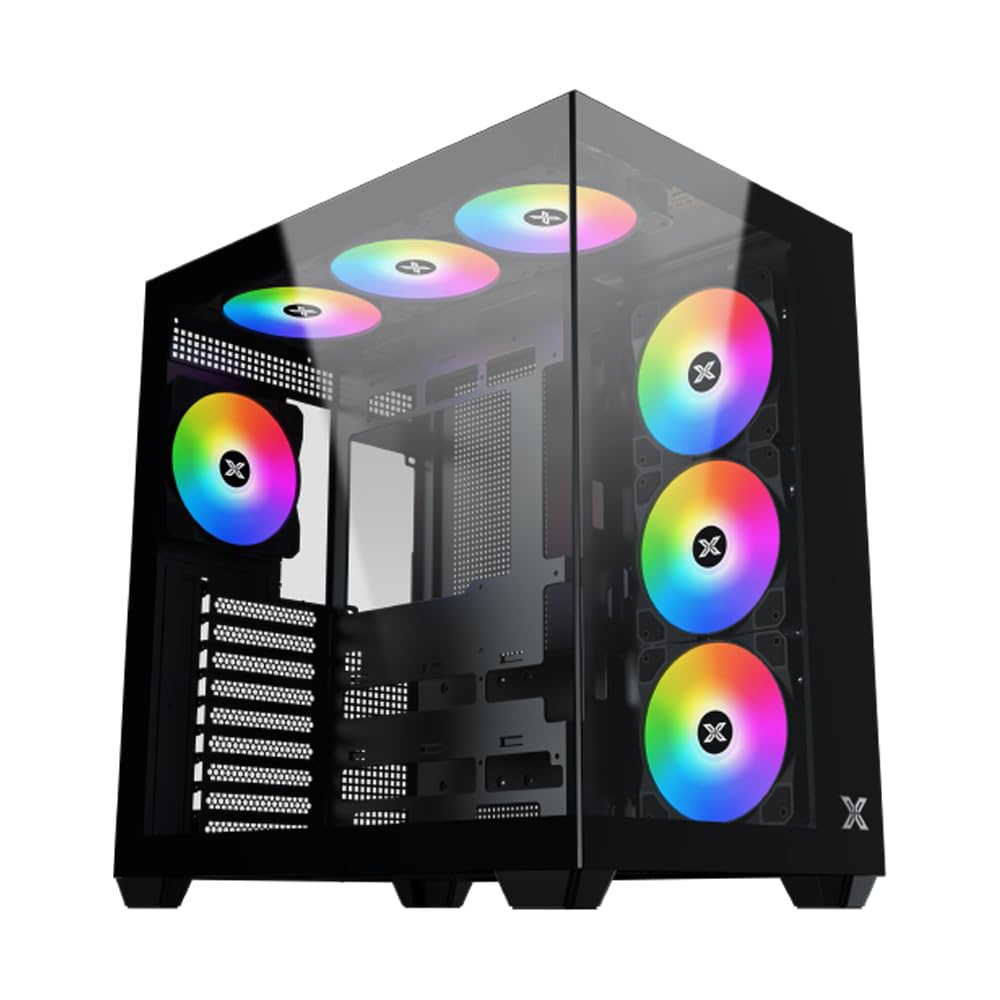
Ffigur 1: Yn gyffredinol view of the Xigmatek Aqua V AIR PC Case.
2. Nodweddion Allweddol
- Deunydd: Constructed from high-quality steel for durability and reliability.
- Dimensiynau: 427 x 285 x 455 mm (L x W x H), offering a spacious interior.
- System Oeri: Supports up to three 120mm or two 140mm fans for optimal cooling performance.
- Cefnogaeth Rheiddiadur: Compatible with 240/280/360mm radiators on the top, bottom, and rear for versatile cooling options.
- Panel I/O: Features 2x USB 3.0 ports, 1x USB-C port, and HD audio for convenient connectivity.
- Cydnawsedd Motherboard: Supports ATX, Micro ATX, and Mini ITX motherboards, including those with hidden connectors.
- Hyd GPU: Accommodates graphics cards up to 410mm in length.
- Cymorth Storio: Yn darparu ample space for multiple storage drives.
3. manylebau
| Nodwedd | Manylyn |
|---|---|
| Brand | Xigmatek |
| Rhif Model | EN45820 |
| Cyfres | Aqua V AIR BLACK |
| Lliw | Du |
| Dimensiynau (L x W x H) | 42.7 x 28.5 x 45.5 cm |
| Pwysau Cynnyrch | 8.8 Cilogram |
| Deunydd | Dur Aloi, Gwydr Tymherus |
| Cydnawsedd Motherboard | ATX, Micro ATX, Mini ITX |
| Math o Achos | Tŵr Canol |
| Defnyddiau a Argymhellir | Gaming, High-Performance Computing |
| Porthladdoedd USB 3.0 | 2 |
| Porthladdoedd USB-C | 1 |
| Dull Oeri | Water (Liquid Cooling Support) |
| Maint Fan | 120 Millimeters (Pre-installed ARGB fans) |
| PSU Mounting Type | Mynydd Gwaelod |
4. Gosod a Gosod
This section provides general guidance for installing components into your Xigmatek Aqua V AIR PC case. Always refer to the specific manuals for your motherboard, power supply, and other components for detailed instructions.
4.1 Paratoi'r Achos
- Unpack the PC case and remove all packaging materials.
- Carefully remove the tempered glass side panel(s) and front panel (if applicable) to access the interior. Store them safely to prevent damage.
- Identify the accessory box, which typically contains screws, cable ties, and other small parts.
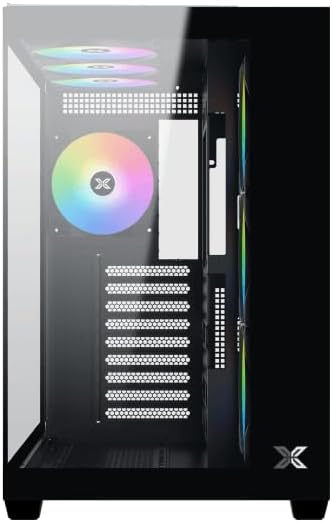
Ffigur 2: Tu mewn view gyda'r panel ochr wedi'i dynnu.
4.2 Gosod Motherboard
- Gosodwch y darian I/O (os nad yw wedi'i gosod ymlaen llaw ar eich mamfwrdd) yn agoriad cefn y cas.
- Align your ATX, Micro ATX, or Mini ITX motherboard with the standoffs inside the case. Ensure all standoffs match the screw holes on your motherboard.
- Secure the motherboard with the appropriate screws provided in the accessory kit.

Figure 3: Motherboard tray and cable management area.
4.3 Gosod Uned Cyflenwad Pwer (PSU)
- Lleolwch yr ardal mowntio PSU ar waelod cefn y cas.
- Slide your PSU into position, ensuring the fan faces downwards (if the case has a bottom vent) or upwards.
- Sicrhewch y PSU gyda sgriwiau o gefn y cas.
4.4 Gosod Gyriant Storio
The case supports various storage configurations. Refer to the case diagram for specific drive bay locations.
- Install 2.5" SSDs or 3.5" HDDs into the designated drive bays or mounting brackets.
- Sicrhewch y gyriannau gyda sgriwiau.
4.5 Gosod y Cerdyn Graffeg (GPU)
- Tynnwch y gorchuddion slot PCIe angenrheidiol o gefn y cas.
- Mewnosodwch eich cerdyn graffeg i'r slot PCIe priodol ar y famfwrdd.
- Sicrhewch y cerdyn graffeg gyda sgriwiau.
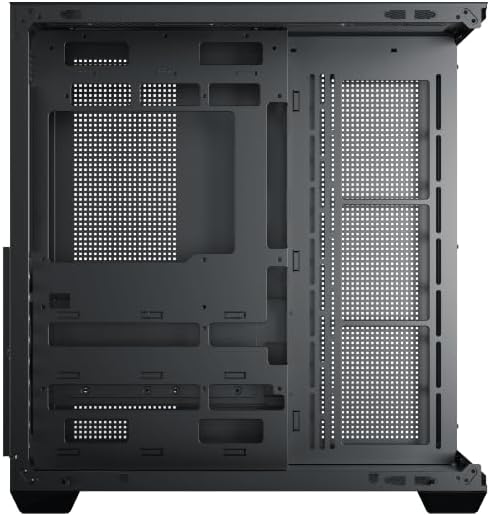
Figure 4: Components installed inside the case.
4.6 Rheoli Ceblau
Defnyddiwch y toriadau llwybro ceblau a'r pwyntiau clymu y tu ôl i hambwrdd y famfwrdd i reoli ceblau er mwyn gwella llif aer ac estheteg.
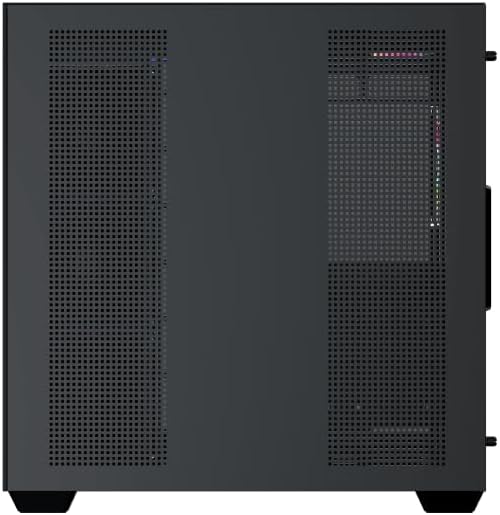
Figure 5: Top panel and I/O ports.
5. Cyfarwyddiadau Gweithredu
5.1 Pweru Ymlaen
Once all components are securely installed and connected, close the side panels. Connect your power cable to the PSU and press the power button on the case's front I/O panel.
5.2 Rheoli Ffan ARGB
The Xigmatek Aqua V AIR comes with pre-installed ARGB fans. These fans can typically be controlled via:
- Meddalwedd Mamfwrdd: If your motherboard supports ARGB synchronization, connect the fan's ARGB cables to the motherboard's 3-pin 5V ARGB header and use the motherboard's software (e.g., ASUS Aura Sync, MSI Mystic Light, Gigabyte RGB Fusion) to customize lighting effects.
- Integrated Controller: If your case includes a built-in ARGB controller, use the dedicated button on the I/O panel to cycle through various lighting modes and colors.
6. cynnal
Mae cynnal a chadw rheolaidd yn helpu i sicrhau perfformiad a hirhoedledd gorau posibl cydrannau eich cyfrifiadur personol.
6.1 Glanhau'r Hidlydd Llwch
The Xigmatek Aqua V AIR case is equipped with dust filters to prevent dust buildup. Locate and gently remove the dust filters (typically on the top, front, and bottom). Clean them with compressed air or by rinsing with water. Ensure they are completely dry before reattaching.
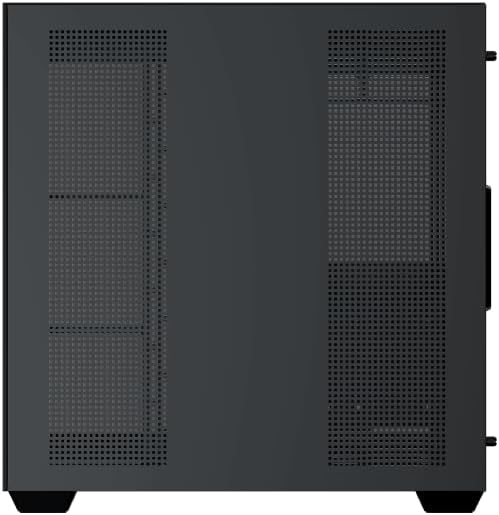
Figure 6: Bottom dust filter.
6.2 Glanhau Cyffredinol
Use a soft, dry cloth to wipe down the exterior of the case. For tempered glass panels, use a glass cleaner and a microfiber cloth to avoid streaks. Avoid using abrasive cleaners or solvents.
7. Datrys Problemau
Os byddwch chi'n dod ar draws problemau, ystyriwch y camau datrys problemau cyffredin canlynol:
- Dim pŵer:
- Ensure the PSU is switched on and properly connected to the wall outlet and motherboard.
- Check all power connections to components (motherboard, CPU, GPU, drives).
- Verify the front panel power switch cable is correctly connected to the motherboard.
- Ffanau Ddim yn Troi / RGB Ddim yn Gweithio:
- Check if fan power cables are securely connected to the motherboard or fan controller.
- Ensure ARGB cables are connected to the correct 3-pin 5V ARGB header (not 4-pin 12V RGB).
- If using a controller, ensure it has power and is functioning correctly.
- Gorboethi:
- Ensure all fans are spinning and oriented correctly for optimal airflow (intake/exhaust).
- Glanhewch hidlwyr llwch a chydrannau mewnol.
- Verify CPU cooler and GPU cooler are properly seated and functioning.
8. Gwarant a Chefnogaeth
The Xigmatek Aqua V AIR PC Case comes with a Gwarant gwneuthurwr 2 flynedd. For technical support, warranty claims, or further assistance, please contact Xigmatek customer service or visit their official websafle.
Cadwch eich prawf prynu at ddibenion gwarant.