
Rhagymadrodd
Thank you for choosing the Amazon Basics Pro Series 4-in-1 USB-C Hub. This compact and versatile hub is designed to expand the connectivity of your PC, MacBook, laptops, phones, monitors, and projectors, offering high-speed data transfer and seamless peripheral integration. This manual provides essential information for proper setup, operation, and maintenance of your device.
Cynnyrch Drosview
The Amazon Basics Pro Series 4-in-1 USB-C Hub features a durable aluminum alloy and ABS housing, ensuring both portability and resilience. It includes a built-in 150mm USB-C cable for convenient connection to your host device.

Delwedd: Drosoddview of the 4-in-1 versatile hub, highlighting its port configuration.
Nodweddion Allweddol:
- Cysylltiad Gwesteiwr USB-C: Provides a versatile bridge between your laptop and peripherals.
- Dau borthladd USB-C: Both support USB 3.2 Gen 2 standard for data transfer speeds up to 10 Gbps.
- Two USB-A Ports: Ar gyfer cysylltu dyfeisiau USB safonol.
- Trosglwyddo Data Cyflymder Uchel: Enables rapid transfer of large files.
- Plug-a-Play: Dim angen gyrwyr ar gyfer gosod.
- Adeiladu Gwydn: Aluminum alloy and ABS housing with a flexible TPE cable.
Gosod
The Amazon Basics Pro Series 4-in-1 USB-C Hub is designed for immediate use with its plug-and-play functionality. No software drivers are required for installation.
- Cysylltu'r Hyb: Insert the built-in USB-C cable of the hub into an available USB-C port on your host device (PC, MacBook, laptop, phone, etc.).
- Adnabod Dyfais: Your operating system will automatically detect and configure the hub. This process usually takes a few seconds.
- Cysylltu Perifferolion: Once the hub is recognized, you can connect your USB-C and USB-A peripherals (e.g., external drives, keyboards, mice) to the corresponding ports on the hub.

Image: The USB-C hub connected to a laptop, demonstrating peripheral connections.
Cyfarwyddiadau Gweithredu
The hub facilitates high-speed data transfer and expands connectivity for various devices.
Trosglwyddo Data:
- Connect USB 3.2 Gen 2 compatible devices to the USB-C ports for data transfer speeds up to 10 Gbps.
- Connect USB-A devices to the USB-A ports for standard data transfer.
- Ensure your host device's USB-C port supports the required data transfer speeds to achieve optimal performance.

Image: The hub emphasizing its ultra-fast 10Gbps data transfer capability.
Cydnawsedd Cyffredinol:
The hub is compatible with a wide range of devices, including:
- PC
- MacBook
- Gliniaduron
- Ffonau
- Monitors
- Taflunwyr
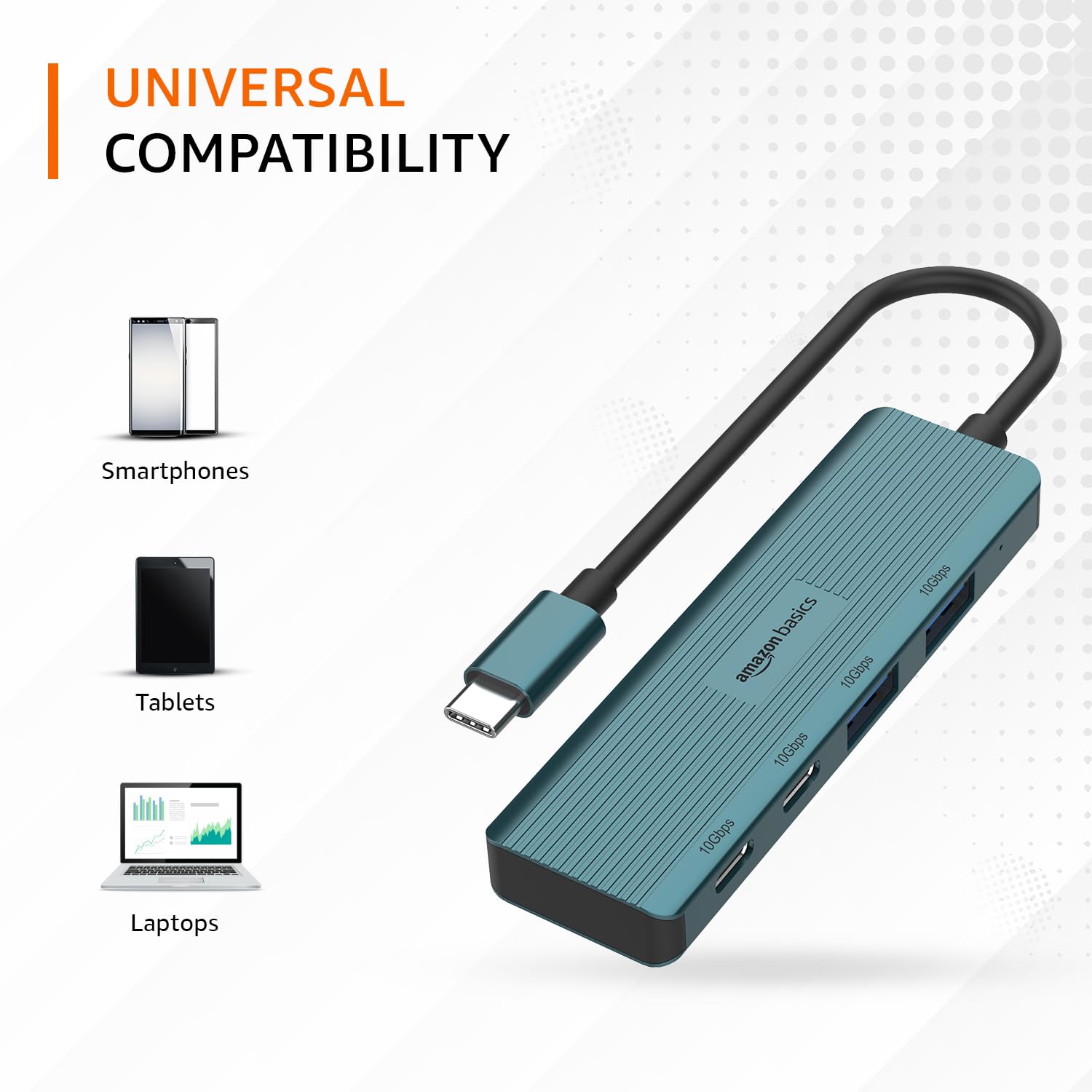
Image: The hub illustrating its compatibility with various devices like smartphones, tablets, and laptops.
Cynnal a chadw
To ensure the longevity and optimal performance of your USB-C hub, follow these maintenance guidelines:
- Glanhau: Defnyddiwch frethyn meddal, sych i lanhau tu allan y canolbwynt. Osgowch ddefnyddio glanhawyr hylif neu doddyddion, gan y gallant niweidio'r gorffeniad neu'r cydrannau mewnol.
- Storio: Pan nad yw'n cael ei ddefnyddio, storiwch y canolbwynt mewn lle oer, sych i ffwrdd o olau haul uniongyrchol a thymheredd eithafol.
- Trin: Avoid dropping the hub or subjecting it to strong impacts. Do not bend the integrated cable excessively.
- Awyru: Ensure the hub has adequate ventilation during operation to prevent overheating, especially during prolonged high-speed data transfers.
Datrys problemau
If you encounter issues with your Amazon Basics Pro Series 4-in-1 USB-C Hub, refer to the following common troubleshooting steps:
- Dyfais heb ei hadnabod:
- Ensure the hub's USB-C cable is fully inserted into your host device's USB-C port.
- Try connecting the hub to a different USB-C port on your host device.
- Restart your host device (computer, laptop, phone).
- Verify that the connected peripheral devices are functioning correctly when connected directly to your host device (if applicable).
- Cyflymderau Trosglwyddo Data Araf:
- Confirm that both your host device's USB-C port and the connected peripheral support USB 3.2 Gen 2 (10 Gbps) for optimal speeds.
- Avoid connecting multiple high-bandwidth devices simultaneously if you experience performance degradation.
- Ensure the cables used for connecting peripherals are of high quality and support the desired data transfer speeds.
- Cysylltiad ysbeidiol:
- Check for loose connections at both the hub and the host device.
- Ensure the hub is not being subjected to physical stress or excessive cable bending.
- If using with a power-intensive device, ensure your host device can supply sufficient power, as this hub is not externally powered.
Manylebau
| Brand | hanfodion amazon |
| Model | Hwb USB-C 4-mewn-1 |
| Rhyngwyneb Gwesteiwr | USB-C |
| Porthladdoedd Allbwn | 2 x USB-C (USB 3.2 Gen 2), 2 x USB-A (USB 3.2 Gen 2) |
| Cyflymder Trosglwyddo Data | Hyd at 10 Gbps (USB 3.2 Gen 2) |
| Hyd Cebl | 150mm (built-in) |
| Deunydd | Aluminum Alloy, ABS Housing, TPE Cable |
| Lliw | Gwyrddlas |
| Pwysau Eitem | 20 g |
| Dyfeisiau Cydnaws | PC, MacBook, Laptops, Phones, Monitors, Projectors |
| System Weithredu | MAC OS (and generally compatible with Windows, Linux, Android) |

Image: Physical dimensions of the USB-C hub.
Gwarant a Chefnogaeth
For warranty information and customer support regarding your Amazon Basics Pro Series 4-in-1 USB-C Hub, please refer to the Amazon Basics official websafle neu cysylltwch â gwasanaeth cwsmeriaid Amazon yn uniongyrchol. Cadwch eich derbynneb prynu ar gyfer hawliadau gwarant.